

Most guides to SEO for an online store hand you the same flat checklist: keyword research, product pages, technical fixes, links. The checklist is correct. It is also useless on its own, because it never tells you what to do first, and doing these in the wrong order is how stores spend six months on a blog while their collection pages sit unindexed.
This is the same work, sequenced. It applies to Shopify, WooCommerce and BigCommerce equally, because the underlying problem is the same everywhere: a store has a small number of commercially valuable pages and a large number of pages that dilute them.
What SEO for an online store actually covers
Ecommerce SEO is the work of getting your category pages, product pages and content to rank for what buyers type before they buy. It differs from ordinary SEO in three ways that matter.
First, your most valuable pages are commercial, not editorial. A collection page for "waterproof hiking boots" is worth more than any blog post you will ever write, and it is also the page most stores neglect because it has 40 words of copy on it.
Second, you are competing with Amazon, Walmart and the marketplaces on almost every product query. You will not outrank them on "running shoes". You can outrank them on "wide toe box trail running shoes for flat feet", and that is where the whole game is.
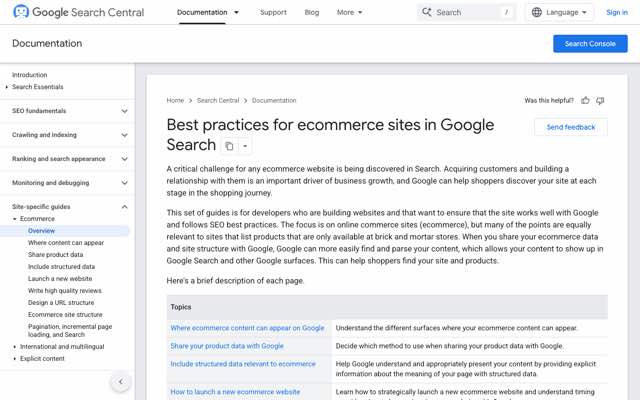
Third, ecommerce sites generate duplicate and near-duplicate pages by default. Filters, sort orders, variants and pagination each spawn URLs. Google publishes its own guidance on this, and it is worth reading before you make architectural decisions you cannot easily undo.
Why organic matters more every year ad costs rise
The case for ecommerce SEO is not that it is free. It takes months and it takes work. The case is that paid acquisition costs rise every year and organic positions do not get repriced at auction. A collection page that ranks in position three keeps sending traffic whether or not you funded the ad account this month.
The realistic timeline: technical fixes show up in weeks, category and product page optimization in one to two months, and new content in three to six. If you need revenue in 30 days, run ads. Start SEO anyway, because in six months you will want to have started today.
Step 1: Keyword research mapped to your catalogue
The mistake here is researching keywords in the abstract and then discovering you have no page that could rank for them. Work the other way round.
List your collections first. Every category page you already have is a keyword target. Find the query people actually use for that category. Stores routinely name a collection "Outerwear" when buyers search "waterproof jackets", and no amount of on-page work fixes a mismatch that basic.
Then mine modifiers. Google autocomplete, the People Also Ask box, Amazon's search suggestions and the relevant subreddits will give you the qualifiers buyers attach: size, material, use case, price band, compatibility, "for" plus an audience. These modifier queries have less volume individually and convert far better.
Sort by intent, not volume. A 200-search-a-month query where the searcher is choosing between two products is worth more than a 20,000-search query where they are still learning what the product category is. Most keyword tools sort by volume, which is why most stores target the wrong terms.
Check what actually ranks. Search the term. If page one is all marketplaces and no independent stores, that term is not winnable yet. Note it and move on.
Step 2: Fix category pages before you touch the blog
This is the step that gets skipped, and it is the one with the shortest path to revenue. Category and collection pages target commercial queries, they already exist, and they usually have almost no content on them.
What to do on each one that matters:
- Match the title to the query: the H1 and title tag should use the phrase buyers search, not your internal category name.
- Add real copy above or below the grid: 150 to 300 words explaining what is in the category, how to choose, and what differs between the options. This is the content most stores have zero of.
- Handle filters properly: decide which filtered views deserve to be indexed as their own pages and canonical or noindex the rest. Faceted navigation left unmanaged is the single biggest source of ecommerce index bloat.
- Link internally from the top: your highest-authority pages should link to the collections you most want to rank, not just to whatever the navigation happens to include.
- Add breadcrumbs with schema: cheap to implement, improves how the result renders.
Pick your ten most commercially important collections and do this properly on those ten. That will outperform doing it half-heartedly on ninety.
Step 3: Product pages that survive a thin catalogue
If you dropship or resell, your product descriptions are the manufacturer's, which means several hundred other stores have the identical text. Google has no reason to prefer your copy of it.
The fixes, in order of return:
- Rewrite descriptions for your buyer: not longer, different. What it is good for, who it suits, what it does not suit, how it compares to the next item up.
- Get reviews on the page: user-generated content is unique text you did not have to write, and review schema affects how the listing renders in search.
- Answer questions on the page: sizing, compatibility, shipping, returns. These are the queries people search alongside the product name.
- Product schema: price, availability and rating, kept accurate. Wrong availability data is worse than none.
- Handle variants: one canonical product page with selectable options, not forty near-identical URLs, unless a variant has genuine independent search demand.
Do this for products that already get impressions first. Search Console will tell you which ones those are, and it is usually a smaller list than people expect.
Step 4: Site architecture and click depth
Every page should be reachable within three clicks of the homepage. Beyond that, crawl frequency drops and internal authority thins out to nothing.
The structure that works is boring: homepage, to category, to subcategory, to product. Keep URLs readable and stable. If you must change a URL, redirect the old one, and keep the redirect permanently rather than for a tidy-up window.
The two architecture problems specific to stores are pagination and faceted navigation. For pagination, let the paginated pages be crawlable and do not canonical them all to page one. For facets, allow indexing only on the filter combinations that have real search demand, such as a colour or size that people search by name, and block the rest.
Step 5: The technical work you can finish in a week
Technical SEO for an online store is mostly a finite list, which is why it is worth doing early. It ends.
- HTTPS everywhere and no mixed content warnings.
- Core Web Vitals: compress and resize images, lazy load below the fold, cut the apps you are not using. Product images are almost always the cause.
- Sitemap submitted in Search Console, and check what is actually indexed against what you submitted.
- Fix broken links and 404s, particularly on discontinued products, which should redirect to the parent category rather than dying.
- Canonical tags on variant and filtered URLs.
- Mobile: the mobile rendering is the one Google indexes.
A platform SEO app will do most of this list for between nothing and $40 a month. If you want the comparison, we tested the current options in our breakdown of the best Shopify SEO apps, with live ratings and real prices.
Step 6: Content that brings buyers, not browsers
Now the blog, and only now. The reason content comes sixth is that content works by capturing demand your product pages cannot reach, which is only worth doing once the pages it feeds are in order. If your store runs on Shopify, our guide to Shopify blog SEO covers how the built-in blog, its tag pages and its templates affect rankings.
The content that earns money for a store is narrow:
- Buying guides for your category, which rank for "best" and "how to choose" queries and link straight into collections.
- Comparisons, including comparisons of products you sell against ones you do not.
- Problem-first articles, where the searcher has the problem your product solves but does not yet know the product category exists.
- Use and care content, which earns links and brings back existing customers.
What does not work is publishing on general industry topics because a content calendar demanded twelve posts a month. Forty posts nobody searches for, none of them linked to a collection page, is a slower path to nowhere than publishing nothing at all. Every post should link to at least one page you sell from.
Step 7: Links, and why ecommerce link building is harder
Nobody links to a product page voluntarily. That is the structural problem with ecommerce link building, and it is why the tactics differ from content sites.
What actually works: original data from your own order history, which journalists cite; genuinely useful free tools or calculators for your category; supplier and stockist listings you are entitled to and have never claimed; and buying guides good enough that other people reference them. Digital PR beats outreach at scale here, because you are asking for a link to something worth linking to rather than to a shop.
Links then need to flow internally from wherever they land to the collections that sell. A link to a buying guide is only worth something if the guide links onward to the products.
Step 8: Showing up in AI search
A growing share of product research now starts in ChatGPT, Perplexity or a Google AI Overview rather than on a results page. Being cited in those answers is a different job from ranking, and the older ecommerce SEO guides do not cover it because they were written before it mattered.
What moves it: clear, factual, well-structured pages that state specifics rather than adjectives; comparison content that names real alternatives with real prices; structured data so the facts are machine-readable; and being mentioned on third-party sites the models already trust. Vague marketing copy is invisible to a model asked to recommend something specific.
The uncomfortable part for stores is that these answers usually cite editorial pages, not product pages. That makes step six more valuable than it looks.
SEO for DTC brands: the harder version of the same job
SEO for DTC brands is the same work with two constraints on top, and they are worth naming because generic ecommerce advice quietly assumes neither applies.
You have no branded search volume. An established retailer gets a floor of traffic from people typing its name. A new DTC brand gets none, so every visit has to be earned from a non-branded query. That makes category and comparison content disproportionately important, and it makes the first six months feel like nothing is happening.
Your catalogue is narrow by design. DTC brands often sell five products, not five thousand. There are not enough product pages to build a site around, so the site has to be built around the problem the products solve. A brand selling one mattress cannot rank for a catalogue it does not have, but it can own every query about sleep position, firmness and trial periods.
In practice, a DTC brand should spend proportionally more on content and comparison pages and less on product page optimization, which is the reverse of the advice a large catalogue retailer should follow.
What to do first, by store stage
The checklist everyone publishes assumes one kind of store. Here is the same work ordered by where you actually are. If you want it written up as a 12-month plan, start from our ecommerce SEO strategy template.
| Stage | Do this first | Do this next | Ignore for now |
|---|---|---|---|
| Under 500 sessions/mo | Technical fixes and Search Console setup | Rewrite your five main collection pages | Link building, blog volume |
| 500 to 5,000 sessions/mo | Category page copy and internal links | Buying guides for your top categories | Digital PR, programmatic pages |
| 5,000 to 50,000 sessions/mo | Product pages that already get impressions | Content at volume, plus AI search work | Chasing head terms |
| 50,000+ sessions/mo | Faceted navigation and index bloat | Digital PR and original data | Anything manual and per-page |
| New DTC brand, any traffic | Problem-first content | Comparison pages naming real rivals | Product page micro-optimization |
If you want the same stage-based treatment applied to acquisition beyond search, we sequenced the ecommerce marketing strategies by store stage in a separate piece.
This video covers the same ground from the practitioner side if you would rather watch it than read it:
Running all of it without hiring for it
Eight steps is a lot for a store owner who is also doing fulfilment, support and buying. The honest position is that most of this list is repetitive work that follows rules, which is why it can be run by a platform rather than a person.

Distribb connects to your store and runs the programme itself:
- Keyword research against your actual catalogue, not a generic list.
- Writing and publishing on a schedule, with internal links pointed at the collection and product pages that earn revenue.
- Backlinks through an exchange network and outreach, rather than leaving step seven as homework.
- AI search visibility, writing for citation in ChatGPT, Perplexity and AI Overviews.
- No approval queue: you can review things if you want to, but nothing sits waiting on you, and there is no SEO hire assumed on your side.
Pro is $97 a month and Accelerator is $495 a month. Accelerator includes more articles and done-for-you distribution. Compare the current Distribb plans before connecting your store, and choose whether to review drafts before they publish.
The honest limit is that it is a platform, not a bespoke creative agency. If you want a brand campaign built from scratch, that is a different purchase.
Measuring whether any of this worked
Four numbers, checked monthly, in this order.
- Indexed pages versus submitted pages in Search Console. A large gap means an architecture problem, not a content problem.
- Impressions on non-branded queries. This moves before clicks do and is the earliest honest signal that anything is working.
- Organic sessions to collection pages specifically, separated from blog traffic, because they behave completely differently.
- Organic revenue, which is the only one that settles arguments.
Give it six months before drawing conclusions, and compare against the same period last year rather than last month, because ecommerce traffic is seasonal and month-over-month comparisons will mislead you in both directions. If you want a structured way to find what is broken before you start, our ecommerce SEO audit walkthrough covers the sequence.
FAQ
Is SEO worth it for an online store?
Yes, if you can wait. Organic positions do not get repriced at auction the way ad inventory does, so traffic that costs you nothing per click compounds while paid costs rise. The catch is the timeline: three to six months before new content settles, one to two for existing page work. If you need sales this quarter, run ads and start SEO in parallel.
Can I do SEO for my online store myself?
The technical work, yes. An app handles most of it and the rest is a finite checklist. Category page copy, yes, and you will write it better than an outsider because you know the products. Where owners stall is content volume and link building, which are ongoing rather than one-off. That is the part worth handing to a platform or an agency.
How much does ecommerce SEO cost?
A platform SEO app runs from free to about $40 a month and covers the technical layer. A managed platform that also researches, writes, publishes and builds links is $97 to $495 a month. Agencies typically start around $1,500 a month and go up sharply. The gap between the app and the agency is the gap between fixing pages and creating them.
What is the difference between ecommerce SEO and regular SEO?
Three things: your most valuable pages are commercial rather than editorial, you are competing with marketplaces on most product queries, and your platform generates duplicate URLs by default through filters, variants and pagination. The fundamentals are identical. The failure modes are not.
Should I optimize product pages or write blog posts first?
Neither. Category pages first. They target commercial queries, they already exist, and on most stores they carry almost no copy, which makes them the shortest path from work to revenue. Product pages second, starting with the ones already getting impressions (our Shopify product page SEO guide covers what to fix on them). Blog posts sixth.
Does SEO still work with AI answers taking over search?
It works differently. Ranking and being cited are now two jobs. Cited pages tend to be specific, factual and well structured, and they tend to be editorial rather than product pages. Stores that only optimized product pages are the ones most exposed to this shift.
Conclusion
The order is the advice. Technical fixes, then category pages, then the product pages that already get impressions, then content, then links. Most stores run that list backwards, start with a blog, and conclude a year later that SEO does not work for ecommerce.
Pick the stage row that matches your store, do the two things in it, and check Search Console in 90 days. If producing and publishing content is the bottleneck, compare Distribb's content plans and choose whether to review articles before they publish.