
Every SEO audit report template you can find is either a download button or a screenshot of someone else's spreadsheet. You get the outline and none of the writing, which is the part that takes the time. If you want the finished article rather than the outline, our SEO audit report sample shows each section filled in.
This page is the whole template. Section order, the columns in each table, the prioritisation scoring, and a worked example of what one finding looks like written up properly. Copy it out of the page. There is nothing to sign up for.
It is written for the two people who need it: an agency or freelancer delivering an audit to a client, and an in-house marketer who has to get a developer to act on it.
The one thing that decides whether the report works
An audit report is not a list of problems. It is a request for someone else's time, usually a developer's, and it competes with every other request in their queue.
That reframing changes the structure. A finding that says "142 pages have duplicate title tags" gets ignored. A finding that says which 142, why it costs traffic, what the fix is, roughly how long it takes and who owns it gets scheduled.
So the template below forces four fields on every finding: evidence, impact, fix, and effort. If you cannot fill all four, the finding is not ready to go in the report.
The structure, section by section
Seven sections, in this order. The order matters because the people who read the first two pages are usually not the people who do the work.
| # | Section | Length | Who reads it |
|---|---|---|---|
| 1 | Cover and scope | Half a page | Everyone |
| 2 | Summary and top five actions | 1 page | The decision maker |
| 3 | Baseline measurement | 1 page | The decision maker |
| 4 | Technical findings | 2 to 5 pages | Developer |
| 5 | Content and on-page findings | 2 to 5 pages | Content owner |
| 6 | Links and authority | 1 to 2 pages | Marketing lead |
| 7 | Prioritised action plan | 1 page | Whoever schedules the work |
A first audit of a small site fits in nine or ten pages. If yours runs to forty, you have pasted in an export, which is covered further down.
Section 1: cover and scope
Four lines, and they exist to stop an argument later.
- The property audited, including whether it covers subdomains and any other language versions
- The date range the data covers, and the date the crawl was run
- What was not looked at, in plain words, for example paid search, off-site reputation, or the mobile app
- Version number and author, so the second audit can be compared with the first
Scope creep in an audit is a real cost. Writing down the boundary is what lets you say no in week three without it becoming a conversation.
Section 2: summary and the top five actions
One page. Assume the person reading it will read nothing else, ever.
Write three short paragraphs: where the site stands, what is holding it back, and what happens if the top five actions are done. No jargon that needs defining, because if you have to define it you have already lost the reader.
Then the five actions as a table, and only five:
| # | Action | Expected effect | Effort | Owner |
|---|---|---|---|---|
| 1 | Remove the noindex tag from 38 product category pages | Recovers indexing on pages holding 4,100 monthly impressions | 1 hour, developer | Dev |
| 2 | Merge four overlapping guides into one | Ends self-competition on the main commercial query | 1 day, writer | Content |
| 3 | Rewrite 142 duplicate title tags | Lifts click-through on pages already ranking 5 to 15 | 2 days, writer | Content |
| 4 | Fix the 900 KB hero image on the templated pages | Improves Largest Contentful Paint across 240 pages | 2 hours, developer | Dev |
| 5 | Reclaim 61 links pointing at 404 URLs | Restores authority already earned | Half a day | Marketing |
Five is the limit on purpose. A list of thirty actions is a list of zero actions.
Section 3: the baseline
The audit is worthless later if nobody can tell whether it worked. Record the numbers on the day of the audit, in one small table, and repeat exactly this table in the next audit.
| Metric | Source | Value on audit date |
|---|---|---|
| Clicks, last 90 days | Search Console | 3,412 |
| Impressions, last 90 days | Search Console | 214,880 |
| Average position, non-brand | Search Console | 24.6 |
| Indexed pages | Search Console coverage | 1,190 of 1,460 submitted |
| Queries in positions 5 to 20 | Search Console | 318 |
| Referring domains | Any backlink tool | 143 |
| Largest Contentful Paint, mobile | PageSpeed Insights, field data | 3.9s |
The row that predicts the most short-term movement is queries in positions 5 to 20. Those are pages Google already trusts, and they respond to on-page work in weeks rather than months.
Section 4: technical findings
Group by the thing that is broken, not by the tool that found it. Nobody wants a section called "Screaming Frog output".
Cover, in this order: indexing and crawling, site architecture and internal linking, speed and Core Web Vitals, structured data, and site integrity. A thorough website security audit belongs in that last part, because a compromised site loses rankings faster than any of the other issues on this list will fix them.
Each finding uses the same four fields:
- Evidence. The URL count, a sample of three real URLs, and where the number came from.
- Impact. What it costs in traffic or crawl budget, stated as a range if you are not certain.
- Fix. What to change, specifically enough that a developer does not have to ask a follow-up question.
- Effort. Hours or days, and which role does it.
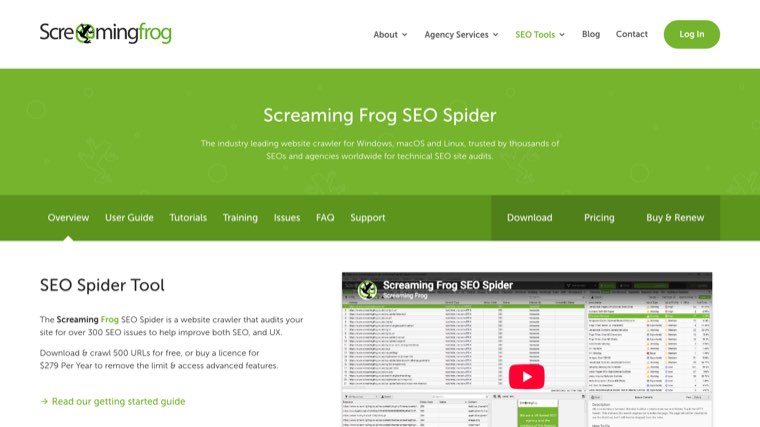
Run the crawl with Screaming Frog or any crawler that exports a list of URLs with status codes, then verify anything surprising in Google Search Console before it goes in the report. Crawlers report what a bot saw on one day. Search Console reports what Google actually did with the page, and the two disagree more often than people expect.
For the checks themselves, the full list is in our SEO audit checklist, which runs to 42 checks in six parts. This page is about how to write the findings up; that page is about how to find them.
Section 5: content and on-page findings
Three things belong here and one of them is usually skipped.
Coverage. Which queries the site should rank for and has no page for. Keep this short, because it turns into a content plan and the content plan is a separate document. The findings from this section also feed the audit summary of a wider SEO strategy template.
Quality on pages that already rank. Anything sitting in positions 5 to 20 with a weak title, a missing intro answer, or thin body copy. This is where the fastest wins live.
Cannibalisation. The skipped one. Two or more of your own pages targeting the same intent, splitting their own rankings. Find it by exporting your queries and looking for any query where the ranking URL changes from week to week, which is Google telling you it cannot decide either.
Write the cannibalisation finding as a merge instruction with a named winner and a redirect target, not as an observation. "These two pages overlap" is not actionable. "Redirect B into A, move the two sections B has that A lacks, keep A's URL" is.
Section 6: links and authority
Two paragraphs and two short tables is enough for most sites. Referring domains, the trend over twelve months, the ten strongest links, and anything toxic enough to matter.
The part clients care about is what to do next, so end this section with where new links realistically come from for their business. For most small sites the honest answer is a mix of digital PR, partnerships, and exchange networks rather than outreach at volume, and it is worth saying which one you would start with and why.
If you are running this for a client and links are the constraint, our backlink exchange is one of the routes worth pricing against agency link buying before you commit a budget line.
Section 7: the prioritised action plan
Score every finding on two axes and let the score decide the order. This removes the argument about what goes first, which is the argument that stalls audits.
| Finding | Impact 1 to 5 | Effort 1 to 5 | Priority score | Sprint |
|---|---|---|---|---|
| Noindex on 38 category pages | 5 | 1 | 5.0 | 1 |
| Duplicate titles, 142 pages | 4 | 2 | 2.0 | 1 |
| Merge four overlapping guides | 4 | 3 | 1.3 | 2 |
| Hero image weight, 240 pages | 3 | 2 | 1.5 | 2 |
| Broken internal links, 61 | 2 | 1 | 2.0 | 1 |
| Schema on product pages | 3 | 4 | 0.75 | 3 |
Priority score is impact divided by effort. Anything scoring 2.0 or above goes in the first sprint. It is a crude formula and its value is that it is crude: it is fast to apply and hard to argue with.
Add a column for status and dates when the report becomes a working document, which is the point at which it stops being a PDF and starts being useful.
A finding, written up properly
The difference between an audit that gets actioned and one that does not is at this level of detail. Here is one finding from a fictional 240-page ecommerce site, written out in full.
Finding 4.2: category pages are excluded from the index by a noindex tag
*Evidence.* 38 of 46 category URLs return a noindex robots meta tag. Confirmed in Search Console coverage as "Excluded by noindex" on 2 August. Samples: /collections/workwear, /collections/safety-boots, /collections/hi-vis.
*Impact.* These 38 URLs held 4,100 impressions and 96 clicks in the 90 days before the tag appeared, and now hold none. The tag was added in the 14 June theme deployment, which matches the drop in the impressions chart exactly.
*Fix.* Remove the noindex from the collection template in the theme. It is a single line in the layout file, not a per-page setting. After deploying, submit the collection sitemap for recrawl.
*Effort.* One hour, developer. Recovery visible in Search Console within two to three weeks.
Four fields, no adjectives, and a developer can act on it without a meeting. That is the whole standard.
What to leave out
Three things pad audits and cost you credibility.
Raw exports. A 400-row crawl export is an appendix at best, and usually a separate file. Nobody has ever read one inside a report.
Findings with no owner. If nothing happens as a result of the finding, cut it. "Consider improving user engagement" is not a finding.
Tool scores as headlines. A site health score of 74 out of 100 means whatever that vendor decided it means. Report the specific issues, not the number their marketing team designed.
Delivering it under your own brand
If you are an agency, the report is the product the client actually sees, so two things matter beyond the content: it carries your branding, and it arrives on a schedule without you rebuilding it each month.
Practically that means a template file you duplicate, a fixed set of data sources so the numbers are comparable month to month, and an export that does not have another company's logo on it. The last one sounds trivial and it is the most common reason agencies do not send a report they have already produced.
We wrote up the delivery side separately in white label SEO reporting, and the recurring version of this, where the numbers refresh without anyone rebuilding the file, in automated SEO reports. If the client wants to look at the numbers between reports rather than wait for one, a live SEO performance dashboard is the better answer than sending the PDF more often.
The tools that produce the numbers
You need four kinds of data: crawl data, Search Console data, speed data, and link data. Everything else is optional.
Distribb. Runs a seven pillar audit covering technical SEO, Core Web Vitals, on-page, structured data, Search Console metrics, off-site authority and page screenshots, and exports a PDF with your own branding on it. It pulls Core Web Vitals live from Google and tracks Domain Rating weekly, so the baseline table above fills itself in between audits. The limitation worth knowing before you sign up: it produces its own report format and will not fill in the Google Doc template on this page for you, and it needs Search Console OAuth access to the property, so it is no use for auditing a site you do not control. There is a three day trial and then it is paid.

Google Search Console. Free, and the only source that tells you what Google actually did rather than what a crawler thinks. Coverage report, query export, and Core Web Vitals field data. Whether the analytics half of that stack costs anything is answered in our explainer on whether Google Analytics is free.
A crawler. Screaming Frog free up to 500 URLs, or any equivalent. This produces the technical section.
PageSpeed Insights. Free, and use the field data section rather than the lab score. Lab scores move with the weather.
A backlink tool. Ahrefs starts around $129 a month and Semrush is in the same range. Both are named here in plain text because for a single audit you can get most of the way on the free tiers, and the paid tier only earns its place if you are auditing monthly.
How we put this together
The structure above comes from comparing the audit templates currently ranking for this term, taking the prioritisation model from the best of them, and adding the parts none of them include: the filled-in sample finding, the baseline table designed to be repeated, and the delivery section for agencies. Every tool named was loaded in a browser in August 2026 before it went in, and the prices quoted were read off the vendor's own pricing page on the same day.
The worked example is a fictional site. The numbers are realistic rather than real, and they are there to show the level of specificity a finding needs.
How often to run it
A full audit twice a year for most sites, and quarterly if the site changes often or has a development team shipping weekly.
Between full audits, watch four things: indexed page count, queries in positions 5 to 20, Core Web Vitals field data, and referring domains. If none of those move in a bad direction, a full re-audit is not urgent.
The exception is any site migration, redesign, or theme change. Audit before and after, both times, because the fictional example above is the single most common real finding after a deployment.
Questions people ask
How long should an SEO audit report be? Nine to twelve pages for a small site. The constraint is not length, it is that every finding has evidence, impact, fix and effort. Reports that run past thirty pages are usually carrying a raw export.
What is the difference between an audit and a report? The audit is the work of finding the issues. The report is the document that gets someone to fix them. Most people are good at the first and lose the value at the second.
How do I present an audit to a client? Walk them through section 2 only, live, in fifteen minutes. Send the full document afterwards. If you present the technical section to a non-technical client you will spend the meeting explaining crawl budget instead of getting agreement on the five actions.
Can I do a useful audit with free tools? Yes, for a site under about 500 pages. Search Console, the free Screaming Frog tier and PageSpeed Insights cover the technical and measurement sections. Link data is where the free tiers get thin.
What should a white-label audit report include that an internal one does not? Your branding, a plain-language summary that assumes no SEO knowledge, and an explicit scope line. Internal reports can skip the scope line because everyone knows what was included. Client reports cannot. The recurring version of that reporting, showing movement rather than a one-off diagnosis, is covered in our guide to the SEO keyword ranking report.
Start with the template, not the tool
Copy the seven sections, fill in the baseline table for the site you are working on, and write up your first three findings using the four fields. That is enough to see whether your audit is a document that gets actioned or a document that gets filed.
If you want the data collection and the branded PDF handled rather than assembled by hand each time, run the audit through Distribb and keep this template for the parts a tool cannot write for you, which is the summary, the prioritisation and the argument for why the work is worth scheduling.