

"AI content creation tools" covers at least five different jobs. Writing prose, optimising it for search, making images, making video, and making voice. No single product is good at all five, and the ones that claim to be are usually mediocre at four. If prose is the only one of those you need, our guide to choosing AI content writing software covers that category on its own.
This list is sorted by job rather than by hype, so you can pick the two or three you actually need instead of subscribing to nine.
How we checked this list
Every product below was loaded on its live site in August 2026, and prices came from the vendor's own pricing page on the same day. Where a vendor's pricing page would not render a figure to us, we name the plan and leave the price out rather than repeating a number from an older article. Anything that no longer resolves was cut before writing. We use several of these daily and have not personally used all fifteen, which is why the limits below describe what each tool does not do rather than pretending to a full test.
Quick answer
- Topic to published page, with social posts: Distribb
- General drafting and thinking: ChatGPT or Claude
- Marketing team with brand voice rules: Jasper
- Optimising a draft for search: Surfer SEO
- Design and layout: Canva
- Images without copyright worry: Adobe Firefly
- Talking-head video with no camera: Synthesia or HeyGen
- Turning long video into clips: OpusClip
- Voice and audio: ElevenLabs
Comparison
| Tool | Job | Entry price | Free tier |
|---|---|---|---|
| Distribb | Articles published to your site plus social drafts | 7-day trial | No |
| ChatGPT | General writing and reasoning | Plus plan | Yes |
| Claude | Long-form writing | $17/mo annual | Yes |
| Jasper | Marketing copy at brand scale | $69/mo per seat | 7-day trial |
| Surfer SEO | On-page optimisation | Paid plans | No |
| Copy.ai | Go-to-market copy workflows | $29/mo | Limited |
| Grammarly | Editing and consistency | $12/mo | Yes |
| Canva | Design and layout | Pro plan | Yes |
| Adobe Firefly | Commercially safe images | Included in Adobe plans | Limited |
| Midjourney | Stylised images | Subscription | No |
| Synthesia | AI avatar video | $18/mo annual | 10 min/mo |
| HeyGen | AI avatar video, many languages | $29/mo | Yes |
| OpusClip | Clipping long video | $15/mo | Yes |
| Descript | Video and podcast editing | $16/person/mo | Yes |
| ElevenLabs | Voice generation | From single digits | Yes |
1. Distribb, the only one that finishes the job

This page splits content creation into five jobs: writing prose, optimising it for search, images, video and voice. Almost every tool below covers one or two of them and gestures at the rest. Distribb covers a sixth job the list barely names, which is getting the finished thing live and linked.
Research a keyword with commercial intent, draft the article, publish it straight into WordPress, Webflow, Shopify, Ghost, Wix, Notion, GoHighLevel, Framer or a webhook, internal-link it into the archive, and turn it into native social drafts. One scheduled loop instead of four tools with handoffs between them, and handoffs are where content programmes actually stop.
The Distribb AI content writer is the part of it that overlaps with the writing tools below. The rest of the loop is the reason it sits first here rather than in the middle of the list.
Pros:
- No handoff between draft and live page: the article publishes itself into your CMS instead of landing in a chat window
- Eight CMS integrations plus webhooks: WordPress, Webflow, Shopify, Ghost, Wix, Notion, GoHighLevel and Framer
- Internal linking on publish: each new piece is wired into the existing archive rather than landing orphaned
- Backlinks included: the exchange network is part of the subscription rather than a separate line item
- Social repurposing built in: published articles come back as native drafts for a dozen platforms
Cons: It covers one of the five jobs this page is organised around. There is no image generation beyond stock selection, no video, no voice, and no general-purpose prose for landing pages or emails. If you want all five from one vendor, this is the wrong tool and you should buy from the list below instead.
For who: Teams whose drafts pile up unpublished, and anyone running a blog as a search channel rather than as a writing exercise.
Pricing: $97 a month with a 7-day free trial, and Accelerator at $495 a month. Two prices, no free plan.
2. ChatGPT, the default drafting tool

The most widely used AI writing tool in the world, and the right starting point for brainstorming, outlining, rewriting and short-form copy. Its strength is breadth. It will draft a product description, argue with your positioning, then write a spreadsheet formula in the same conversation.
Across the five jobs on this page it touches four of them at least partly, which is why it is most people's first and sometimes only subscription.
Pros:
- Widest single-tool coverage: prose, images, code and analysis without leaving the conversation
- Projects and custom GPTs: reusable context so you stop re-explaining your business each session
- Scheduled tasks: recurring prompts that run without you opening the app
- A genuinely usable free tier: enough to judge the tool before paying
Cons: It writes into a chat window and everything after that is your job. It also has no ranking data behind it, so a search-facing draft needs a second pass somewhere else, and the chat interface quietly encourages one-off pieces rather than a publishing schedule.
For who: Almost everyone, as the general-purpose tool you keep when you cancel the others.
Pricing: Free, Go, Plus, Pro and Business tiers. OpenAI serves prices by region and the pricing page returned local currency rather than dollars from our location on 6 August 2026, so we have not quoted a USD figure we could not read on the page.
3. Claude, the better long-form writer
Claude holds a consistent voice across a long piece more reliably than most alternatives, which matters if you are producing 2,000-word articles rather than captions. Long context handling is the practical benefit: hand it a full research folder and it uses the whole thing rather than the first page.
Against the writing job specifically, this is the strongest tool on the page. Against the other four jobs it does not compete at all.
Pros:
- Consistent voice over length: tone holds from the first section to the last without re-prompting
- Large context in practice: long source documents are used whole rather than skimmed
- Strong editing partner: it will argue with a draft rather than only rewriting it
- Free tier plus a low annual price: the cheapest serious long-form writer here
Cons: It produces text, not published pages, and there is no ranking data behind it. It is also text and code first, so if your bottleneck is images, video or voice, nothing on this page's other four jobs gets solved by subscribing.
For who: Anyone whose main output is long-form articles, reports or documentation.
Pricing: Free tier, Pro at $17 a month on an annual subscription or $20 billed monthly, and Max from $100 a month, read from claude.com on 6 August 2026.
4. Jasper, built for marketing teams

Jasper's case is brand voice enforcement and campaign templates across a team rather than raw writing quality. If six people are producing copy and it all needs to sound like one company, that is the problem Jasper solves and the reason it survives against cheaper general-purpose models.
It is the only tool here whose pricing is per seat, which tells you who it is built for.
Pros:
- Brand voice held across a team: the voice rules apply to everyone's output, not just the person who wrote the prompt
- Campaign templates: repeatable formats for launches and multi-channel pushes
- Multi-format marketing copy: ads, emails and landing pages from the same brief
- Team workflow layer: approvals and shared assets rather than individual chat histories
Cons: Expensive per seat next to Claude or ChatGPT, and the underlying writing is not obviously better, so you are paying for the workflow layer rather than the words. For a solo operator it is the worst value on this page.
For who: Marketing teams of three or more with real brand guidelines to enforce.
Pricing: Pro at $59 per seat per month billed yearly, or $69 billed monthly, read from jasper.ai on 6 August 2026. Higher tiers are quoted rather than listed.
5. Surfer SEO, for making a draft rank

Surfer takes a draft you already have and tells you what the pages currently ranking include that yours does not: terms, headings, length, structure. It is an optimisation layer rather than a generator, which makes it the tool that addresses job two on this page directly.
Used properly it is one of the highest-leverage tools here, because it turns a competent article into one that competes.
Pros:
- Concrete gap list: named terms and headings the ranking pages cover and your draft does not
- Structural guidance: length and heading depth benchmarked against what already ranks
- Works on any draft: tool-agnostic, so it sits on top of whatever wrote the piece
- Priced in bands: a low entry tier for a single site and higher tiers for agency volume
Cons: It optimises toward what already ranks, which nudges every page toward the same shape, and following it literally produces a page that reads like its competitors. It also needs a draft before it does anything, so it solves nothing if the problem is that nothing is being written.
For who: People with an existing library of articles that rank on page two.
Pricing: Discovery at $49, Standard at $99, Pro at $182 and Peace of Mind at $299 per month, all billed yearly, read from surferseo.com on 6 August 2026.
6. Copy.ai, workflows rather than one-off copy

Copy.ai has moved away from short-form copy generation toward go-to-market workflows: sequences that research an account, draft outreach and hand off to a CRM. For a sales-led team that wants repeatable operations rather than a writing assistant, that shift is the point.
It is worth understanding that repositioning before you buy, because the product most people remember from two years ago is not the one being sold now.
Pros:
- Workflows rather than prompts: multi-step sequences that run the same way every time
- Model choice built in: access to models from several providers inside one workspace
- Seats included at the entry tier: priced for a small team rather than per person
- GTM integrations: designed to hand output to the systems sales already uses
Cons: The repositioning means it is now aimed at revenue teams, so if you wanted a simple blog writer it is far more machinery than you need. Content marketing sits at the edge of what it is now designed for, and the enterprise tier is quoted rather than published.
For who: Sales and go-to-market teams standardising outbound content across a group.
Pricing: Self-serve at $29 a month billed monthly with five seats included, with enterprise plans quoted on request, read from copy.ai on 6 August 2026.
7. Grammarly, the editing pass

Grammarly has grown well past grammar checking into tone adjustment, clarity rewrites and consistency across a team's documents. The reason it survives in an era of generative tools is that it works everywhere you already type rather than in its own window.
On a page about creation tools it is the only one aimed squarely at the pass after creation.
Pros:
- Works inside every app: browser, docs and email rather than a separate editor you have to remember to open
- Tone and clarity, not just errors: sentence-level rewrites that change how something reads
- Consistency across a team: shared style rules applied to everyone's writing
- Plagiarism and AI detection: a check before you publish someone else's draft under your name
Cons: It improves sentences, not arguments, and a well-edited piece with nothing to say is still a piece with nothing to say. Its suggestions also tend toward the safe and conventional, which sands the character off writing that had some.
For who: Teams where several non-writers publish externally and consistency is the problem.
Pricing: Free tier at $0, Pro at $12 a month with a 7-day free trial, and Enterprise quoted on request, read from grammarly.com on 6 August 2026.
8. Canva, design without a designer

Magic Design generates layouts from a prompt, Magic Write drafts copy inside the editor, and the brand kit keeps colours and fonts consistent across everyone in the company. For social graphics, presentation decks and simple video, it is the fastest route from idea to finished asset.
It covers job three on this page, and does more of job four than most people expect.
Pros:
- Fastest idea to finished asset: a usable graphic in minutes without design skills
- Brand kit across the team: colours, fonts and logos enforced on everyone's output
- Enormous template and stock library: starting points for almost any format
- Strong free tier: enough to run a small brand's social output at no cost
Cons: Templates are widely used, so output often looks familiar to anyone who also uses Canva, and serious design work still goes to a designer. The AI features are also metered by allowance rather than unlimited, which surprises people on the free tier.
For who: Small teams with no designer who need consistent visuals at speed.
Pricing: Free, Pro and Business tiers for individuals and teams. Canva serves prices by region and returned local currency rather than dollars from our location on 6 August 2026, so we have named the tiers rather than quoting a USD figure we could not read.
9. Adobe Firefly, images you can use commercially

Firefly is trained on Adobe Stock and licensed content, which is why it is the usual answer when legal asks where an image came from. It sits inside Photoshop and the rest of Creative Cloud rather than standing alone.
For brand work where provenance matters more than distinctiveness, that trade is the right one.
Pros:
- Licensed training data: the provenance answer legal actually wants
- Inside Creative Cloud: generation and editing in the tools your designer already uses
- Generative fill and expand: editing existing brand assets rather than only making new ones
- Credits included with Adobe plans: no separate subscription if you already pay Adobe
Cons: The aesthetic is more conservative than Midjourney's, and it shows on anything that needs a distinctive look. Pricing is also entangled with Adobe's plan structure, which is convenient if you are already a customer and irritating if you are not.
For who: Brands and agencies that have to document where every published image came from.
Pricing: Standard and Pro tiers, monthly or annual, plus credits bundled into Creative Cloud plans. Adobe serves prices by region and returned local currency including local tax from our location on 6 August 2026, so we have not converted a figure into dollars.
10. Midjourney, the most distinctive images

Still the strongest tool for images with a point of view rather than images that look like stock. If your brand needs visuals nobody else has, this is where they come from, and the gap against the general-purpose models is most visible on stylised work.
It is also the least accessible product on this page, in the literal sense that you cannot see much of it without an account.
Pros:
- The most distinctive output here: images that do not read as generated stock
- Strong stylistic control: style references and personalisation that hold across a set
- Fast iteration: variations and upscales in seconds once a prompt lands
- Active model cadence: versions ship often and the quality jump between them is real
Cons: The commercial licensing question is murkier than Firefly's, which matters if a client asks you to indemnify an image. Prompting has a genuine learning curve, text inside images remains unreliable, and the plans page is not viewable without logging in.
For who: Brands and creators who need visuals with a recognisable look of their own.
Pricing: Subscription tiers by generation volume. The plans page at midjourney.com does not render to a logged-out visitor and returned a 404 for us on 6 August 2026, so we have not quoted a rate we could not read on their site.
11. Synthesia, video without a camera

You type a script, pick an avatar, and get a presenter-led video. For training material, product explainers and localised versions of the same video, it removes an entire production process along with the scheduling around it.
Once the video exists, our guide to embedding YouTube videos in blog posts covers getting it onto the page without wrecking load time.
Pros:
- No filming at all: script to finished presenter video without a camera, studio or schedule
- Updates without a reshoot: change a line in the script and regenerate the video
- Localisation built in: the same video in many languages from one source script
- Free tier with real minutes: ten minutes of video a month at no cost to judge it
Cons: Avatar video is recognisable as avatar video, and it works for explanation and instruction rather than anything that needs to feel personal. Custom studio avatars are a paid add-on well above the subscription itself, so the version most brands actually want is not the price on the tile.
For who: Training, onboarding and product explainer video produced at volume.
Pricing: Free tier with 10 minutes a month, Starter at $29 a month or $18 billed yearly, and Creator at $89 a month or $64 billed yearly, with enterprise quoted. Studio avatars are an add-on at $1,000 a year, read from synthesia.io on 6 August 2026.
12. HeyGen, avatars across languages

HeyGen's differentiator is translation and lip-sync. Take one video and produce convincing versions in other languages, with the mouth movement matching the new audio. For a company selling into several markets, that is a large saving against reshooting.
It overlaps with Synthesia on avatars, and the choice between them usually comes down to whether translation or script-to-video is the job.
Pros:
- Translation with lip-sync: one recording becomes many languages without looking dubbed
- Digital twin of a real person: a custom avatar of your own presenter rather than a stock face
- Very wide language coverage: well over a hundred languages and dialects
- Free tier to test: enough to check whether the avatar clears your quality bar
Cons: It carries the same uncanny quality as any avatar tool, and translated output still needs a native speaker to check before it goes live. Team pricing is per seat on top of the plan fee, so a group of five costs meaningfully more than the headline suggests.
For who: Companies publishing the same video into several language markets.
Pricing: Free tier, Creator at $29 a month or $24 billed yearly, Pro from $49 a month, and Business at $149 a month plus $20 per seat, read from heygen.com on 6 August 2026.
13. OpusClip, long video into short clips
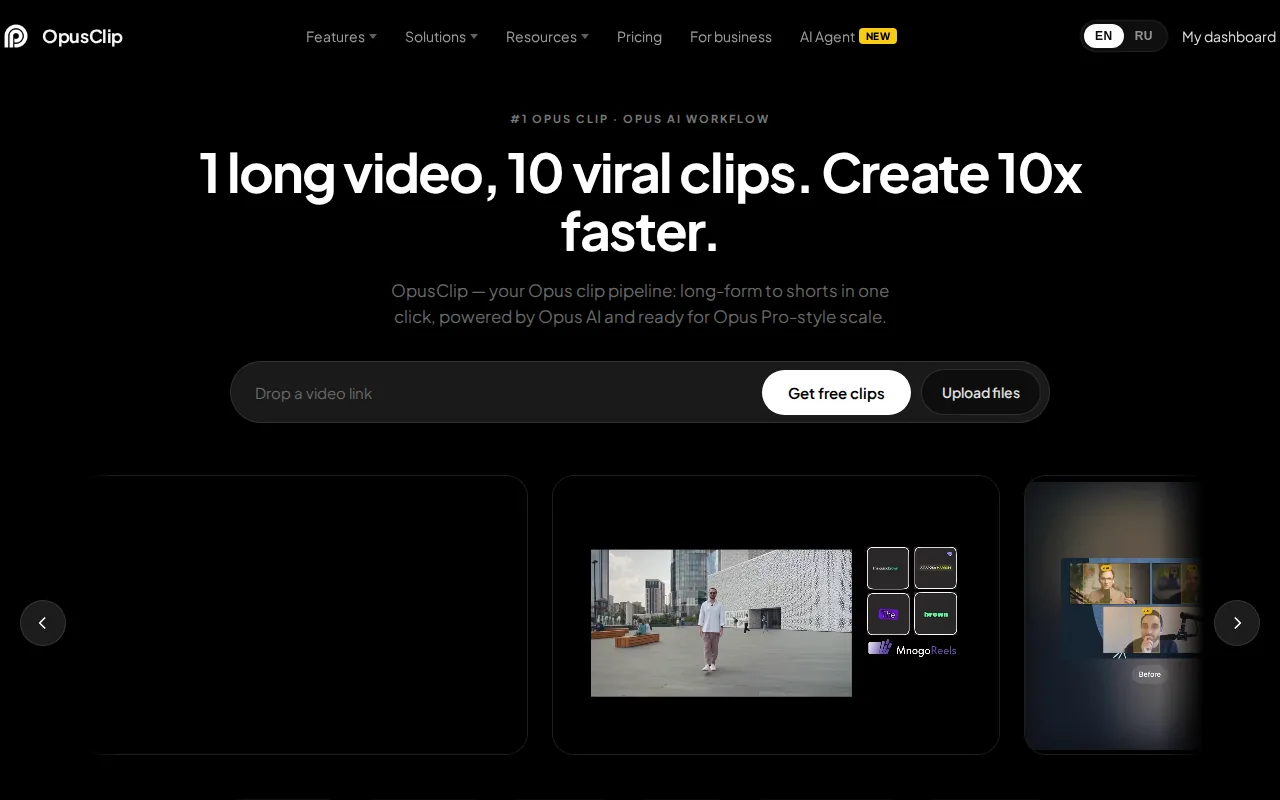
It finds the strongest sixty seconds of a long video, reframes it vertically, adds captions and scores each clip for likely performance. If you already record podcasts or webinars, this is the cheapest content multiplier on the list.
It is the only tool here whose whole job is getting more out of something you have already made.
Pros:
- Multiplies existing footage: a recorded webinar becomes a month of short-form without new production
- Automatic reframing and captions: vertical crop that follows the speaker, subtitles included
- Credit-based plans: pay for the volume you actually clip rather than a flat seat fee
- Free forever tier: a small monthly credit allowance with no card required
Cons: The virality score is a guess and should be treated as one, and clips still need a human to check that the extracted moment makes sense out of context. The entry tier is monthly billing only, so the advertised annual saving does not apply at the price most people start on.
For who: Podcasters, webinar hosts and anyone sitting on hours of long video.
Pricing: Free forever at $0 with 60 credits a month, Starter at $15 a month on monthly billing only, and Pro at $29 a month or $174 billed annually, read from opus.pro on 6 August 2026.
14. Descript, editing video by editing text

You edit video and podcasts by deleting words from a transcript, which is a faster mental model than a timeline for most people. Filler word removal, studio sound and overdub make a decent recording sound professional without a sound engineer.
For anyone who writes for a living and edits video occasionally, it is the shortest learning curve in the category.
Pros:
- Transcript-based editing: cut the sentence, cut the footage, no timeline skills needed
- Filler word removal in one click: every um and pause across an hour of audio
- Studio sound: a room recording cleaned up to something publishable
- Overdub: fix a misspoken line by retyping it rather than re-recording
Cons: It is not a replacement for a full editing suite on complex projects, and anything needing real motion work moves elsewhere. Pricing is per person per month, so a three-person podcast team pays three times the sticker price.
For who: Podcast and video teams who would rather edit words than waveforms.
Pricing: Free tier, Hobbyist at $16 per person per month billed annually or $24 monthly, Creator at $24 or $35, and Business at $50 or $65, read from descript.com on 6 August 2026.
15. ElevenLabs, voice that does not sound synthetic

Voice cloning, multilingual output and voice agents. The quality gap between this and the built-in voices in other tools is still large enough to be the reason people subscribe rather than using what came with their video editor.
It is the clearest answer on this page to job five, and it is priced low enough that testing it costs almost nothing.
Pros:
- The most natural output here: pacing and intonation that survive a full article read aloud
- Voice cloning from a short sample: your own voice on narration you never recorded
- Very cheap entry tier: commercial use unlocked in the single digits per month
- API access on higher plans: voice generated inside your own product rather than by hand
Cons: Voice cloning raises consent questions you have to answer before using anyone's voice, including a colleague's who said yes once. Plans are metered in credits rather than minutes, and the lower tiers run out faster than people expect once narration gets long.
For who: Narration, audiobooks, localised voiceover and anyone building voice into a product.
Pricing: Free at $0, Starter at $6, Creator at $22, Pro at $99, Scale at $299 and Business at $990 a month, read from elevenlabs.io on 6 August 2026.
How to pick two or three instead of nine
Start from the output, not the tool. If you publish articles, you need a writer and something that gets them live. If you publish video, you need a recorder and a clipper. Very few people need both stacks.
Do not pay twice for the same job. ChatGPT, Claude, Jasper and Copy.ai overlap heavily. Pick one, use it properly, and cancel the others. Our head-to-head of AI writing tools covers where the four of them genuinely differ.
The bottleneck is rarely generation. Most teams can produce drafts. What stalls is editing, publishing and promotion, which is why our roundup of content marketing automation tools is often the more useful list. Tools built for that end of the job sit in our list of SEO article writer software.
Free tiers are enough to decide. ChatGPT, Claude, Canva, Descript, OpusClip, ElevenLabs and Synthesia all have real free tiers. Spend a week before spending money.
Check the licence before the aesthetic. For anything customer-facing, where the image or voice came from matters more than how good it looks.
FAQ
What is the best AI tool for writing blog articles? For drafting, Claude or ChatGPT. For drafting and publishing without a copy-and-paste step, Distribb. For making an existing draft competitive in search, Surfer. Our list of AI content writing tools ranks them for long-form work specifically.
Are there free AI content creation tools worth using? Yes. ChatGPT, Claude, Canva, Descript, OpusClip and ElevenLabs all have free tiers that produce usable output. Synthesia gives ten minutes of video a month at no cost. Our list of free AI article generators spells out what free means for each one, since a trial is not a free tier.
Will AI-written content rank in Google? Google's guidance is about quality and usefulness rather than how the text was produced. Thin AI output does not rank. Well-researched, well-edited AI-assisted content does, and always has.
Do I need a separate SEO tool if I use an AI writer? Usually yes. General writing tools have no ranking data behind them, so they cannot tell you what the competing pages cover. That is what Surfer and similar exist to do. The rules those drafts still have to satisfy are in our guide to content writing for SEO.
Which tool is best for a small team on a budget? ChatGPT or Claude for writing, Canva free for visuals, and one publishing tool. That covers most of what a small team ships, for well under $50 a month. If buying the articles beats making them, our list of SEO article writing services quotes real prices.
Can AI make video that does not look like AI? Not reliably yet for presenter video. Avatar tools work well for training and explanation. For anything that needs to feel human, record a person and use OpusClip or Descript to cut it.
How do I keep AI content sounding like us? Feed it real examples of your own writing rather than describing your tone. Jasper builds this into the product, and every other tool responds well to three or four samples pasted into the prompt.
Once you have picked your tools, the next step is wiring them together: our guide to building an AI content engine covers the full workflow.
Where to start
Pick one writing tool and use it properly for a month. ChatGPT or Claude will cover most of what you need, and the free tiers are enough to judge.
If the recurring problem is that drafts sit unpublished, the tool that helps is one that finishes the job. Distribb chooses the keyword, writes the article, publishes it to your CMS and turns it into social drafts, with a seven-day free trial to see the whole loop run once.