
Product description SEO is writing the description on each product page so it matches what buyers search for, answers the questions they have before they buy, and gives Google enough unique detail to rank the page. Done well, the same copy that helps a page rank also helps it sell, because both come down to the same thing: specific, useful information about one product.
Before writing this guide we read the pages that rank for product description SEO today, from BigCommerce, Semrush, Promodo and Absolute Digital, plus the Shopify Community thread that sits near the top. They all cover keywords, benefits over features and scannable formatting. None of them covers three things a store now has to deal with: Google Merchant Center's rule that AI-written descriptions go in a separate attribute, what Google's scaled content abuse policy means for bulk-generated product copy, and how a Shopify theme's collapsible tabs affect what Google reads. All three are covered below, along with a before-and-after rewrite.
What product description SEO is
An SEO product description is the body copy on a product page, written for two readers at once: the shopper deciding whether this is the right item, and the search engine deciding which page best answers a search. In ecommerce product description SEO, the description is one of the few places on a product page where you control a meaningful amount of unique text. The title, price, images and reviews matter too, but the description is usually where the detail lives.
It sits alongside a few other fields that people often mix up with it:
- The product title is the name shown on the page, usually the page's H1.
- The page title (title tag) is what shows as the blue link in Google. On Shopify it's set in the product's search engine listing section.
- The meta description is the snippet suggestion under that link. It doesn't affect rankings directly but affects clicks.
- The feed description is what you send to Google Merchant Center for Shopping results and free listings. It has its own rules, covered further down.
This guide is about the body description. The rest of the product page (titles, URLs, images, variants, schema, speed) is a bigger topic of its own.
Why product descriptions still matter for SEO
Product pages compete on thin margins of content. Two stores selling the same blender often have the same photos, the same price and the same spec list from the manufacturer. The description is where one page can say more, and say it better, than the other.
- Google ranks pages on what they say. A description that names the material, the use case, the sizes and the fit gives a page a chance to rank for the long searches that include those words, like "waterproof hiking jacket for women with hood".
- AI answers pull from the same text. When someone asks ChatGPT, Perplexity or Google's AI Mode which product fits a need, the answer is built from pages that state the facts plainly. Vague copy gives them nothing to cite.
- Missing information costs sales. Baymard Institute's product page research found that users often abandon a product when important information is missing from the description, and that about 10% of large ecommerce sites still don't keep descriptions consistently good enough.
- It feeds other channels. The same product facts end up in your Merchant Center feed, your ads and your emails. Writing them well once pays off in several places.
Find the words buyers use first
Keyword research for a product page is narrower than for a blog post. You're not looking for topics. You're looking for the exact words a buyer uses for this product, and the attributes they add when they're close to buying.
For each product, build a short list:
- The product type in the buyer's words. If shoppers search "duvet cover" and your catalog says "comforter shell", use their term.
- The attributes people add. Material, size, color, fit, compatibility, audience, use case. These are the modifiers that turn a head term into a searchable product phrase.
- The questions buyers ask. Look at your customer service inbox, product reviews, and the "People also ask" box for the product type. Questions like "is it machine washable" or "does it fit a 16-inch laptop" belong in the description.
- Your own store search. Shopify's search reports and GA4's site search data show the words shoppers type on your site, including searches that returned nothing.
Pick one main phrase per product page and a few close variants. The broad term ("hiking jackets") usually belongs to a collection page, and the specific one ("women's waterproof hiking jacket") to the product. Our step-by-step guide to ecommerce keyword research covers how to map those terms to pages so two pages don't compete for the same search.
How to write an SEO product description, step by step
The steps below work for any platform. The Shopify specifics come later.
Step 1: Put the essentials in the first two sentences
Say what the product is, who it's for and its main differentiator, using the main keyword naturally. Google Merchant Center's own guidance for feed descriptions is to list the most important details in the first 160 to 500 characters, and the same logic works on the page: many shoppers read the opening and then jump to specs or reviews.
Step 2: Answer the questions that stop the sale
Every product has a few questions that decide the purchase. For clothing it's fit and fabric. For electronics it's compatibility and battery life. For food it's ingredients and allergens. For furniture it's dimensions and assembly. Write those answers into the description rather than leaving them for the returns process.
Step 3: Turn features into outcomes, with the number attached
"600-fill down" is a feature. "Warm enough for 25°F nights while packing down to the size of a water bottle" tells the buyer what it means. Keep the number, because the number is what makes the claim specific and believable, and it's also the detail searchers type.
Step 4: Structure the description by highlights
Long text blocks get skipped. Baymard Institute tested product descriptions structured by feature highlights, where each key feature gets a short heading, a sentence or two and an image or icon. Users casually scanning those descriptions explored the product far more thoroughly than users looking at plain text and bullets. Yet only 22% of the sites Baymard benchmarked used this structure, even on their top five selling products.
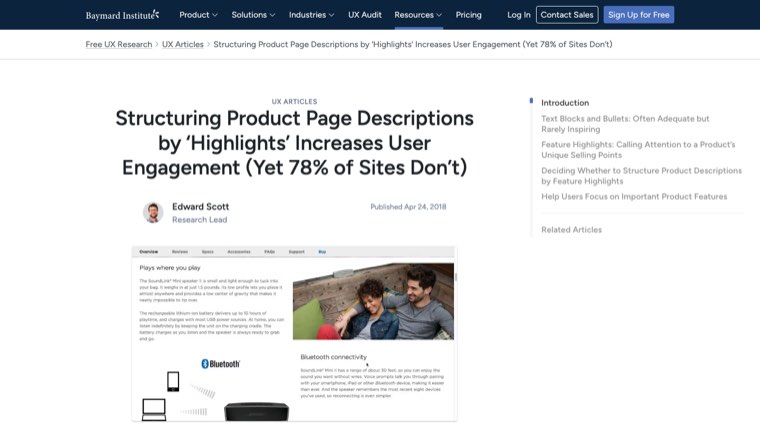
A simple highlight structure looks like this:
- An opening paragraph with the essentials (step 1).
- Three to five highlights, each with a short H3 or bold label and one or two sentences.
- A spec list or table for the hard facts: dimensions, materials, weight, compatibility.
- A short section on care, fit, sizing or what's in the box.
Step 5: Use keyword variants where they fit, and nowhere else
Use the main phrase once or twice, and let the attributes do the rest. A description that covers the material, the size range and the use case will naturally include the variants people search. If a sentence only exists to repeat a keyword, cut it.
Step 6: Add proof that no other store has
This is where you beat the other stores selling the same item. Your own measurements, a photo of the product next to a common object for scale, a note from the person who tested it, how it compares to the previous model, the most common question from your customers and the answer. Manufacturer copy can't include any of this.
A before-and-after rewrite
Here's a made-up product to show the difference. The "before" is the kind of description most catalogs start with.
Before:
Our premium backpack is perfect for everyday use. Made with high-quality materials, it features multiple compartments and a stylish design. Great for work, school or travel.
After:
A 20-liter laptop backpack for commuters who carry a 16-inch laptop and a gym kit. The shell is 420D recycled nylon with a water-resistant coating, and the zippers are sealed, so a rainy walk to the office won't reach your laptop.
Padded laptop sleeve. Fits laptops up to 16 inches and sits off the bottom of the bag, so the laptop isn't hit when you put the bag down.
Separate shoe pocket. A vented bottom compartment keeps shoes and gym clothes away from your work things.
Carry-on friendly. At 45 x 30 x 18 cm it fits under most airline seats.
Weight 1.1 kg. Lifetime warranty on zippers and straps.
The rewrite names the product type the way buyers search it ("laptop backpack", "16-inch laptop"), answers the questions that stop the sale (will my laptop fit, is it waterproof, does it fit under a plane seat) and gives numbers that make each claim checkable.
How long a product description should be
There's no word count that ranks. Google doesn't publish a minimum, and a 1,000-word description for a phone charger will read as padding. The right length is however long it takes to answer the buying questions for that product.
As a rough guide:
| Product type | Typical length | What drives the length |
|---|---|---|
| Simple, low-price items (socks, cables, refills) | 50 to 150 words plus specs | Size, material, compatibility |
| Considered purchases (apparel, bags, kitchenware) | 150 to 300 words | Fit, materials, use cases, care |
| High-price or technical products (furniture, electronics, supplements) | 300 words or more | Specs, comparisons, safety, setup, warranty |
If you also send descriptions to Google Merchant Center, the feed description allows up to 5,000 characters. Google asks you to leave out promotional text like prices, sale dates and shipping, links to your store, and comparisons with other products, and not to use capital letters for emphasis. Write the on-page version first, then trim it to fit the feed rules.
Manufacturer copy and duplicate descriptions
Manufacturer descriptions are the biggest reason product pages don't rank. When dozens of stores publish the same text, Google usually picks one version to show for a search and filters out the rest, and the one it picks is rarely the smaller store.
- Rewrite the products that matter first. Start with best sellers, high-margin items and pages that already get impressions in Search Console but few clicks.
- Keep the spec sheet, rewrite the story. Dimensions and materials can stay as supplied. The opening, highlights and answers should be yours.
- Variants don't need separate copy. A shirt in six colors on one page with one description is fine. Six separate product pages with the same description compete with each other.
- Cut shared boilerplate. A 150-word shipping and returns paragraph repeated on every product drowns the unique part. Move it to a shared block or a policy page and link to it.
Writing product descriptions with AI
AI is a sensible way to draft descriptions for a large catalog. The risk isn't that Google can tell it was AI. It's that bulk generation tends to produce the same generic page a thousand times, which is exactly what Google's spam policies target.
Google's scaled content abuse policy names "using generative AI tools or other similar tools to generate many pages without adding value for users" as an example. Descriptions that just rephrase the product title and the spec sheet are the textbook case. Descriptions built from real product data, customer questions and your own testing aren't.
Three rules keep AI-drafted descriptions safe and useful:
- Feed it facts, not just the title. Give the model the spec sheet, the materials, the top customer questions and review snippets. The output can only be as specific as the input.
- Check every number and claim against the source. AI tools invent dimensions, certifications and compatibility claims. A wrong spec causes returns, and a wrong health or safety claim causes worse.
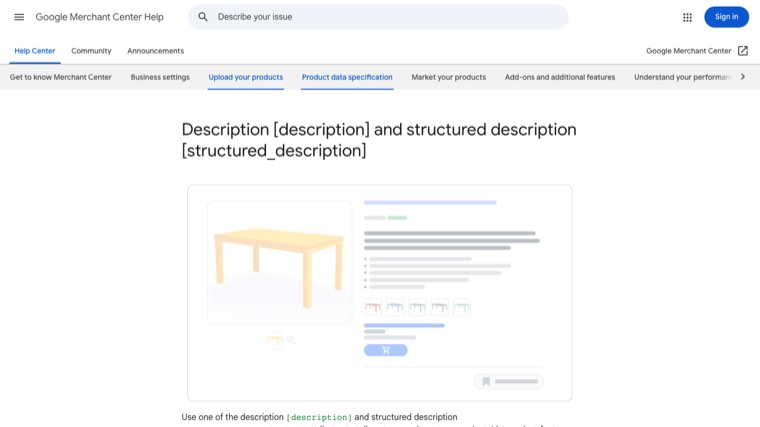
- Label AI copy in your Merchant Center feed. Google Merchant Center now requires that all descriptions created with generative AI be sent in the
structured_descriptionattribute, with the digital source type set totrained_algorithmic_media, instead of the plaindescriptionattribute.
Shopify product description SEO optimization
Everything above applies on Shopify. A few things are specific to the platform.
Use headings inside the description, not a second H1
Shopify themes like Dawn already output the product title as the page's H1. Inside the description editor, use H2 or H3 headings (or bold labels) for your highlights. Pasting in a heading formatted as H1 gives the page two.
Collapsible tabs are fine for SEO
Many Shopify themes let you move sizing, care and shipping details into collapsible rows under the description. Google's mobile-first indexing guidance says you can move content into accordions or tabs on mobile as long as the content is equivalent to the desktop version. Content in the page's HTML inside a collapsed tab is still read. What doesn't work is content that only loads from an app after someone clicks.
Fill in the search engine listing
In the Shopify admin, each product has a search engine listing section with a page title, meta description and URL handle. Shopify's help center notes that page titles over 70 characters and meta descriptions over 320 characters might be cut off in search results. Write both by hand for your top products rather than leaving them to default to the product title and the start of the description.
Write alt text for product images
Alt text sits next to the description as part of what describes the product. In Shopify, open the product, click the image, choose Edit alt text, and describe what's in the photo: "navy 20-liter laptop backpack, side view showing shoe pocket" rather than "backpack1". The free alt text generator writes that kind of line for you if you have a large catalog to work through.
Edit at scale with the bulk editor or a CSV
For large catalogs, export products to CSV, rewrite the Body (HTML) column for your priority products and re-import, or use Shopify's bulk editor. Test a small batch first, since a bad import overwrites live descriptions. If you're comparing apps that help with this, our roundup of the best Shopify SEO apps covers the ones with bulk meta and alt text editing.
Product description SEO best practices checklist
| Check | Why it matters |
|---|---|
| Main keyword in the first two sentences, in the buyer's words | Tells shoppers and Google what the page is about |
| The questions that stop the sale are answered | Reduces abandonment and returns |
| Features come with numbers and outcomes | Specific claims rank for specific searches and build trust |
| Highlights structure with short headings | Easier to scan, more of the copy gets read |
| Spec list or table for hard facts | Easy for shoppers and AI answers to extract |
| No manufacturer copy on priority products | Avoids being filtered as a duplicate |
| No repeated boilerplate longer than the unique copy | Keeps each page distinct |
| Every AI-drafted fact checked against the source | Prevents wrong specs and invented claims |
| One H1 only, headings inside the description use H2 or H3 | Clean page structure |
| Page title, meta description and image alt text written by hand for top products | Better snippets and image search visibility |
How to measure whether a description works
Rewrite a batch, then compare it against products you didn't touch over the same weeks, so a seasonal swing doesn't look like a win.
- Search Console. Filter the Performance report to pages containing
/products/and compare impressions, clicks and the queries each rewritten page appears for. New long-tail queries are the first sign a description is working. - Conversion rate. In Shopify analytics or GA4, compare the conversion rate of rewritten products before and after.
- Returns and support questions. If "not as described" returns or repeated pre-sale questions drop, the description is answering what it should.
Pages that gain impressions but not clicks need a better page title and meta description. Pages that gain clicks but not sales need better answers, photos or trust signals. The free SEO title generator drafts a few page titles from the URL when you get to that list.
Running ecommerce SEO on autopilot
Product descriptions are one piece of ecommerce SEO. For most stores the traffic that grows over time also comes from the content around the products: buying guides, comparisons and how-to articles that answer questions and link shoppers to the right product and collection pages. If getting visitors at all is the bigger problem, here is how to get traffic to an online store across search, free Google listings and other channels.
Distribb runs that part on autopilot. Connect your store and it does the keyword research for the searches your buyers make, writes articles around the products you actually sell with links to your product and collection pages, and publishes them to your blog on a schedule, straight to Shopify included. It also builds backlinks from real businesses and tracks whether AI answers like ChatGPT and Perplexity mention your store. You can review drafts if you want, but it doesn't need you to.
Pro is $97 a month. Accelerator is $495 a month and adds a human editor who reviews every piece before it goes live. Agencies white-label Distribb for their ecommerce clients, so a store can also go straight to the source. You can see what Distribb runs for ecommerce brands.
That leaves your own time for the descriptions on your best sellers, where your product knowledge makes the biggest difference.
FAQ
What is product description SEO?
It's writing the body copy on product pages so it uses the words buyers search for, answers their buying questions and gives Google unique, specific information to rank. The goal is a description that ranks and converts, not one stuffed with keywords.
What are the most important product description SEO best practices?
Put the product type and main differentiator in the first two sentences, answer the questions that decide the purchase, attach numbers to features, structure the copy by highlights with a spec list, avoid manufacturer and duplicate copy, and check every fact, especially in AI-drafted text.
How do I do ecommerce product description SEO for thousands of products?
Prioritize. Rewrite best sellers, high-margin products and pages with impressions but few clicks by hand or with carefully checked AI drafts. For the long tail, use a template built from real attributes (material, size, use case) so each page still states distinct facts, and keep shared boilerplate short.
How do I optimize Shopify product descriptions for SEO?
Write the description with H2 or H3 headings (the theme already uses the product title as the H1), use collapsible rows for secondary details if you like, fill in the page title and meta description in the search engine listing section, add alt text to every product image, and use a CSV export or the bulk editor to update priority products at scale.
Do product descriptions affect Google rankings?
Yes. The description is often the main unique text on a product page, so it shapes which searches the page can rank for. Pages with thin or copied descriptions tend to lose to pages with specific, original detail about the same product.
Can I use AI to write product descriptions?
Yes, if the output adds value. Feed the tool real product data, check every claim, and edit for the questions your customers ask. Google's spam policies target many pages generated without adding value, not AI use itself. If you send AI-written descriptions to Google Merchant Center, use the structured_description attribute.
Should product descriptions include the same keyword as the title?
Usually once, early and naturally. After that, describe the product's attributes and uses, which brings in the related phrases people search without repeating the main keyword.