
To get traffic to an online store, you need a mix of three kinds of visitors: people who find you through search, people you reach on platforms other businesses own (social, marketplaces, other people's audiences), and people who come back because you can contact them directly. Paid ads bring visits the fastest and stop the day you stop paying. Search takes longest to start and keeps working after the work is done. Email and SMS turn a single visit into repeat visits. A store that relies on only one of them is fragile.
We read the pages that rank for how to get traffic to an online store before writing this, including Neil Patel's 25 ecommerce traffic tips, Mailchimp's guide to ecommerce traffic, Wix's nine ways to drive store traffic and Keap's six strategies. They list the channels well. Most of them don't cover Google's free product listings, which put your catalog in the Shopping tab, Images, Lens and YouTube at no cost, and none of them compares channels by how fast each pays back or gives a plan for the first 90 days. This guide does both, in the order a new or stalled store should work through them.
Online store traffic channels compared
Before picking tactics, it helps to see the channels side by side. The timings below are typical ranges for a small store, not guarantees, and they vary a lot by niche and budget.
| Channel | Time to first visits | Direct cost | Keeps working when you stop? | Best for |
|---|---|---|---|---|
| Google free product listings | Days to a few weeks after feed approval | Free | Yes, while the feed stays accurate | Any store with physical products |
| SEO on collection and product pages | Weeks for existing pages, months for new ones | Time or tooling | Yes | Stores with products people search for by name or category |
| Buying guides and comparison content | 2 to 6 months | Time or tooling | Yes | Considered purchases with research before buying |
| Pinterest, YouTube and TikTok search | Weeks | Time | Partly, older pins and videos keep getting found | Visual products: fashion, home, beauty, food |
| Communities and Reddit | Days | Time | Partly, threads stay searchable | Niche and enthusiast products |
| Creators, affiliates and PR | Days to weeks | Product, commission or fees | Partly, articles and links remain | Products that photograph or demo well |
| Email and SMS | Immediate, once you have a list | Low | Yes, the list is yours | Repeat purchases and launches |
| Paid ads | Same day | High and ongoing | No | Testing offers, launches, proven products |
The order of the steps below follows that table: free and lasting channels first, then channels that borrow attention, then paid traffic once you know what sells.
Step 1: Put your catalog on Google for free
This is the step most traffic guides leave out, and for a store with physical products it is often the quickest free traffic available. Google Merchant Center's free listings let your products appear at no cost on Google Search, Google Maps, Gemini, YouTube, the Shopping tab, Google Images and Google Lens.
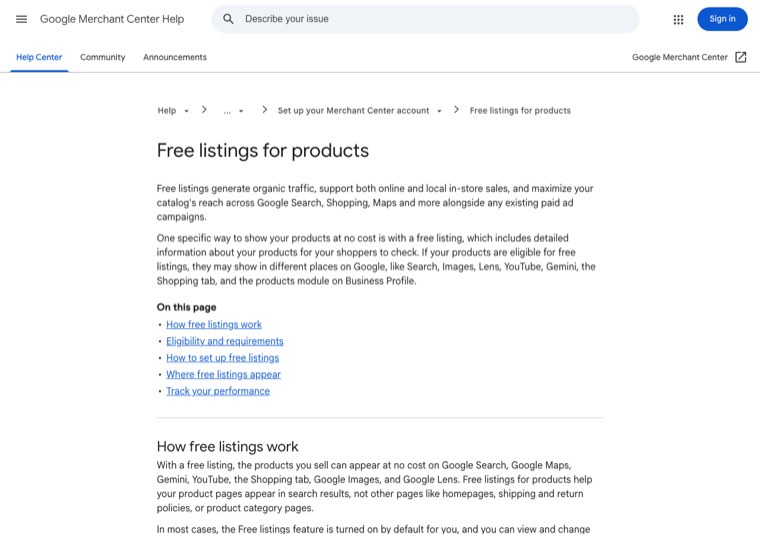
To be eligible, Google asks for a few things:
- A Merchant Center account with your products in a feed.
- A return policy and shipping settings (or shipping costs in the feed).
- The required product details: title, price, image, availability, description and a product identifier such as a GTIN or MPN.
- Compliance with Google's policies for free listings.
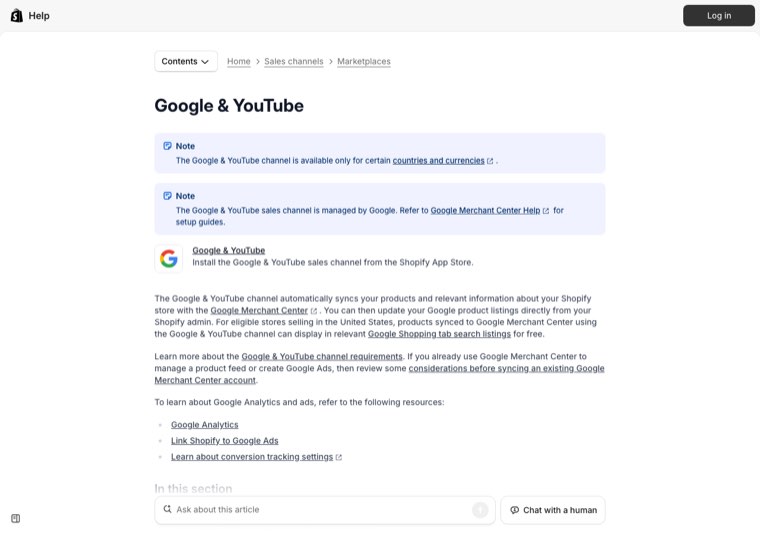
On Shopify you don't need to build a feed by hand. The Google & YouTube sales channel syncs your products and store information with Merchant Center, and Shopify's help center says that for eligible US stores, synced products can show in Google Shopping tab listings for free.
Two things decide how much traffic this brings. The first is feed quality: specific product titles (brand, product type, key attribute), good images and accurate prices and stock. The second is patience with approval, since disapproved products don't show at all. Check the diagnostics in Merchant Center weekly for the first month. Google is clear that being eligible doesn't guarantee your products will be shown, so treat it as a channel to maintain, not a switch you flip once.
Step 2: Improve SEO on collection and product pages
If you are asking how to improve SEO for an online store, start with the pages that sell. Search traffic that lands on a collection or product page is usually closer to a sale than traffic that lands on a blog post, and those pages usually have the most obvious gaps.
- Collection pages: give each one a unique page title built around the category search ("Women's Waterproof Hiking Boots"), a short intro paragraph above or below the product grid, and links to related collections.
- Product pages: write unique descriptions instead of the manufacturer's copy, use descriptive titles and alt text, and keep reviews on the page. Our guide to product description SEO covers descriptions in detail.
- Site structure: link from the menu to collections, from collections to products, and from the home page to best sellers, so no important product is more than a few clicks deep.
- Technical basics: a fast mobile experience, no broken links, redirects for removed products that had traffic, and filter URLs kept out of the crawl.
For the full sequence of SEO work on a store and the order that tends to pay off, see our guide to SEO for an online store. The short version: fix collections first, then best-selling products, then add content.
Step 3: Publish content for searches before the purchase
Many shoppers search long before they're ready to buy: "how to choose a road bike size", "best coffee grinder for pour over", "linen vs cotton sheets". Collection pages can't rank for those searches, because Google shows articles for them. Content is how a store reaches that shopper early.
The content that brings buyers is close to the product:
- Buying guides for each main category, linked to the matching collection.
- Comparisons between product types, materials or models you stock.
- Sizing, fit and care guides, which also cut returns.
- "Best X for Y" roundups of your own products for specific needs.
Each article should link to at least one collection and a few products. AI answers matter here too. When someone asks ChatGPT or Google's AI Mode which product to buy, the answer draws on guides, reviews and comparisons, so a store that publishes useful buying content has a better chance of being mentioned.
Step 4: Show up where shoppers search besides Google
Plenty of product discovery happens on platforms that work like search engines:
- Pinterest: pins link straight to product pages and keep getting found for months. It suits visual categories like home decor, fashion, weddings and recipes. Use keyword-rich pin titles and descriptions, and connect your catalog so products can be pinned.
- YouTube: reviews, demos, unboxings and "how to use" videos rank in YouTube and often in Google results too. Products synced through Google & YouTube can also be tagged in videos where YouTube Shopping is available.
- TikTok and Instagram: short videos showing the product in use. Treat captions and on-screen text like search keywords, since people search inside these apps.
- Marketplaces and comparison sites: listing selected products on a marketplace in your category brings in shoppers who have never heard of you. Keep your best offers or bundles on your own store so there's a reason to visit.
Pick one or two of these based on where your buyers already spend time. Doing all four badly brings less traffic than doing one consistently.
This video from Shopify Success walks through low-cost ways to get traffic to a Shopify store without ads, which fits this stage well.
Step 5: Take part in communities without spamming them
Reddit, niche forums, Facebook groups and Discord servers are where enthusiasts ask for recommendations. They also show up in Google results for many product questions, and AI assistants draw on them when recommending products.
The rule is simple: be useful first. Answer questions properly, share what you know about the category, and mention your store only when it's the honest answer to what someone asked. Most subreddits ban self-promotion, and a store account that only posts links gets removed quickly. A founder who spends 20 minutes a day answering questions in two or three relevant communities usually earns more trust, and more visits, than a store that posts promotions everywhere.
Step 6: Borrow audiences through creators, affiliates and PR
Other people already have the attention of your buyers. There are three ways to reach it:
- Creators: send products to small creators in your niche (a few thousand engaged followers often beats one large account), and give each one a tracked link or code.
- Affiliates: pay a commission on sales to bloggers, review sites and creators who send buyers. You only pay when it works.
- PR and gift guides: editors publish gift guides and "best of" roundups every season and need products for them. Pitch 6 to 8 weeks ahead of the season, with photos and prices ready.
A useful side effect is links. Articles that feature your products often link to your store, which helps search rankings as well as bringing direct visits.
Step 7: Turn one visit into repeat visits with email and SMS
Email doesn't bring new visitors, but it multiplies the value of every visitor the other channels bring. A store with a list can send traffic on demand, for free, without depending on an algorithm.
- Capture: offer something for signing up (a discount, free shipping, early access or a useful guide) with a simple popup or embedded form.
- Welcome flow: three to five emails introducing the brand, best sellers and customer reviews.
- Abandoned cart and browse flows: bring back people who looked but didn't buy.
- Regular sends: new products, restocks, buying guides and seasonal collections. Linking to your new content here also gives it its first visits.
SMS works the same way for a smaller, more engaged group. Use it sparingly, for launches and time-limited offers.
Step 8: Use paid ads to test and speed things up
Paid ads are the fastest way to get traffic to an online store, and the easiest way to lose money doing it. They work best for two jobs:
- Testing: a small budget on Google Shopping or Meta ads shows within days which products, prices and messages people click and buy. Those results tell you which products deserve SEO and content effort.
- Speeding up what already works: retargeting visitors from your organic channels, and launches where you need traffic on a specific date.
Set a daily cap, track cost per purchase from the first day, and turn off anything that doesn't convert within a set budget. If ads are your only traffic source, every sale carries that cost forever, which is why the steps above come first.
Step 9: Measure traffic by channel and keep what sells
Traffic is only useful if it turns into sales, so measure revenue by channel, not just visits.
- Shopify: the Sessions by referrer report shows whether visitors arrive directly, from search or from a referral.
- Google Analytics 4: check the default channel groups. GA4 separates Organic Search, Organic Social, Referral and an Organic Shopping channel for traffic from shopping sites, so look at all of them rather than one.
- Google Search Console: see which searches bring clicks to collections and products, and which pages sit just off page one.
- Merchant Center: track clicks and impressions from free listings.
- UTM links: tag every link in emails, social profiles, creator posts and affiliate links, so the traffic is attributed to the right channel.
Review monthly. Put more time into the two or three channels that bring buyers, and drop the ones that only bring visits.
A 90-day traffic plan for an online store
Here is how the steps fit into the first three months for a new store or one with little traffic.
| Weeks | Focus | Tasks |
|---|---|---|
| 1 to 2 | Foundations | Set up Merchant Center free listings, fix feed errors, set up analytics and UTM rules, add an email signup with a welcome flow |
| 3 to 4 | Pages that sell | Rewrite titles and intros on the top collections, improve descriptions on best sellers, fix internal links from the menu and home page |
| 5 to 8 | Content and one discovery channel | Publish 2 buying guides or comparisons a month, start posting on the one social or visual platform your buyers use, answer questions in 2 or 3 communities |
| 9 to 12 | Borrowed audiences and tests | Send products to 10 to 20 small creators, pitch seasonal gift guides, run a small paid test on best sellers, review revenue by channel and cut what doesn't sell |
After 90 days you'll know which channels bring buyers for your products. The next quarter is about doing more of those and keeping search and content running in the background, since they compound.
Mistakes that waste traffic work
- Starting with a blog before collection pages are optimized. Blog traffic helps only when it links to pages that sell.
- Buying traffic before the store converts. Fix product pages, shipping clarity and checkout first, or ads simply pay for bounces.
- Being on every platform at once. Pick one or two discovery channels and stay consistent.
- Ignoring the product feed. Disapproved products and wrong prices quietly remove you from Shopping results.
- Measuring visits instead of revenue. A channel with fewer visits and more sales is the better channel.
- Spamming communities. It gets accounts banned and damages the brand where your most engaged buyers talk.
Getting search traffic on autopilot
Of all the channels above, search is the one that keeps sending buyers after the work is done, and it's also the one stores most often drop, because keyword research, writing buying guides, publishing, internal linking and link building take hours every week.
Distribb runs that on autopilot. Connect your store and it researches the searches your buyers make, writes buying guides and comparisons around the products you sell with links to your collections and product pages, and publishes them to your blog on a schedule. It also builds backlinks from real businesses, turns articles into social posts, finds Reddit threads worth joining, and tracks whether AI answers like ChatGPT and Perplexity mention your store. You can approve drafts if you like, but nothing waits on you.
Pro is $97 a month. Accelerator is $495 a month and adds a human editor who reviews every piece before it goes live. Agencies white-label Distribb for their ecommerce clients, so a store can also go straight to the source. You can see what Distribb runs for ecommerce brands.
That frees your time for the channels that need a person, like creator relationships and community conversations.
FAQ
How do I get traffic to my online store for free?
Start with Google Merchant Center free listings, then improve SEO on your collection and product pages, publish buying guides, post consistently on one visual platform like Pinterest or YouTube, answer questions in communities, and build an email list. All of these cost time rather than ad spend.
How can I improve SEO for my online store?
Give every collection and product page a unique title and useful copy, write your own product descriptions, add alt text, link from menus and the home page to your most important collections and products, keep the site fast on mobile, redirect removed products, and publish content that links to the pages that sell.
What is the fastest way to get traffic to an online store?
Paid ads bring visitors the same day. Among free options, communities and creator partnerships can bring visits within days, and Google free listings can start showing products soon after your feed is approved.
How long does it take to get organic traffic to a new online store?
Free listings and social channels can bring visits within weeks. SEO on existing pages usually shows movement within a few weeks to a few months, and new content often takes three to six months to rank well.
Why does my online store get traffic but no sales?
Usually the traffic doesn't match buying intent, or the store has conversion problems: unclear shipping costs, weak product pages, few reviews or a long checkout. Check which channels bring visitors who buy, and fix product pages before adding more traffic.
Does social media or SEO bring more traffic to an online store?
It depends on the product. Visual and impulse products often do well on social platforms, while products people research or search for by name do better in search. Most stores benefit from both, with SEO providing steady traffic and social bringing spikes.