
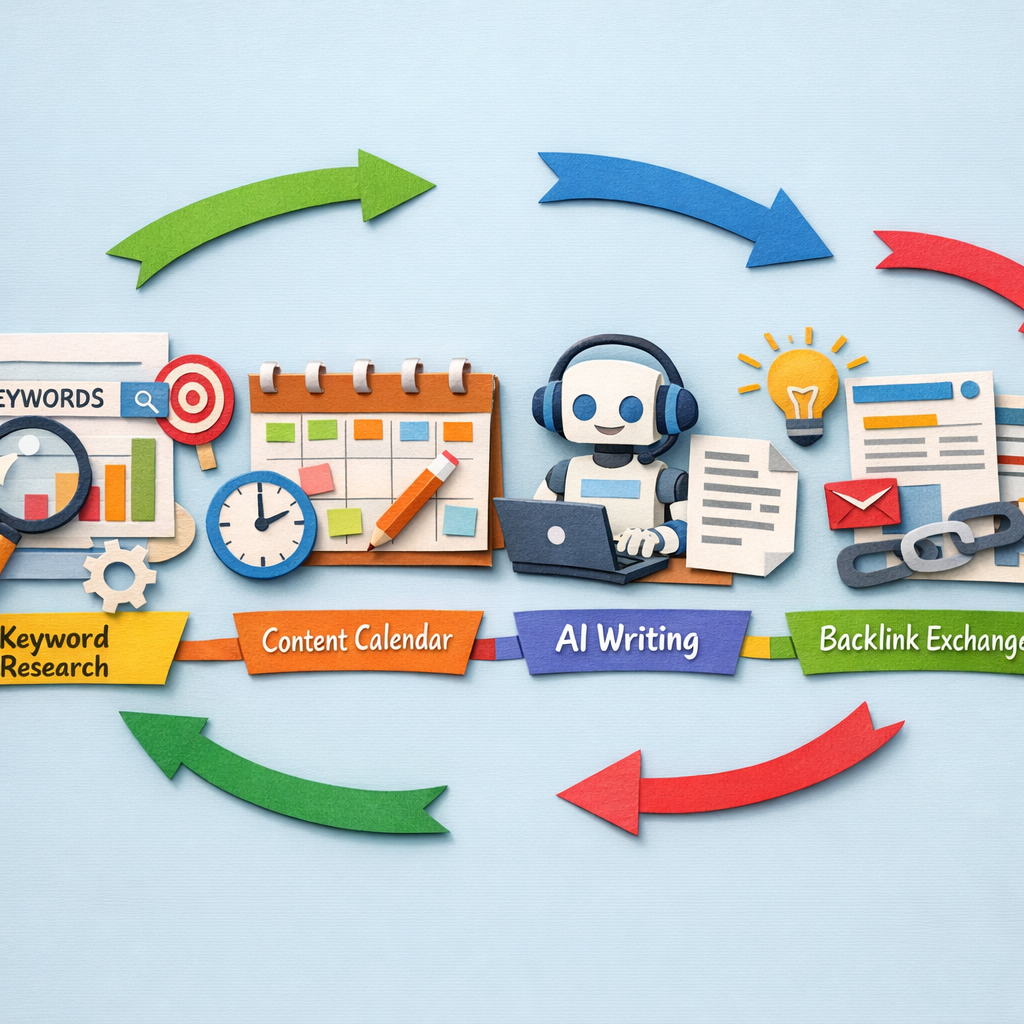
Keyword research is now close to fully automated. Volume, difficulty, clustering and intent classification are all machine-generated, and have been for a while. How to track what those keywords then do is covered in our guide to tracking keyword rankings.
The part that is not automated, for most teams, is everything after the list. A spreadsheet of 400 keywords is not progress. This list covers both halves and says clearly which tools do which.
How we checked this list
Every tool below was loaded on its live site in August 2026 and captured there. Prices appear where the vendor publishes them readably; several gate pricing behind a demo and for those we name the plan instead. Claims about time savings that circulate in this category, such as automation cutting research time by 80%, come from vendor marketing rather than independent testing, so we have not repeated them as fact. One reason the destination matters as much as the volume: half of B2B software buyers now start vendor research in an AI chatbot rather than a search box.
The five steps, and what automates
| Step | Automated? |
|---|---|
| Discovery, finding candidate terms | Fully |
| Metrics, volume and difficulty | Fully |
| Clustering into topics | Fully, and well |
| Intent classification | Mostly, with errors worth checking |
| Deciding what to publish and publishing it | Rarely, and this is the bottleneck |
Quick answer
- Research through to published page: Distribb
- Best data and clustering: Ahrefs
- Best all-round platform: Semrush
- Best free source of truth: Google Search Console
- Best cheap research: KeySearch or Mangools
- Best for building your own pipeline: DataForSEO
- Best brief automation: Frase
1. Distribb, automating past the spreadsheet

Automating keyword research gives you more keywords, and that is rarely the constraint. Most teams already hold a list longer than they will ever write, and adding to it feels like progress without being any.
Distribb's version ends in a calendar. Research pulls volume and difficulty, checks candidates against what you already rank for in Search Console so you do not target something you own, groups the survivors into clusters and assigns them dates.
Each keyword then moves through Planned, Writing, Review, Published and Indexed, so the research and the delivery are one object rather than two systems that drift apart by March.
Pros:
- Deduplicates against what you already rank for, which no standalone research tool checks
- The output is a dated schedule, not another export
- Clusters rather than a flat list, so the plan has shape before anyone writes
- Visible stages through to Indexed, confirmed against Search Console
Cons: The research data is good rather than best in class. For deep competitive gap analysis at scale, Ahrefs and Semrush hold larger indexes and this does not pretend to match them. If your job is finding terms nobody else has found, buy one of those and use this for the half that follows.
For who: Teams whose keyword list is already too long and whose publishing is the bottleneck.
Pricing: $97 a month with a 7-day free trial, and Accelerator at $495 a month. Two prices, no free plan.
2. Ahrefs, the best data and clustering

Keywords Explorer with parent topic grouping, difficulty scoring, traffic potential estimates and click data showing how many searches actually end in a click.
The click data is the underrated part of automated research. Volume alone describes a large set of terms that look attractive and deliver nothing, and no amount of automation downstream recovers from picking those. If you want that research running inside your own pipeline rather than a dashboard, compare the best keyword research APIs first, because the billing model decides how much you can pull.
Pros:
- Clicks per search, not just volume, which filters out the terms that answer themselves
- Parent topic grouping, the fastest automatic clustering in this list
- Traffic potential per topic rather than per keyword, which is the number that matters
- A $29 Starter tier for people who only need lookups
Cons: Parent topic grouping sometimes merges terms with different buying intent, so a cluster can look coherent and contain two pages' worth of work. Lower plans are metered by credits, which is exactly the wrong shape for a big research sprint that happens twice a year.
For who: SEOs who need the term selection to be right before anything gets written.
Pricing: Starter $29 a month, Lite $129, Standard $249, Advanced $449, on the Ahrefs pricing page.
3. Semrush, research inside a full platform

Keyword Magic Tool, Keyword Gap, intent labelling and clustering, sitting in the same subscription as position tracking and audits. The clustering step has its own tooling, compared in our roundup of keyword clustering tools.
Intent labelling across a large set is the genuinely useful automation here. It sorts a raw export into terms you can sell against and terms that are somebody's homework.
Pros:
- Intent labels applied across a whole export, which is hours of manual sorting removed
- Keyword Gap against several competitors at once, the fastest way to a first list
- Research beside tracking and audits, so the plan and the measurement share a tool
- A dedicated AI search tier for teams researching what answers cite
Cons: The intent classifier makes its mistakes on commercial terms, which are the ones you care most about getting right, so the labels need a manual pass exactly where they saved you the most time. Keyword data is good rather than best, and the headline price is not the real price once seats are added.
For who: Teams who want research, tracking and reporting in one purchase.
Pricing: Starter $139 a month, Starter with AI Search $199, Pro+ $299, top tier $549, cheaper billed annually, on the Semrush pricing page.
4. Google Search Console, free and true

Free, and the only source here that is measured rather than modelled. It shows the actual queries your site is shown for, with impressions, clicks and average position.
Every keyword strategy should start here, because terms you already almost rank for are the cheapest wins available and no paid tool can tell you what they are for your site.
Pros:
- Real query data, not an estimate, which makes it the reference every other tool is checked against
- An API that makes it the natural first step in any automated pipeline
- Positions 11 to 20 handed to you, the cheapest list of work on any site
- Free forever, with no plan, seat or credit limit
Cons: It only sees your own site and only terms you already appear for, so it cannot find an opportunity you have no presence on at all. It also samples and truncates on large sites, which means the tail you most want to automate against is the part it reports least completely.
For who: Everyone, before anything else on this list is bought.
Pricing: Free, including API access.
5. Serpstat, affordable research and clustering

Keyword research, clustering and competitor gap analysis at a substantially lower price than the two leaders, inside a platform that also covers rank tracking, audits and backlinks.
For a small site or a lean agency this covers the core research job at a fraction of the cost, and the clustering is good enough to plan against.
Pros:
- Clustering included at the entry tier, which the larger suites reserve for higher plans
- Unlimited projects from the team tier up, useful for agencies with many small clients
- Batch analysis and an API for teams scripting their own research runs
- Roughly a third of the leaders' price for the same core workflow
Cons: The index is smaller, so the long tail is thinner and accuracy trails in non-English markets. That matters more than it sounds for automated research, because the terms an automated run adds beyond your obvious list are exactly the ones in the tail.
For who: Small agencies who need clustering and gap analysis on a real budget.
Pricing: Individual $50 a month, Team $100, Team x2 $169, Agency $410, with up to 27 percent off annually and a free trial.
6. Mangools, the friendliest interface

KWFinder inside the Mangools suite, with a clean interface people learn in an afternoon and difficulty scoring that is easy to reason about rather than easy to misread.
For someone doing keyword research occasionally rather than daily, the learning curve matters more than the depth of the index, and this is the least intimidating serious tool in the category.
Pros:
- Learnable in an afternoon, which decides whether occasional research actually happens
- A difficulty score that is hard to misread, unusual in this category
- AI search prompt monitoring bundled in at every tier
- Rank tracking across unlimited domains, not metered per site
Cons: Lookups are capped per 24 hours rather than per month, so a single big research session hits the ceiling even on a plan you are barely using overall. The entry tier also has no extra seats at all, which rules it out for a team.
For who: Solo marketers and founders doing research in bursts.
Pricing: Basic $18.85 a month, Premium $26.35, Agency $48.85, each billed annually, with a 48-hour money back guarantee.
7. KeySearch, the budget option

A low cost research tool with difficulty scoring, competitor analysis, rank tracking and content assistance, long popular with bloggers and niche site builders.
It has been rebuilt since most reviews of it were written, and the plan structure and prices both changed, so figures you find elsewhere for this tool are probably stale.
Pros:
- 200 keyword searches a day on the entry plan, generous for the price
- Research, audits, rank tracking and YouTube in one cheap subscription
- Aimed at small publishers, so the workflow assumes one site rather than a portfolio
- Two plans only, which makes the buying decision quick
Cons: Data is less reliable than the leaders on low volume terms, which is exactly where a niche site builder is working, so the numbers are least trustworthy at the point you depend on them most. The entry plan also excludes the AI research feature the product now leads its marketing with.
For who: Bloggers and niche site owners researching one property.
Pricing: Starter $24 a month and Pro $48 a month, with two months free on annual billing.
8. Keywords Everywhere, research while you browse

A browser extension showing volume, competition and related terms directly inside search results and across other sites, sold on a credit model rather than a seat subscription.
It changes when research happens: while you are already looking at something, rather than in a separate session you have to schedule. For automating the habit rather than the task, that is the whole value.
Pros:
- Metrics appear where you already are, which is the only reason casual research gets done
- Credits rather than a subscription, so occasional use is not billed monthly
- Covers YouTube, Amazon and social surfaces beyond Google
- An API and MCP server for wiring the same data into your own tooling
Cons: Credits deplete with use, and heavy browsing burns them quickly without you deciding to spend anything. We could not verify the current plan prices: the pricing page returns no plan table to a logged out visitor, in a plain fetch or a rendered browser, so check the figure yourself before committing.
For who: Anyone who wants numbers in front of them while researching normally.
Pricing: Credit based. Not readable on the public pricing page on the day of writing, so we are not quoting a figure.
9. KeywordTool.io, autocomplete at scale

Pulls autocomplete suggestions from Google, YouTube, Amazon, Bing and others, which surfaces the phrasing real people type rather than the terms a database considers canonical.
For question and long tail discovery this finds things the big platforms miss, and building those out into usable phrases is covered in our guide to creating long tail keywords.
Pros:
- Real autocomplete phrasing, which is closer to how people actually search
- Fourteen sources beyond Google, including Amazon, Etsy and the app stores
- A free tier that returns suggestions without an account
- An API and MCP server for feeding a discovery step automatically
Cons: Metrics require the paid plan, so the free version gives you phrases with no way to rank them. It is a discovery tool rather than an analysis one, and the public pricing page currently returns a 404 with plans visible only behind a login, which we could not read.
For who: Content teams hunting question and long tail phrasing.
Pricing: Not readable publicly. The pricing URL 404s and the subscribe page sits behind a login, so we are not quoting a figure.
10. Ubersuggest, cheap and accessible
Keyword ideas, difficulty scoring and content suggestions at a low price, aimed squarely at small businesses and people doing this for the first time.
The accessibility is real. For a small site it is enough to build a first content plan, and it now includes AI prompt ideas alongside the traditional keyword data.
Pros:
- $12 a month for a single site, the cheapest entry on this list with a real interface
- Built for beginners, with the workflow narrowed rather than exposed
- AI prompt ideas beside keywords, reflecting where research is heading
- Unlimited locations per domain even at the entry price
Cons: Data quality sits behind the leaders and daily search limits apply, so it is a starting point rather than a tool you can run an agency on. It also markets heavily on a lifetime deal with a countdown timer, which is worth ignoring when you evaluate the monthly product.
For who: Small business owners building a first content plan.
Pricing: Individual $12 a month, Business $20, Enterprise $40, with a free trial. A discounted lifetime offer runs periodically and is not quoted here.
11. Frase, from keyword to brief automatically

Takes a keyword and produces a research backed brief: competitor headings, related questions, topic clusters and an outline, then scores drafts against it.
This automates the step immediately after research, which is precisely where most keyword lists stall. A list becomes work only when somebody turns a term into a brief, and that is the manual hour nobody schedules.
Pros:
- Automates the step after the list, which is where research usually dies
- Questions pulled from the ranking pages, not from a generic question database
- A content calendar and internal linking suggestions included from the middle tier
- $39 a month billed yearly, the cheapest brief automation worth using
Cons: It is weak at discovery, so it needs a list before it does anything. Buying it as your keyword research tool is the common mistake here, and the entry plan covers one site and 10 articles a month, which a real content operation passes in a fortnight.
For who: Teams with a keyword list and no brief process.
Pricing: Starter $39 a month billed yearly ($49 monthly), Professional $103 ($129), Scale $239 ($299), with a 7-day trial and no card required.
12. MarketMuse, planning across a whole site

Models your site's coverage of a topic against what complete coverage would look like, then returns a prioritised plan of what to write, update or merge.
It answers the site level question rather than the keyword level one. For automated research that matters, because a per-keyword pipeline will happily commission the fifth page about the same thing.
Pros:
- Plans at site level, which catches the overlap a keyword-by-keyword run creates
- Recommends updating and merging, not only writing more
- Prioritised by gap, so the order of work is decided for you
- A free tier at one user and 10 queries a month to see the shape of the output
Cons: You cannot budget a research stack around it, because no paid price is published anywhere and every tier routes to a demo booking, which we confirmed again on the day of writing. It also produces a plan and assumes you have the capacity to act on it, which is usually the actual constraint.
For who: Content teams with enough pages to have a real overlap problem.
Pricing: Not published. A free tier exists at 1 user and 10 queries a month, and every paid plan is quoted through a sales call.
13. DataForSEO, the raw API

Keyword, SERP and volume data through an API on a pay as you go model, intended for teams building their own tooling rather than buying someone else's interface.
If you want automation shaped around your process instead of a vendor's, this is the layer underneath most of the products on this page.
Pros:
- Pay as you go, so a twice yearly research sprint costs what it costs and nothing between
- The same underlying data several tools resell, without their interface or their margin
- Built for volume, which is the point when the pipeline is yours
- No seats, so cost tracks usage rather than headcount
Cons: There is no interface at all and you need someone who can build against it, which puts it out of reach for most of the people searching this category. We also could not read its pricing today: the pricing page sits behind a bot verification wall that does not clear for an automated visitor, so confirm current rates yourself.
For who: Teams with a developer who are building their own research pipeline.
Pricing: Pay as you go by API call. The public pricing page would not load for us on the day of writing, so we are not quoting rates.
14. Make, wiring the pipeline together
A visual automation builder with real branching and error handling, commonly used to connect a keyword source to a sheet, a brief tool and a CMS.
Short of writing code, this is how most bespoke keyword automation actually gets built. The research tools above rarely talk to each other, and this is the layer that makes them.
Pros:
- Branching and error handling, which a research pipeline needs the first time an API times out
- Cheap per operation, so a nightly research job costs very little
- Connects tools that will never integrate directly, which is the usual state of a research stack
- A free tier at 1,000 credits a month to prove the workflow first
Cons: It generates no data of its own, so it multiplies whatever your sources are worth, including their errors. Someone has to design the workflow and then maintain it, and an unmaintained scenario fails quietly rather than loudly.
For who: Teams whose research tools are fine individually and disconnected in practice.
Pricing: Free to 1,000 credits a month, then Core $9 a month, Pro $16 and Teams $29 at 10,000 credits.
What to automate and what not to
Automate discovery and clustering entirely. These are solved problems and doing them manually is wasted time.
Check intent labels by hand. Automated intent classification is right most of the time, and the mistakes cluster on exactly the commercial terms you care about most.
Do not automate the decision to publish. Volume and difficulty say nothing about whether a term is worth a page for your business. That judgement is the job.
Start from Search Console. Terms where you sit between positions 11 and 20 are cheaper to win than anything a research tool will suggest, which is where our guide to keyword research for small business recommends beginning.
Measure output, not research volume. A team producing 400 keywords a month and eight articles has automated the wrong half.
Two jobs sit right on that line and are worth doing semi-manually. Finding terms you can realistically win is one, covered in how to find low competition keywords, and grouping what survives into pages is the other, covered in topic cluster strategy.
FAQ
Can keyword research be fully automated? Discovery, metrics and clustering, yes. Deciding which terms match what you sell, and producing the pages, is where judgement and capacity still bind.
What is the best free keyword research tool? Google Search Console for your own site, Google Keyword Planner for volume ranges, and Keywords Everywhere's free tier for quick checks while browsing.
How often should I redo keyword research? A full pass twice a year, with Search Console checked monthly for terms you have started appearing for. Continuous research usually substitutes for publishing.
Do I need Ahrefs or Semrush? If keyword and competitor research is a core part of your job, yes, one of them. If you need a plan you can act on, cheaper tools plus Search Console will get you there. The two are compared directly against a cheaper specialist in our Long Tail Pro vs Ahrefs guide.
What is keyword clustering and does it matter? Grouping terms that should be answered by one page rather than several. It matters a great deal, because it is what stops you writing five pages that compete with each other, which is the cannibalisation problem our content gap analysis process is designed to catch.
How many keywords should one page target? One primary term and its cluster, usually five to thirty closely related variants. Pages built for a single exact term tend to be thin.
Why do tools disagree on search volume? Different data sources, different models and different update cadences. Treat volume as an order of magnitude rather than a number, and compare terms within one tool rather than across two.
If you are still choosing the tool that generates the list in the first place, that is a separate comparison. We tested fifteen of them in best keyword research tools, and the narrower question of what competitors rank for that you do not is in keyword gap analysis tools.
Where to start
Open Search Console, sort by impressions, and look at everything between positions 11 and 20. That is a free keyword list specific to your site, and it usually contains a quarter of work.
If the list is not the problem and the publishing is, automate that instead. Distribb turns the research into a rolling content calendar and publishes the pages, with internal links between them. Seven-day free trial.
Sorting that list by buying intent rather than by volume is what turns it into revenue, and it is the step most people skip. The method is in our blueprint for high-intent keywords.