
Most guides to doing your own SEO give you a list of everything an agency would do and leave you to work out what fits in the time you have. That is the wrong problem. If you are running a business, the constraint is not knowledge, it is hours.
So this one is built around a budget of four hours a week for twelve weeks. It says which eight things to do, roughly how long each takes, what to leave out on a small site, and the point at which doing it yourself stops being the cheaper option.
You can do the SEO for a site under about fifty pages yourself and get real results. You cannot do it in an afternoon, and anyone selling you that is selling something.
What the four hours actually buys you
Here is the honest allocation. The first fortnight is setup and research, and after that most of the time goes into content and the rest into maintenance. For the short list of what deserves that time, read 80/20 SEO and the 5 fundamentals that drive most results.
| Weeks | Where the four hours go | What you have at the end |
|---|---|---|
| 1 | Tool setup, first crawl of your own site | A list of what is broken |
| 2 | Keyword research | 15 to 30 target queries, one page each |
| 3 to 4 | On-page fixes to existing pages | Every page targeting one clear query |
| 5 to 10 | One new or rewritten page per week | Six pages that answer a real query |
| 11 | Internal links and technical clean-up | Pages that support each other |
| 12 | Measurement and the next quarter's list | A baseline you can compare against |
Two things break this plan. Doing keyword research forever without publishing anything, and publishing without ever going back to fix the pages that nearly rank. Both are common and both waste the whole quarter.
Week 1: the three tools, all free
You need three, and you do not need to pay for anything yet.
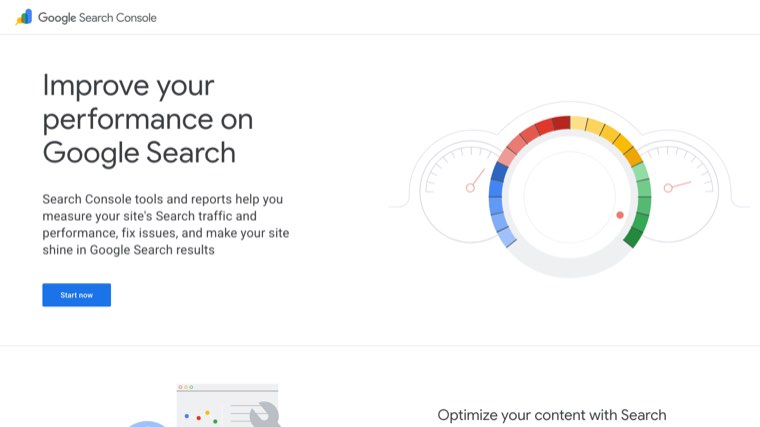
Google Search Console. Non-negotiable. It is the only tool that reports what Google actually did with your site rather than what a third party guesses. Verify your domain, submit a sitemap, and leave it collecting data. It needs a few weeks of history before it is useful, which is why it goes first.
Google Analytics or any privacy-friendly equivalent. You want to know what people do after they land. Setting it up takes twenty minutes.
A crawler. The free tier of any site crawler will handle a site under 500 URLs. You are looking for pages returning errors, pages with no title, duplicate titles, and pages nothing links to.
Run the crawl once, save the export, and do not act on it yet. Most of what it flags on a small site does not matter, and knowing which parts matter is what the rest of this page is for.
Step 1: keyword research, done in one sitting
Two hours, once. You are not building a content calendar for the year, you are finding fifteen to thirty queries you could realistically rank for.
Start from what you sell and write down how a customer would describe it, not how you would. Then take each phrase and check two things: does anyone search it, and is the first page of results full of sites much larger than yours. If page one is entirely national brands, pick something narrower.
Narrower usually means adding a qualifier. "Accounting software" is unwinnable. "Accounting software for landscapers" is a page you can rank. The narrow query converts better anyway, because the person searching it has already told you what they need.
Free sources for ideas: the autocomplete suggestions in Google, the "people also ask" box, the related searches at the bottom of the results, and the queries already showing up in Search Console once it has a month of data. That last one is the best source you have and almost nobody uses it.
Step 2: one page per query, and check you are not competing with yourself
Assign each target query to exactly one page. Write the list down, because this list is the thing that keeps a small site coherent.
Then check for cannibalisation, which is where two of your own pages target the same intent and split their rankings. Sites that have been publishing for a year or two almost always have it. In Search Console, open a query, look at the pages ranking for it, and if the URL changes from week to week, Google cannot decide which of your pages to show.
The fix is to pick the stronger page, merge anything useful from the weaker one into it, and redirect the weaker URL. It feels like deleting work. It is usually the single biggest ranking gain available to a small site, and it costs an hour.
Step 3: on-page, the parts that move
Four things per page, and they take about twenty minutes each once you have the pattern.
Title tag. One per page, containing the target query, written for a human deciding whether to click. Under about 60 characters so it does not get cut off.
First paragraph. Answer the query in the first two sentences. Not a preamble about how important the topic is. If someone searched "how much does a website cost", the first line should contain a number.
Headings. Break the page into sections a person can skim, and use the questions people actually ask as the headings. The related searches and "people also ask" entries from step 1 are your heading list.
Meta description. It is not a ranking factor and it is a click factor, which is why it still matters. Write it as the sentence that would make someone choose your result over the one above it. There is more on how to write effective meta descriptions if you want the longer version.
Step 4: write the page that answers the query
The test for whether a page is good enough is simple. Search your target query, open the top five results, and ask what they all cover that you do not.
If four of the five have a pricing table and you have none, you need a pricing table. If they all answer a question you skipped, answer it. This sounds mechanical and it is the fastest way to a page that competes, because those five pages are Google's own statement of what the query means.
Then add one thing none of them has. Your own numbers, a worked example, a photograph of the actual work, a template. On a small site, that one thing is usually the only reason anyone links to you.
Length is an output, not a target. Write until the query is answered and then stop.
Step 5: internal links, the free ranking factor
Every new page should link to two or three older pages, and at least one older page should link to the new one. That second half is what most people skip, and it is the half that matters, because a page nothing links to is a page Google treats as unimportant.
Use the words a person would search as the link text. "Read more" tells Google nothing. "SEO audit checklist" tells it exactly what is on the other end.
Once a month, run your crawler and look for orphan pages, which are pages with no internal links pointing at them. On sites that publish regularly this list grows quietly and constantly. If you are publishing weekly, it is worth reading how to automate internal linking for blog posts rather than doing it by hand forever.
Step 6: technical SEO, the short version
On a site under fifty pages, five checks cover almost everything that matters.
- Is every page you care about actually indexed? Search Console coverage report tells you, and the answer is often no.
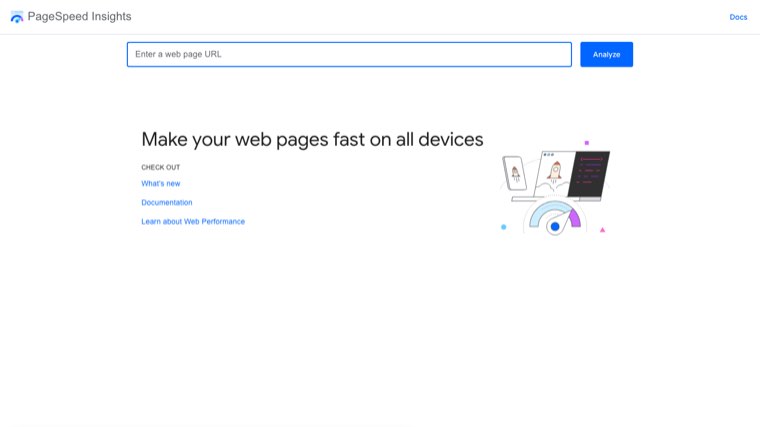
- Does the site load in under about three seconds on a phone on mobile data? Test it with PageSpeed Insights and look at the field data, not the lab score.
- Is there one version of the site, with the others redirecting to it? With and without www, http and https.
- Do you have a sitemap, and is it submitted?
- Does anything return a 404 that used to work?
That is it. Log file analysis, disavow files, and hand-written schema on every page are things large sites do. On a fifty page site they are a way to feel productive without moving anything.
If you want the full version for when the site grows, our SEO audit checklist runs to 42 checks across six parts.
Step 7: local, if you have an address or a service area
If customers can visit you or you serve a defined area, this is the highest return hour in the entire plan.
Claim and complete the Google Business Profile. Categories, hours, service area, photos, and the description. Then ask your last ten customers for a review, individually, by name. Reviews are the ranking factor you have the most direct control over and the one most businesses never work at.
Keep the name, address and phone number identical everywhere they appear online. Not similar, identical. Mismatches are the most common reason a local listing underperforms.
Step 8: links, and being realistic about them
Backlinks are the part of SEO you cannot do in an afternoon, and the part where DIY guides get vague.
What works for a small business, in order of how likely it is to actually happen: suppliers and partners who already know you, local press or trade publications when you do something newsworthy, industry directories that are genuinely used, and being a source for journalists who need a quote. What does not work is emailing two hundred strangers a template.
Podcasts are underrated here, and if your industry has any, guesting on them produces a link from a page that stays up. There is a decent breakdown in these 7 podcast SEO best practices if you go that route.
Expect this to be slow. Five good links in a quarter is a good quarter for a small site, and it will outperform fifty bad ones.
What to skip on a small site
These come up in every guide and they are not where your four hours should go.
Schema markup on every page. Worth it for products, recipes, events and local business details. Not worth hand-writing for a twelve page service site.
Disavowing links. Google ignores most bad links on its own. Disavowing is for sites recovering from a manual penalty, which you would know about because Search Console would have told you.
Chasing a tool's site health score. Vendors set those thresholds for their own reasons. Fix the specific issues, ignore the number.
Publishing daily. One good page a week beats five thin ones, and the thin ones actively hold the site back. SEO statistics collected by Digital Silk are useful for the pitch to a boss, less useful as a reason to publish more.
Keyword density. Not a thing. Write the phrase where it belongs and move on.
What you can automate, and what you cannot
The searches that lead people here often include some version of "automatic SEO optimization", so it is worth being straight about where the line is.
Automatable, reliably: finding queries, spotting cannibalisation, tracking positions, generating internal link suggestions, monitoring which pages fell out of the index, producing first drafts, and publishing on a schedule.
Not automatable, at least not well: knowing which query is worth your business's time, the one thing on your page that nobody else has, and anything involving another human agreeing to link to you. That line is also where most of the done-for-you offers sit, and we went through it service by service in our look at what AI SEO services automate.
Where Distribb fits. It handles the research, drafting, publishing and internal linking end of that list, and runs a backlink exchange for the part that needs another site to agree. The limitation worth knowing: it is a content and links pipeline, not a technical SEO crawler, so the five technical checks in step 6 are still yours to run, and it makes no sense to buy until you have decided which queries matter. We covered the wider category in automated SEO software if you want to compare approaches first.

What to expect, and when
The single most common reason people give up on doing their own SEO is expecting month-one results from a month-three activity.
- Weeks 1 to 4. Almost nothing visible. Search Console starts filling with data. Fixes to indexing show up here if you had any.
- Weeks 4 to 8. Pages you fixed that were already ranking between positions 5 and 20 start moving. This is the first real signal and it comes from the on-page work, not the new pages.
- Weeks 8 to 16. New pages begin ranking, usually well down the second page first, then climbing.
- Months 4 to 6. Compounding, if you kept publishing. This is where most people who quit at month two would have seen the return.
Three to six months to measurable improvement is the consistent answer across every credible source, and it matches what the data on our own sites shows.
When to stop doing it yourself
There is a point where DIY is the expensive option, and it is worth naming it.
Stop when the four hours a week are coming out of billable time worth more than the alternative. Stop when the site passes roughly a hundred pages, because maintenance alone starts eating the budget. Stop when the constraint has moved to links and you have exhausted the ones your own relationships can produce.
Until then, the work above is genuinely learnable and the money is better spent elsewhere. Most small businesses that hire early are paying an agency to do steps 1 to 5, which are the steps they could do themselves. If you would rather buy the execution than learn it, our comparison of AI SEO services compared covers what that market currently sells.
Questions people ask
How long does SEO take to work? Three to six months for measurable movement on a new site. Faster if you have existing pages ranking between positions 5 and 20, because those respond to on-page work in weeks.
Do I need to pay for tools? Not for the first quarter. Search Console, a free crawler tier, and PageSpeed Insights cover it. Paid keyword and backlink tools start earning their place when you are publishing weekly and need better data than autocomplete.
How many keywords should one page target? One primary query and a handful of close variants that mean the same thing. If two queries need genuinely different answers, they need different pages.
Is doing SEO myself risky? The only common way to do damage is redirecting or deleting pages carelessly. Nothing else on this list can hurt you. Take a copy of any page before you merge it.
What if my competitors are much bigger? Then you are not competing on their queries. Go narrower until you find queries where page one is sites your size, and win those first.
The first hour
Do this today: verify Search Console, run one crawl, and write down the ten phrases a customer would type. That is the whole of week one and it takes about ninety minutes.
If you get through the twelve weeks and the constraint has become time rather than knowledge, that is the point to look at what Distribb automates in the research, writing and publishing part of the loop, and keep the parts that need a person for yourself.