

There are two kinds of product sold as content calendar software. Purpose-built marketing calendars that know what a blog post and a social campaign are, and general work management tools that you shape into a calendar yourself.
Both work. They fail in different ways, and they cost very different amounts once you count seats. This list covers both, and one tool commonly recommended for this job, ContentCal, has been left out because its domain no longer serves a working site.
How we checked this list
Every tool below was loaded on its live site, and every price came from the vendor's own pricing page on 7 August 2026. ContentCal, which still appears in most roundups for this keyword, failed to load at all and was removed. Where a vendor only quotes on request, we say so instead of inventing a figure.
Most pricing here is per seat, so read the unit rather than the number. A $7 tool and a $20 tool are a four-figure annual difference once a team of five is on it, and that gap decides more of these purchases than any feature does.
Quick answer
- When the calendar keeps ending up empty: Distribb
- Best purpose-built marketing calendar: CoSchedule
- Best for approvals with clients: Planable
- Best free option that scales: Notion
- Best structured database calendar: Airtable
- Best for enterprise brand teams: Opal
- Best if you already run projects there: ClickUp or Asana
Comparison
| Tool | Type | Entry price | Free plan |
|---|---|---|---|
| Distribb | Fills and publishes the calendar | $97/mo | No, 7-day trial |
| CoSchedule | Marketing calendar | $19/user/mo | Yes |
| Planable | Social calendar with approvals | $33/workspace/mo | 50 posts |
| Opal | Enterprise brand calendar | On request | No |
| Notion | Flexible workspace | $10/seat/mo | Yes |
| Airtable | Structured database | $20/seat/mo | Yes |
| Stackby | Spreadsheet database | $9/seat/mo | Yes |
| Trello | Kanban board | $5/user/mo | Yes |
| Asana | Work management | $10.99/user/mo | Yes |
| ClickUp | Work management | $7/user/mo | Yes |
| monday.com | Work platform | $9/seat/mo | Yes, 2 seats |
| HubSpot | Calendar inside a suite | $7/seat/mo | Yes |
| Loomly | Social calendar | $49/mo | No |
Every entry price above is annual billing where the vendor offers a discount for it. Monthly is higher on almost all of them.
1. Distribb, for calendars that keep coming up empty

Calendar software solves lateness. It shows what is due, who owns it and what slipped, which is genuinely useful when work is being produced and badly coordinated. It does nothing at all for the more common problem, which is a calendar with nothing in it. Every other tool here shows you a calendar and none of them puts anything in it, and ours is an AI content writer rather than a planner. If a spreadsheet is all you need, our roundup of content calendar templates covers the free options.
Distribb starts from the other end. It researches keywords with commercial intent, builds a rolling thirty-day pipeline of topics, writes the articles, and publishes them into WordPress, Webflow, Shopify, Wix, Ghost, Notion, Framer or a webhook on the schedule you set. Each piece moves through Planned, Writing, Review, Published and Indexed, with the last stage confirmed against Search Console rather than assumed. Our guide to high-intent keywords covers how the topic selection works.
The content calendar and SEO pipeline page covers how the planning and publishing sides connect, and the tools that produce the articles themselves are compared in our roundup of AI content creation tools.
Pros:
- The calendar fills itself from search demand, which is the one job no other tool on this page does
- Stages advance without anyone moving a card, so status reflects reality rather than someone's memory
- Indexed status verified against Search Console, not marked done at publish
- Publishing time and timezone set per project, so the dates on the calendar are the dates things go live
Cons: There are no team features. No assignees, no approval chains, no comment threads, no shared workload view, and no way for a second person to review before something publishes. If you are coordinating five people around a content plan, buy a real calendar tool from this list and let Distribb produce into it. It is a production engine that happens to have a calendar, not a calendar product.
For who: Teams whose calendar keeps coming up empty, usually one or two people trying to keep a blog moving. Wrong choice when the calendar is full and the team around it is uncoordinated.
Pricing: $97 a month with a 7-day free trial. Accelerator, which adds done-for-you off-site distribution, is $495 a month. Two prices, no free plan.
2. CoSchedule, the purpose-built marketing calendar

It understands marketing objects natively: blog posts, social campaigns, email and press sit on the calendar as themselves rather than as generic tasks with custom fields bolted on.
ReQueue is the closest thing on this list to an answer for the empty-calendar problem. It refills gaps automatically from a pool of evergreen posts, which recycles rather than creates, but it does keep the slots occupied.
Pros:
- Marketing objects as first-class citizens, so nothing has to be configured into existence
- ReQueue refills gaps automatically from an evergreen pool
- A free calendar tier for a single user and profile
- Unlimited scheduled messages on every paid plan
Cons: It charges per user and per social profile at the same time, with extra profiles at $5 each, so a team of three across five channels costs far more than the headline. Paid tiers also cap at 3 users, which is an odd ceiling for a product sold to teams. ReQueue recycles what you already made, so a calendar that was never filled has nothing to recycle.
For who: Small marketing teams that want a calendar built for marketing rather than a project tool bent into the shape of one.
Pricing: Free Calendar at $0 for 1 user, 1 profile and 15 messages. Social Calendar $19 per user per month billed annually or $29 monthly, Agency Calendar $59 annually or $69 monthly, both up to 3 users. Content Calendar and Marketing Suite are quote only, checked 7 August 2026.
3. Planable, built around review and approval

Content is previewed exactly as it will look on the live platform, then commented on and approved inline. For agencies whose calendar slips because a client has not signed off, that is the actual constraint being solved.
Unlimited users on every paid tier is the structural decision that makes it work for client review. Nobody has to be left out of the approval loop to save a seat.
Pros:
- Unlimited users on every paid plan, so clients and reviewers cost nothing to add
- True-to-platform previews that end the "what will this look like" round of email
- Priced per workspace, not per seat, which is the right unit for agency work
- 50 free posts with no time limit, a real evaluation rather than a 14-day countdown
Cons: It is social-first, so blog and email planning sit awkwardly inside it and long-form work has no natural home. Posts are also metered per workspace, at 60 a month on Basic and 150 on Pro, which is tight for an active account. Analytics and the social inbox are separate add-ons at $12 and $7.50 per workspace, so the working configuration costs more than the plan.
For who: Agencies and in-house teams whose bottleneck is approval rather than production.
Pricing: Basic $33 per workspace per month for 60 posts and 4 pages, Pro $49 for 150 posts and 10 pages, Enterprise custom. Analytics from $12 and Social Inbox from $7.50 per workspace, checked 7 August 2026.
4. Opal, the enterprise brand calendar

Opal is aimed at large marketing organisations that need every team looking at the same plan: campaigns, channels, regions and creative on one visual timeline, with content shown in a true-to-life format during review.
The value is cross-functional visibility rather than posting. If eight teams keep surprising each other with launches, this is the category answer and a project tool is not.
Pros:
- One timeline across teams, regions and channels, which is the specific enterprise failure it exists for
- True-to-life creative review, so approvals happen against the real thing
- Built for many stakeholders rather than adapted for them
- Licensing split into user licences and platform fees, so large orgs can model it against actual usage
Cons: It publishes nothing, so it coordinates a plan that other tools still have to execute. It is also far more calendar than most teams need, and the visibility benefit only appears once enough teams are on it to have a coordination problem. No dollar figure is published anywhere: pricing starts with a conversation.
For who: Large brand organisations where several teams plan against each other and nobody has the whole picture.
Pricing: No price published. Pricing is assembled from per-user licences, a platform fee based on workspace users and integration costs, quoted after a call, checked 7 August 2026.
5. Notion, the flexible free option

A database with a calendar view, plus whatever properties, statuses and templates you decide your process needs. The reason so many teams land here is that the calendar sits next to the briefs, the drafts and the notes rather than in a separate tool.
For a team that already lives in Notion, adding a content calendar is an afternoon rather than a purchase.
Pros:
- The calendar sits beside the drafts, so planning and writing are not two products
- A genuinely usable free plan that a small team can run on indefinitely
- Shape it to your process exactly, rather than adopting someone else's workflow
- $10 per seat when you do need the paid tier, which is mid-range here
Cons: You build it yourself, and a calendar nobody maintains decays faster in Notion than in a purpose-built tool because nothing enforces the structure. There is no publishing and no scheduling to social, so it plans and stops. The flexibility that makes it appealing in week one is what makes it a mess in month six without an owner.
For who: Teams already running on Notion, and anyone who wants the calendar and the source material in one place.
Pricing: Free at $0 per member. Plus $10 and Business $20 per member per month, with up to 20 percent off for annual billing, Enterprise custom, checked 7 August 2026.
6. Airtable, structure without a developer

Airtable is the right answer when the calendar needs to be a real database: linked records for campaigns, assets, owners and channels, with a different view for each team looking at it.
Once content, campaigns and assets are related records rather than repeated text, reporting on them stops being manual.
Pros:
- Linked records across campaigns, assets and owners, which no calendar-shaped tool here can model
- A view per team over the same underlying data
- Automations included without a separate workflow subscription
- A free plan that is enough to prove the structure before paying
Cons: Seat pricing gets expensive fast: $20 a seat is $1,200 a year for five people, and Business at $45 doubles that again. The setup work is also real, and somebody has to own the schema or it drifts. Guests and client portals are priced separately, which is the line item people are surprised by at renewal.
For who: Teams whose content plan is genuinely relational, with campaigns, assets and channels that need to connect.
Pricing: Free plan available. Team $20 per seat per month and Business $45 per seat per month, both billed annually, with Enterprise Scale custom, checked 7 August 2026.
7. Stackby, a cheaper database calendar

A spreadsheet and database hybrid with calendar views, automations and AI features, positioned below Airtable on price for small and mid-sized teams.
If Airtable's model suits you but its bill does not, this is the closest alternative on structure, and the annual rates make the gap wider still.
Pros:
- Less than half Airtable's entry price, at $9 a seat against $20
- Annual billing cuts it further, to about $4.20 a seat a month on Economy
- Calendar views and automations included at the low tiers rather than gated
- A free plan for evaluating the structure properly
Cons: A smaller ecosystem, fewer integrations and a much smaller community, so when you get stuck there is less to search. Being the cheaper alternative to a category leader also carries the usual risk around long-term direction. The annual discounts are quoted at specific user counts, which makes comparing plans harder than it needs to be.
For who: Cost-sensitive teams that want a relational calendar and can live with a smaller ecosystem.
Pricing: Free at $0. Economy $9, Business $18 and Pro $35 per seat per month, with annual billing cutting those to roughly $4.20, $8.30 and $12.50 at three users. Enterprise is custom, checked 7 August 2026.
8. Trello, the simplest thing that works

For a two-person content team, a board with three lists and a calendar view is often the entire process, and anything more elaborate goes unused within a month.
Trello wins on the thing that actually determines whether a calendar survives, which is whether people keep opening it.
Pros:
- Adopted in an afternoon, which matters more than features for a small team
- $5 a user, the cheapest paid tier on this page
- A free plan that covers a solo writer completely
- Nothing to configure, so there is no schema to maintain or drift
Cons: Calendar view only arrives on the paid tiers, so the free plan is a board and nothing else. It does not scale into campaign planning, reporting is minimal, and it becomes unreadable past a few dozen active cards. Simplicity is the product, which means the ceiling is low by design.
For who: One or two people who need a visible process and will abandon anything more complicated.
Pricing: Free at $0. Standard $5 per user per month annually or $6 monthly, Premium $10 or $12.50, Enterprise $17.50 annually, checked 7 August 2026.
9. Asana, work management with a content view

Timelines, dependencies, custom fields and a calendar view over any project. If your content work already lives alongside other projects, keeping it in one system beats a dedicated calendar nobody outside marketing opens.
The dependency handling is the part content teams underrate, because a piece waiting on a designer is the most common reason a date slips.
Pros:
- Dependencies modelled properly, so a blocked piece is visibly blocked rather than just late
- One system across marketing and everything else, which keeps the calendar in front of people
- A free tier for one or two people
- Mature reporting and portfolios on the higher tiers
Cons: It knows nothing about content specifically, so every content-shaped thing is a custom field somebody maintains. The useful tier is also a jump: Advanced is $24.99 a user annually, more than double Starter. Monthly billing at $13.49 punishes teams that will not commit for a year.
For who: Marketing teams inside a company already running Asana, where a separate calendar would be ignored.
Pricing: Personal free. Starter $10.99 per user per month annually or $13.49 monthly, Advanced $24.99 or $30.49, Enterprise and Enterprise+ quote only, checked 7 August 2026.
10. ClickUp, the most features per dollar

Docs, tasks, calendars, automations, goals and dashboards in one product. At $7 a seat it is the cheapest credible way to run a content calendar alongside everything else a marketing team tracks.
The breadth means the calendar, the briefs and the tasks are one system rather than three subscriptions that need connecting.
Pros:
- $7 a seat for the paid tier, the best features-per-dollar ratio here
- Docs, tasks and calendar in one product, so briefs live next to the schedule
- A free forever plan with unlimited tasks
- Automations on the paid tiers without a separate workflow tool
Cons: The breadth is also the complaint: new users reach productivity slower here than in Trello or Notion, and the interface is dense enough to put people off. Monthly billing is $10 rather than $7, and the AI features that make the pitch work are a separate $9 to $28 per user on top. A tool nobody enjoys opening does not keep a calendar alive.
For who: Teams that want one system for everything and have the patience for the first two weeks.
Pricing: Free Forever at $0. Unlimited $7 per user per month annually or $10 monthly, Business $12 or $19, Enterprise custom. Brain AI adds $9 and Everything AI $28 per user, checked 7 August 2026.
11. monday.com, visual planning for larger teams
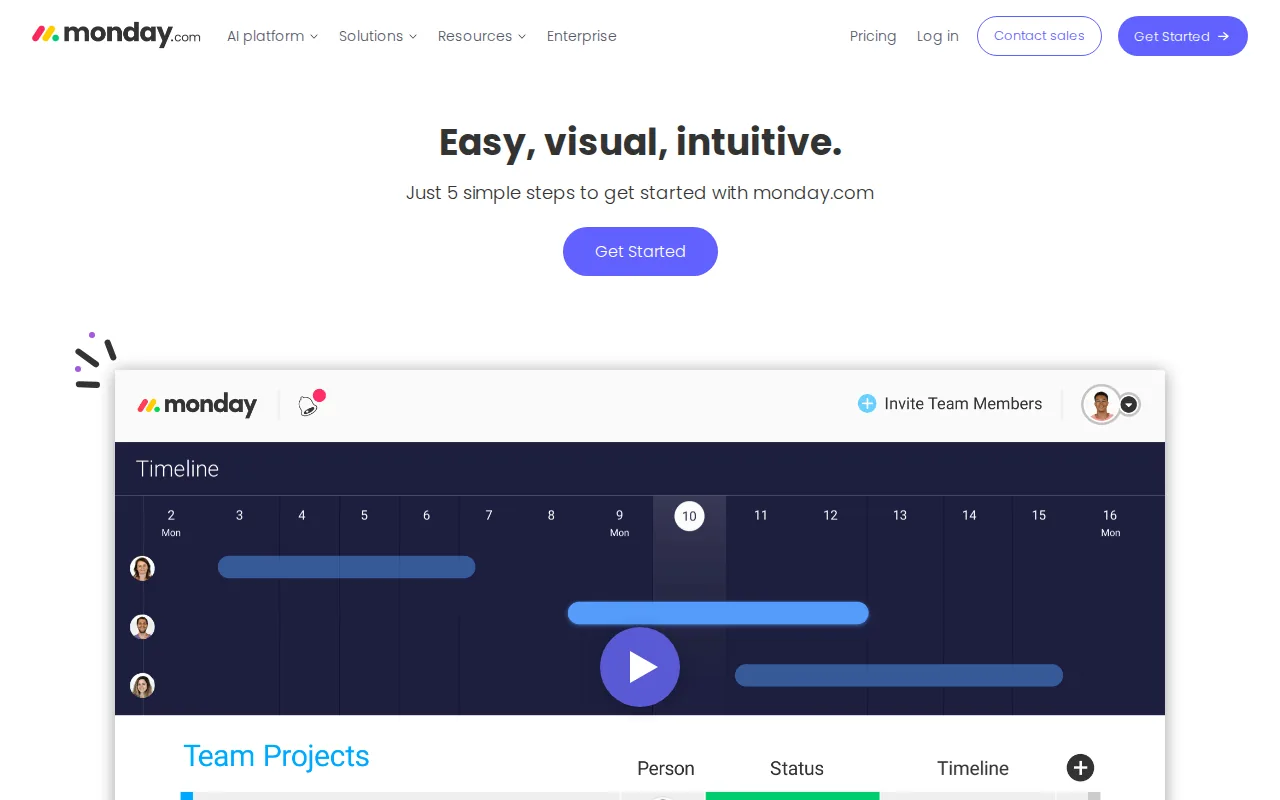
Board, calendar and timeline views with heavy automation and a large integration library. It is good when marketing sits inside a company already running monday.com elsewhere.
The visual model suits people who plan by looking rather than by reading a list, which is most marketing teams.
Pros:
- Strong visual planning across board, calendar and timeline views of the same work
- Heavy automation without a separate workflow subscription
- A free tier for 2 seats to try the model
- Basic at $9 a seat, competitive against the other work platforms here
Cons: Seat minimums and tier jumps make it more expensive than the headline suggests, and Pro at $19 is where the useful automation limits actually sit. Content-specific features are things you configure rather than things you get, same as Asana. Prices shown are annual, and monthly costs roughly 18 percent more.
For who: Larger teams already standardised on monday.com, planning content alongside other work.
Pricing: Free for up to 2 seats. Work Management Basic $9, Standard $12 and Pro $19 per seat per month billed annually, Enterprise custom. Monthly billing is about 18 percent higher, checked 7 August 2026.
12. HubSpot, the calendar inside the suite

A single drag-and-drop calendar covering blog posts, social messages, email campaigns and landing pages, included in Marketing Hub rather than sold separately.
If you already run marketing on HubSpot, this is the calendar to use, because everything on it is already attached to the contact record.
Pros:
- Blog, social, email and landing pages on one calendar, which no standalone tool here covers
- Everything connected to the CRM record, so the calendar links to outcomes
- Included rather than an add-on for existing Marketing Hub customers
- A free tier to see the model before committing
Cons: It only makes sense as part of the suite, and nobody should buy Marketing Hub for the calendar. The tier where the marketing features are genuinely useful is Professional at $800 a month plus a $3,000 one-time onboarding fee, which is not a calendar budget. Outside the suite it has no independent existence to evaluate.
For who: Teams already paying for Marketing Hub who should not buy a second calendar.
Pricing: Free at $0. Starter from $7 per seat per month, Professional from $800 a month plus $3,000 onboarding, Enterprise from $3,600 plus $7,000 onboarding, checked 7 August 2026.
13. Loomly, structure for in-house social teams

Post ideas, approval workflows and unlimited calendars make it a reasonable middle ground between a social scheduler and a full marketing calendar.
The post-idea prompts are the unusual part: it is one of the few tools here that tries to help with what to publish rather than only when. For social specifically, our roundup of social media content calendar software goes deeper, and turning one article into its social derivatives is its own category, compared in our roundup of content repurposing software.
Pros:
- Post ideas built in, a rare attempt at the empty-calendar problem
- Approval workflows without moving to an agency-priced tool
- Unlimited calendars on every tier
- Unlimited users on Beyond, so a growing team does not add cost per head
Cons: The jump from $49 to $249 with nothing in between is the steepest gap on this page, and Starter caps at 3 users and 12 accounts. It is also social-focused, so blog planning sits outside it. Monthly billing is $65 and $332, a quarter more than the advertised annual rates.
For who: In-house social teams that need approvals and ideas without agency pricing.
Pricing: Starter $49 a month billed yearly or $65 monthly, for 12 accounts and 3 users. Beyond $249 yearly or $332 monthly, for 60 accounts and unlimited users. Enterprise is custom, checked 7 August 2026.
What actually goes wrong with content calendars
Empty is the normal failure, not disorganised. Almost nobody abandons a calendar because it was badly structured. They abandon it because there was nothing to put in it in week six.
Per-seat pricing decides the real cost. ClickUp at $7 and Airtable at $20 are a $780 annual difference for a team of five. Model it at your actual headcount before comparing features.
A calendar is not a strategy. Filling twelve slots a month with whatever comes to mind produces twelve pages nobody searches for. Topic selection has to come from demand, which is the argument behind building a proper content hub rather than a list of dates.
General tools need an owner. Notion, Airtable and ClickUp calendars work brilliantly when one person maintains the system and decay the month that person is busy.
Approval is the hidden bottleneck. For agencies especially, posts are late because someone has not looked at them. That is a workflow problem, and Planable exists specifically for it.
FAQ
What is the best free content calendar software? Notion for flexibility, Trello for simplicity, ClickUp for the most features at no cost. All three are genuinely usable at zero, and all three require you to build the process.
Is a spreadsheet good enough? For one person publishing weekly, usually yes. It stops working when more than two people need to see status, or when you want a view by channel as well as by date.
Should I use a marketing calendar or a project tool? A marketing calendar if content is most of what your team does. A project tool if content is one workstream among several and you want one system.
What happened to ContentCal? It was acquired and folded into a larger product, and its domain no longer serves a working site. It still appears in most roundups for this keyword, which is a good reason to check any list's dates.
How far ahead should a content calendar go? Thirty days planned in detail and ninety loosely is the pattern that survives contact with reality. Twelve-month calendars are usually written once and never opened.
Can these tools publish for me? CoSchedule, Planable and Loomly publish to social. HubSpot publishes to its own CMS. Notion, Airtable, Trello, Asana, ClickUp and monday.com publish nothing at all.
What should the calendar actually record? Target keyword, owner, status, channel and publish date. Anything beyond that tends to be filled in for the first month and abandoned.
Where to start
If you have more ideas than slots, pick on price and seats. Notion or ClickUp free will run a small team's calendar indefinitely, and CoSchedule is worth the $19 if you want something that understands marketing out of the box.
If the recurring problem is a calendar with gaps in it, better software will not close them. Distribb picks the topics, writes the articles and publishes them to your CMS on the dates you set, so the calendar fills itself. Seven-day free trial.