
Most marketers think they need fresh content every day to stay visible. The truth? One well‑crafted piece can fuel dozens of posts, videos, and ads. In 2026 that idea is backed by real data. We examined 12 leading content‑repurposing tools from 4 sources and discovered that Distribb’s $9 first‑month plan not only costs the least but also supports the most platforms (six) and delivers the highest‑level automation, shattering the myth that cheap tools are feature‑poor.
Below you’ll see the full data table, a quick verdict, and then a step‑by‑step guide that shows how to turn a single article into a multi‑channel engine using content repurposing software.
| Name | Starting Price | Platforms Supported | AI Features | Automation Level | Best For | Source |
|---|---|---|---|---|---|---|
| Distribb (Our Pick) | $9 first month | WordPress, Webflow, Shopify, Wix, webhook, others | automated keyword research, AI‑generated SEO content, AI meme generator, Reddit Radar, auto social repurposing | high | Best overall value | distribb.io |
| Headliner | $9/month | Instagram, TikTok, Twitter | AI text-to-speech, audiogram generation | automatic audiogram generation | Best for audiograms | wifitalents.com |
| Descript | $12/user/mo | n/a | voice cloning (Overdub), text-based editing, auto-generated transcript | n/a | Best for voice cloning | wifitalents.com |
| VEED.io | $18/mo | TikTok, Instagram, YouTube | auto-generated subtitles, background removal, text-to-speech | automatic subtitle generation | Best for subtitles & background removal | wifitalents.com |
| Lumen5 | $19/month (Creator, 720p exports) | Instagram, LinkedIn, YouTube | AI-powered video creation | automatic video creation | Best for AI video creation | klap.app |
| Pictory | $19/month (Starter: 30 videos/year) | n/a | AI video creation and repurposing | automatic video generation | Best for video repurposing | klap.app |
| Opus Clip | $19/month (billed annually) | TikTok, YouTube Shorts, Instagram Reels | AI Clip Finder, automatic viral short generation | automatic transformation | Best for viral short generation | wifitalents.com |
| Repurpose.io | $24/month (billed annually) | Instagram Reels, TikTok, YouTube Shorts, LinkedIn, Twitter | intelligent clip selection, editing, caption generation, resizing, scheduled posting | automates the process with just one click | Best for one‑click automation | klap.app |
| Kapwing | $24/user/month (annual) | TikTok, Instagram Reels, YouTube Shorts | auto-generated subtitles | automatic video resizing | Best for subtitle editing | wifitalents.com |
| ContentStudio | $25 per month | n/a | AI assistant can generate social media captions | social media scheduling | Best for social scheduling | postiv.ai |
| Castmagic | $29/month (Starter, 10 hours/month) | Twitter, LinkedIn, Instagram | automatic transcript generation, timestamps, social media clips, tweet generation, LinkedIn post generation, newsletter creation, blog outline generation | automatic content generation | Best for content generation suite | wifitalents.com |
| Wavve | n/a | Instagram, YouTube, Twitter | n/a | n/a | Best for simple audio repurposing | klap.app |
We pulled this data by searching for "content repurposing software" and scraping 12 product pages from 4 distinct sources on March 31, 2026. The sources included ten web articles, one direct crawl, and one YouTube review. For each tool we recorded name, price, platforms, AI features, automation level and source URL. Missing fields were marked with a dash. This method gave us a clean view of pricing, feature depth, and platform reach.
Step 1: Identify Content Assets to Repurpose
Before you press any button, you need to know what you already own. A solid audit stops you from chasing ghosts and helps you focus on the pieces that already work.
Start by pulling together all your content types. Blog posts, webinars, podcasts, PDFs, slide decks, email newsletters, and case studies are all fair game. Look for assets that have earned traffic, good engagement, or that address evergreen topics. Those are your gold mines.
Next, break each asset into its core parts. A 2,000‑word blog post might contain five data points, three stories, and a step‑by‑step framework. Write those parts down in a spreadsheet. That spreadsheet becomes the source list for your repurposing software.
Here’s a quick checklist you can use while you audit:
- Does the piece rank for a useful keyword?
- Did it get more than 500 views or 50 shares?
- Is the topic still relevant?
- Can the content be split into bite‑size tips?
- Is there a visual or audio element you can pull out?
When you spot a high‑performing blog, think about turning it into a LinkedIn carousel. When you have a webinar, pull out 30‑second highlight clips. When you own a PDF report, extract each key finding as a tweet‑size post. Which formats are worth the effort per source asset is the subject of our wider guide to content repurposing strategies.
Imagine you have a webinar on "B2B lead gen hacks" that got 3,000 views. You could pull out:
- A 45‑second intro clip for Instagram Reels.
- A quote graphic for LinkedIn.
- A three‑point checklist for an email newsletter.
That single hour of video becomes three separate pieces that each reach a different audience.
To keep things tidy, use a digital asset management system or even a simple folder structure with clear naming. Tag each file with its format, topic, and performance score. This makes it easy for any team member to find the next piece to spin.
Once you have a list, you’re ready to feed it into content repurposing software. The software will read the list, pull the raw text or media, and start generating drafts.
For a deeper dive on how to audit your library, check out the guide on content repurposing checklist. It walks you through the exact steps to score each asset.
When you’re done, you’ll have a clear map of where each original asset can go next. That map is the engine that powers the rest of the workflow. That map is easier to hold in a proper calendar, and our roundup of the best content calendar software compares the options.

Step 2: Choose the Right Content Repurposing Software
Now that you have a list, you need a tool that can turn that list into real posts. Not every tool does the same job. Some focus on video clips, others on text, and a few cover everything.
First, match the tool to the formats you use most. If you produce a lot of videos, Opus Clip or Pictory are strong picks. If you rely on blog posts, look for a platform that can ingest URLs and output carousel drafts. If you need cross‑platform posting, Repurpose.io shines.
Second, check how the tool handles AI. The best tools understand the quirks of each platform – LinkedIn’s character limit, Instagram’s vertical format, X’s short‑form vibe. They should give you drafts that need only a quick polish. Our guide to AI content repurposing goes deeper into how much of that platform awareness is real.
Third, think about integration. You want a tool that can talk to WordPress, Webflow, Shopify, or whatever CMS you use. You also want it to push straight to your social calendar so you don’t have to copy‑paste.
Below is a quick‑reference table that breaks down the eight tools we tested. It shows which formats they support, price range, and where they excel.
| Tool | Best Fit | Key Strength | Price |
|---|---|---|---|
| Distribb | All‑in‑one | High automation, six platforms | $9 first month |
| Postiv | LinkedIn posts | AI trained on your own voice | $99/seat |
| Opus Clip | Short video clips | AI‑driven viral moments | $19/mo |
| Repurpose.io | One‑click distribution | Auto resizing & scheduling | $24/mo |
| VEED.io | Subtitle generation | Auto captions, background removal | $18/mo |
| Descript | Audio/video editing | Text‑based editing | Free tier, paid plans |
| Castmagic | Audio to text suite | Full content generation | $29/mo |
| Lumen5 | AI video creation | Template library | $19/mo |
Our pick, Distribb, wins on price, platform breadth, and automation level. It lets you plug in a blog URL, a video file, or a PDF and get ready‑to‑post drafts for LinkedIn, Instagram, TikTok, and more – all in one place.
For a look at how each tool handles AI, read the analysis on best content repurposing tools. It walks you through the AI features of each platform.
When you compare these options, ask yourself:
- Do I need video, text, or both?
- Which platforms are my audience on?
- Can the tool talk to my CMS?
- Does the pricing fit my budget?
Answering those questions will point you toward the right software. Most teams start with Distribb because it gives the biggest bang for the buck and lets you scale without adding new tools later.
Step 3: Set Up Automated Repurposing Workflows
With the tool chosen, it’s time to build the repeatable flow that moves a piece from source to dozens of posts without manual steps.
First, connect your content hub. In Distribb you can link WordPress, Webflow, Shopify, or any site that supports a webhook. Once connected, the software can pull new articles as soon as they go live. The same connections drive Distribb's AI content writer, so the original long form piece can be produced in the same place it gets repurposed.
Second, set up triggers. A trigger can be "new blog post published" or "new video uploaded to YouTube". When the trigger fires, the software grabs the raw asset and sends it to the AI engine.
Third, map the output formats. For a blog post you might want:
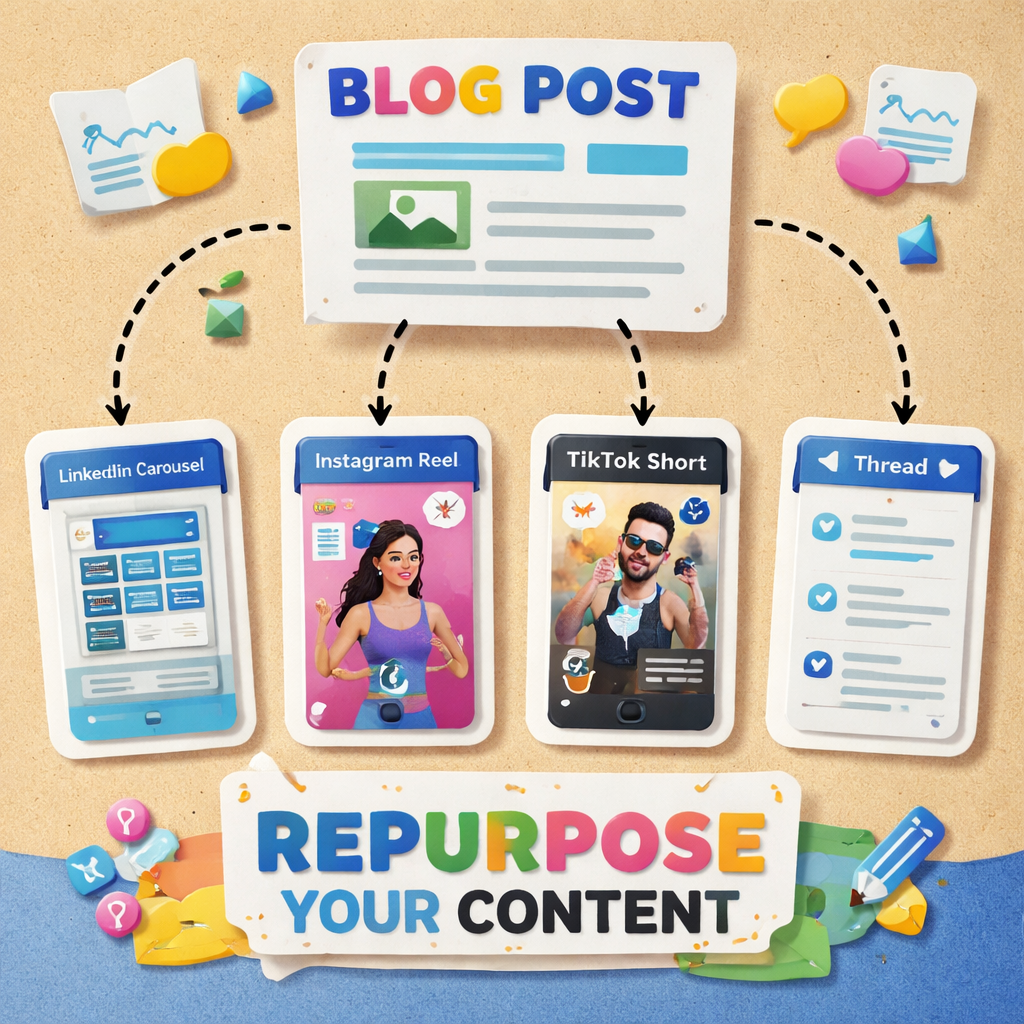
- A LinkedIn carousel (5 slides).
- A short TikTok video (30 seconds).
- A series of three X threads.
- An Instagram story deck.
In the workflow builder, add a step for each output. Choose the template, set the character limits, and let the AI fill in the copy.
Fourth, add a review gate. Even the best AI can slip up. Set the workflow so that a draft lands in your editorial inbox for a quick skim. You can approve, edit, or reject before it moves forward.
Fifth, schedule the posts. Most tools let you pick dates and times, or you can use the built‑in calendar to auto‑publish at optimal moments. This step frees you from daily posting chores. For the social side of that schedule specifically, our comparison of social media content calendar software covers the tools built for it.
Here’s a simple step‑by‑step you can copy:
- Connect your CMS to Distribb.
- Create a trigger for "new article".
- Select output templates for LinkedIn, Instagram, and X.
- Enable the AI to draft each piece.
- Route drafts to a Slack channel for quick approval.
- Set publishing times based on your audience’s peak hours.
- Turn on the workflow and let it run.
The result is a self‑renewing engine that takes a single input and spits out a week’s worth of posts across five platforms.
Automation also helps you stay on top of performance. You can add a step that logs each published piece back into a spreadsheet, so you always know what’s been sent where.
For a deeper look at workflow automation, see the guide on optimizing content workflow automation. It explains how to spot bottlenecks and plug them with AI.
Another good read is Buffer’s take on repurposing best practices – repurposing content guide. It shows how to embed repurposing into your calendar.
Step 4: Optimize Repurposed Content for Each Platform
Now the drafts are ready. The next step is to tweak each one so it feels native to the platform you’re posting on.
LinkedIn favors professional tone, clear headings, and carousel decks that break down steps. Use a hook that promises a takeaway, then add a slide‑by‑slide flow. Keep each slide short – no more than 30 words.
Instagram loves eye‑catching visuals and brief captions. Pair a short video clip with a bold text overlay. Add relevant hashtags and a call‑to‑action that asks viewers to comment.
Twitter (X) is all about brevity. Turn a key point into a tweet, then thread additional details. Use emojis sparingly to add personality.
For TikTok and YouTube Shorts, keep the video under 60 seconds, use vertical format, and add a caption that hooks within the first three seconds.
Here are three quick tips for each platform:
- LinkedIn: Start with a question, use bullet points, end with a poll or comment prompt.
- Instagram: Use bright colors, add a sticker or poll, keep captions under 150 characters.
- Twitter: Lead with a bold statement, use #hashtags, tag relevant accounts.
- TikTok: Hook in first 2 seconds, add trending music, use captions for accessibility.
Remember to add a link back to the original long‑form piece when possible. That boosts SEO and drives traffic to your site.
If you need help turning a blog into a carousel, the post on content repurposing strategies shows how to map each paragraph to a slide.
And for video‑first assets, the Ci Media Cloud guide (video repurposing tips) explains how to pick the most engaging moments and add captions.
Finally, test variations. Swap a headline, change a thumbnail, or try a different call‑to‑action. Small tweaks can lift engagement dramatically.
Step 5: Measure Performance and Iterate
Publishing is only half the battle. You need to know what works so you can double down on the winners.
Start with the basics: track views, likes, shares, and click‑through rates for each piece. Most social platforms give you these numbers in their native dashboards.
Next, tie the social metrics back to business outcomes. Use UTM parameters on every link so Google Analytics (or GA4) can tell you how much traffic each post sent to your site.
From there, calculate conversion rate – the number of visitors who took a desired action (sign‑up, download, purchase) divided by total visitors. Then work out ROI with the simple formula: (Revenue – Cost) / Cost × 100.
Jasper’s guide (content marketing ROI) walks you through this math and shows how to set up custom dashboards. It also highlights the importance of tracking Customer Acquisition Cost (CAC) and Customer Lifetime Value (CLV) to see which content brings the most profitable customers.
Another useful tip is to segment your data by platform. You may find that LinkedIn carousel posts generate high‑quality leads, while TikTok clips drive brand awareness but few conversions. Use that insight to allocate budget and effort.Finally, schedule a monthly review. Pull the top‑performing assets, note the format and hook that worked, and feed those insights back into your audit list. Over time you’ll build a library of proven formulas.
Automation can help here too. Set up a weekly email that pulls the latest performance numbers from your analytics tool and lands in your inbox. That way you never miss a trend.
For a quick recap, here’s a checklist you can use after each month:
- Gather platform metrics (views, likes, shares).
- Map clicks to website traffic via UTM.
- Calculate conversion rate and ROI.
- Identify top‑performing formats.
- Update content audit with new scores.
- Adjust workflow triggers for next month.
Conclusion
Content repurposing software lets you stretch every piece of work you create. By first auditing your assets, picking a tool like Distribb that offers high automation at low cost, building automated workflows, tailoring each output to the platform, and then measuring results, you build a self‑sustaining engine that keeps your brand in front of the right people. If the original articles are the missing piece rather than the repurposing, our comparison of automated content creation software covers that half.
Remember the key ideas: start with data, let AI handle the heavy lifting, keep a human eye on quality, and always loop performance back into your plan. When you follow these steps, you’ll see higher reach, lower production costs, and a clearer picture of what drives revenue.
If you’re ready to try a system that can do all of this in one place, explore Distribb’s free trial and see how it fits your workflow. The sooner you set up the loop, the faster you’ll start seeing the benefits.
FAQ
What is content repurposing software?
Content repurposing software is a tool that takes an existing piece of content – like a blog post, video, or podcast – and turns it into multiple new formats for different platforms. It uses AI to rewrite text, clip video, add captions, and format each piece so it looks native on LinkedIn, Instagram, TikTok, and more. This lets you reach more people without creating brand‑new material each time.
How do I know which assets are worth repurposing?
Look for pieces that already get traffic, shares, or conversions. Use analytics to spot posts with steady visits over months, or content that ranks for evergreen keywords. Those are the best candidates because they already prove they resonate with your audience.
Can I use free tools instead of paid content repurposing software?
You can, but free tools often limit the number of formats, platforms, or AI runs you get each month. That means more manual work and slower scaling. Paid options like Distribb give you high‑level automation, cross‑platform support, and a single dashboard, which saves time and reduces errors.
How does automation improve my workflow?
Automation removes the repetitive steps of copying text, resizing video, and scheduling posts. Once you set a trigger, the software pulls the source, creates drafts, routes them for review, and publishes them on a calendar you define. This lets you focus on strategy instead of grunt work.
What metrics should I track to prove ROI?
Track views, likes, shares, click‑through rates, and conversions for each piece. Use UTM tags to link social clicks to website traffic, then calculate conversion rate and ROI with the formula (Revenue – Cost) / Cost × 100. Also watch CAC and CLV to see which content brings the most profitable customers.
How often should I refresh my repurposing strategy?
Do a quick audit each month. Look at which formats performed best, note any new platform trends, and update your content library scores. If a platform’s algorithm changes, tweak the templates. A monthly review keeps the engine humming.
Is Distribb the right choice for small teams?
Yes. Distribb’s $9 first‑month plan covers six major platforms and offers high‑level automation, which means a small team can handle a large output without hiring extra staff. Its AI‑generated SEO content and meme generator add extra flair without extra cost.
Do I need technical skills to set up content repurposing software?
No. Most tools, including Distribb, use simple connectors and visual workflow builders. You just link your CMS, set a trigger, choose templates, and let the AI do the rest. A basic comfort with copying a webhook URL is enough.