
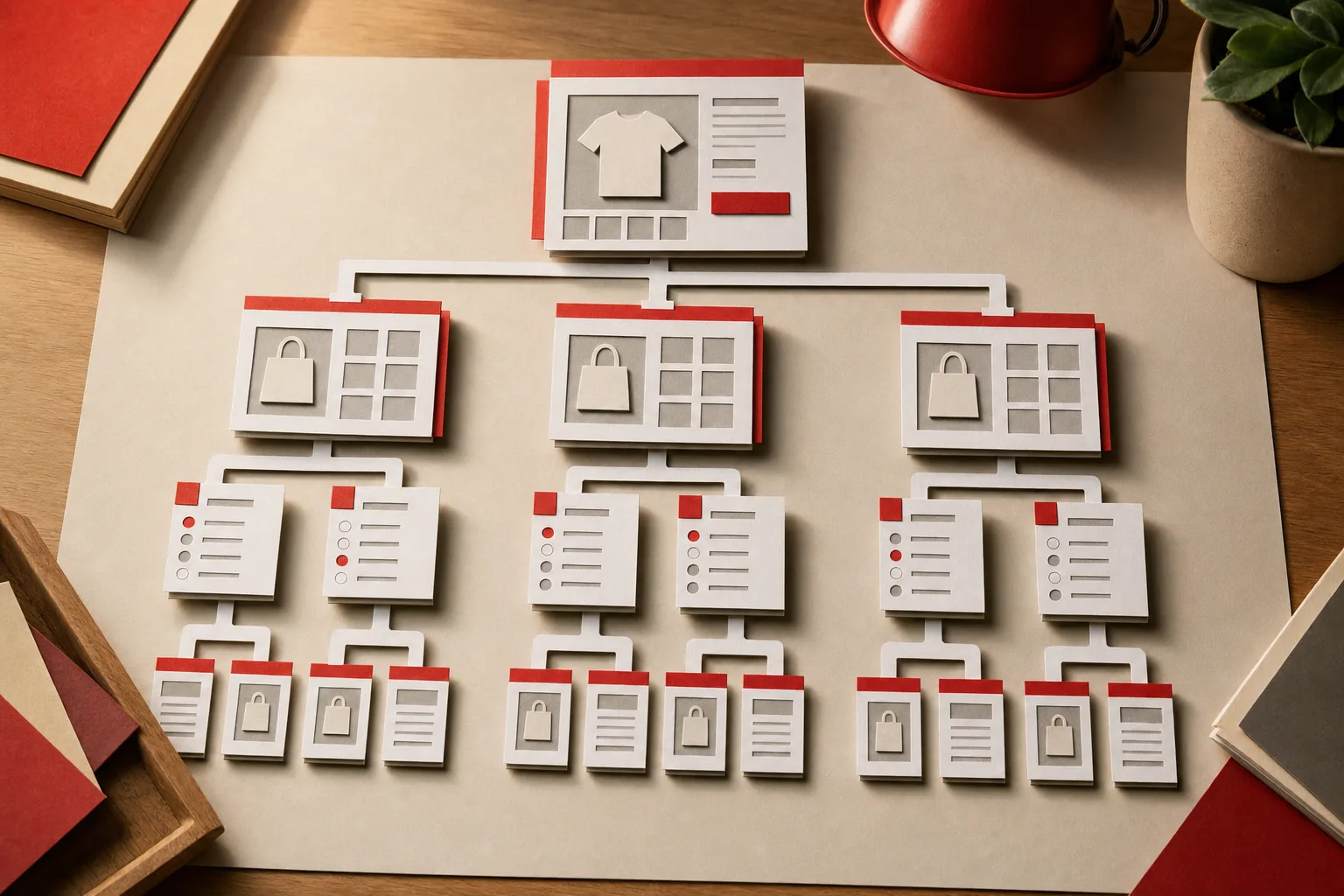
Shopify duplicate content is the same, or nearly the same, page showing up at more than one URL on your store. Shopify creates some of these URLs by design, like a product that can be reached through every collection it belongs to. Others come from your theme, your apps, or how products and tags are set up.
Most of the pages that rank for this topic list the same three or four causes and the same fixes. Before writing this guide we read the top results from Digismoothie, Meetanshi, Go Fish Digital, Sherpas Design and Adfinite. They disagree on the basics: some call collection-aware product URLs a serious problem, others call it a myth. So we tested every duplicate URL type on Shopify's Dawn 15 demo store in September 2026 and recorded what Shopify actually does. That tells you which fixes are worth doing and which ones you can skip.
What duplicate content means on Shopify
For SEO, duplicate content means Google finds the same main content at several URLs. On a Shopify store it comes in three forms:
- Technical duplicates. One page, several URLs. For example
/products/linen-sheet-setand/collections/bedding/products/linen-sheet-set. - Near duplicates. Different pages with almost the same content, like a tag page that shows the same products as its collection, or separate products for each color with identical descriptions.
- Cross-site duplicates. Your product descriptions matching text on other websites, usually because they came from the manufacturer.
Each has a different fix, so it helps to know which one you're dealing with before changing anything.
Does duplicate content hurt Shopify SEO?
There's no penalty for normal ecommerce duplicates. Google groups duplicate URLs, picks one as the canonical and shows that one in search. The problems come from how that choice plays out:
- Google picks the wrong URL. A tag page or parameter URL ranks instead of the collection you built for that search.
- Signals get split. Links and internal links spread across several versions instead of building up one page.
- Crawling gets wasted. On large catalogs, Google spends time on duplicate URLs and gets to new products and updates more slowly.
Google's own guidance lists the ways to tell it which URL you prefer, from strongest to weakest.
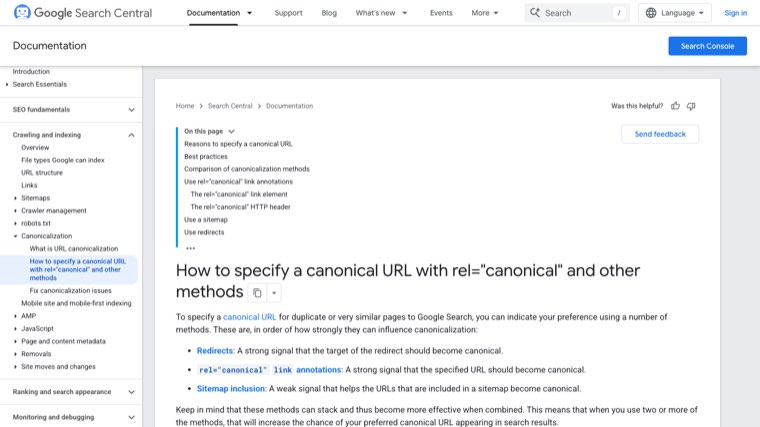
Redirects and rel="canonical" are strong signals. Including a URL in your sitemap is a weak one. The same page also says not to use robots.txt for canonicalization, and not to use noindex to choose between duplicate pages on the same site. Keep that in mind when an app or freelancer suggests blocking duplicates in robots.txt.
Every Shopify duplicate URL, tested
We loaded each URL type on Shopify's Dawn 15.0 demo store, recorded the canonical tag, and checked the store's default robots.txt. Here's what we found.
| Duplicate source | Example URL | What Shopify does | Real problem? |
|---|---|---|---|
| Product inside a collection | /collections/bags/products/bo-ivy-black | Canonical to /products/bo-ivy-black. Dawn's product cards link to the plain URL. | Only on themes that link the collection path |
| Variant parameter | /products/bo-ivy-black?variant=… | Canonical to the product | No |
| Alternate views | ?view=quick, ?view=list | Canonical to the product or collection | No |
| Collection page 2+ | /collections/bags?page=2 | Own canonical, which is what Google recommends | No |
| Sorted collection | ?sort_by=price-ascending | Canonical to the collection, blocked in robots.txt | No |
| Filtered collection | ?filter.v.availability=1 | Canonical to the collection; two or more filters blocked | No |
| Single collection tag | /collections/bags/handbag | Own canonical, not blocked | Yes, if your theme links to tags |
| Tag combination | /collections/bags/handbag+shoulder | Own canonical, blocked in robots.txt | Minor |
| Internal search | /search?q=bag | Own canonical, not blocked on the current default file | Yes, if search URLs get linked |
| All products collection | /collections/all | Own canonical | Rarely |
| Market subfolder | /en-fr/collections/bags | Own canonical plus hreflang tags | No, if content is localized |
So most of what gets called "Shopify duplicate content" is already handled. The things that need work are tag pages, search pages, near-identical products, copied descriptions, domain setup, and anything an older theme or app adds.
How to find duplicate content on your store
Don't start fixing until you know which duplicates Google is actually finding. Three checks cover almost every store.
1. Google Search Console Page indexing report
Open Indexing, then Pages. Three statuses matter for duplicates:
- Alternate page with proper canonical tag. Google found a duplicate, saw your canonical and respected it. This is normal on Shopify and needs no action.
- Duplicate without user-selected canonical. Google found a duplicate with no canonical and picked a different page itself. Click through and look at the URL pattern. App-created and parameter URLs often show up here.
- Duplicate, Google chose different canonical than user. Your canonical says one thing, Google decided another. This is the one to investigate first, because it often means the "duplicate" is the page Google prefers. Tag and search URLs, which declare themselves as canonical, tend to land here or in the indexed list.
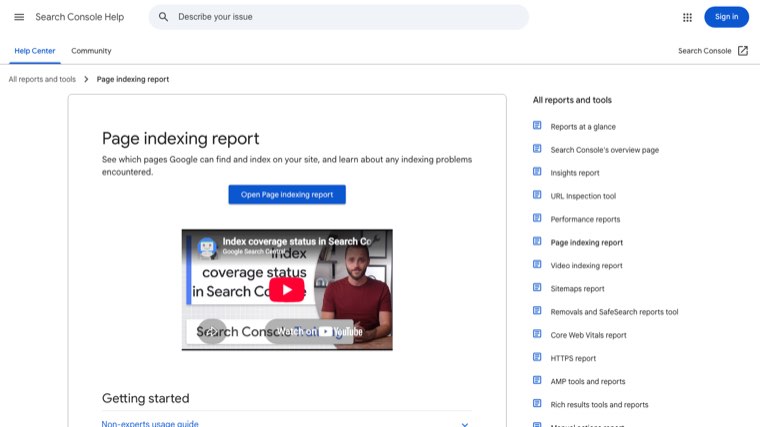
For any URL in those lists, use URL Inspection to see the user-declared canonical and the Google-selected canonical side by side.
2. Crawl the store
Run a crawler like Screaming Frog (free up to 500 URLs) on your domain. Sort by canonical status and look for pages whose canonical points to themselves but whose title matches another page. Then filter the URL list for /collections/*/products/, tag URLs and /search. If the crawler finds these, your theme or content is linking to them.
3. Compare page counts
Count the products, collections, pages and blog posts in your Shopify admin. Then look at how many pages Search Console says are indexed. If Google reports far more indexed pages than you have, duplicates are getting indexed. If it reports far fewer, look at the "Crawled - currently not indexed" group for thin near-duplicates.
Fix 1: Collection-aware product URLs
This is the cause every guide mentions first. A product in three collections can be reached at four URLs: the plain product URL and one under each collection.
On current themes it's mostly solved. On the Dawn demo, the collection-path URL has a canonical pointing to the plain product URL, and product cards in collections link straight to /products/handle. Google sees one strong URL.
It's still a real problem when your theme links to the collection path, because then every internal link points at a URL that isn't the canonical. Google usually follows the canonical, but you're sending it mixed signals thousands of times across the store.
How to check and fix it:
- Open any collection page on your store, right-click a product and copy the link. If it contains
/collections/before/products/, your theme uses collection-aware links. - In your theme code, search the product card snippet (often
card-product.liquidorproduct-card.liquid) forwithin: collection. - Remove the filter so the link uses
product.urlon its own. Duplicate the theme first and test on the copy. - Check that breadcrumbs still work. Some themes use the collection path to build them, so you may need to pass the collection another way.
Fix 2: Collection tag pages
This is the one most guides underplay. When you tag products, Shopify creates a URL for each tag inside each collection: /collections/bags/handbag. On our test, a single tag URL had its own self-referencing canonical and was not blocked in robots.txt. Only combinations with a + are blocked.
If your theme displays tags as filter links (common on older themes), Google finds a thin copy of each collection for every tag. A store with 20 collections and 25 tags each can create hundreds of these.
Fix it in this order:
- Stop linking to them. Switch to Shopify's Search & Discovery filters, which use parameter URLs that already canonicalize to the collection.
- Turn valuable tags into collections. If a tag matches a real search ("linen duvet covers"), build a proper collection with its own title and content.
- Canonicalize the rest. Edit the theme so that when a tag is active, the canonical points to the parent collection. Leave these URLs crawlable so Google can see the canonical.
Blog tags work the same way on some themes (/blogs/news/tagged/tag-name), and + combinations are blocked by default. Our Shopify blog SEO guide covers how to use blog tags without creating thin pages.
Fix 3: Near-identical products and copied descriptions
These duplicates come from how the catalog is built, not from Shopify's URLs, so no canonical tag fixes them automatically.
Separate products for each color or size
If "Linen Sheet Set – White" and "Linen Sheet Set – Sage" are separate products with the same description, Google sees near-identical pages competing for the same search. Usually the fix is to merge them into one product with variants and redirect the old URLs to it. Keep separate products only when a variant has its own search demand and you can write it genuinely different content.
Manufacturer descriptions
If you sell brands that dozens of other stores sell, the description you were given is probably live on all of them. Google will tend to rank the biggest retailer's copy. Rewrite descriptions for your best sellers first, adding what the manufacturer text doesn't cover: fit, sizing notes, who it's for, and answers to the questions customers email you. Our Shopify product page SEO guide covers writing descriptions that rank.
Duplicate titles and meta descriptions
Stores that import products in bulk often end up with dozens of identical SEO titles. Export products to CSV, sort by the SEO title column and fix any repeats. Each page should have its own title that says what makes it different.
Fix 4: Internal search result pages
This one is new. Stores set up years ago have a default robots.txt that includes Disallow: /search. On Shopify's demo store in September 2026, the default robots.txt had no rule for /search, and a search results page like /search?q=bag carried its own canonical with no noindex.
Search pages are near-duplicates of your collections, and there's an unlimited number of them. They only become a problem if Google finds links to them, which happens when a theme links popular searches, an app creates search links, or spammers link to search URLs with odd queries.
To fix it:
- Open
yourstore.com/robots.txtand see whether/searchis disallowed. - Check Search Console's Page indexing report for any
/search?q=URLs. - If they appear, add a noindex tag to the search template in
theme.liquid, wrapped in a check for the search template. Don't block them in robots.txt at the same time, or Google won't see the noindex.
Fix 5: myshopify.com and other domains
Every store has a yourstore.myshopify.com address, and many have extra domains or the www and non-www versions. All of them should redirect to one primary domain.
In Settings, then Domains, set your primary domain and make sure other domains redirect to it. Then test it rather than trusting the setting. Open a terminal and run curl -I https://yourstore.myshopify.com/ and curl -I https://yourdomain.com/ (without www if you use www). Each should return a 301 redirect to your primary domain. A 200 on either means the same store is live at two addresses.
Also search Google for site:yourstore.myshopify.com. If pages appear, fix the redirect and they'll drop out as Google recrawls them.
Pagination, sort and filters: mostly a myth
Several top-ranking guides tell you to canonicalize page 2 to page 1, or to treat sort and filter URLs as a major duplicate problem. On current Shopify themes you should leave these alone.
- Pagination. Page 2 has different products from page 1, so it isn't a duplicate. Google's ecommerce pagination guidance says to give each page its own canonical and not to use page 1 as the canonical. Dawn already does this.
- Sort. Sorted URLs canonicalize to the collection and are blocked in the default robots.txt.
- Filters. Filtered URLs canonicalize to the collection, and URLs with two or more filters are blocked.
Pointing page 2 at page 1 is one "fix" that can do real damage, because it tells Google to ignore the products that only appear further down the collection.
International stores and Markets
If you sell in several countries with Shopify Markets, the same collection exists at /collections/bags, /en-fr/collections/bags and so on. On the demo store, each market URL had its own canonical and Shopify added hreflang tags linking the versions together automatically.
That's the correct setup. The duplicate risk is in the content, not the URLs: if your US, UK and Australian English versions are word for word the same, Google may pick one to show everywhere. Localize prices, spelling, shipping details and any market-specific copy so each version has a reason to exist.
Canonical, redirect, noindex or robots.txt?
Most bad duplicate content fixes use the wrong tool. Use this table to pick the right one.
| Situation | Use | Why |
|---|---|---|
| The duplicate URL has no reason to exist (old product, merged color variant, other domain) | 301 redirect | Strongest signal, and shoppers land on the right page |
| The duplicate needs to work for shoppers (collection path, tag page, variant URL) | Canonical tag | Strong signal, page keeps working |
| The page should never appear in search (internal search results) | Noindex | Removes it from search while it stays usable |
| Huge numbers of URLs wasting crawling (filter combinations) | robots.txt | Stops crawling, but Google can't see canonical or noindex on blocked URLs |
| Two pages target the same search with different content | Merge the content, then 301 | A canonical between different pages is often ignored |
The most common mistake is combining robots.txt with a canonical or noindex on the same URLs. Once a URL is blocked, Google can't read either tag.
When an app creates the duplicates
Some duplicates come from apps, not Shopify. Check these if the crawl or Search Console shows URL patterns you don't recognize:
- Filter and search apps that use their own URL parameters instead of Shopify's filter URLs
- Page builder apps that publish a landing page at a new URL while the original page is still live
- Translation apps that add language versions without hreflang or canonical tags
- SEO apps that add a second canonical tag, so the page has two conflicting canonicals
- Review and wishlist apps that create indexable pages per product
For each app, load one of its URLs, view the page source and check the canonical tag and robots meta tag. If the app gets them wrong, ask its support team to fix it or change apps. Patching an app's output in your theme usually breaks on its next update.
Running Shopify SEO on autopilot
Cleaning up duplicate content stops your store from working against itself. It doesn't bring new traffic on its own. That comes from pages that match what buyers search, articles that answer their questions and link to your collections, and backlinks that build authority, done consistently.
Distribb runs that on autopilot. Connect your Shopify store and it does the keyword research, writes articles around your products with links to your collection and product pages, and publishes them to your Shopify blog on a schedule, each one targeting its own search so your content doesn't compete with itself. It also builds backlinks from real businesses and tracks whether AI answers like ChatGPT and Perplexity mention your store. You can review drafts if you want to, but it doesn't need you to.
Pro is $97 a month. Accelerator is $495 a month and adds a human editor who reviews every piece before it goes live. Agencies white-label Distribb for their Shopify clients, so you can also go straight to the source. You can see what Distribb runs for ecommerce brands.
Then fix the duplicates in the order above: tag pages first, search pages and domains next, and the product catalog after that.
FAQ
Does Shopify create duplicate content?
Yes, by design. Products are reachable through every collection they belong to, and tags, sort options, filters and search create extra URLs. On current themes like Dawn, most of these carry a canonical tag pointing to the main page. Single tag URLs and internal search pages are the main exceptions.
How do I fix duplicate content on Shopify for SEO?
Start with Search Console's Page indexing report to see which duplicates Google is finding. Then stop your theme linking to tag and collection-path URLs, turn useful tags into real collections, noindex internal search pages, merge near-identical products, rewrite manufacturer descriptions, and make sure every extra domain redirects to your primary domain.
Will duplicate content get my Shopify store penalized?
No. Google doesn't penalize normal ecommerce duplicates. It picks one version to show. The risk is that it picks the wrong one, or that links and crawling get split across several URLs instead of building up one page.
Is the /collections/ product URL a duplicate content problem?
On current themes, not really. The collection-path product URL has a canonical pointing to the plain product URL, and Dawn links to the plain URL. It's worth fixing only if your theme's product cards still link to the collection path.
Should I block duplicate pages in robots.txt?
Usually not. Google says not to use robots.txt for canonicalization, and a blocked URL can't pass along its canonical or noindex tag. Use redirects or canonical tags for duplicates, and robots.txt only for large numbers of low-value URLs like filter combinations.
Does Shopify pagination cause duplicate content?
No. Page 2 shows different products from page 1. Shopify gives each page its own canonical, which is what Google recommends. Don't point paginated pages at page 1.
Can I edit robots.txt on Shopify?
Yes. Add a robots.txt.liquid template to your theme and edit the default rules there. Only add rules you're sure about, because blocking the wrong pattern can hide collections or products from Google.
Do product variants create duplicate content on Shopify?
Variant URLs with ?variant= canonicalize to the main product, so they're fine. The problem is when each color or size is set up as a separate product with the same description. Merge those into one product with variants where you can.