
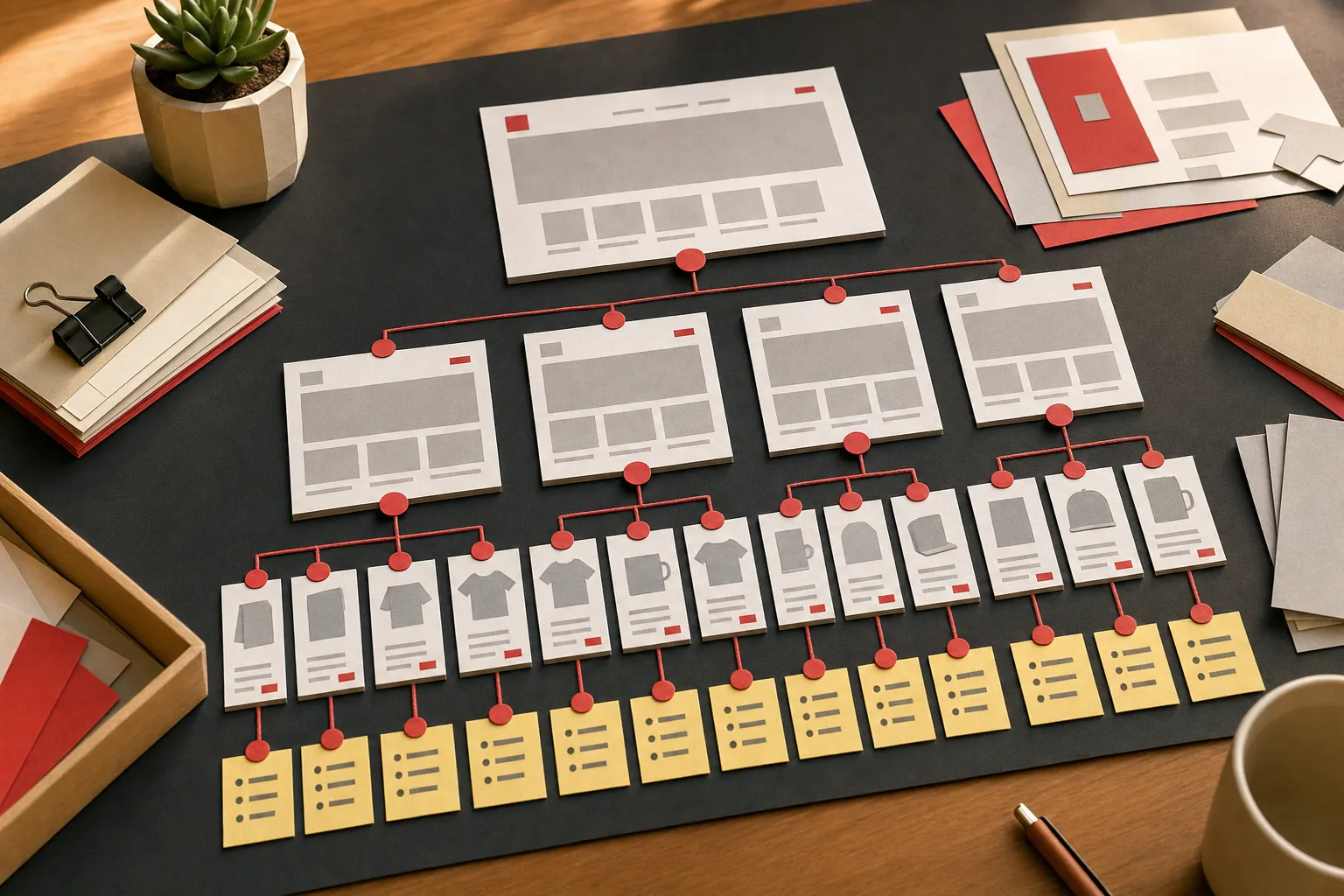
Shopify collection page SEO is the work of getting your collection pages (Shopify's name for category pages) to rank for the broad searches shoppers make when they want to compare products, like "linen bed sheets" or "leather tote bags". On most stores these pages have more ranking potential than any product page, because they match searches with several products in the results and a lot more volume.
Before writing this guide we read the five pages that rank for Shopify collection page SEO right now: Boost Commerce's best practices post, LOGEIX's definitive guide, Charle's 2026 guide, Freddie Chatt's quick guide and Shopify's own post on category page SEO. They cover titles, descriptions and internal links well. What none of them does is test what Shopify actually does with sort, filter, tag and pagination URLs. So we tested them on Shopify's Dawn 15 demo store in September 2026. The results are in the table below, and they change which fixes are worth your time.
Why collection pages carry Shopify SEO
Search "women's running shoes" and Google shows category pages from retailers, not a single shoe. The shopper hasn't picked a product yet, so Google ranks pages that offer a choice. That's the job a Shopify collection does.
Three things make collections the strongest page type on most stores:
- They match bigger searches. Category terms ("merino base layers") usually have far more volume than any single product name.
- They last. Products sell out and get replaced. A collection URL like
/collections/merino-base-layerscan collect links and rankings for years. - They pass authority down. A collection links to every product in it, so when it earns links and rankings, the products benefit too.
If your store has 40 products and 6 collections, the 6 collections are probably where most of your non-brand organic traffic will come from once they're set up properly.
What Shopify already handles (tested)
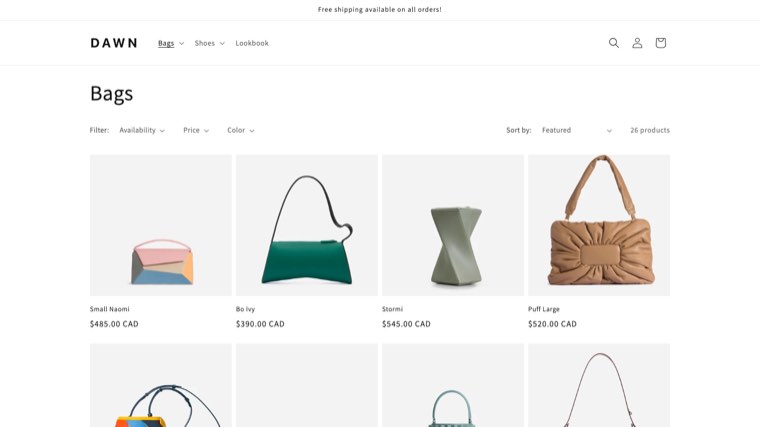
A lot of Shopify SEO advice is copied from posts written when themes behaved differently. We loaded each URL type below on Shopify's Dawn 15.0 demo store and recorded the canonical tag and whether the default robots.txt blocks it.
| URL type | Example | Canonical points to | Blocked in robots.txt? |
|---|---|---|---|
| Collection | /collections/bags | Itself | No |
| Page 2 | /collections/bags?page=2 | Itself (with ?page=2) | No |
| Sorted | ?sort_by=price-ascending | The collection | Yes |
| One filter | ?filter.v.availability=1 | The collection | No |
| Two or more filters | ?filter...&filter... | The collection | Yes |
| One tag | /collections/bags/handbag | Itself | No |
| Tag combination | /collections/bags/handbag+shoulder | Itself | Yes |
| Product inside a collection | /collections/bags/products/bo-ivy-black | The product URL | No |
| Market subfolder | /en-fr/collections/bags | Itself, with hreflang | No |
Three things come out of this:
- Sort and filter URLs are handled. They point their canonical back to the collection, and the multi-filter and sort versions are blocked from crawling. You don't need an app or theme edit for them.
- Single tag URLs are not handled. Every tag you use inside a collection creates a crawlable page with its own canonical. On a store with 30 tags per collection, that's 30 thin near-copies of each collection. More on this in the filters section.
- Dawn links products by their plain URL. Product cards on the demo store link to
/products/handle, not the collection path, so the old "removewithin: collection" fix only applies to older or custom themes. Check your own theme before paying someone to change it.
What Shopify leaves to you: which collections exist, what each one targets, the words on the page, the title tag and meta description, sort order, internal links and schema. That's where collection pages win or lose.
Give each collection one keyword
Every collection should target one main search, plus its close variations. If two collections target the same search, they compete with each other and usually both rank worse.
Start by mapping searches to page types. The rule is simple: look at what Google shows for the search.
| What the results show | Example search | Page type to build |
|---|---|---|
| Category pages from several stores | "linen duvet covers" | Collection |
| Mostly one product, or product listings with a model name | "brooklinen linen duvet cover king" | Product page |
| Blog posts and guides | "how to wash linen sheets" | Blog article that links to the collection |
| A mix of categories and guides | "best sheets for hot sleepers" | Collection plus a supporting buying guide |
Put your mapping in a sheet with one row per collection: target keyword, monthly searches, the collection URL and the page it must not compete with. If you're doing this for the whole store, our guide to SEO for an online store covers keyword mapping across every page type.
Build sub-collections for real search demand
Most stores stop at broad collections like "Bags" and "Shoes". The bigger opportunity is usually one level down: "leather tote bags", "crossbody bags for travel", "wide fit ankle boots". These searches are more specific, easier to rank for and closer to a purchase.
Only create a sub-collection when it passes three checks:
- Search demand. The term gets searches, and Google shows category pages for it (not blog posts).
- Enough products. You can put at least 6 to 8 relevant products in it. A collection with 2 products looks thin to shoppers and to Google.
- A real difference. It isn't 90% the same products as another collection targeting a similar term.
Use automated (smart) collections for these where you can. A condition like "product tag is equal to crossbody" plus "product type is equal to bag" keeps the collection filled as you add products, so it never quietly empties out.
Link sub-collections from their parent collection, either in a row of links above the grid or in the description. That's how Google and shoppers find them.
Title tag, meta description, H1 and handle
Open the collection in your Shopify admin (Products, then Collections), scroll to the search engine listing section and click edit. You can change three things there: the page title, the meta description and the URL handle.
Title tag
By default Dawn uses the collection title plus your store name, so a collection called "Bags" gets the title tag "Bags – Store Name". That's too short to rank for anything specific. Write the title tag separately from the collection name:
- Put the main keyword first: "Leather Tote Bags for Women | Store Name"
- Keep it under about 60 characters so it isn't cut off
- Add something that earns the click when it fits: "Free Returns", "Handmade in Portugal"
Meta description
The meta description doesn't help rankings, but it affects clicks. On our test store, a collection with no description and no SEO description shipped with no meta description tag at all, which leaves Google to pull whatever text it finds. Write one for every collection: what's in it, one reason to buy from you, and a range or detail like "42 styles from $89".
H1
Dawn uses the collection title as the H1. Keep that title short and readable for shoppers ("Leather Tote Bags") and put the longer, keyword-led version in the title tag. They do different jobs.
URL handle
Shopify builds the handle from the collection title when you create it. Change it to match the target keyword before the collection gets traffic: /collections/leather-tote-bags, not /collections/totes-ss24-new. If you change the handle of a collection that already ranks, tick the option to create a URL redirect from the old handle so you keep its links and history.
Collection content above and below the grid
A collection with nothing but a product grid gives Google very little to understand. A collection with 800 words above the grid pushes the products below the fold and hurts sales. The fix most of the top-ranking guides agree on is to split the content.
Above the grid: 40 to 80 words
One or two sentences that say what's in the collection and who it's for, using the main keyword once. Shoppers should see products without scrolling on desktop.
Below the grid: 200 to 500 words
This is where the SEO content goes. Good below-grid content answers the questions a shopper has while choosing:
- How to pick between the options (sizes, materials, use cases)
- A short comparison of the main types in the collection
- Links to sub-collections and a related buying guide
- 3 to 5 FAQs taken from real customer questions or Google's "People also ask"
Skip generic filler like "Browse our amazing selection". If a sentence could sit on any store's collection page, cut it.
How to split the description on Shopify
Dawn shows the whole collection description in the banner above the grid. To get content below the grid, the cleanest approach is a collection metafield:
- In Settings, then Custom data, then Collections, add a rich text metafield called something like "Bottom description".
- Fill it in on each collection.
- In the theme editor, open the collection template, add a Rich text or Custom Liquid section below the product grid, and connect it to the metafield.
Keep the short intro in the normal description field.
The product grid: sort order and product count
Sort order
Each collection has its own sort setting in the admin. New collections often default to alphabetical or manual order. Change it to "Best selling" for most collections. The products Google and shoppers see first are then the ones that convert, and the text in those first product cards is more likely to match what people search.
Products per page
Dawn lets you set products per page in the theme editor, up to 24. Use the maximum. Fewer page-2 URLs means Google finds all products from page 1 and fewer products sit behind pagination.
What each product card shows
The product titles in the grid are part of the collection page's text. Titles like "Style 4471 – Tan" tell Google nothing. "Leather Tote Bag – Tan, 15-inch laptop sleeve" helps the product and the collection. Our Shopify product page SEO guide covers writing product titles that work in both places.
Filters, tags and faceted URLs
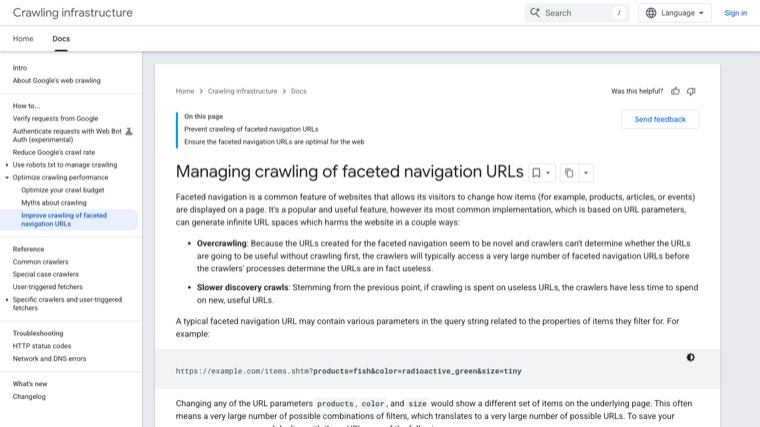
Filters are great for shoppers and a crawl problem for Google. Google's documentation on faceted navigation, updated in December 2025, explains that filter URLs create near-infinite combinations that waste crawling and slow down discovery of your real pages.
Shopify filters (Search & Discovery)
As the test table shows, Shopify's native filters are already in reasonable shape. A single filter URL points its canonical at the collection, and any URL with two or more filters is blocked in robots.txt. You don't need to do anything here unless an app adds its own filter URLs, so check any filter app you install.
Tag URLs are the real problem
Tag URLs like /collections/bags/handbag are indexable, have a self-referencing canonical and aren't blocked. If your theme shows tags as filter links, every one of those becomes a thin copy of the collection that Google can crawl and index.
Here's what to do with them:
- Switch tag-based filtering to Shopify's Search & Discovery filters if your theme still uses tag links. That removes the links, so Google stops finding the URLs.
- Turn tags with real search demand into proper collections. If "crossbody handbags" gets searches, build
/collections/crossbody-handbagswith its own title and content instead of relying on a tag URL. - For tag URLs already indexed, edit the theme so tag pages output a canonical to the parent collection. Don't block them in robots.txt first, or Google can't see the new canonical.
When a filtered page deserves to rank
Sometimes a filter combination matches a real search, like "black leather tote bags". Google's doc says to only let filter URLs get indexed when they're useful. On Shopify, the clean way to do that is to build a dedicated collection for it rather than trying to make a filter URL indexable.
Pagination
Shopify handles pagination correctly on current themes, and it's worth knowing why so nobody "fixes" it for you.
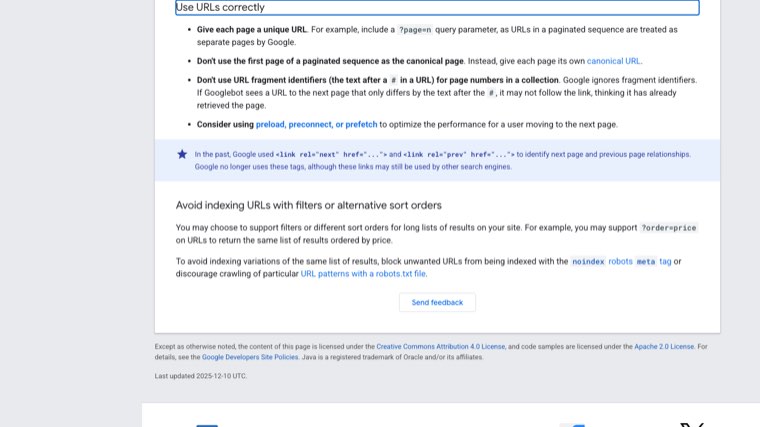
Google's ecommerce pagination guidance says to give each page in a series its own URL and its own canonical, and not to point page 2 and later at page 1. It also says to link pages to each other with normal <a href> links. Dawn does exactly that: ?page=2 has a self-referencing canonical and is linked with a regular link.
Two things to avoid:
- Canonicalizing page 2 to page 1. Some SEO apps and older tutorials recommend it. It tells Google to ignore the products on page 2 onwards.
- "Load more" or infinite scroll with no real links. If your theme loads more products with JavaScript and no fallback page links, Google may never find products past the first batch. Check that the paginated links exist in the page source.
Internal links into your collections
Collections rank on the strength of the links pointing at them. Four places matter:
- Main navigation. Your most important collections belong in the main menu. Sub-collections can sit in a dropdown or on the parent collection page.
- Breadcrumbs on product pages. A link back up to the collection from every product page adds dozens of internal links. Dawn doesn't show breadcrumbs by default, so this is a theme addition.
- Product descriptions. A line like "See the full leather tote bags range" with a descriptive anchor.
- Blog posts and buying guides. This is the one most stores skip. A guide like "How to choose a laptop tote" that ranks and links to the collection with the keyword in the anchor is one of the strongest signals you can send.
Use the collection's keyword or a close variant as the anchor text. "Click here" and "shop now" waste the link.
Structured data for collection pages
On our test, the Dawn demo collection page output only Organization structured data. There was no BreadcrumbList, no CollectionPage and no ItemList.
Here's what's worth adding:
- BreadcrumbList. This is the one with a visible payoff, since Google can show the breadcrumb path in results instead of the raw URL. Add it together with visible breadcrumbs.
- ItemList and CollectionPage. They help describe the page but don't usually produce a special search result for a normal category page. Add them if your theme or SEO app does it cleanly, but don't expect a ranking change from them.
- Not Product markup for each item on the collection page. Product structured data belongs on the product page. Repeating full Product blocks on the collection page can create conflicting data.
After any schema change, test the page with Google's Rich Results Test and check that an SEO app hasn't added a second copy of the same markup.
Empty, seasonal and deleted collections
Collections change more than any other page type, and most lost collection rankings come from how those changes are handled.
| Situation | What to do |
|---|---|
| Collection is temporarily empty | Keep it live, add a short note and links to the closest collections. Don't delete it. |
| Seasonal collection ("Christmas gifts") | Keep one permanent URL with no year in the handle. Update the products and copy each season instead of creating a new collection. |
| Collection is gone for good | Redirect it to the closest parent or replacement collection using Shopify's URL redirects. |
| Two collections target the same search | Merge them into the stronger URL and redirect the other one. |
One related detail from our test: a filter combination that matches no products still returns a normal page with zero products. Google's faceted navigation doc recommends a 404 for those. On Shopify you can't change that status, but since those URLs canonicalize to the collection and multi-filter versions are blocked, it rarely matters in practice.
Measuring collection page performance
In Google Search Console, open the Performance report, add a Page filter for URLs containing /collections/ and look at the Queries tab. For each collection, check:
- Is it ranking for its target keyword? If it ranks for a different term, the page is either mis-targeted or the title tag needs work.
- Position 8 to 20 with good impressions. These are your quickest wins. Improve the below-grid content and add internal links from blog posts.
- High impressions, low click-through rate. Rewrite the title tag and meta description.
Then check the Page indexing report for tag URLs showing as indexed. If you see lots of /collections/something/tag URLs, fix them using the tag steps above.
In Shopify, the Sessions by landing page report shows which collections bring in organic sessions and which of those turn into orders. A collection that ranks but doesn't sell usually has a sort order or product mix problem, not an SEO problem.
Shopify collection page SEO best practices checklist
Run through this for each collection, starting with the ones closest to page 1.
- One target keyword, not shared with another collection or product
- Handle contains the keyword, with a redirect set up if it changed
- Custom title tag with the keyword first, under about 60 characters
- Custom meta description written for clicks
- Short, readable collection title used as the H1
- 40 to 80 words above the grid
- 200 to 500 words below the grid, with buying advice and FAQs
- Sort order set to Best selling
- Products per page set to the theme maximum
- Descriptive product titles in the grid
- No indexable tag URLs in the Page indexing report
- Page 2 and later keep their own canonical
- Linked from the main navigation or its parent collection
- Linked from at least one blog post or buying guide with keyword anchor text
- BreadcrumbList structured data with visible breadcrumbs
- Plan for when it's empty, seasonal or retired
Running collection SEO on autopilot
The checklist above gets a collection ready to rank. What moves it from position 12 to position 3 is usually what surrounds it: buying guides and comparison articles that answer pre-purchase questions and link to the collection, plus backlinks that give the whole store more authority. That's the part most stores can't keep up with week after week.
Distribb runs that on autopilot. Connect your Shopify store and it does the keyword research for the searches your buyers make, writes articles around your products with links to your collection and product pages, and publishes them to your Shopify blog on a schedule. It also builds backlinks from real businesses and tracks whether AI answers like ChatGPT and Perplexity mention your store. You can review drafts if you want to, but it doesn't need you to.
Pro is $97 a month. Accelerator is $495 a month and adds a human editor who reviews every piece before it goes live. Agencies white-label Distribb for their Shopify clients, so you can also go straight to the source. You can see what Distribb runs for ecommerce brands.
That leaves your time for the collection pages themselves, starting with the ones already sitting on page 2.
FAQ
What is Shopify collection page SEO?
It's optimizing Shopify collection pages, which are category pages, so they rank for broad product searches like "leather tote bags". It covers the keyword each collection targets, the title tag, meta description, handle, on-page content, sort order, filters, pagination, internal links and structured data.
What are the best practices for Shopify collection page SEO?
Give each collection one target keyword, write a custom title tag and meta description, keep a short intro above the product grid and longer buying advice below it, sort by best selling, build sub-collections for specific searches, stop tag URLs from being indexed, and link to each collection from your navigation and blog posts.
How much text should a Shopify collection page have?
About 40 to 80 words above the product grid and 200 to 500 words below it. The top text helps shoppers and Google understand the page without pushing products down. The bottom text answers buying questions and holds most of the keywords.
Do Shopify collection pages rank better than product pages?
For broad searches, yes. When someone hasn't chosen a product yet, Google tends to rank category pages that offer a choice. Product pages rank better for specific searches that name a brand, model or exact attributes.
Does Shopify create duplicate content on collection pages?
Less than older guides suggest. On Shopify's Dawn theme, sort and filter URLs point their canonical to the collection, and product URLs inside a collection point to the plain product URL. The gap is single tag URLs, which stay indexable with their own canonical.
Should I noindex Shopify tag pages?
If your theme links to them and they have no search demand, yes, or point their canonical at the parent collection. If a tag matches a real search, build a proper collection for it instead so it can have its own title and content.
Can a filtered Shopify collection rank in Google?
Not reliably. Shopify's filter URLs point their canonical back to the main collection, so Google usually ignores them. If a filtered view matches a search people make, create a separate collection for it.
Does Shopify add schema to collection pages?
On the Dawn demo we tested, the collection page only had Organization structured data. Breadcrumbs, CollectionPage and ItemList have to come from your theme customizations or an SEO app.