

You cannot see a competitor's exact website traffic, because that number lives in their private analytics. You can estimate it for free in about two minutes by entering their domain into a website traffic checker from Ahrefs, Semrush, Similarweb or Ubersuggest. Each tool models traffic from its own data, so the numbers will differ. Treat them as a range, and use them to compare sites and spot trends.
This guide walks through seven methods, five of them free, with screenshots of each tool as it looked on 5 October 2026. Then it covers the part most guides skip: how far off the estimates usually are, how to correct them with your own Search Console data, and what to do with the numbers once you have them.
We analyzed 7 ranking guides on how to check competitor website traffic and found that none show readers how to calibrate a competitor's estimate against real Search Console data. Only 3 of the 7 even discuss the margin of error.
The short answer
If you only have five minutes, do this:
- Enter the competitor's domain into the free Ahrefs traffic checker to get an estimate of their monthly organic search traffic.
- Enter it into Similarweb to see total visits and the split between search, direct, social, referral and paid.
- Enter your own domain into the same two tools and compare the estimates with your real numbers. The size of the miss on your site tells you how to read the miss on theirs.
That gives you a usable range for free. The rest of this guide covers every method in detail.
| Method | What it shows | Free allowance | Best for |
|---|---|---|---|
| 1. Ahrefs traffic checker | Estimated organic search traffic | Free version, no account | Search traffic |
| 2. Semrush traffic checker | Estimated monthly traffic, channels, top pages and keywords | 1 check a day without an account, 10 reports a day on a free account | A second estimate |
| 3. Similarweb | Total visits, engagement, traffic sources | 3 searches a day | All channels, larger sites |
| 4. Ubersuggest | Organic traffic, top pages, keywords | Free checker with daily limits | Small sites and top pages |
| 5. Keyword rankings | Traffic to one page or one keyword | Free, done by hand | Checking a single page |
| 6. Ad libraries and social | Paid activity and audience size | Free | Channels the tools miss |
| 7. Paid tools | Full history, every page and keyword | From $29 a month | Ongoing tracking |
Method 1: Ahrefs free traffic checker
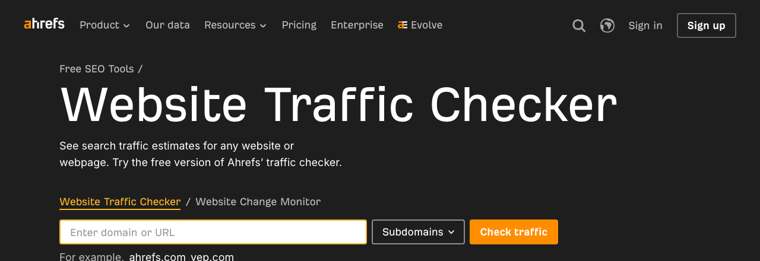
Ahrefs runs a free Website Traffic Checker. It estimates how much traffic a site or a single page gets from organic search.
- Open the traffic checker and paste in the competitor's domain.
- Leave the scope on "Subdomains" to cover the whole site, or switch it to check one URL.
- Click "Check traffic" and pass the human check.
- Write down the monthly organic traffic figure and the date.
What it is good at: search traffic. Ahrefs builds its estimate from the keywords a site ranks for, the search volume of each keyword and the position the site holds. That makes it the best free starting point if SEO is how your competitor gets customers.
What it misses: everything that is not organic search. Direct visits, email, social and ads are not in the number. A brand with a big newsletter or a large ad budget will look smaller here than it is.
The full reports, such as every page ranked by traffic and traffic by country over time, sit in Site Explorer, which is part of the paid plans covered in method 7.
Method 2: Semrush free traffic checker
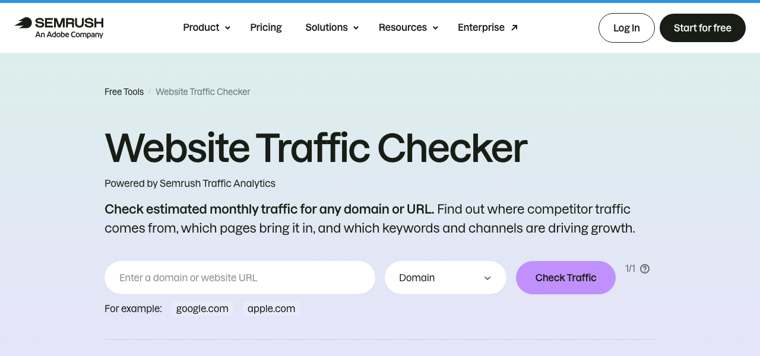
The Semrush Website Traffic Checker is powered by its Traffic Analytics product. You can check a domain, a subdomain, a subfolder or an exact URL.
- Enter the competitor's domain and pick the scope.
- Click "Check Traffic".
- Read the estimated monthly traffic, then scroll to the traffic channels, top pages and top keywords.
The free limits: You can use the Semrush checker once a day without an account. A free Semrush account raises that to 10 reports a day across its tools, which is enough to check a handful of competitors every week.
What it is good at: a view of all channels. Semrush's reports are based on aggregated browsing and search activity from millions of users, so it can estimate direct, referral, social and paid visits as well as search.
What it misses: small sites. Very small or new websites may not have enough data for a reliable estimate. If your competitor is a local business with a few hundred visits a month, expect a blank or a rough guess.
Method 3: Similarweb
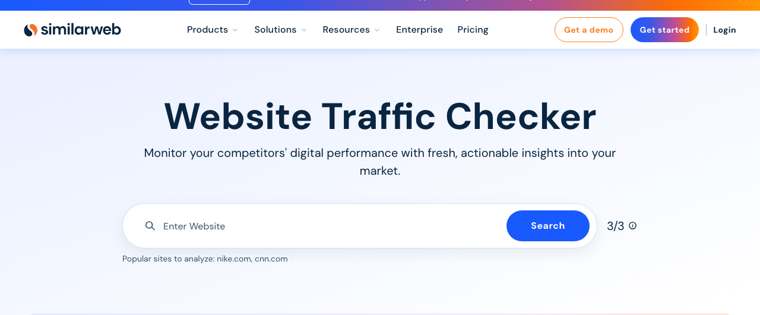
Similarweb is the tool most people mean when they talk about checking a website's total traffic. Its free Website Traffic Checker gives you 3 searches a day.
- Enter the domain and click "Search".
- Note total visits, and the engagement numbers next to it.
- Scroll to the traffic sources chart. This is the most useful part of the free report.
- Check the top countries to see whether the traffic comes from a market you sell to.
What it is good at: the channel mix. Knowing that a competitor gets most of its visits from organic search tells you to study their content. Knowing that most of it is direct or paid tells you their growth comes from brand and budget, and that copying their blog will not get you the same result.
What it misses: Similarweb's free data is a high-level sample of what the paid product holds. Small sites often show no data at all, and page-level detail is limited on the free version.
Method 4: Ubersuggest
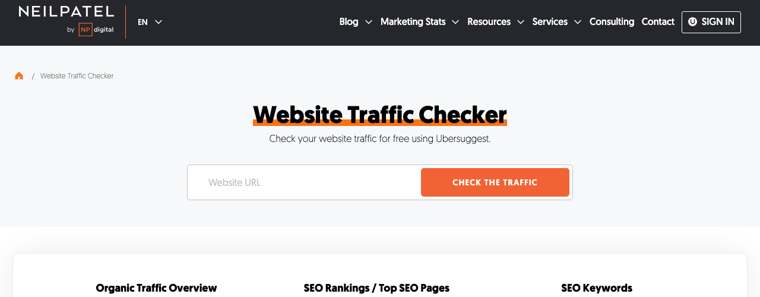
Ubersuggest is Neil Patel's SEO tool, and its Website Traffic Checker is free to use with daily limits. The report has three parts: an organic traffic overview, top SEO pages and SEO keywords.
- Enter the competitor's URL and click "Check the traffic".
- Read the organic traffic estimate and the number of keywords the site ranks for.
- Open the top pages view to see which pages bring in the most search visits.
What it is good at: a quick list of a competitor's top pages without paying. For a small business, that list is often more useful than the headline traffic number, because it shows you which topics work in your market.
What it misses: like Ahrefs, it measures organic search only. Confirm the current free limits and paid prices on the site itself.
Method 5: Estimate traffic from keyword rankings
You can estimate the traffic to one page by hand. This is what the tools do at scale, and doing it once shows you why their numbers are estimates.
The formula is simple:
Monthly visits from a keyword = monthly search volume x click-through rate for the position
- Pick a keyword your competitor ranks for and search it in a private window to confirm their position. Our guide on how to check keyword rankings on Google covers ways to do this without personalised results.
- Look up the monthly search volume in any keyword tool.
- Multiply by a click-through rate for that position.
For the click-through rate, a Backlinko analysis of about 4 million Google results found that the #1 organic result gets an average of 27.6% of clicks, and that the #1 result is 10 times more likely to be clicked than the #10 result.
A worked example: a competitor ranks #1 for a keyword with 1,000 searches a month. 1,000 x 27.6% is about 276 visits a month from that keyword. If they sat at #10 instead, the same keyword would send them roughly 28.
The weak points are easy to see. Search volume is itself an estimate. Click-through rates change when Google shows ads, maps or an AI Overview above the results. And one page usually ranks for dozens of related searches, so a single keyword understates the page. Use this method to sanity-check a tool, or to size one page you plan to compete with.
The Search Console trick: use your own data as the yardstick
Google Search Console only shows data for sites you own, so you cannot open a competitor's account. What you can do is use your own account to calibrate the tools. Check your site in a traffic checker, compare the estimate with your real Search Console clicks for the same month, and apply the same ratio to your competitor. The exact formula is in the accuracy section below.
Method 6: Social profiles and ad libraries
Traffic checkers are weakest on paid and social traffic. Two free public libraries fill part of that gap. They do not give you a visit count. They tell you whether a competitor is paying for traffic, on which platforms, and with what message.
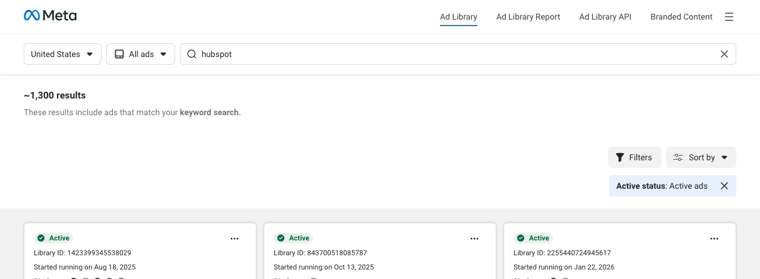
Meta Ad Library. Go to the Meta Ad Library, choose a country, and search the competitor's name. You see every active ad on Facebook and Instagram and the date each one started running. An ad that has run for months is usually one that pays for itself.
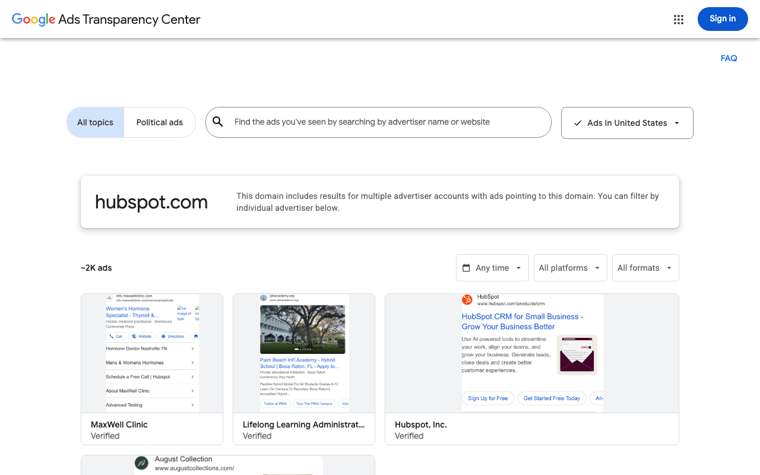
Google Ads Transparency Center. Open the Ads Transparency Center and search by advertiser name or website. It lists the ads that point to that domain across Search, YouTube and Display, with filters for date, platform and format.
Social profiles. Look at follower counts, how often they post, and how many comments and shares a typical post gets. A large, active audience explains direct and social traffic that an SEO tool will never show you.
What competitors publish themselves. Some companies state their traffic in public. Check their "advertise with us" page or media kit, investor updates, case studies and founder posts. A number the company published is the only exact figure you will get.
Method 7: Paid tools for full reports
The free checkers answer "roughly how big are they?". Paid plans answer "which pages and keywords bring the traffic, and how has that changed?". These are the published monthly prices we read on each vendor's pricing page on 5 October 2026:
| Tool | Entry price | Higher plans | What you get beyond the free checker |
|---|---|---|---|
| Ahrefs | $29 Starter | $129 Lite, $249 Standard, $449 Advanced | Site Explorer: top pages, organic keywords, traffic history, paid keywords |
| Semrush | $139 SEO | $199 Starter, $299 Pro+, $549 Advanced | Keyword and competitor research, position tracking, historical data on higher plans |
| Similarweb | See website | Free trial or contact sales | Up to 37 months of history, country and daily data |
| SpyFu | $39 Basic | $119 Pro + AI, $249 Team | Competitor SEO and PPC keywords with 10+ years of history |
Semrush's prices drop if you pay annually, and SpyFu's Basic plan is $29 a month on annual billing. Pay for one of these when you check competitors every week or need their full page and keyword lists. For a one-off look, the free methods above are enough. If you are choosing between them, see our guide on how to choose an SEO competitor analysis tool.
How accurate are competitor traffic estimates?
Less accurate than the precise-looking numbers suggest, and more useful than that sounds.
The best public evidence comes from Ahrefs, which tested its own tool. In its study of 1,635 websites, Ahrefs compared its US organic traffic estimates with each site's real Google Search Console numbers. It ran the same comparison for Semrush.
| Median deviation from Search Console | Correlation with Search Console | |
|---|---|---|
| Ahrefs estimate | 49.52% | 0.76 |
| Semrush estimate | 68.36% | 0.74 |
| Google Search Console | The known number | 1.00 |
Read those two columns separately.
- Deviation says how far off a single number tends to be. A median of about 50% means that for a typical site, the estimate can miss the real figure by up to half. Ahrefs reports that some sites were within 5% and others were off by more than 1,000%.
- Correlation says whether the tool ranks sites in the right order. At 0.76 and 0.74, both tools usually get it right: if a tool shows site A with more traffic than site B, that is true in most cases.
The study was run and published by Ahrefs, so keep in mind that it is a vendor grading itself and a rival.
How to correct an estimate with your own data
Ahrefs suggests a fix in the same study, and it works with any tool. A tool tends to be wrong in the same direction for sites in the same niche. So measure how wrong it is on your site, where you know the truth, and apply that to your competitor:
Competitor's likely traffic = competitor's estimate x (your real traffic / your estimate)
Example: a tool says your site gets 2,000 organic visits a month, and Search Console shows 3,000 clicks. The tool is under-counting you by a factor of 1.5. If the same tool says your competitor gets 8,000, a better guess is 8,000 x 1.5, or about 12,000.
Three rules for reading the numbers
- Compare inside one tool. Never put an Ahrefs number for one site next to a Similarweb number for another. They measure different things.
- Trust the trend more than the total. A line that doubles in six months means something even if the absolute figure is off.
- Expect gaps on small sites. Below a few thousand visits a month, most tools show blanks or rough guesses.
What to do with the data: a simple competitor website analysis
A traffic number on its own changes nothing. The value is in working out where the traffic comes from and which parts you can win. Here is how to analyze a competitor's website in four steps.
1. Find their top pages
Open the top pages report in Ubersuggest, Semrush or Ahrefs. On most sites a small number of pages bring in most of the search traffic. List the top 20 and note the main keyword for each.
2. Sort the pages into three groups
- Topics you already cover. Compare your page with theirs. If they rank above you, look at what their page includes that yours does not.
- Topics you do not cover and could. This is your content gap, and it is the fastest list of article ideas you will ever get. A keyword gap analysis tool builds it automatically.
- Topics that are theirs alone. Traffic for their brand name or their own product features is not yours to take. Leave it out of your plan.
3. Check why their pages rank
For each gap topic, look at the page that ranks: its length, structure, how recently it was updated, and how many sites link to it. Links matter most on competitive keywords, so run an AI SEO competitor backlink analysis to see where their links come from, and read our data on how many backlinks you need to rank before you pick a target.
4. Replicate what works, then do it better
Write a page for each gap topic that covers more than theirs does, and link to it from your related pages. We do this ourselves. We pulled the top pages of other SEO software sites, listed the keywords they ranked for that we had no page for, and scheduled an article for each. The article you are reading came out of that exercise.
For the wider process, including pricing, positioning and messaging, see our guide on how to conduct competitor analysis.
How to monitor competitors' website traffic over time
One check tells you where a competitor stands. A monthly check tells you what they are doing. Set up a simple routine:
- Pick three to five competitors and stick with them.
- Pick one tool and use it every time, so the numbers stay comparable.
- Record four things on the same day each month: estimated organic traffic, number of ranking keywords, their top five pages, and any new pages in the top 20.
- Add your own site to the same sheet as a control. If every site drops in the same month, the cause is a Google update or a change in the tool's data. If only one site moves, they did something.
- Look into every jump. When a competitor's traffic rises sharply, find the new pages behind it. That is next month's content plan.
Fifteen minutes a month is enough. The free allowances in methods 1 to 4 cover a routine like this for a few competitors.
Skip the spreadsheet: let Distribb close the gap
Checking competitor traffic is the easy part. The work that moves your own numbers is everything that comes after: finding the keyword gaps, writing the pages, publishing them, linking them and earning backlinks. That is what Distribb does.
Distribb runs SEO on autopilot. You connect your site, and it handles the rest on its own:
- Keyword research: it reads your Search Console data and the pages that rank in your market, then picks the keywords you are missing.
- Writing and publishing: it writes each article and publishes it to WordPress, Webflow or Shopify on a schedule.
- Internal links: every new page is linked to and from related pages.
- Backlinks: it earns links from other real businesses through its exchange network.
- AI-search visibility: it tracks whether ChatGPT, Perplexity and Google's AI answers mention your brand.
Pricing is $97 a month for Pro and $495 a month for Accelerator. On Accelerator, a person on our team reviews every piece before it goes live. The honest limitation: Distribb is a platform, not a bespoke creative agency, so it will not design a custom brand campaign for you.
If you would rather have the gap closed than keep measuring it, see how Distribb closes the gap for you on the Distribb pricing page.
Frequently asked questions
How can I check competitor website traffic for free?
Use the free traffic checkers from Ahrefs, Semrush, Similarweb and Ubersuggest. Ahrefs has a free version of its checker, Semrush allows one check a day without an account and 10 reports a day on a free account, and Similarweb gives 3 searches a day. Add the Meta Ad Library and Google Ads Transparency Center to see paid activity. Between them you can check several competitors a week at no cost.
What is the best website traffic checker?
It depends on the question. For organic search traffic, Ahrefs is the strongest free starting point. For total visits and the split between channels, use Similarweb. For a second opinion and top pages, use Semrush or Ubersuggest. Whichever you choose, compare sites inside the same tool.
Can I see a competitor's exact website traffic?
No. Exact traffic is only visible in the site owner's own analytics, such as Google Analytics or Google Search Console. Every outside tool gives an estimate. The only exact figures are the ones a company publishes itself, for example in a media kit or an investor update.
How do I analyze a competitor's website?
Start with their traffic and its sources, then list their top pages and the keywords behind them. Sort those into topics you cover, topics you could cover and brand topics you cannot win. Check the backlinks and structure of the pages that rank above you, then publish better pages for the gaps. That is a basic competitor website analysis.
How do I monitor competitors' website traffic?
Pick three to five competitors and one tool, then record estimated traffic, ranking keywords and top pages on the same day every month. Include your own site as a control so you can tell a market-wide change from something one competitor did.
Can I use Google Analytics or Search Console to check another site's traffic?
No. Both only show data for properties you have access to. You can use your own Search Console data to calibrate third-party tools: compare a tool's estimate for your site with your real clicks, then apply the same ratio to a competitor's estimate.
Why do traffic checkers show different numbers for the same site?
They use different data. Ahrefs and Ubersuggest model organic search traffic from keyword rankings. Similarweb and Semrush Traffic Analytics model all channels from samples of browsing activity. Different inputs produce different totals, which is why a range is more honest than a single figure.
How often should I check competitor traffic?
Once a month is enough for most businesses. Estimates update slowly, and weekly checks mostly show noise. Check sooner if a competitor launches a new product or you see a sudden change in your own rankings.