
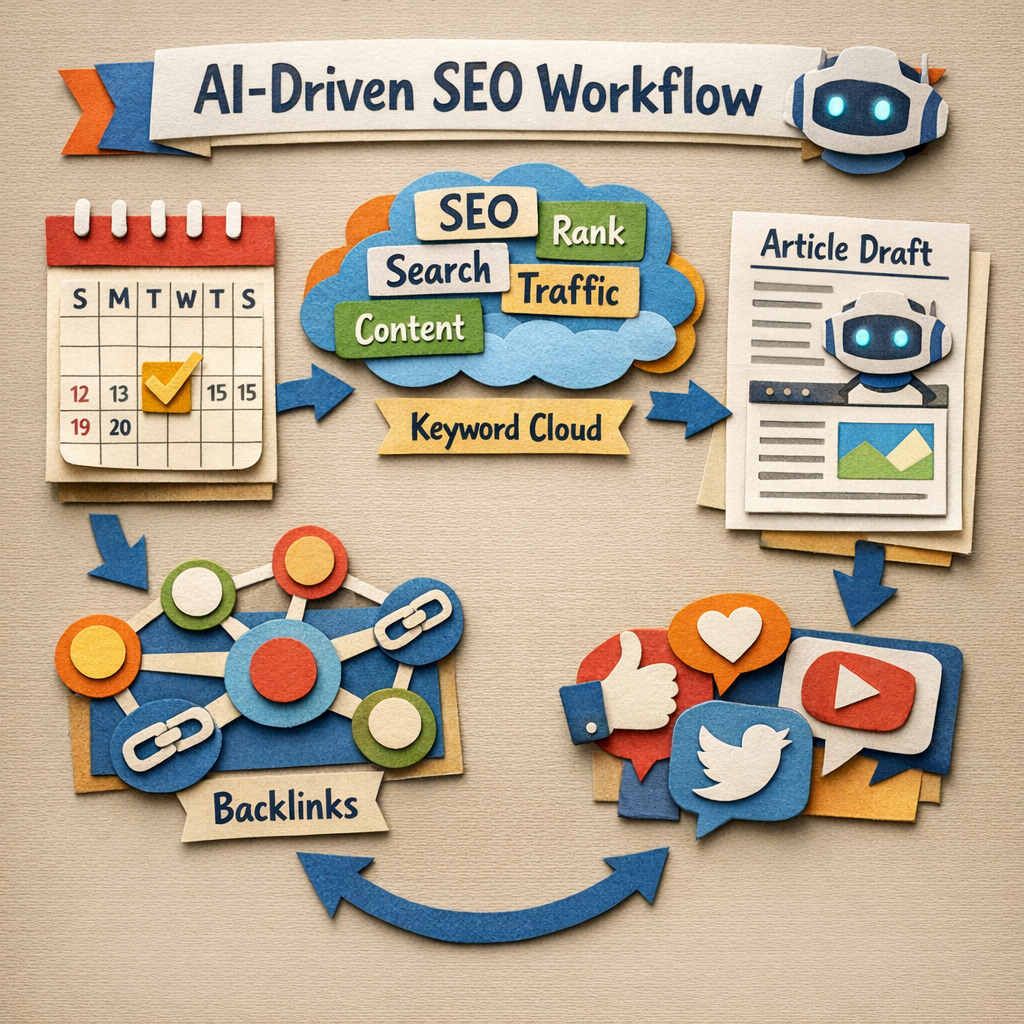
Nearly every SEO tool now calls itself AI-driven, and for most of them the AI is a chat box bolted onto software that worked the same way in 2021. That is not a scandal, but it does make the category impossible to shop in, because the label no longer separates anything.
A better test: does the AI do work you would otherwise do, or does it describe work you still have to do. This list groups fifteen tools by that answer, and says plainly where the AI is doing something real and where it is a feature name. If you are earlier than that and still learning what each category does, start with our guide to the best SEO tools for beginners.
How we checked this list
Every tool below was loaded on its live site in August 2026 and screenshotted, so nothing here is included on reputation or on a mention in someone else's list. Products that had quietly changed were caught: Positional, which appears on older versions of this list, now resolves to a rebranded product called Sunbeam, and is not listed under its old name.
Where we say a tool's AI is superficial, that is our own judgement from its own marketing and product pages, and it is labelled as opinion rather than fact.
The four things AI actually does in SEO software
| What the AI does | How much work it removes | Tools |
|---|---|---|
| Produces and publishes content | Most | Distribb, Koala, RankYak, Machined |
| Optimises a draft you wrote | Some | Surfer, Clearscope, NeuronWriter, Scalenut |
| Applies fixes to a live site | Some, on-page only | Alli AI, ClickRank, SEOJuice |
| Analyses and reports | Almost none | Semrush, Ahrefs, Search Atlas |
The last row is where most of the market sits and where most of the money goes. Analysis is genuinely useful and it is not the same as having the work done, which is worth being clear about before comparing prices. Presenting that analysis to a client is a separate purchase again, which our SEO reporting tools comparison covers.
Quick answer
- Best end-to-end, research through to published: Distribb
- Best draft optimiser: Surfer SEO
- Best premium content grading: Clearscope
- Best automated on-page fixes: Alli AI
- Best AI research suite: Semrush
- Best value optimiser: NeuronWriter
- Best for WordPress: AIOSEO
- Best hands-off article publishing: RankYak
Comparison
| Tool | What the AI does | Published entry price |
|---|---|---|
| Distribb | Researches, writes, publishes, links | $97/mo, 3-day trial |
| Surfer SEO | Optimises drafts, tracks AI visibility | From $49/mo billed yearly |
| Clearscope | Grades drafts against the SERP | From $129/mo |
| Semrush | Research, audit, AI visibility | From $139/mo |
| Ahrefs | Research and link analysis | From $29/mo, $129 for Lite |
| Search Atlas | Suite with AI content and fixes | From $99/mo |
| Alli AI | Applies on-page changes live | From $299/mo |
| ClickRank | Automated on-page optimisation | From $59/mo |
| SEOJuice | Automated internal linking | Not published |
| NeuronWriter | Semantic optimisation | From $23/mo |
| Scalenut | Research through to draft | From $59/mo |
| Koala | Long-form drafting, publishes to WordPress | From $9/mo |
| RankYak | Daily article generation and publishing | From $49/mo |
| Machined | Topic clusters, generated and published | From $19/mo |
| AIOSEO | WordPress on-page assistance | From $99/year |
Every figure above was read from the vendor's own pricing page on 7 August 2026. SEOJuice is the one exception and it is marked as such rather than estimated.
1. Distribb, the loop rather than the assistant

Distribb belongs at the top of a list about AI-driven SEO specifically because it is one of the few products here whose output is a live page rather than a recommendation. It runs keyword research, writes the article, publishes to WordPress, Webflow or Shopify, and adds internal links, on a schedule you set once.
The distinction against most of this list is worth stating clearly. Semrush will tell you which twelve articles to write and Surfer will grade each one after you write it, but neither writes or publishes any of them. Distribb's backlink exchange extends the same idea off-page, placing contextual links inside articles other businesses in the network are publishing anyway. The tools that specialise in the link half of that work are compared separately in our list of AI tools to automate backlink building.
Applying the test at the top of this page, the AI here sits across the whole loop rather than at the front of it. You review rather than execute, which is a different working relationship to a tool that hands you a longer list of tasks.
Pros:
- The loop closes at a live page, which almost nothing else on this list does end to end
- Review rather than execute: the AI produces the work instead of describing it
- Backlinks from real businesses through the exchange, which no amount of generation can substitute for
- Internal linking handled on publish, so the archive compounds rather than scattering
- AI citation tracking across five engines, the measure that matters as answers replace clicks
Cons: There is no keyword index or link index on the scale of Ahrefs or Semrush, so it does not replace either for competitive research or backlink analysis, and it will not audit your technical SEO. You also give up granular control: if you want to approve every heading and rewrite every intro, this will feel like it is moving without you. Anything that publishes on a schedule needs a real editing pass, and that includes this. The narrower question of which products generate links rather than analyse them is covered in our list of AI backlink generator tools.
For who: Teams who want output rather than recommendations. Wrong choice if you want to hand-hold each piece.
Pricing: $97 a month with a 3-day free trial. Accelerator is $495 a month. Two prices and no free plan.
2. Surfer SEO, the optimiser most people mean

Surfer reads the pages ranking for your keyword and tells your draft what it is missing: terms, structure, length, headings. In 2026 it has added tracking for how often your brand appears in AI answers, which is a genuinely new problem rather than a rebadged old one.
Its audit tool, pointed at content you already published, tends to find more value than optimising the next new piece. On the test at the top of this page, the AI sits at the front: it describes work, and a person still does it.
Pros:
- The clearest signal of what a draft is missing, derived from pages that already rank
- An audit tool for published pages, usually the higher return of its two modes
- AI answer tracking added for a problem that did not exist two years ago
- A $49 entry tier that puts serious optimisation below every premium grader here
Cons: Correlation-driven advice taken literally produces pages that score well and read badly, and the tool cannot tell you when to ignore it. Every price it publishes is billed yearly, so a month-to-month commitment costs more than the figures suggest.
For who: Teams already writing who want each piece to land better.
Pricing: Discovery $49, Standard $99, Pro $182 and Peace of Mind $299 a month billed yearly, plus a custom Enterprise tier, on the Surfer pricing page.
3. Clearscope, the strictest grade

Clearscope does one job with unusual discipline: build a term model from what ranks, then grade your draft against it in an editor writers will actually use. The shareable reports are why agencies pay the premium.
It is the purest example on this page of AI that assists rather than acts. The grade is excellent and it produces nothing on its own.
Pros:
- The most disciplined term model here, which is why editors trust the grade
- Reports a client will read without anyone reformatting them first
- An editor writers do not fight, rare in this category
- Unlimited users and projects on every tier, so the cost does not track headcount
Cons: It only starts working once you have a keyword and a draft, so it is the last mile rather than the whole road. At $129 a month for 50 pages and 20 drafts, the entry tier is also metered tightly enough that a team publishing weekly will feel the ceiling.
For who: Editorial teams who sign work off against a score.
Pricing: Essentials $129 a month, Business $399, Enterprise custom, with a 14-day free trial, on the Clearscope pricing page.
4. Semrush, the most AI features in one place

Semrush has layered AI across a very large suite: topic research, content templates, audit prioritisation and now visibility tracking across ChatGPT, Perplexity and Google's AI Overviews. If you want one vendor with the most AI surface area, this is it. Tracking of that kind is its own purchase for many teams, which we cover in automated SEO performance tracking tools.
Pros:
- More AI surface area than any other single vendor on this page
- AI visibility tracking across the engines that now answer instead of linking
- Audit prioritisation that sorts a 400-issue report into an order worth working
- Annual billing drops the entry plan from $139 to about $117 a month
Cons: Most of what Semrush calls AI is still analysis, and that is our opinion rather than a fact. It is excellent analysis and it produces nothing. Several of the interesting modules are paid add-ons rather than included, and extra users start at $45 a month each, so the real bill lands well above the headline $139.
For who: Teams who want one vendor for research, auditing and tracking.
Pricing: SEO $139, Starter $199, Pro+ $299 and Advanced $549 a month, or roughly $117, $165, $248 and $456 billed annually. A free tier exists for looking around.
5. Ahrefs, the data underneath everything

Ahrefs is on this list for its index rather than its AI. When you need to know who links to a competitor and whether the link is worth chasing, this is still the tool whose numbers end arguments.
Its AI features are real but secondary, and that is the correct priority for what it is. Nothing here does work for you, and it does not pretend otherwise.
Pros:
- The index that settles arguments about links, traffic and who is actually winning
- A $29 Starter tier, the cheapest way to add real research data to any stack
- A free plan covering your own verified site
- Brand Radar for tracking mentions across a very large prompt database
Cons: It will not do a single piece of work for you. It is a reference library priced like one, and extra seats are billed on top at $40 to $100 a month depending on tier, so a team of three costs meaningfully more than the sticker.
For who: Anyone whose decisions need data rather than drafts.
Pricing: Starter $29, Lite $129, Standard $249, Advanced $449 and Enterprise $1,499 a month on an annual commitment, plus a free tier for your own site.
6. Search Atlas, suite plus automation

Search Atlas combines the usual suite functions with AI content generation and an agent that can push on-page changes, which puts it in a small group that both analyses and acts.
That dual position is the reason to consider it. On the test at the top of this page it is one of the few products that appears in two rows of the table rather than one.
Pros:
- Analyses and acts, which most of this list does one of and not both
- An on-page agent that pushes changes rather than filing them as recommendations
- Per-site pricing for the automation layer, which suits agencies adding clients one at a time
- A single vendor where the alternative is a suite plus a separate automation tool
Cons: Breadth over depth on every individual axis, so specialists beat it at each job and what you are actually buying is the consolidation. Its credit system also sits on top of the subscription, which makes the true monthly cost harder to predict than a flat plan.
For who: Agencies who would rather run one platform than five.
Pricing: Starter $99, Growth $199, Pro $399 and Agency $999 a month, with the OTTO automation priced separately from $99 per site.
7. Alli AI, changes applied to the live site

Alli AI installs a script and then applies on-page optimisations directly to your live pages: titles, meta descriptions, headings, schema and internal links, at scale and without a developer.
For agencies with clients whose developers take six weeks to change a title tag, that is the whole value proposition and it is a real one.
Pros:
- Changes ship without a developer, which is the entire reason this category exists
- Deploys at scale, thousands of pages rather than one at a time
- Pre-rendering for AI crawlers, aimed squarely at how answers get built now
- A 10 day free trial on every plan, long enough to see changes take effect
Cons: Changes rendered through a script rather than written into your source are a dependency worth thinking about carefully, because removing the tool removes the optimisations. It is also the most expensive entry point on this page at $299 a month, which is hard to justify for a single small site.
For who: Agencies and multi-site operators blocked by development queues.
Pricing: Business $299 a month for 5 sites, Agency $599 for 15, Enterprise quoted individually. Up to 17 percent off annual billing, 10 day free trial.
8. ClickRank, on-page fixes without the setup

ClickRank sits in the same category as Alli AI, scanning for on-page issues and applying fixes automatically, with a lighter setup aimed at smaller sites.
The price gap between the two is the story. Where Alli AI starts at $299, ClickRank starts at $59, which changes who this category is available to.
Pros:
- A fifth of Alli AI's entry price for the same basic job on one site
- Unlimited optimisations on every tier, so the cost does not scale with how much you fix
- Light setup, which is the difference between buying it and actually deploying it
- A 7 day money back guarantee rather than a feature-limited trial
Cons: The automated fixes are conservative by necessity, and a site with structural problems will not be rescued by better title tags. Crawl intervals are also tied to the plan, so the $59 tier only recrawls monthly and slow feedback undercuts the point of automation.
For who: Small site owners who want the on-page basics handled without an agency bill.
Pricing: Solo $59 a month or $590 a year, Business $79 or $790, Agency $399 or $3,990.
9. SEOJuice, internal linking on autopilot

Internal linking is rules-based, tedious and consistently skipped, which makes it one of the best genuine automation targets in SEO. SEOJuice adds contextual internal links across a site automatically.
Most sites we look at have far more orphan pages than they realise, and this is the cheapest fix for that specific problem.
Pros:
- Automates the job everyone skips, which is why orphan pages are so common
- Contextual placement rather than a block of related links at the foot of a post
- Runs continuously, so new pages get linked as they appear instead of at audit time
- Narrow enough to actually work, unlike suites that treat linking as a checkbox
Cons: Narrow by design, so it solves one thing and you will still need everything else on this list. It is also the only tool in this roundup with no published pricing, which makes it impossible to place against the alternatives without contacting them.
For who: Sites with a large archive and no internal linking discipline.
Pricing: Not published. We loaded its pricing page and homepage on 7 August 2026, in a plain fetch and a rendered browser, and no figures appeared either time.
10. NeuronWriter, the value optimiser

Semantic SERP analysis, competitor comparison and draft scoring at a price well below the premium tools. For solo operators and small agencies it covers the part that matters without a subscription that needs defending. For readers shopping at that end of the market, our roundup of the best SEO tools for small business goes deeper on what a limited budget actually buys.
Pros:
- Roughly a fifth of Clearscope's entry price for the same core job of grading a draft
- Five tiers rather than three, so the plan can track a growing project closely
- Competitor comparison included at the bottom tier rather than reserved for agencies
- A free AI monitoring tier alongside the paid optimisation plans
Cons: The interface is dense and the first week is slower than the polished alternatives, and it assumes you already know why a term list exists. Project and content limits are tight at the bottom, so the $23 tier covers two projects and not much more.
For who: Solo operators and small agencies who want the grade without the premium bill.
Pricing: Bronze $23, Silver $45, Gold $69, Platinum $93 and Diamond $117 a month, dropping to $19, $37, $57, $77 and $97 on yearly billing.
11. Scalenut, research through to draft

Scalenut runs keyword clustering, SERP research, outline building, AI writing and optimisation scoring in one flow, which suits people who want the whole front half of the process in a single tool.
In 2026 it has repositioned around AI visibility, with plans quoted by how many prompts you can track rather than how many articles you can write.
Pros:
- The whole front half in one tool: cluster, research, outline, draft, score
- Priced by prompts tracked, which matches how visibility is now measured
- A 7 day free trial on every tier
- Cheaper than buying a research tool and an optimiser separately at the entry level
Cons: Several jobs done adequately rather than one done excellently, which is the standing trade with any all-in-one. The pricing page was also running a 60 percent discount when we checked, so the numbers you see today may not be the numbers you renew at.
For who: Small teams who would rather have one subscription than three.
Pricing: Starter $59, Plus $89 and Professional $199 a month at list price, with a 7 day free trial. A limited-time discount was running on 7 August 2026, so plan against the list rates.
12. Koala, drafts that land in WordPress

Koala produces long-form articles with live data and publishes them straight to WordPress, aimed at people who want an article rather than a workflow.
Its pricing ladder is the widest here, running from $9 a month to $2,000, which tells you it is built for volume operators as much as for individuals.
Pros:
- A $9 entry plan, the lowest real price on this page
- Publishes straight into WordPress rather than handing back a document
- Live data in drafts, which is not the default in this category
- Priced by words rather than seats, so the bill follows output
Cons: Thin on optimisation analysis, so it writes well and tells you very little about whether the page will rank. Generating at volume without a hard editing pass produces exactly the content that stopped working in 2025, and the ladder up to $2,000 a month exists precisely because people do generate at that volume.
For who: Publishers who want drafts in quantity and will edit them.
Pricing: Essentials $9, Professional $49, Boost $99, Growth $179, Elite $350 and Advanced $500 a month, with higher volume plans from $750 to $2,000.
13. RankYak, the fully hands-off option

RankYak researches keywords and publishes an article a day automatically, which is the most literal interpretation of AI-driven SEO on this list.
For a small site with no content resource at all, going from zero to daily is a real change in trajectory rather than a marginal improvement.
Pros:
- Genuinely unattended: keyword picked, article written and published without anyone opening the tool
- Daily cadence from a standing start, which is the change most neglected sites need
- On-page fixes and a cannibalisation audit bundled rather than sold as add-ons
- Two months free on annual billing, a straightforward discount with no credit system behind it
Cons: Fully unattended publishing is a risk you are accepting on purpose. Daily generated content with nobody reading it is how sites end up with factual errors and a thin-content problem at the same time. If you use anything in this category, read the output. The Starter plan is also capped at 10 articles a month, so the daily cadence the product is known for begins at the $129 tier.
For who: Small sites with no content resource and an owner willing to review output.
Pricing: Starter $49, Professional $129 and Business $299 a month, or $490, $1,290 and $2,990 a year with two months free. 3 day free trial.
14. Machined, clusters rather than articles

Machined generates and publishes whole topic clusters with the internal linking between them already in place, which is closer to how ranking actually works than one-article-at-a-time generation.
It also offers a bring-your-own-key plan, where you pay a flat platform fee and cover the model costs directly, which is unusual in this category.
Pros:
- Clusters with the internal links already built, not a pile of unconnected posts
- A bring-your-own-key plan that separates the platform fee from the model spend
- Unlimited CMS connections and webhooks on every tier
- $19 a month for 30 articles, which is the cheapest cluster generation here
Cons: Same caution as entry 13, and clusters make it larger: volume without review is the risk, and this produces the volume faster. Publishing an entire cluster of unread pages puts a structural mistake across twenty URLs instead of one.
For who: Operators building topical coverage quickly who will review before it ships.
Pricing: Launch $19 for 30 articles, Growth $49 for 100, Pro $99 for 250 and Scale $249 for 750, monthly, with 25 percent off annual. A bring-your-own-key plan is $99 a month.
15. AIOSEO, the WordPress default

For a WordPress site, AIOSEO handles the on-page fundamentals with AI assistance for titles and meta descriptions, plus schema and sitemaps, at plugin pricing rather than SaaS pricing.
That pricing difference is the point. A yearly licence in double or low triple digits sits in a different budget conversation to a monthly subscription.
Pros:
- Licensed yearly like a plugin, not billed monthly like a platform
- Schema and sitemaps handled properly, which is most of what a WordPress site needs on-page
- Installed where the work happens, with no second tool to open
- A free version covering the fundamentals before any licence is bought
Cons: It is a plugin, and its AI is genuinely a helper rather than an operator, so do not expect it to replace anything else here. It is also WordPress only, which rules it out entirely for a Webflow, Shopify or Framer site.
For who: WordPress sites that need the on-page fundamentals done properly and nothing more.
Pricing: Basic $99, Plus $199, Pro $399 and Elite $599 a year at list price, discounted at the time of writing. A free version is available in the WordPress plugin directory.
What to buy, honestly
If you already publish consistently and want the pages to rank better: Surfer or Clearscope, plus Ahrefs or Semrush for research. This is the standard stack and it works. On a smaller budget, our list of affordable SEO tools covers what stands in for each of those. Where the research subscription itself is the problem, we priced the substitutes in cheap alternatives to Semrush.
If you publish rarely and know that is the problem: something from the production group, with a human editing pass you commit to in advance. Every tool in that group fails the same way when nobody reads the output. Teams whose answer is volume rather than frequency should read our roundup of programmatic SEO tools instead.
If your site is technically neglected and nobody will touch the code: Alli AI or ClickRank buys you the on-page changes you cannot otherwise get shipped. Agencies assembling a full client stack should start from our SEO tools for agencies list instead.
If you are shopping mainly on price, our paid SEO tools list quotes what each one publishes, and automated SEO software goes deeper on the automation side specifically.
The thing the label hides
"AI-driven" tells you nothing about whether a tool will change your rankings, because it now describes both a product that publishes fifty articles a month and a product that adds a chat box to a keyword report. Ask instead which of the four rows in the table above you are buying, and whether you already own something in that row.
Most SEO stacks we see are three tools deep in analysis and zero deep in production. If that is yours, Distribb is built for the empty row, with a 3-day free trial. If your analysis row is the empty one, buy Ahrefs first and come back later.