
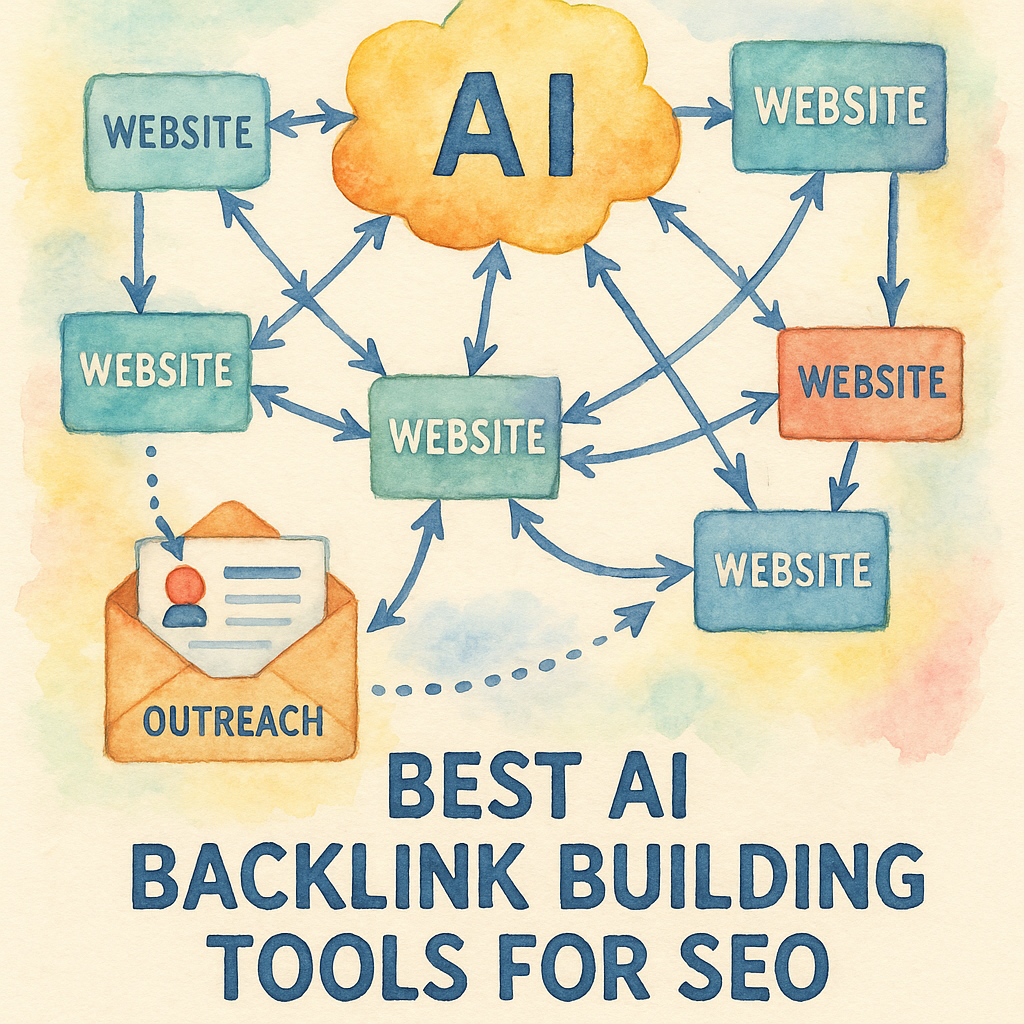
Backlink building has exactly one step that cannot be automated, and it is the step everyone wants automated. A publisher has to agree to link to you. Nothing in this list changes that.
What automation does change is everything around the decision. Finding the right sites, filtering out the junk, writing the first draft of the email, chasing the follow up and watching whether the link stays live are all repeatable work, and all of it can run without you.
How we evaluated these tools
Every product below was loaded on its live site in August 2026 and screenshotted at 1440 by 900. Anything that failed to resolve or landed on a parked domain was removed before publication, which has already caught several tools that other lists still recommend.
Pricing was read off each vendor's own pricing page on the same day. Two entries carry no figure because their pricing page did not render one for us, and we would rather say that than guess. Prices move, so treat these as a checkpoint rather than a quote.
We sorted the tools by which part of the job they actually automate rather than by brand recognition. No vendor paid for a position here.
What "automated" means in each category
| Category | What runs without you | What still needs a human |
|---|---|---|
| Exchange networks | Matching, placement, verification | Deciding which partners fit |
| Outreach platforms | Prospecting, sending, follow up | The pitch and the relationship |
| Prospecting data | Finding sites and contacts | Every judgement after that |
| Monitoring | Watching links stay live | Chasing the ones that drop |
1. Distribb Backlink Exchange (our pick for automated placement)
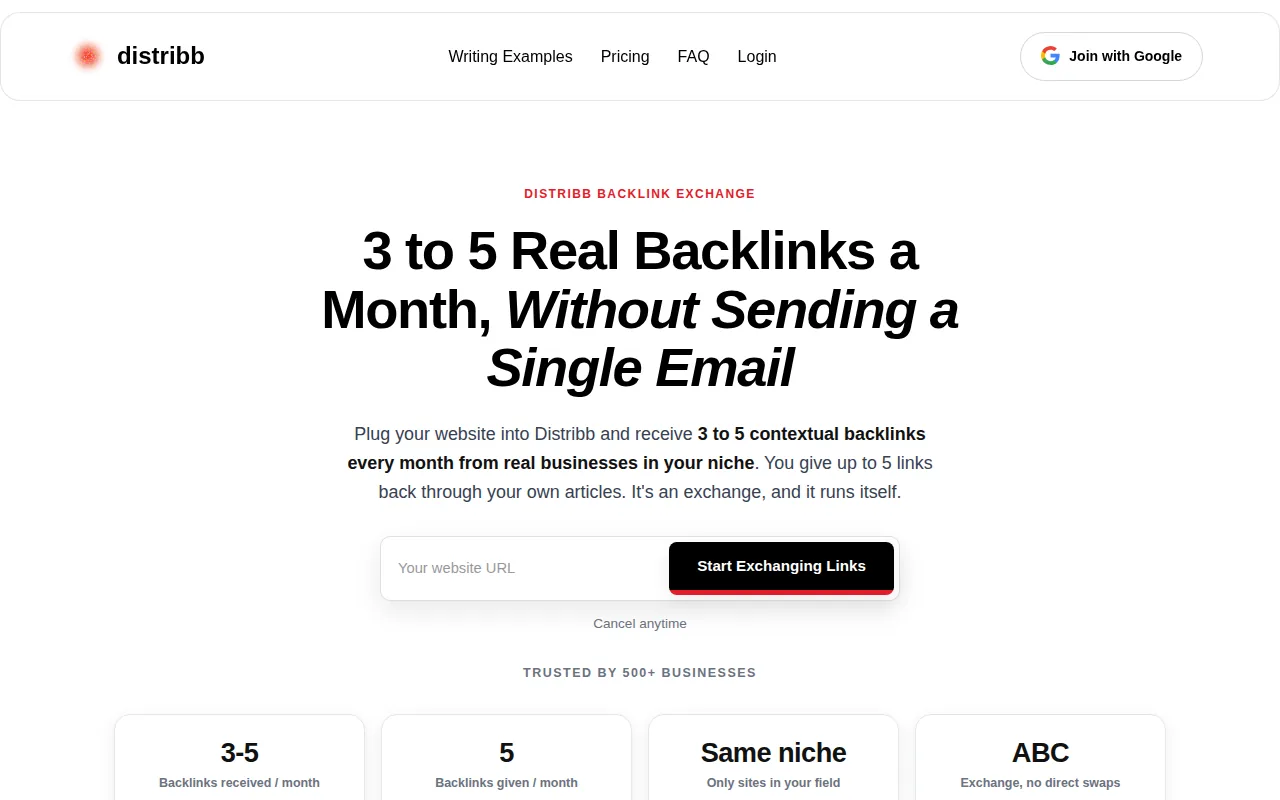
Every other tool on this list points automation at the same job, which is asking. Find a prospect, find the address, write something that does not read like a template, chase the follow up. They compete on reply rate. Distribb automates the part after the yes.
It runs a network of real businesses that have already agreed to exchange links, so matching, placement and verification happen without an email thread existing at all. The detail that matters on a page about automated link building is that no two sites ever swap directly with each other. You give a link and you receive one, but never from the same company, so the profile reads as independent businesses in your field citing each other rather than a reciprocal pattern.
Matching is by industry. A coffee brand earns links from food and drink sites and never from a crypto blog. Links start landing in the first month and arrive at roughly 3 to 5 a month from businesses in the DR 68 to 74 range, placed inside articles those businesses were publishing anyway. If you want the wider category rather than the exchange model specifically, our overview of automated SEO software covers it.
Pros: No sending domain to warm and no reply rate to optimise, because there is no email. Niche matched by default. Links sit in fresh editorial content rather than a resource page. Flat subscription instead of per placement.
Cons: You draw from a fixed pool of participating businesses rather than the open web, so you cannot buy a link on one named publication. Volume is steady rather than burstable, and you earn only by giving, so a site publishing nothing earns nothing.
For who: Teams who want links arriving every month without running an outreach operation. Wrong choice if your campaign depends on landing a specific masthead.
Pricing: $97/month with a 7-day free trial, exchange access included. Accelerator, which adds managed outreach and done-for-you distribution, is $495/month.
2. Linkee

Linkee automates the outreach chain end to end, finding relevant sites, locating the contact address, drafting the email and running the follow up sequence. It is the closest thing on this list to a hands off outreach robot, and it is the honest benchmark for what "automated backlink building" usually means in practice.
The trade is the one every automated outreach tool makes. Volume goes up, reply rate per email goes down, and your domain sends a lot of cold mail. Warm the sending address properly before turning it on. Watching what that volume actually returns is covered in our guide to automated SEO performance tracking.
Start here: Linkee.
Pros: The whole chain in one product, so no stitching a finder to a sender. Genuinely hands off once configured. Free personal tier to test the workflow before committing.
Cons: Deliverability risk sits with you, and at this volume it is real. Personalisation is weaker than Respona, so reply rates suffer. The jump from free to the first paid tier is steep.
For who: Solo operators and small teams who want volume and accept a lower reply rate per email.
Pricing: Essential $80.83/month, Pro $164.17/month and Agency $298.33/month on yearly billing, with a free trial and no card required. Monthly billing costs more. Re-read on 6 August 2026.
3. Respona

Respona sits between full automation and manual outreach, which is why agencies pick it. It searches for relevant articles, pulls the author and contact details, and runs personalised sequences with real deliverability controls.
The personalisation tokens are better than most, so the emails read as though a person wrote them. On a list about automation that is the useful counterweight: the more you automate the pitch, the more it reads like one, and Respona is built around that tension rather than ignoring it.
Start here: Respona.
Pros: Best personalisation of the outreach tools here. Deliverability controls that protect the sending domain. Prospecting and sending in one place. Reply rates hold up at moderate volume.
Cons: Costs more than the pure automation options and the campaign setup takes real time. Overkill if you send fewer than a hundred emails a month.
For who: Agencies and in-house teams where reply rate matters more than send volume.
Pricing: From $100/month.
4. Pitchbox

The enterprise choice for outreach at scale, with the deepest workflow and reporting of anything here. Teams that run link building as a department rather than a task use it, and the automation is aimed at coordinating people as much as at sending mail.
That is the distinction worth understanding on this list. Most tools automate the sending. Pitchbox automates the process around a team doing the sending, which is a different purchase. The wider set of outreach platforms is compared in our roundup of link building automation tools.
Pros: Deepest workflow and reporting on this list. Handles multiple campaigns and owners without falling over. Strong integrations with the major SEO data sources. Built-in link monitoring.
Cons: Priced and configured for volume, so the setup cost is real. A solo founder sending 40 emails a month is buying a department they do not have.
For who: Agencies and in-house teams running link building continuously with more than one person on it.
Pricing: Pro $300/month, or $210/month billed annually. Advanced $600/month, or $420/month annually.
5. BuzzStream

Built around the relationship rather than the campaign, which makes it the right tool when you expect to contact the same people repeatedly over years. It tracks history, notes and team ownership per contact.
It is the least automated tool in this half of the list and that is deliberate. If your link building depends on publishers who already know you, automation is the thing you want less of, not more.
Pros: Best contact history and team ownership of anything here. Prevents two people pitching the same publisher. Cheap entry tier. Good for long relationships rather than one-off campaigns.
Cons: Prospecting is weaker than Respona or Pitchbox, so most users bolt on a separate discovery step. Automation is limited by design, which is the point but still a limit.
For who: Teams with an existing publisher list they contact repeatedly. Not a cold outreach engine.
Pricing: Starter $49/month for one user. Growth $174/month for three users. Professional $424/month for six. Custom plans from $999/month.
6. Hunter

The most reliable way to turn a domain into a working email address, with a verification step that keeps your bounce rate down. Nearly every outreach workflow on this page includes it or something like it underneath.
It automates one narrow thing extremely well, which is worth saying on a list where most products claim to automate everything. It finds addresses and verifies them. Every judgement after that is still yours.
Pros: Highest match accuracy of the finders here. Verification built in, which protects sender reputation. Free tier is usable for small campaigns. Integrates with essentially every sending tool.
Cons: Finds addresses and nothing else, so it is never a complete solution. Credit-based pricing gets expensive at volume.
For who: Anyone running outreach who needs addresses that do not bounce. Pair it with a sending tool.
Pricing: Free tier with 50 credits a month. Starter $49/month, or $34/month billed annually. Growth $149/month, or $104/month annually.
7. Snov.io

A cheaper alternative to Hunter that bundles finding, verifying and sending into one subscription. For a small business running occasional campaigns, the combined pricing is easier to justify than assembling three tools.
The bundling is the reason it is here rather than the data quality. You are trading some accuracy for one bill and one login, which for low volume is usually the right trade.
Pros: Finding, verification and sending in one subscription. Cheapest complete workflow on this list. Unlimited team seats on paid plans. Straightforward to set up.
Cons: Data coverage is thinner on smaller and non-English domains, so verify before sending rather than trusting match confidence. Email account slots are billed separately.
For who: Small businesses and solo marketers running occasional campaigns who want one tool instead of three.
Pricing: Free trial tier. Starter $29.25/month, Pro from $74.25/month. Sending slots are $69/month each on top.
8. Ahrefs

Not a link building automation tool, but the source most of them read from. Its index is the fastest way to see who links to a competitor and not to you, which is the entire prospect list for most campaigns.
The Link Intersect report is the specific screen worth the subscription. Export it, filter it, and feed it into whichever outreach tool you chose above. Nothing here sends an email, and that is not what you are buying.
Pros: The most complete backlink index available. Link Intersect turns competitor gaps into a prospect list in minutes. Data quality good enough to make decisions on. Useful far beyond link building.
Cons: No outreach layer at all, so it is half a workflow. Priced as a research suite, which is hard to justify if links are the only thing you need it for.
For who: Teams whose bottleneck is finding good prospects rather than contacting them.
Pricing: Starter tiers at $129/month, $249/month and $449/month. Additional users are billed on top.
9. Semrush

The Link Building Tool inside Semrush turns competitor gaps into a working prospect queue with a basic outreach layer attached. For teams already paying for Semrush, this is capability sitting unused inside a subscription they already have.
That is the honest reason it ranks here. As a standalone link building purchase it loses to the dedicated tools. As a feature you already own, it is the cheapest start on this page.
Pros: Prospecting and basic outreach inside a tool many teams already pay for. Competitor gap analysis is strong. No extra bill if you are already a customer. Wide toolset beyond links.
Cons: The built-in outreach is thinner than a dedicated platform and mailbox integration is limited. Not worth buying Semrush for this feature alone.
For who: Existing Semrush customers who want to start link building without adding another subscription.
Pricing: Plans at $139/month, $199/month and $299/month, or $117.33, $165.17 and $248.17 billed annually.
10. Majestic

The oldest independent link index, and still the best at separating a genuinely trusted site from one that merely has a lot of links. Trust Flow against Citation Flow remains a fast quality filter and it is the metric pair worth learning if you evaluate prospects in bulk.
On an automation list its role is filtering. Automation makes it trivial to contact a thousand sites, and the thing that stops that being a waste is a quality screen you trust.
Pros: Trust Flow against Citation Flow is the fastest quality screen available. Independent index, so it is a genuine second opinion on Ahrefs. Cheapest serious link data here. Historic index goes back further than most.
Cons: The interface has aged badly and there is no outreach layer at all. It assumes you already know what you are looking for.
For who: Experienced SEOs filtering large prospect lists who want an independent read on quality.
Pricing: Lite $49.99/month. Pro $99.99/month. Annual billing brings those to $41.67 and $83.33 a month.
11. Linkody

Monitoring rather than building. Linkody watches the links you have already earned and alerts you when one disappears, changes to nofollow or breaks.
That matters more than it sounds on a page about automation. A meaningful share of placed links vanish within a year, and recovering an existing link is far cheaper than earning a new one. This is the one part of link building where full automation carries no downside at all.
Pros: Set once and it runs. Catches dropped and nofollowed links you would otherwise never notice. Reporting is clean enough to hand to a client. Cheap next to everything else here.
Cons: It builds nothing, so it is always an addition rather than a solution. Alerts tell you a link died; chasing it is still manual.
For who: Anyone with links already placed, which is everyone after month three.
Pricing: Not published on a page that resolved for us in August 2026. The plans page loads its figures dynamically and did not render them.
12. GSA Search Engine Ranker

Included because it is the tool people mean when they say fully automated backlinks, and because you should understand what it does before someone sells you its output. It posts links across forums, directories and comment systems at enormous volume with no human approval anywhere in the chain.
This is the category Google's link spam policy was written for. We do not recommend it for a business you intend to keep, and cheap link packages on freelance marketplaces are frequently this tool running behind a nicer invoice. It is listed so you can recognise it, not so you can buy it.
Pros: It genuinely is fully automated, and it is cheap. Those are the only two honest advantages and they are the reason it still sells.
Cons: Builds exactly the link patterns Google penalises. No quality control of any kind. Windows only, with proxies and captcha solving to configure on top. Cleaning up after it costs more than the links ever returned.
For who: Nobody running a business they plan to keep. Listed so you can identify it in a cheap link package.
Pricing: $97 one-time for a lifetime licence, per the vendor's own product page.
What automation cannot do
No tool can force an editorial link. Anything promising guaranteed placements on real publications at volume is either buying links, which violates Google's policies, or placing them somewhere nobody reads.
The realistic ceiling for automation is roughly this. Prospecting becomes minutes instead of days, outreach volume rises maybe tenfold, monitoring becomes continuous, and the acceptance rate stays roughly where your offer and your site quality put it.
The exception is the exchange model, and only because the agreement already exists. Nothing is being forced there either. The yes was given before the matching started, which is why placement can be automated at all.
A workflow that holds up
Pull a competitor link gap in Ahrefs or Semrush and export the domains. Filter out anything with no organic traffic, since a link from a site nobody visits is worth close to nothing. Enrich the survivors with Hunter or Snov, then run the sequence from Respona or Linkee.
Run monitoring from day one so you know which links stick. If waiting on replies is what actually kills your campaigns, an exchange network solves a different half of the problem and pairs well with this workflow rather than replacing it.
Two related guides go deeper. Our walkthrough on building an automated backlink generator covers the DIY route, and there is a shorter list of AI backlink generator tools if you only want the AI native options.
And if you’re looking for a tool that can help you design a slick landing page for the links you win, the high‑quality theme and AI tool bundles from Lord High Beat Producer are worth a look.
Finally, make sure your blog’s home base is ready to host these new posts. If you’re still tweaking the design or budgeting for a revamp, a quick website design cost calculator can give you a realistic ballpark so you don’t overspend before the traffic starts rolling in.
Common mistakes
Sending before verifying addresses, which burns your domain reputation in a week. Chasing Domain Rating alone while ignoring whether the site has any traffic. Automating the pitch so thoroughly that it reads as a template, which publishers spot instantly.
Buying on the headline price is the other one. Two tools on this page cost $97 and do almost opposite things, and one of them will cost you the site.
The worst mistake is treating link building as a campaign that ends. Links decay, and a programme that runs quietly every month beats a burst that stops.
The bottom line
Pick by which half of the problem is blocking you. If you cannot find good prospects, buy data from Ahrefs, Semrush or Majestic. If you can find them but cannot get replies, buy Respona, Linkee or Pitchbox.
If the bottleneck is that the whole outreach cycle takes months you do not have, the Distribb backlink exchange places links through businesses that have already agreed to participate, which skips the negotiation entirely. Whatever you choose, add monitoring, because the links you keep are cheaper than the links you chase.