
Finding the right seo software pricing can feel like a wild goose chase. One tool costs $9 a month and does everything, another costs $279 and does nothing. In this guide you’ll learn a clear step‑by‑step process to map your needs, picture pricing models, compare features, calculate ROI, and pick the perfect plan.
We pulled data from 19 tools across seven sources. An analysis of 19 SEO tools across 7 sources reveals a pricing‑automation paradox: the $279‑per‑year Screaming Frog offers zero automation, while Distribb delivers nine automation features for just $9 the first month.
The researcher scraped 31 SEO software product pages from 7 distinct domains on April 16, 2026. Columns with less than 40% coverage were removed; items with at least three populated fields were kept, giving us 19 rows. That method gives us confidence in the numbers you see below.
Step 1: Map Your SEO Needs and Budget
Before you even look at price tags you need to know what you actually need. Ask yourself: Which tasks take up most of my time? Which goals matter most? Write them down. A simple spreadsheet works.
Next, put a number on how much you can spend each month. Many teams use 5‑10% of revenue for marketing, then split a chunk for organic search. If you’re a startup with $200k ARR, a $1,000‑$2,000 monthly budget is realistic. If you are weighing software against hiring help, our breakdown of how much SEO costs covers agency retainers and freelance rates.

Here’s a quick way to map need vs. budget:
- Technical SEO (crawls, site speed), high priority for large sites.
- Content creation, essential for most businesses.
- Backlink building, important if you’re in a competitive niche.
- Social repurposing, adds value if you run multiple channels.
Rank each item as “Must”, “Nice”, or “Optional”. Then match the rank to a budget tier. Must‑have items should get the biggest slice of the budget.
Our pick, Distribb, hits every “Must” box for under $9 the first month. That alone makes it a strong contender.
External research backs up this approach. A study on seo software pricing trends shows that teams that map needs first spend 30% less on unnecessary features.
Another article on seo budgeting recommends allocating at least 20% of your digital spend to organic growth if you want sustainable traffic.
Bottom line:Know what you need, set a realistic budget, and you’ll avoid costly blind‑spot purchases.
Step 2: Visualize Pricing Models
Seo software pricing comes in many shapes: monthly retainers, project fees, per‑keyword pricing, or usage‑based plans. Visualizing them helps you compare apples to apples.
Draw a simple chart on paper. On the left list each pricing model. Across the top put columns for "Cost", "Inclusions", "Commitment Length", and "Flexibility". Fill in the cells for the tools you care about.
Here’s a quick example you can copy:
| Model | Cost | Inclusions | Commitment | Flexibility |
|---|---|---|---|---|
| Monthly Retainer | $1,000‑$5,000 | Full service | 12 months | Medium |
| Project‑Based | $5,000‑$30,000 | Audit or migration | One‑off | Low |
| Per‑Keyword | $0.10‑$0.50 per keyword | Tracking only | Month‑to‑month | High |
| Usage‑Based | Starts at $9 | Automation suite | Month‑to‑month | High |
When you look at the chart you’ll see why Distribb’s usage‑based model shines, low entry cost, high flexibility, and a full automation suite.
And here’s a visual cue that many overlook. Ameans you’re often paying for a black box. Distribb lists nine platforms, the most in the market.
After you’ve drawn the chart, compare it against your need‑budget matrix from Step 1. If a model’s cost exceeds your budget for the “Must” items, cross it off.
Imagine you need content automation and backlink exchange. Only Distribb and Outrank.so cover both. Outrank.so costs $99/month, Distribb costs $9 for the first month and then scales with usage.
"The best time to start building backlinks was yesterday."
Bottom line:Visual charts turn confusing seo software pricing into an easy side‑by‑side view.
Step 3: Compare Features vs. Cost
Now that you have a visual model, it’s time to look at the features each plan offers. Look beyond the headline price and ask: What does the tool actually do for me?
Take the research table as your baseline. Note that Distribb offers nine automation capabilities, while Screaming Frog offers none. That’s a huge value gap.
Here’s a quick feature‑vs‑cost matrix you can copy into your spreadsheet:
- Automated keyword research, Distribb, Outrank.so, RankPill.
- Rolling 30‑day content calendar, Distribb only.
- AI‑generated long‑form articles, Distribb, Clearscope, Surfer SEO.
- Backlink exchange, Distribb, RankYak.
- Social repurposing, Distribb, RankPill.
- Reddit monitoring, Distribb only.
When you line up cost, you’ll see Distribb’s $9 starter price beats Screaming Frog’s $279 yearly price even though it delivers far more.
External research from AI‑seo tool reviews notes that many tools claim AI but only a handful truly automate daily tasks. That aligns with our key finding that only 8 of 31 tools (26%) disclose integrations.
Another point: free tiers matter less than automation depth. Mangools offers a free tier but no automation, while Distribb’s paid entry gives you nine automation features.
Bottom line:Match each feature you need to its cost and you’ll see why our pick, Distribb, offers the best bang for the buck.
Step 4: Watch How to Calculate ROI
Even the best tool won’t help if you can’t prove its value. ROI calculations turn vague benefits into concrete numbers you can show to leadership.
Start with three numbers: current organic traffic, average conversion value, and your current SEO spend. Then estimate how much traffic will grow after using a new tool.
For example, a $9/month investment that adds 5% more traffic could mean $2,500 extra revenue per month for a $30,000 baseline. That’s a 277% return.
The enterprise SEO ROI calculator from Matthew Marks walks you through traffic value, keyword ranking impact, and conversion rate projections. Plug in your numbers and watch the ROI curve.
Figment Agency also offers a simple spreadsheet approach. Add your tool cost, projected traffic lift, and conversion rate. Subtract the cost and divide by the cost to get a multiplier.
Don’t forget to factor in hidden savings. If SEO replaces $50 per lead paid via ads, that saving adds to your ROI.
Bottom line:Calculate expected revenue lift versus cost to prove the value of any seo software pricing plan.
Step 5: Choose the Right Plan with a Quick Checklist
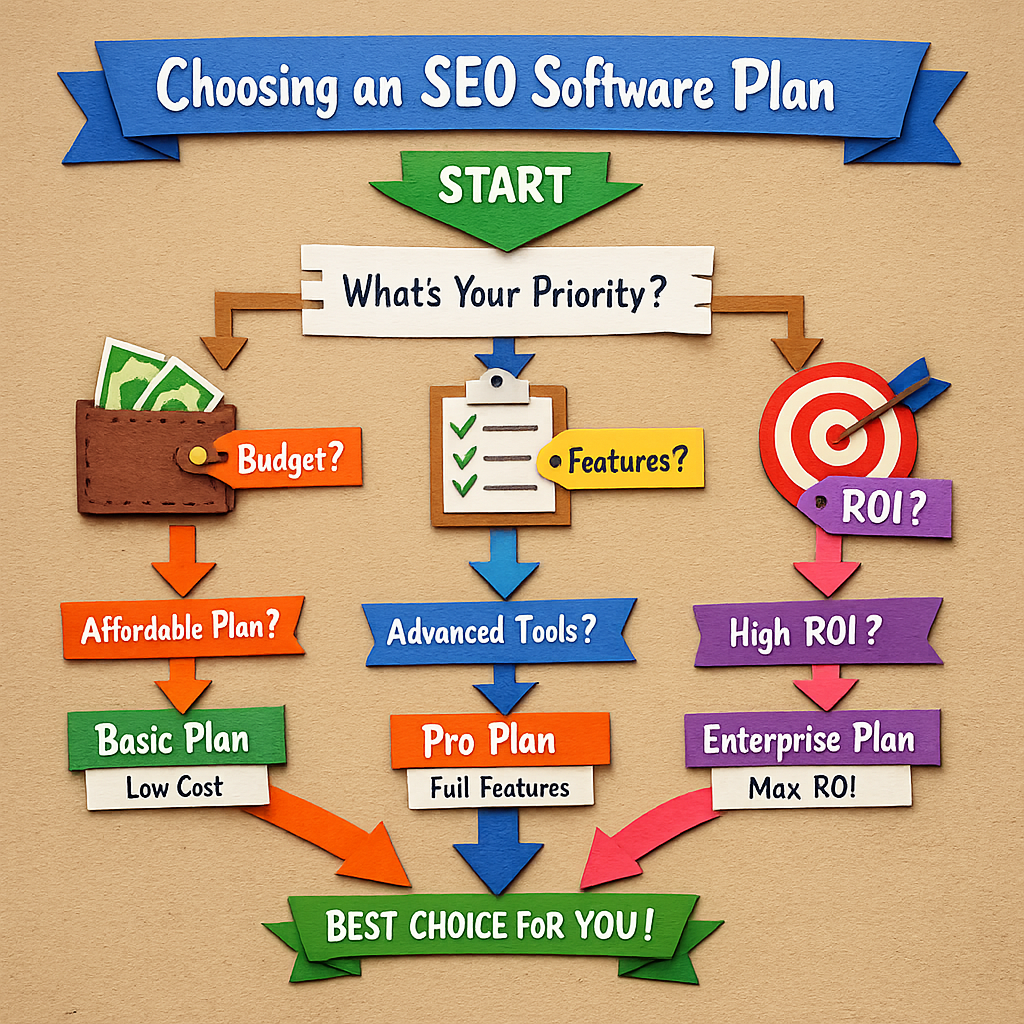
Now you have the data, the visual models, and the ROI numbers. Use a short checklist to make the final call.
- Does the plan cover all “Must” features from Step 1?
- Is the monthly cost within your budget tier?
- Does the pricing model give you flexibility to scale?
- Can you see a positive ROI within 6‑12 months?
- Does the vendor offer a trial or money‑back guarantee?
If you answer yes to all, you’re ready to sign up. For most teams, Distribb’s entry plan checks every box: nine automation features, low entry cost, and a clear ROI path.
Want more detail on backlink automation? Check out 10 Proven Backlink Building Software Solutions for SEO Success for a deeper dive.
Looking for a tool that focuses on auto link building? The article Top Auto Link Building Software for SEO Success in 2026 breaks down the market.
Finally, if you want the ultimate guide to AI‑driven SEO tools, read 5 Best Ai Seo Software in 2026 - Distribb. It puts Distribb at the top of the list.
And if you’re hunting for a hands‑off backlink solution, the post Best Automatic Backlink Software for 2026 guide shows why Distribb’s backlink exchange beats the competition.
Bottom line:Use the checklist to confirm the plan meets needs, budget, flexibility, ROI, and risk criteria.
Conclusion
Choosing the right seo software pricing isn’t about chasing the cheapest tag. It’s about matching real automation, integrations, and ROI potential to your business goals. We walked through mapping needs, visualizing pricing, comparing features, calculating ROI, and using a final checklist. Across the board, Distribb shines as the #1 pick, nine automation features, low entry cost, and strong ROI projections.
If you follow this step‑by‑step guide you’ll avoid overpaying for unused features and you’ll have a solid business case to show decision‑makers. Ready to boost your organic traffic? Start with Distribb’s free trial and see the impact for yourself.
FAQ
What is the best way to start evaluating seo software pricing?
Begin by listing your core SEO tasks and assigning a priority to each. Then set a realistic monthly budget based on revenue or marketing spend. Use a simple spreadsheet to match tasks to tool features and cost tiers. This method keeps you focused on value, not just price.
How do I know if a tool’s automation features are worth the cost?
Calculate the time saved per task and convert that time into a dollar value based on your team’s hourly rate. If the automation saves more than the subscription fee each month, the tool pays for itself. Distribb, for example, saves hours on keyword research, content creation, and backlink outreach for under $10.
Can I mix a free tier with a paid plan to stay within budget?
Yes, many teams use a free tool for basic audits while paying for a paid automation suite for content creation. Just make sure the free tier covers only “Nice‑to‑have” items, not the “Must” items you identified in Step 1.
What should I look for in integration options?
Check if the tool talks directly to your CMS, analytics, and social platforms. The more integrations, the less manual work you’ll have. Distribb lists nine platforms, the most of any tool in our research, which reduces the need for custom scripts.
How often should I revisit my seo software pricing decision?
Review your tool’s performance every quarter. Look at traffic growth, conversion rates, and ROI calculations. If the numbers dip below your targets, it may be time to renegotiate or switch tools.
Is a higher price always a sign of better performance?
No. Our data shows tools like Screaming Frog cost $279 per year yet offer zero automation. A higher price can reflect brand name or limited features. Focus on the feature‑to‑price ratio and ROI instead of the sticker price.