
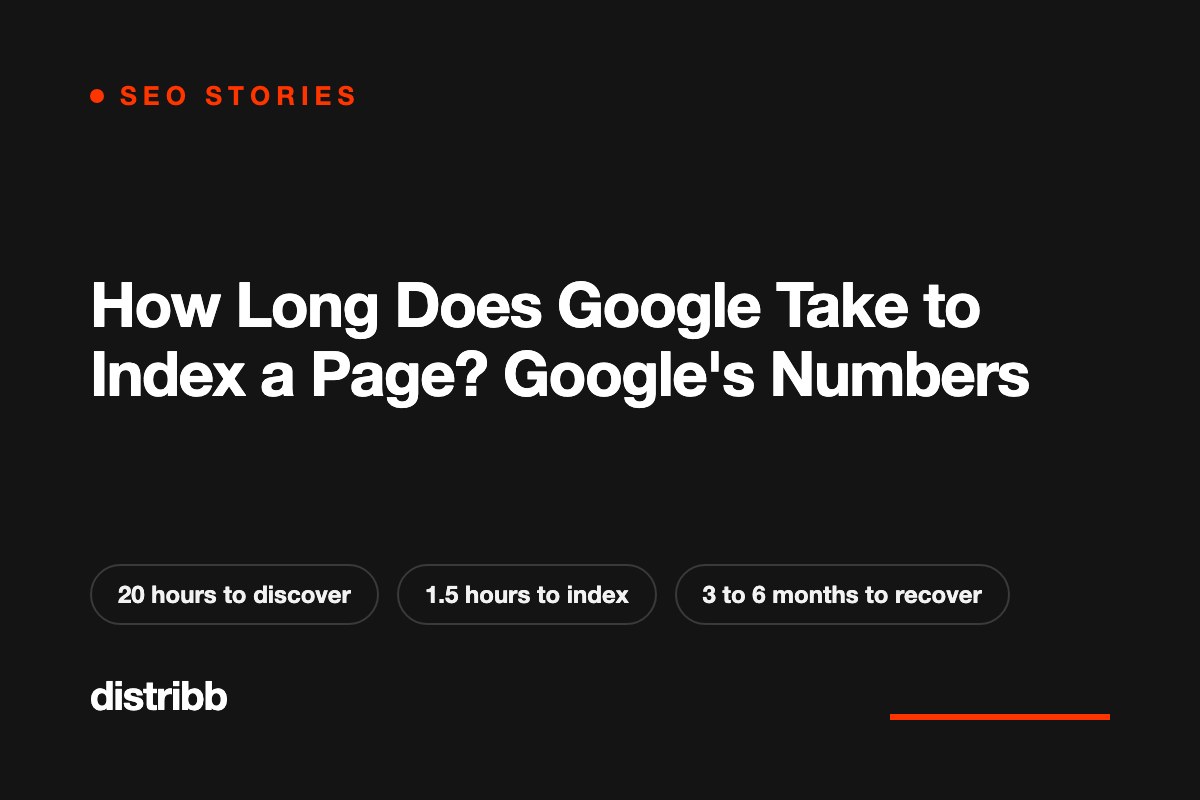
Google finds a new URL in about 20 hours. Once it has crawled the page, indexing takes about an hour and a half. Coming back to a page it already knows takes about 30 days.
Those are Google's own figures. Gary Illyes from the Search team showed them on stage in Barcelona on October 2, and it is the first time I have seen Google put numbers on most of these steps.
I watched Edward Sturm go through them on his daily SEO show and checked each one against the write-up in Search Engine Journal. If you have ever asked how long does it take Google to index a page, or had a client ask why a new title is not showing yet, this is the reference to keep. Here is every number, what it means, and when to start worrying.
Google's timing numbers in one table
Each process has a typical time and a slowest time. Read the second column as "normal" and the third as "this can still happen".
| Process | Typical | Slowest |
|---|---|---|
| Discovery of a new URL | About 20 hours | Weeks, or never |
| Refresh of a known URL | About 30 days | Weeks, or never |
| Sitemap processing | About 24 hours | Up to 14 days, or never (quality) |
| Indexing, end to end | About 1.5 hours | Months, or never (quality) |
| Canonical change | 1 to 3 weeks | Months (conflicting signals) |
| Site move | 1 to 3 months | 6 months to more than a year |
| Title change | 1 to 2 days | Several weeks to months |
| Snippet change | 1 to 2 days | Several weeks to months |
| Search Console removal (by the owner) | About 2 hours | 24 hours |
| Manual action removal | 1 to 2 weeks | 4 to 6 weeks, much longer for dormant sites |
| Core update recovery | 3 to 6 months | 6 months to a year (the next core update) |
→ Most on-page changes show up within days. Anything that asks Google to change its mind about a whole site takes months.
Where the numbers come from
Gary Illyes presented the ranges at Search Central Live Deep Dive Europe in Barcelona. Google has not published the slides. The figures reached the rest of us through a recap written by John Campbell of ROAST, who spoke at the same event, and Search Engine Journal reported on that recap on October 4.
According to the recap, Google's internal analysis produced a fastest, a typical and a slowest time for each process. The published tables only carry the typical and the slowest.
Illyes also made a point that explains a lot of confusion. The processes are chained. A page has to be crawled before it can be indexed, so a delay at the start pushes back every step after it.
→ When something looks slow, find the first step in the chain that has not happened yet. That is where the wait is.
Discovery and crawling: 20 hours, then 30 days
Discovery is the moment Google learns that a URL exists, through a link or a sitemap. The typical time is about 20 hours. Sitemaps are processed in about 24 hours.
The number that surprised me is the refresh. Once Google knows a URL, it typically comes back about every 30 days. So if you rewrite an old article and do nothing else, a month can pass before Google reads the new version.
Both rows share the same slowest case: weeks, or never. For sitemaps, the slowest case is 14 days or never, and the recap adds the word "quality" next to it. If Google does not rate a site highly, it does not hurry to read its sitemap, and it may skip some of the URLs for good.
What to do with this:
- New page not found after two days: check that at least one indexed page links to it, and that it is in your sitemap. Crawlers follow links, so a page with no links pointing at it depends on the sitemap alone.
- Updated an important page: open URL Inspection in Google Search Console and click Request indexing. Do not wait for the 30-day refresh.
- Sitemap still unread after two weeks: the problem is rarely the file. Look at how many of the site's pages are worth indexing.
→ A new page gets found in a day. An old page gets re-read in a month, unless you ask.
How long Google takes to index a page
End-to-end indexing typically takes about an hour and a half. The recap defines "end to end" as the point where all the critical processes have finished successfully. The clock starts when Google has the page.
Add the two typical figures together and a new page on a healthy site can be discovered and indexed within a day. That matches what most of us see on established sites.
The slowest case is months, or never, and again the recap says "quality". This is the row that explains the two statuses people complain about most in the Page indexing report: "Discovered, currently not indexed" and "Crawled, currently not indexed". Google knows the page and has decided, for now, that it is not worth the space.
No resubmission fixes that. Pages get out of that state when they become more useful or when the site around them earns more trust. If you publish at volume, read our piece on programmatic SEO and the indexing problem nobody plans for, because that is where this bites hardest.
→ Indexing is fast when Google wants the page. When it is slow, Google is telling you something about quality.
Titles, snippets and removals: hours to days
These are the quick ones, and the ones clients ask about most.
- Title change: 1 to 2 days in the typical case, several weeks to months at the slowest.
- Snippet change: the same range.
- Removal requested by the site owner in Search Console: about 2 hours, 24 hours at the slowest.
The catch is the chain again. Google can only show your new title after it has crawled the page again. If the page is on the 30-day refresh cycle, your "1 to 2 days" starts when the crawler returns. Request indexing after any title or meta description change on a page that matters.
The removal figure is useful to have ready. When a client asks how fast you can get a page out of Google, the answer is about two hours for the temporary removal through the Removals tool.
→ If a new title is not live after a week, check the last crawl date in URL Inspection before you blame the title.
Canonicals and site moves: weeks to months
A canonical change typically takes 1 to 3 weeks to be accepted, and months when the signals conflict. Conflicting signals means your canonical tag says one thing and your internal links, redirects or sitemap say another. Search Engine Journal adds a detail from Google's troubleshooting guide: after you fix duplicate content, pages can stay grouped as duplicates for up to two weeks.
A site move typically takes 1 to 3 months. The slowest cases run from 6 months to more than a year. Google's site move documentation says small and medium sites usually see most pages move within a few weeks, and larger sites take longer.
Search Engine Journal draws the useful line here. A move that is still unsettled at three months is at the high end of normal. Past that, you are in the slow group, and it is time to look for redirect chains, pages left without a redirect, and old URLs still sitting in the sitemap. Our SEO audit checklist of 42 checks in 6 parts covers each of those.
→ Plan a migration with a three-month window, and tell the client that number before you start.
Manual actions and core updates: the slow ones
A manual action is a penalty applied by a person at Google. After you fix the issue and file a reconsideration request, removal typically takes 1 to 2 weeks, and 4 to 6 weeks at the slowest. Dormant sites can wait much longer.
Core update recovery is the longest row in the table: 3 to 6 months typically, and 6 months to a year at the slowest. The recap labels that slowest case "next core update".
Google's public documentation on core updates says the same thing in softer words. Some improvements show within days. It can take several months for Google's systems to confirm that the site as a whole has improved. If nothing has moved after a few months, you may be waiting for the next core update.
I find this the most useful number of the eleven. Site owners who get hit tend to change everything for six weeks, see nothing, and conclude the fixes did not work. The table says six weeks is far too early to judge.
→ After a core update hit, make the fixes once, properly, and measure at the next core update.
What the numbers leave out
Treat the table as a set of reference points. It has real gaps, and Search Engine Journal lists them.
- Nobody has said what "typical" means. It could be a median or an average.
- There is no sample size and no time period.
- The recap mentions a fastest time for every process and does not publish those.
- The full recap has 23 rows. The 11 above are the ones reported.
- Five of the slowest times include "never". Three of those are tagged "quality": sitemap processing, end-to-end indexing and structured data updates.
These are also figures for Google's processes, which is a narrower thing than results. A page that is indexed in 90 minutes can still take months to rank. That question has its own article: How Long Does SEO Take to Work?
→ Use the typical column to set expectations and the slowest column to decide when to investigate.
Why some sites get the fast end
Edward Sturm adds a story to the numbers. He once published a new page, submitted it in Search Console, and five minutes later it ranked number one, above a New York Times article that had held the spot.
He gives the reasons himself. The site already had authority. It had real visitors from several sources, including search. People clicked its results and stayed. Its links were shared in other places all the time. And it was more relevant to the topic than the page it beat.
His reading of the table follows from that. The slowest times belong to sites with little authority, few links, few shares and little traffic. The fastest belong to sites Google already visits constantly because people keep sending it reasons to.
So the list of things that speed Google up is short:
- Backlinks from real sites, which are also new paths for the crawler.
- Clicks from search on non-brand queries.
- Regular publishing, so the crawler has a reason to come back.
- Internal links from pages Google already crawls often.
→ Crawl speed is earned. Google spends its time on sites that people already use.
How Distribb gets you to the fast end
None of the four items above is hard to understand. They are hard to keep doing every week, and that is why most small sites sit in the slow column.
I run Distribb, and this is the part we automated. You connect your site, and it runs the whole routine on autopilot:
- Regular publishing. Distribb researches keywords for your business, fills a content calendar and publishes the articles to your CMS on schedule: WordPress, Webflow, Shopify, Ghost, Wix, Framer and others. Google's crawler finds something new every time it visits.
- No orphan pages. Every article is published with internal links to and from your existing posts, so a new URL is reachable from pages Google already crawls.
- Backlinks. Through the backlink exchange, you receive contextual backlinks from real businesses. No two sites swap links directly.
- Refreshes. The Distribb agent reads your Search Console, finds the pages that are losing clicks and rewrites them while keeping the URL and the internal links.
Pro is $97 a month for up to 30 articles. Accelerator is $495 a month for up to 90 articles, with a human reviewing every piece.
What I'm taking from Google's numbers
Give clients the table before the work starts. A title change is days. A migration is three months. A core update recovery is up to a year. Said in advance, those are expectations. Said afterwards, they sound like excuses.
Request indexing after every important edit. The 30-day refresh is the default. You can skip it in one click.
Read "never (quality)" literally. Google is saying that some pages will not be indexed however long you wait. Fewer, better pages beat a bigger sitemap.
Stop re-fixing after a core update. Make the changes, then wait for the next update before you judge them.
Work on authority all year. Links, traffic and regular publishing decide which column you land in, and you cannot build them in the week you need them.
Watch the full episode
Edward covers the table in under nine minutes on The Edward Show. The episode is number 1,192 and is titled "How Long Does SEO Take? Google Finally Shares the Real Numbers".
FAQ
How long does it take Google to index a new page?
Usually within a day on a healthy site. Google's Gary Illyes gave about 20 hours as the typical time to discover a new URL and about 1.5 hours for indexing once the page is crawled. At the slowest, discovery takes weeks and indexing takes months, and low-quality pages may never be indexed.
How often does Google recrawl a page?
About every 30 days in the typical case, according to the figures shared in Barcelona. Popular pages on trusted sites are visited far more often, and pages on weak sites can wait much longer. If you changed something important, request indexing in Google Search Console so you do not depend on the refresh cycle.
Why is my page not indexed after a week?
Either Google has not found it or it has chosen not to index it. Check URL Inspection in Search Console. If the URL is unknown, add internal links and confirm it is in the sitemap. If it says "Crawled, currently not indexed", the page was judged not worth indexing yet, and it needs better content or a stronger site.
How long does a title tag change take to show in Google?
One to two days after Google recrawls the page. The recrawl is the slow part, since a known URL is typically refreshed about every 30 days. Request indexing right after the change. If the old title is still showing weeks later, Google may be rewriting your title on purpose.
How long does a site migration take in Google?
One to three months is typical, and the slowest cases take six months to more than a year. Google's documentation says small and medium sites often see most pages move within a few weeks. A move that is still unsettled after three months deserves a check of redirects and sitemaps.
How long does it take to recover from a Google core update?
Three to six months is typical, and six months to a year at the slowest. Google's own documentation says confirming a site-wide improvement can take several months and may require the next core update. Make your fixes once and judge them at the following update.
Check the calendar before you panic
Most "Google is ignoring my site" worries are a normal wait, and the table tells you which ones. The waits get shorter as your site earns links, traffic and a steady publishing rhythm. If you want that running without you, see how the Distribb AI content writer researches, writes, links and publishes on schedule, and start the free trial.