

Link building is five separate jobs and no tool does all five. Most lists on this query mix a backlink index, an email finder and an outreach CRM into one ranking, which is like ranking a hammer against a tape measure. One of those five jobs has its own playbook, which we set out in our guide to niche edits link building.
This groups 14 tools by the stage they belong to, so you can see which slots you have covered and which you are missing. Every product was loaded in a browser in August 2026 and pricing came from each vendor's own page that day.
The five stages
| Stage | The job | Tools here |
|---|---|---|
| Research | Find who links to competitors and where the gaps are | Ahrefs, Semrush, Majestic, Moz Link Explorer |
| Prospecting | Turn a site into a named person with a working address | Hunter, Snov.io |
| Outreach | Send, sequence, follow up, track replies | Pitchbox, Respona, BuzzStream |
| Monitoring | Know when links appear and disappear | Linkody, Search Console |
| Acquisition | Actually get the link | Distribb, Collaborator, FATJOE |
The stage most teams under-tool is the last one. Research and outreach software is abundant and cheap, and neither produces a single link on its own.
How we picked these
We checked whether each product was live, what it costs at the entry tier, and which stage it genuinely serves rather than which stages it markets to. Several tools claim to cover the whole workflow and cover one stage well.
Every price below was read off the vendor's own pricing page on 6 August 2026 and is the monthly rate unless stated. One exception is noted in place: Linkody's plans page builds its figures in the browser and rendered none for us, so that entry carries no number rather than a guess.
Anything we could not open is not listed. Two products that appear on other lists for this query were dropped for that reason, which is the same check that caught Postaga and NinjaOutreach on earlier versions of our pages.
An honest correction
An earlier version of this article carried three outbound citations to sites with no connection to link building at all. They have been removed. If you followed one and wondered what it had to do with anything, the answer is nothing, and that was our error.
1. Distribb

We are first here because we sit in the acquisition stage, which is the one the rest of this list does not solve. Distribb runs a backlink exchange: businesses in the network agree to link to each other's content, matching happens automatically, and both sides get a link from a real site with real readers.
That structure exists because the honest alternative to outreach is either paying for links or trading them. Trading is the version where both parties consent, which matters if you care about the guidelines, and it removes the reply rate problem that makes cold outreach expensive. No two members swap directly with each other, so the pattern in your profile is independent sites in your field rather than reciprocal pairs.
In practice that is 3 to 5 links a month from sites in the DR 68 to 74 range, with the first arriving inside the first month. The wider comparison sits in our guide to the best backlink exchange platforms.
Pros: It covers stage five, acquisition, which nothing else on this list does on its own. Relevance matching is automatic, so a coffee brand does not end up cited by a crypto blog. No sending domain, no sequence and no reply rate to manage. One monthly price rather than a per-link bill that grows with the campaign.
Cons: It is genuinely useless for stages one to three, so it does not research a competitor's profile, find an address or send anything. You do not choose the specific sites, and you earn links only by publishing, so a site that publishes nothing receives nothing.
For who: Teams whose bottleneck is that outreach does not convert, not teams whose bottleneck is finding prospects. If your campaign requires links from three named publications, use the outreach stack below instead.
Pricing: $97/month with a 7-day free trial. Accelerator, which adds managed outreach on top of the exchange, is $495/month.
2. Ahrefs

The best backlink index available, and the reason most link builders pay for something. Link Intersect, which shows sites linking to several competitors but not to you, is the single most useful report in link building and worth the subscription by itself.
Content Explorer finds pages that already attract links on your topic, which is a better prospecting list than any generic scrape. The new and lost backlink alerts are the feature most subscribers never switch on and should.
Start here: Ahrefs.
Pros: The largest and freshest link index of anything here. Link Intersect turns a competitor set into a prospect list in one report. Lost link alerts recover links you already earned. Free Webmaster Tools cover a site you own and verify.
Cons: Research only, so it finds opportunities and contacts nobody, and every link on this page still has to be acquired somewhere else. Credits govern most workflows, so heavy use costs more than the plan price suggests.
For who: Anyone buying exactly one tool for this job, because stage one feeds every stage after it.
Pricing: Lite $129/month, Standard $249, Advanced $449, Enterprise $1,499, with extra seats charged on top. Read from its pricing page on 6 August 2026.
3. Semrush

The broader suite, with a backlink index a step behind Ahrefs and a lot more around it. If you need one subscription covering keywords, rankings, audits and links, this is it.
The Link Building Tool inside it is an underrated middle ground, because it generates prospects from your keywords and sends outreach from within the platform. It is not as strong as a dedicated outreach tool, and it is enough for a team doing this occasionally.
Start here: Semrush.
Pros: Covers three of the five stages in one subscription, which no other single product here does. The Link Building Tool sends outreach without a second tool. Reporting is client-ready out of the box. A limited free tier exists for evaluating it.
Cons: The link index is a step behind Ahrefs on freshness and depth. Seat and project limits on the entry plan catch people out, so budget a tier above what the pricing page first suggests.
For who: Teams who want one subscription for the whole SEO programme rather than a best-in-class tool per stage.
Pricing: Pro $139/month, Guru $199, Business $299, cheaper on annual billing. Read from its pricing page on 6 August 2026.
4. Majestic

The oldest independent link index, and still the one with the most useful qualitative metric. Trust Flow and Citation Flow together tell you something the single authority scores do not, which is whether a domain's links come from a trustworthy neighbourhood or just a large one.
Topical Trust Flow is the feature to use it for. It shows which subjects a site is trusted in, so you can tell whether a high-authority domain is relevant to yours or simply big.
Pros: Topical Trust Flow answers the relevance question no other index answers directly. An independent crawl, so it is a genuine second opinion rather than a copy. Cheapest serious link index on this page. Historic index goes back further than the alternatives.
Cons: The interface is dated and the fresh index lags Ahrefs on new links. It does nothing outside stage one, so most teams run it alongside another index rather than instead of one.
For who: Link builders who want to check whether a prospect is trusted in their subject rather than trusted in general.
Pricing: Lite $49.99/month and Pro $99.99/month, read from its plans page on 6 August 2026.
5. Moz Link Explorer
Domain Authority is the metric non-SEOs have heard of, which makes Moz useful for reporting to people outside the team even when you prefer other data internally. The spam score is genuinely helpful for a quick sanity check on a prospect list.
It is not definitive, and a list of 200 prospects sorted by it will surface the obvious junk in seconds.
Pros: Domain Authority needs no explaining to a client or a founder. Spam score filters an unqualified prospect list fast. A single-site entry plan exists below the main tiers. Free searches available without a subscription.
Cons: The index is smaller than Ahrefs or Semrush, so treat it as a second opinion rather than a primary source. Like every research tool here, it produces no links by itself.
For who: Teams who report to people outside SEO and need a number those people already recognise.
Pricing: Starter $49/month for a single site, then Standard $99, Medium $179 and Large $299, cheaper annually. Read on 6 August 2026.
6. Hunter
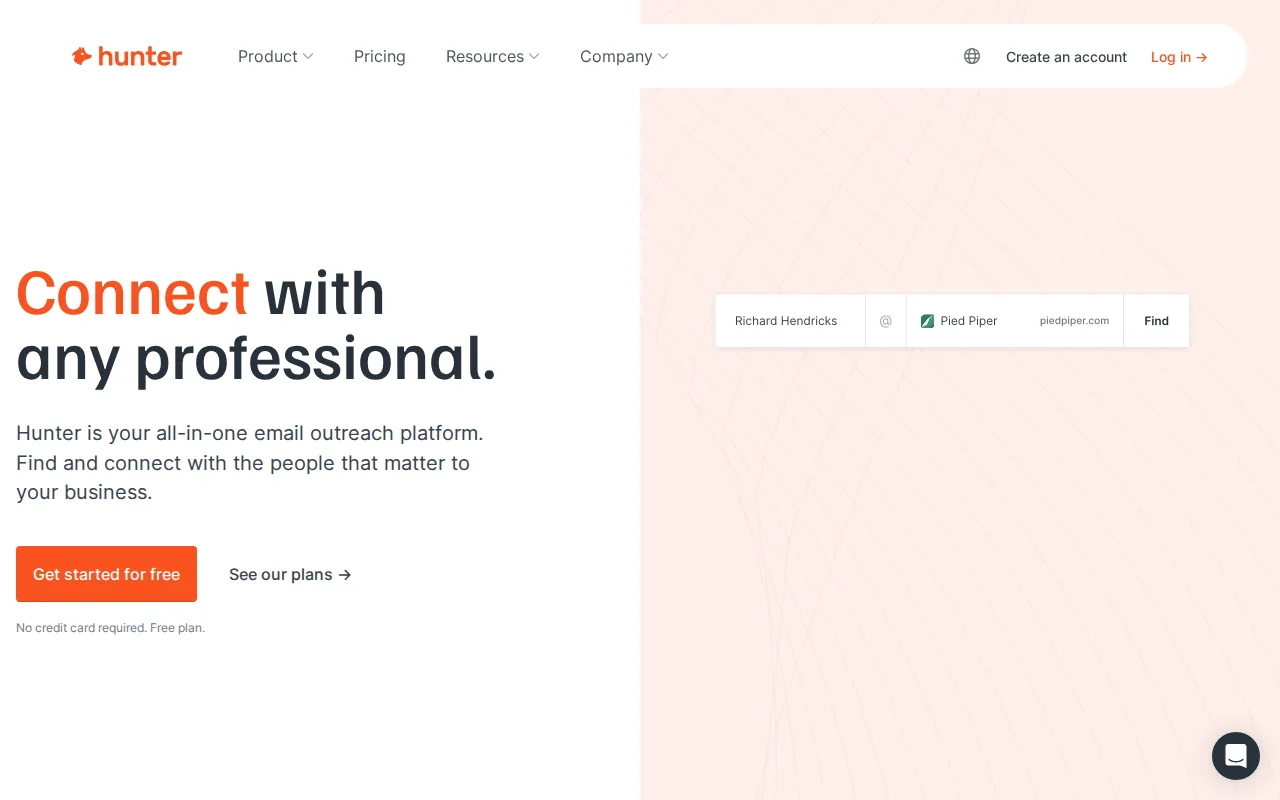
Finds and verifies the email address behind a domain, which is the step where most outreach campaigns quietly fail. A great prospect list with a 40 percent bounce rate is not a great prospect list.
The verification matters more than the finding. Sending to unverified addresses damages your domain's sending reputation, and that damage carries into every future campaign.
Pros: Verification is the best of the finders here and protects the sending domain. A free tier covers 25 searches a month, enough to test a workflow. Campaigns and sending are included on paid plans. Clean API for anyone automating the step.
Cons: It gets you to a role or a name and not always to the right person, so for larger publications you are still guessing which editor to approach. The jump from the free tier to the second paid plan is steep for the volume you gain.
For who: Anyone running stage three at volume who has been burned by bounce rates.
Pricing: Free tier, then Starter $34/month, Growth $104 and Business $209, with cheaper annual billing. Read on 6 August 2026.
7. Snov.io
The cheaper alternative with a wider feature set, covering finding, verification and a basic sending sequence in one product. For a small team this can replace both a finder and a light outreach tool.
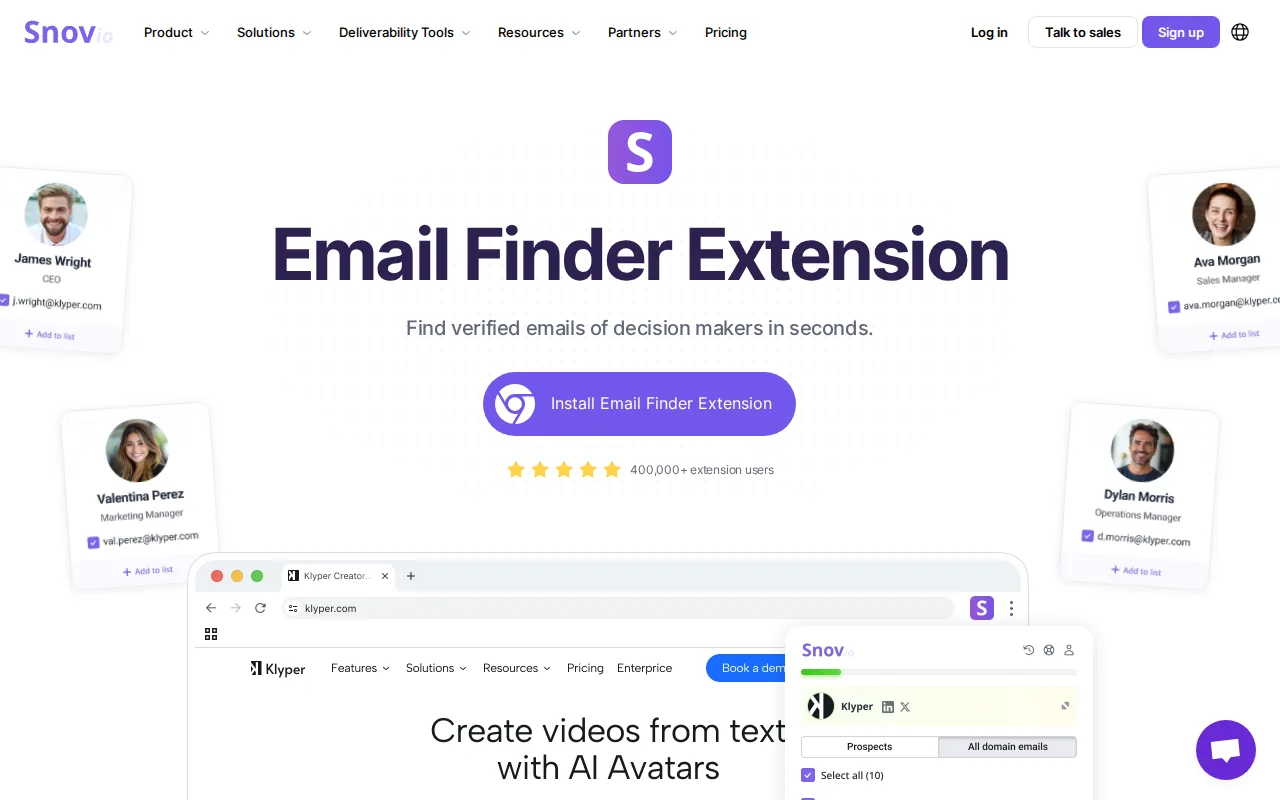
The Chrome extension is the practical way to use it, pulling contacts while you browse a prospect's site rather than in a separate batch process.
Pros: Two stages in one product at the price of a finder. The browser extension fits how prospecting actually happens. Cheapest paid entry point of the prospecting tools here. Warm-up and sending included rather than sold separately.
Cons: Deliverability tooling is thinner than a dedicated sending platform, so at real volume you will outgrow it. The interface tries to do a lot, and it is built for sales teams first and link builders second.
For who: Solo operators and small teams who want stages two and three covered by one cheap subscription.
Pricing: Starter $29/month and Pro from $74/month, with annual billing discounted. Read from its pricing page on 6 August 2026.
8. Pitchbox
The outreach platform agencies standardise on, covering prospecting, personalisation at scale, multi-step sequences, team assignment and reporting. It was built specifically for link building rather than adapted from sales software.
Its real advantage is the integrations with the research tools above, so a prospect list arrives with its metrics attached and you can filter before writing anything.
Pros: The deepest outreach workflow here, built for this job rather than borrowed from sales. Research tool integrations mean prospects arrive with metrics attached. Team assignment and reporting suit multi-person campaigns. Prices are now published rather than quote-only.
Cons: Priced for agencies, with no meaningful entry tier, so an in-house team running occasional campaigns will not recover the cost. Onboarding is a real project, and the implementation package is charged separately on monthly billing.
For who: Agencies and in-house teams running continuous outreach with more than one person on it.
Pricing: Published tiers from $210/month up to $1,200/month depending on seats and volume, with expert-led implementation charged separately unless you pay annually. Read on 6 August 2026.
9. Respona
The cleanest end-to-end workflow of the outreach tools, and the most approachable. It searches for opportunities, finds contacts, drafts the pitch and sends the sequence without leaving the app.
For a team of one or two running steady campaigns it removes more steps than anything else at its price point. The built-in article search for finding relevant pages to pitch is better than it sounds.
Pros: Opportunity search, contact finding and sending in one place, so no stitching three tools together. The friendliest interface of the outreach group. A free plan exists for testing the workflow. Credit-based tiers scale smoothly with campaign size.
Cons: The AI-written pitches need heavy editing, and sent as generated they perform like any other templated email. Costs are credit-driven, so a busy month can land well above the headline tier.
For who: Small teams who want one product covering stages two and three without an agency-scale commitment.
Pricing: Free plan, then paid tiers at $100, $160, $240, $400 and $500 a month by credit volume. Read from its pricing page on 6 August 2026.
10. BuzzStream
The relationship CRM of the group. Where Pitchbox and Respona optimise for sending volume, BuzzStream optimises for remembering who you talked to, what was said, what they wanted and what happened.
That matters if your link building is a long game with the same publications and writers over years, which is the version that compounds. Nobody else on this list does that part well.
Pros: The only real relationship history in the category, which is what repeat placements are built on. Team inboxes and shared contact records prevent two people pitching the same editor. Priced per user rather than per credit. Long track record with agencies.
Cons: The prospecting side is weaker than the alternatives and the interface shows its age. The entry plan is single-user, so a team lands on the second tier immediately.
For who: Teams building the same relationships over years rather than running one-off campaigns.
Pricing: Starter $49/month, Growth $174, Professional $424, and a custom tier starting at $999/month, with additional users charged on top. Read from its plans page on 6 August 2026.
11. Linkody
Backlink monitoring, cheap and focused. It watches the links you have, tells you when one disappears or goes nofollow, and emails you about it.
Lost link recovery is the underrated tactic here. A link you already earned that broke in a site redesign is the easiest link you will ever get back, and nobody notices these without monitoring.
Pros: Does one job and does it without ceremony. Disavow and reporting features are included rather than upsold. White label reports for agencies passing them to clients. Cheapest way to stop losing links you already paid for.
Cons: It finds no opportunities at all, so it is a maintenance tool sitting outside the acquisition problem. Its plans page builds its prices in the browser and rendered none for us on 6 August 2026, so you cannot compare it without loading the page yourself.
For who: Anyone with links worth keeping, which is anyone who has been doing this for more than a year.
Pricing: Not readable. The plans page rendered no figures for us on 6 August 2026, and we would rather say that than quote a number from somebody else's article.
12. Google Search Console
Free, and the only place you see links Google has actually recorded rather than what a third-party crawler found. The two lists differ more than people expect.
Use the top linking sites report as a reality check on paid tools, and to spot patterns of unsolicited links you did not build and might not want.
Pros: Google's own record of your links, which no paid index can claim. Free forever with no seat limits. Ties link data to the impressions and clicks those pages actually earn. Already switched on for any site you have verified.
Cons: The data is sampled and the interface is limited, so it complements a paid index rather than replacing one. It only shows your own site, so it is no help at all for competitor research.
For who: Every site, without exception, as the free baseline underneath whatever else you buy.
Pricing: Free.
13. Collaborator
A marketplace where publishers list their sites and prices and you buy a placement. It is transparent about what it is, which is more than can be said for many agencies selling the same thing.
The filtering is good, covering traffic, topic, language, price and the publisher's own stated rules, so you can build a shortlist without sending a single email. Most of what you buy there is a placement in an existing article, which is the model we cover in our guide to niche edits link building.
Pros: Skips stages one to three entirely, since the publisher has already said yes and posted a price. Filtering is the best of the marketplaces. Very strong coverage outside English-language markets. No sales process and no minimum.
Cons: These are paid links, and Google's guidelines are explicit about them, so you are accepting a risk rather than avoiding one. Prices are only visible once you are signed in, so you cannot size a campaign from the outside.
For who: Buyers who understand exactly what a paid placement is and want to choose each site themselves.
Pricing: Per placement, set by each publisher. No figures render outside the logged-in catalogue, checked on 6 August 2026.
14. FATJOE
Link building as a service rather than software. You order, they execute, links arrive, and agencies resell the whole thing white label.
The productised model is honest about scope, because you know what you are getting, at what price, in what timeframe, which is not true of most retainers. Its service list now publishes both prices and delivery windows, so an earlier note here about the pricing being approximate no longer applies.
Pros: Covers acquisition without you touching any of the four stages before it. Prices and delivery times published per product. White label, with client-ready reporting. No commitment beyond the order.
Cons: You are buying placements, with the same guideline question as any marketplace, and the quality band matches the price. Volume fulfilment means nobody is deciding which links your site specifically needs.
For who: Agencies who want a wholesale supplier they can mark up without a discovery call.
Pricing: Blogger outreach from £60, iGaming placements from £120, multilingual outreach from £200 and managed packages from £500, read from its live service list on 6 August 2026.
Which stages do you actually need?
If you are doing this yourself on one site: a research tool and nothing else, plus the free ones. Ahrefs or Semrush, Search Console, and time. Outreach software solves a volume problem you do not have yet.
If you are running steady campaigns: research, an email finder, and one outreach platform. That is around $250 a month all in, and it is the standard stack.
If your constraint is that outreach does not work for you: skip the middle three stages entirely and go to acquisition. Exchanges and marketplaces exist because cold outreach has a reply rate problem that no software fixes.
If you are an agency: Pitchbox or Respona, Ahrefs, Hunter, BuzzStream for relationships, and something in acquisition for the accounts where outreach stalls.
What none of these do
None of them make a site want to link to you. That is a function of whether you have published something worth citing, and no tool on this list writes that.
None of them write a pitch that gets a reply. Every outreach platform includes AI drafting now, and every one of those drafts reads like an outreach platform wrote it.
None of them judge whether a link is worth having. Metrics describe a domain's size and history. They do not tell you whether anyone reads it.
For the automation-specific view of this category, see our breakdown of link building automation tools that actually work. If your approach is earning links with assets rather than pitching for them, digital PR for link building is the relevant guide, and the mechanics of building backlinks automatically and tiered link building cover the two structures people ask about most. For guest posting at scale, see automated guest post outreach.
Frequently asked questions
What is the single best link building tool? Ahrefs, if you are only buying one, because research is the stage everything else depends on. But a research tool alone produces no links, so the honest answer is that "one tool" is the wrong shape for this job.
Are free link building tools worth using? Search Console is essential and free. Ahrefs Webmaster Tools is free for a site you own. Beyond those, free tools in this category are usually lead magnets with sample data, and the time you spend working around their limits costs more than a subscription.
How much should link building tools cost? A solo operator: $0 to $130 a month. A small team running campaigns: around $250. An agency: $500 to $1,500 across the stack. If you are spending more than that on software and still not getting links, the problem is in the pitch or the asset, not the tooling.
Do outreach tools actually improve reply rates? They improve throughput and tracking, not reply rates. Reply rate is determined by whether the first two sentences are specific to the recipient. Software makes it easier to send a generic email to more people, which is the opposite of what works.
Is buying links safe? It is against Google's guidelines when undisclosed, and it is widespread. The risk is real but usually overstated for small volumes on relevant sites, and usually understated for large volumes on link farms. The genuine mistake is not knowing which one you bought.
What about link exchanges? An exchange is two businesses agreeing to link to each other's content. Both sides consent and both links sit on real sites. It sidesteps the reply rate problem and the payment question, and the trade is that you do not pick the specific site. That is the model we run.