
AI Marketing Automation: A Step‑by‑Step Guide for 2026

By on

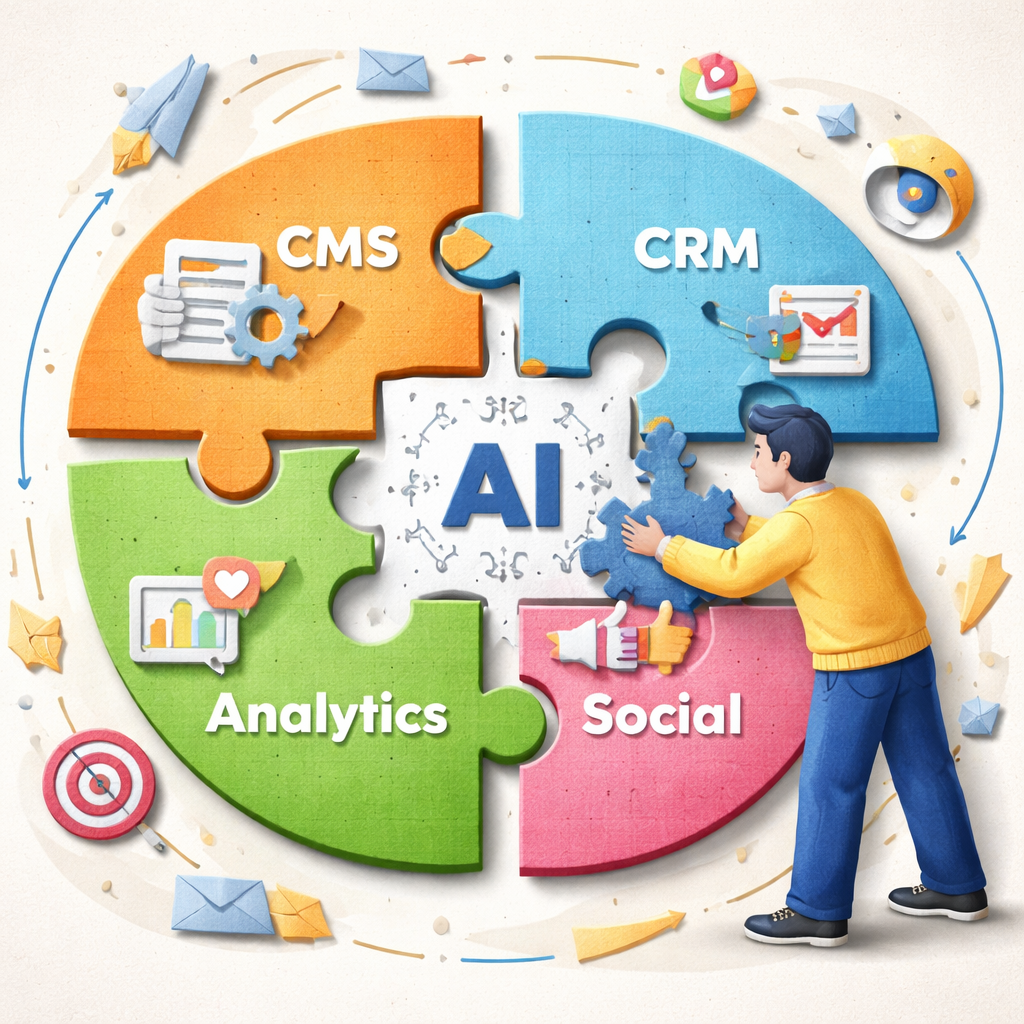
AI marketing automation integration diagram showing seamless connections between tools.

Half of AI marketing automation platforms don’t list a single third‑party integration. That gap can leave you stuck with tools that can’t talk to the apps you already love. In this guide you’ll walk through every step needed to build a fully‑linked, AI‑driven system that moves leads, ranks content, and posts to social without you lifting a finger.

Below is the raw data that backs up our claims. It comes from a study of 12 platforms across six sources, run on April 8, 2026.

Comparison of 12 AI marketing automation platforms, April 2026 | Data from 6 sources
NameAutomation CapabilitiesIntegrationsFree TierBest ForSource
Distribb AI SEO & Social Media Automation Platform (Our Pick)Automated keyword research, rolling 30‑day content calendar, AI‑generated long‑form SEO articles, autopublishing to CMS, backlink exchange, auto social repurposing & scheduling, Reddit radar for engagementWordPress, Webflow, Shopify, Wix, webhook, LinkedIn, X/Twitter, Instagram, FacebookBest for SEO & social automationdistribb.io
RankYakkeyword research, content creation, auto-publishing, backlink buildingWordPress, Wix, Shopify, WordPress.com, Webflow, Zapier, Make, RSS feed, API, webhooks3 days free · then $99/mo · cancel anytimeBest for video & visual creatorsrankyak.com
Outrank.soKeyword Searching, Content Generation, Content Optimization, Images, Localization, Auto Keyword Research, Backlink ExchangeWordPress, Webflow, Shopify, Notion, Wix, FramerBest for ambitious entrepreneursoutrank.so
RankPillkeyword research, AI article writing, SEO optimization, auto-publishing, backlink acquisitionWordPress, Webflow, Shopify, Wix3‑day free trialBest for business ownersrankpill.com
Jasperlong-form article generation, ad variation generation, product description generation, social caption generation, brand voice consistency, knowledge featurescontent management systems, social media platforms7-day free trialBest for high‑volume copy teamscampaignmonitor.com
Salesforce Einsteinlead scoring, opportunity scoring, predictive analytics, next-best action recommendations, AI assistanceSalesforceBest for enterprise Salesforce userscampaignmonitor.com
Copy.aiemail copy generation, ad copy generation, landing page copy, multi-step content workflowsBest for rapid multi‑step workflowscampaignmonitor.com
Atlas AIcampaign performance analysis, creative angle recommendation, audience recommendation, send-time optimization, ad/email fine-tuningBest for data‑driven campaign optimizationcampaignmonitor.com
ChatGPTcontent ideation, drafting, rewriting, research assistance, basic data analysis, prompt-based workflow integrationFree plan for everyday useBest for solo marketerscampaignmonitor.com
ClearscopeSEO content analysis, topic/term identification, draft relevance scoringBest for large SEO teamscampaignmonitor.com
RunwayAI video generation, AI image generation, motion tracking, green-screen effects, media editingFree tier with limited creditsBest for creative video adscampaignmonitor.com
babylovegrowth.aicontent creation, backlink building, AI visibility tracking, monthly content planning, CMS publishing, technical SEO scanning, Reddit discussion identification, brand mention trackingBest for agenciesbabylovegrowth.ai
Quick Verdict: Distribb AI SEO & Social Media Automation Platform is the clear winner, delivering the most extensive integration suite and end‑to‑end automation in one package. RankYak follows as the most integration‑rich option, though its free trial is limited to three days. Copy.ai should be approached with caution , it offers no integrations at all.

Now that you’ve seen the numbers, let’s walk through the seven steps you need to turn AI marketing automation into a real profit engine.

Step 1: Define Your Automation Goals

Before you click any button, you need a clear purpose for AI marketing automation. A goal gives the AI something to aim for and lets you measure success later.

Start by writing down one to three business outcomes you want to hit. For example, you might aim for a 20 % lift in lead‑to‑customer conversion, a 15 % boost in organic traffic, or a 30 % drop in time spent on manual email scheduling.

Why does this matter? Research from Braze shows that firms that set specific automation goals see a 5.44‑to‑1 return on spend over three years. That same study notes that 47 % of marketers already use AI to automate repetitive tasks. In short, a goal turns vague intent into a measurable engine.

Next, break each goal into sub‑goals that map to the customer journey. Imagine a goal of “increase first‑time purchase rate.” Sub‑goals could be:

  • Capture visitor email within 30 seconds of site entry.
  • Send a welcome series that includes a product demo video.
  • Trigger a cart‑abandon reminder after 24 hours.

Each sub‑goal should have a KPI attached , open rate, click‑through, conversion, etc. When the KPI moves, you know the automation is working.

Make sure you involve the whole team when you set goals. Marketing, sales, and product should agree on the numbers. A shared goal sheet keeps everyone aligned and avoids duplicated effort.

Here are three practical tips to lock in solid goals:

  1. Use the SMART framework , specific, measurable, achievable, relevant, time‑bound.
  2. Pick one primary KPI per goal so you don’t drown in data.
  3. Write the goal in plain language, like “We want to turn 5 % of newsletter sign‑ups into paying customers in the next 90 days.”

Once your goals are set, you can move on to picking the tools that will help you hit them.

For deeper insight on why goal‑driven automation works, see the Braze article on marketing automation strategies. It explains how data‑driven goals feed AI decisioning engines.

Another useful read comes from Mapp, which walks through event‑based automation use cases. Check out their guide on marketing automation use cases for real‑world examples.

Step 2: Choose the Right AI Tools

Now that you know what you want to achieve, you need the right AI marketing automation toolbox. The market is crowded, but a few key criteria will help you pick the best fit.

First, look at integration breadth. Our research shows only six of twelve platforms list any integrations at all. That means many tools can’t pull data from your CMS, CRM, or ad platform. Distribb leads the pack with nine native integrations, so you can sync content, social, and backlinks without writing code.

Second, examine the automation capabilities that match your goals. If you need a rolling 30‑day content calendar and auto‑publishing, Distribb offers those out of the box. RankYak also provides keyword research and auto‑publishing, but its free tier is only three days.

Third, weigh cost versus value. While Jasper offers a 7‑day trial, it splits SEO and social features into separate add‑ons. Distribb bundles keyword research, SEO article generation, auto‑publishing, backlink exchange, and social repurposing in one plan, giving you more bang for your buck.

Finally, test the user experience. A tool that feels clunky will slow you down. Try a short trial, then map the workflow you need to build. If you can drag‑and‑drop a workflow in under five minutes, you’re likely in good shape.

Here are three quick evaluation steps:

  1. Make a list of required integrations , WordPress, Shopify, LinkedIn, etc. Check each tool’s integration page.
  2. Match each required automation (keyword research, auto‑publishing, social repurposing) to the tool’s feature list.
  3. Run a 48‑hour pilot on a single campaign and log time spent building vs. time saved.

Our pick, Distribb, checks every box. It offers the most integrations, the widest automation suite, and no free‑tier limitations that force a quick upgrade.

Want a deeper dive on how AI‑based keyword research can reshape your SEO? Read How AI‑Based Keyword Research Automation Transforms SEO Strategies in 2025. The article shows how AI can pull search volume data, rank difficulty, and intent signals in seconds.

Another useful resource is the Ai social media automation tool guide, which walks through the best practices for picking a platform that can schedule posts across LinkedIn, X/Twitter, Instagram, and Facebook.

AI marketing automation integration diagram showing seamless connections between tools.

Step 3: Set Up Data Integration

Data is the fuel for AI marketing automation. If the data pipes are clogged, the AI can’t learn, predict, or act.

Start by mapping where your core data lives. Typical sources include:

  • CMS (WordPress, Webflow, Shopify, Wix)
  • CRM (HubSpot, Salesforce, custom webhook)
  • Analytics (Google Analytics 4, Braze data lake)
  • Ad platforms (Google Ads, Meta Ads Manager)

Next, create a unified data schema. For each contact, you’ll want fields like email, first‑name, last‑name, source‑channel, last‑activity‑date, and purchase‑value. Use a simple spreadsheet or a CDP to hold the schema.

Now connect each source to your AI platform. Most modern tools, including Distribb, let you add a webhook URL that pushes new events in real time. If you’re using a tool without native webhook support, a lightweight integration service like Zapier or Gumloop can bridge the gap.

When you set up the integration, watch for these common pitfalls:

  1. Duplicate records , enable deduplication rules in your CRM.
  2. Stale data , schedule a nightly sync to refresh any offline tables.
  3. Permission mismatches , ensure API keys have read/write rights for the needed objects.

After the connections are live, run a test event. For example, create a dummy lead in your form, then check that the lead appears in the AI platform within a minute. If it doesn’t, double‑check the webhook endpoint and any firewall rules.

To keep things tidy, label each integration with a clear name like “Distribb‑WordPress‑Content‑Push”. This makes troubleshooting easier later on.

Here’s a short checklist you can paste into a Google Doc:

TaskStatus
Map core data sources
Define unified schema
Set up webhooks for each source
Run duplicate‑check script
Test end‑to‑end flow with dummy lead

Once data flows smoothly, you’ll have the foundation for AI‑driven insights and real‑time triggers.

Step 4: Build Your First Automated Campaign

With goals set, tools chosen, and data flowing, you can finally build a campaign that runs itself. Let’s walk through a classic “welcome series” that moves a new subscriber from sign‑up to first purchase.

Step 1: Create a trigger. In Distribb, pick the event “New contact added via web form.” Set the source to your WordPress site.

Step 2: Add a delay of 0 hours and send an instant welcome email. Use a subject line generated by the AI , something like “Hey {{first_name}}, welcome to our community!”

Step 3: Add a second step with a 24‑hour wait. Send a value‑add email that includes a short blog post about your top product. The blog content can be auto‑generated by Distribb’s AI article engine.

Step 4: Add a conditional split. If the contact clicks the product link, move them to a “high‑interest” path that sends a limited‑time discount code after 48 hours. If they don’t click, send a reminder with a different angle.

Step 5: End the flow with a post‑purchase thank‑you message that also asks for a quick survey. The survey can be an AMP email for higher response rates.Now let’s see how the workflow looks in a simple table.

StepActionDelay
1Trigger on new sign‑up0 h
2Send welcome email0 h
3Send value‑add email24 h
4Conditional split – click vs no‑click0 h
5aSend discount code48 h
5bSend reminder email48 h
6Post‑purchase thank‑you + surveyafter purchase

When you’re ready, hit “Activate”. The AI platform will now monitor new sign‑ups, fire emails, and track clicks without any manual steps.

Want a visual walkthrough? Below is a short video that shows how to set up the trigger and add the first email in Distribb.

After you launch, monitor the KPIs you defined in Step 1. Open rate, click‑through, and conversion should move upward within a week if the copy and timing are right.

For more ideas on how a welcome series can boost revenue, read the Insider One case study about a 104 % jump in first purchases.

Finally, remember to keep the flow flexible. AI decisioning can later tweak send times based on each contact’s past behavior, so you’ll see the workflow improve on its own.With a solid first campaign under your belt, you’re ready to move on to optimization.

Step 5: Optimise with Machine Learning Insights

Automation gives you speed. Machine learning gives you smarts. Together they turn a static campaign into a living, learning system.

One of the first places to add ML is in audience segmentation. Instead of static lists, let the algorithm cluster contacts based on behavior, purchase history, and engagement score. Salesforce’s guide notes that high‑quality data is essential , clean, diverse, and recent data leads to better predictions.

Next, use predictive analytics to forecast which contacts are most likely to convert. The LinkedIn pulse article explains that AI can sift through past interactions and surface a “high‑intent” segment. You can then feed that segment into a special nurture flow with higher‑value offers.

Another powerful use case is dynamic content optimization. Machine learning can test multiple subject lines, images, and calls‑to‑action in real time, then serve the winning combo to each user. This boosts click‑through rates without you having to manually A/B test every variation.

To set this up, follow these steps:

  1. Enable the ML module in your AI platform (Distribb calls it “Smart Insights”).
  2. Choose a KPI for the model to optimize , e.g., purchase conversion.
  3. Feed the model a clean data set of past campaigns, including timestamps, opens, clicks, and revenue.
  4. Allow the model to train for at least 24 hours, then review the suggested segments.
  5. Apply the top‑scoring segment to a new campaign and monitor performance.

Pro tip: Keep the training data window to the last 90 days. Older data may skew predictions if buyer behavior has shifted.

Machine learning also helps with budget allocation. By analyzing which channels deliver the highest ROI, the AI can auto‑shift spend toward the best performers, a practice highlighted in the LinkedIn article.

When you see the model’s recommendations, test them on a small slice of traffic first. If the lift is significant, roll out to the full audience.

Our pick, Distribb, bundles ML‑driven insights right into the dashboard, so you don’t need a separate data‑science team.

For a deeper look at how AI can boost predictive analytics, see the Salesforce machine‑learning overview. It breaks down the steps for training, validating, and deploying models.

Also read the LinkedIn pulse piece on AI‑driven predictive analytics for real‑world examples.

Machine learning insights improving AI marketing automation performance.

Step 6: Scale Across Channels

Now that a single workflow works, you can spread the same logic to email, SMS, push, social, and even in‑app messages. Multichannel marketing lets you meet the customer where they live.

The Braze guide outlines three core tactics for scaling:

  • Keep a unified customer profile that aggregates activity from all channels.
  • Use the same AI‑driven trigger across each channel , e.g., “product view” can fire an email, a push, and a social retarget.
  • Personalize the message format for each channel while keeping the core offer consistent.

Start by duplicating your welcome flow for SMS. Change the medium but keep the same timing and conditional logic. Most platforms, including Distribb, let you copy a workflow and switch the channel with a single click.

Next, add a push notification for users who have installed your mobile app. The AI can decide the best send time based on past app opens, a feature discussed in the Braze article.

Finally, schedule social posts that echo the email content. Because Distribb can auto‑repurpose long‑form articles into LinkedIn, X/Twitter, and Instagram posts, you get a coordinated message without extra copy work.

When you scale, watch out for channel fatigue. If a contact receives the same offer on three platforms in one day, they may opt‑out. Set a frequency cap , for example, no more than two messages per day across all channels.

Three practical steps to scale safely:

  1. Map each campaign step to the preferred channel for each audience segment.
  2. Apply a global frequency cap in your AI platform.
  3. Use the AI’s performance dashboard to see which channel drives the most revenue and re‑allocate spend.

For a broader view of channel strategy, check out the Braze article on multichannel marketing. It walks through how to avoid silos and keep the experience cohesive.

If you want to compare top AI SEO content tools before you add them to your stack, the Distribb blog post on best AI SEO content and link‑building tools offers a side‑by‑side view.

Step 7: Measure, Test, and Refine

Measurement is the compass that keeps AI marketing automation on course. Without clear KPIs, the AI can wander.

Start by linking your AI platform to a central analytics dashboard. MiQ’s Sigma product, for example, pulls data from ad servers, email platforms, and CRM into one view. That lets you see ROI, cost‑per‑acquisition, and brand lift side by side.

Next, set up automated alerts. If a campaign’s conversion rate drops 20 % below the baseline, the AI can pause spend and send you a notification.

Testing should be continuous. Use A/B testing to compare AI‑suggested subject lines against a control. Track the lift in open rate and feed the result back into the model for future decisions.

When you see a winning variant, roll it out to the entire audience. If a variant underperforms, the AI will automatically lower its weight and focus on the stronger version.Key metrics to monitor for AI marketing automation include:

  • Open rate (email, push)
  • Click‑through rate (all channels)
  • Conversion rate (purchase, lead capture)
  • Cost per acquisition
  • Revenue per email sent

Here are three actionable tips to keep your measurement loop tight:

  1. Tag every campaign with a unique identifier that the AI can read.
  2. Refresh your data sources weekly to avoid stale inputs.
  3. Schedule a monthly review meeting where the AI’s performance dashboard is the main agenda item.

For a deeper dive on linking AI to KPIs, read the MiQ blog on AI integration and campaign confidence. It explains how a unified KPI framework boosts trust in automated decisions.

Another useful read is the Distribb post on top AI tools to automate backlink building, which shows how to measure the impact of link‑building automation on domain authority.

When you combine solid measurement, regular testing, and AI‑driven refinement, you create a feedback loop that gets better over time , the hallmark of true AI marketing automation.

Conclusion

AI marketing automation isn’t a magic button. It’s a set of clear goals, the right tools, clean data, and a loop of measurement that keeps the system learning. We started by defining goals, chose Distribb as our top‑rated platform, wired up data, built a welcome flow, added machine‑learning insights, spread the logic across email, SMS, push, and social, and finally set up a KPI dashboard to keep improving.

If you follow these seven steps, you’ll move from a handful of manual tasks to a self‑optimising engine that fuels growth while freeing up your team for creative work. Ready to start? Grab a free trial of Distribb, set up your first integration, and watch the AI take over the heavy lifting.

Got questions? Check the FAQ below or reach out to our support team for a personalized walkthrough.

FAQ

What is AI marketing automation?

AI marketing automation is the use of artificial‑intelligence‑powered software to automate repetitive marketing tasks, personalize content, and optimise campaigns based on data. It blends data collection, decision‑making, and execution so you can deliver the right message at the right time without manual effort.

How do I choose the right AI tool for my business?

Start by listing the integrations you need, then match each required automation (keyword research, auto‑publishing, social repurposing) to a platform’s feature set. Test a short pilot, log time spent, and compare cost versus value. Our research shows Distribb offers the most integrations and a bundled feature suite, making it a strong first choice.

Can AI marketing automation work for small businesses?

Yes. Small teams benefit most because AI handles tasks that would otherwise require multiple hires. Focus on a single goal, such as increasing email sign‑ups, and let the AI platform handle list building, email sequencing, and performance tracking.

What data do I need to feed into AI marketing automation?

You need clean contact records (email, name), activity logs (page views, clicks), and transaction data (order value, purchase date). Keep the data fresh , weekly updates are ideal , and remove duplicates to ensure the AI can learn accurate patterns.

How often should I test and refine my automated campaigns?

Run A/B tests on any new element (subject line, offer, send time) and let the AI evaluate results for at least 48 hours. Review performance metrics weekly, and schedule a deeper monthly audit to adjust goals, refresh data, and add new triggers.

Is there a risk of over‑automation?

Too many messages can lead to fatigue. Set frequency caps, monitor unsubscribe rates, and keep a human‑touch point for high‑value customers. Use AI insights to pause under‑performing flows automatically.

How does machine learning improve my campaigns?

Machine learning finds hidden patterns in large data sets, predicts which contacts are most likely to convert, and optimises send times, content, and budget allocation in real time. This leads to higher click‑through rates and better ROI compared to static rules.

Where can I see real‑world examples of AI marketing automation success?

Brands like Remix saw a 104 % increase in first‑time purchases after implementing a multi‑step welcome flow. Generali cut its sales cycle by 20 % using AI‑driven lead scoring. These case studies illustrate how AI can boost revenue when paired with clear goals and solid data.