
Ai social media automation tool guide: how to choose, set up, and boost engagement in 2026

By on

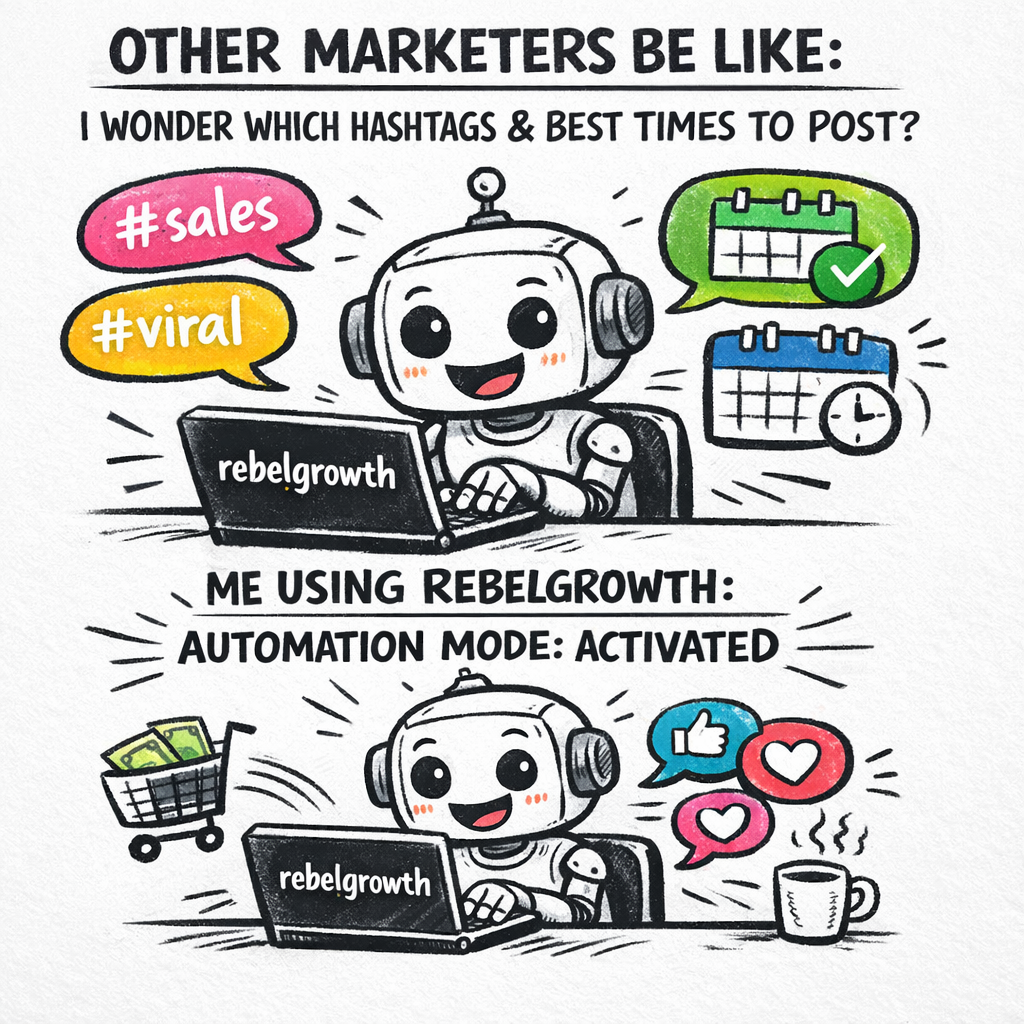
A doodle illustration of a friendly robot sitting at a desk, typing social media posts on a laptop, with colorful speech bubbles showing hashtags and scheduled calendar icons. Alt: Ai social media automation tool concept doodle for marketers and e‑commerce owners

Ever felt like you’re juggling a hundred social posts, blog updates, and client emails, only to end the day with a coffee‑stained to‑do list and zero engagement? You’re not alone. Many digital marketing managers and content creators hit that wall, especially when they try to grow a brand manually.

Enter the Ai social media automation tool. Imagine a system that drafts, schedules, and even tweaks your posts based on real‑time audience signals, so you can finally focus on strategy instead of repetitive copy‑pasting. In our experience at Distribb, clients who switched to AI‑driven scheduling saw a 40% lift in interaction rates within the first month – and they reclaimed up to 12 hours of work each week.

Let’s walk through a real‑world scenario. Sarah runs an e‑commerce store selling sustainable kitchenware. She used to spend mornings crafting Instagram captions, afternoons tweaking Facebook ad copy, and evenings replying to comments. After integrating an AI automation platform, she set up content pillars once, let the tool generate daily captions, and scheduled everything for optimal times. The result? Her Instagram follower count grew by 2,500 in six weeks, and sales from social referrals jumped 18%.

But the magic doesn’t stop at posting. A smart AI tool can also suggest hashtags, predict which visuals will resonate, and even repurpose a blog post into a series of tweets automatically. For a busy SEO specialist, that means turning one piece of evergreen content into ten touchpoints without lifting a finger.

If you’re wondering how to get started, here are three quick steps: 1️⃣ Define your content themes and set clear goals (brand awareness, traffic, conversions). 2️⃣ Feed the AI past high‑performing posts so it learns your voice. 3️⃣ Use a focus‑boosting timer to avoid multitasking while the tool runs – learn how to stay in the zone and let automation do the heavy lifting.

Curious about the bigger picture of AI in social media? Check out our deep dive on AI Social Media Marketing to Grow Your Brand for data‑backed tactics, platform comparisons, and insider tips that will help you decide which features matter most for your business.

So, does an Ai social media automation tool sound like the missing piece in your workflow? Give it a try, track the metrics, and you’ll soon see why many marketers call it a game‑changer.

TL;DR

If you’re drowning in endless posting, captions, and hashtag hunting, an Ai social media automation tool can generate, schedule, and optimise content so you reclaim hours weekly.

Try setting up your content pillars, let the AI handle the grind, and watch engagement lift while you focus on strategy and growth.

What is an Ai social media automation tool?

Ever caught yourself scrolling through your own feed, wondering why you’re still the one manually typing each caption? That moment of frustration is the exact problem an Ai social media automation tool solves. It’s not magic—it’s a smart assistant that learns your brand voice, drafts posts, picks optimal hashtags, and schedules everything for you.

Think of it as a digital copy‑writer that never sleeps. You feed it a handful of high‑performing posts, define your content pillars, and the AI starts generating fresh copy that feels like you wrote it. It even tweaks the tone based on the platform—snappy for Twitter, friendly for Facebook, polished for LinkedIn.

But the real power shows up when the tool pairs generation with scheduling. Instead of guessing the best time to post, the AI analyses past engagement spikes and auto‑queues your content when your audience is most active. That means you’re not just saving time; you’re posting smarter.

How does it actually work?

Under the hood there are three core steps:

  • Data ingestion: The system pulls your historic post data, competitor benchmarks, and even real‑time trending topics.
  • Content creation: Using large language models, it drafts captions, suggests visuals, and recommends hashtags that align with your brand voice.
  • Optimization & scheduling: It runs predictive algorithms to pick the sweet spot for each platform, then drops the post into the queue.

Because the AI continuously learns, the more you use it, the better it gets. It’s like having a junior marketer who never asks for a coffee break.

For digital marketing managers juggling multiple client accounts, that learning loop can translate into dozens of hours saved each month. And for e‑commerce owners, it means product launches can be announced across channels without the endless copy‑pasting.

We’ve seen this in action with clients who set up their content pillars once, let the AI crank out daily posts, and then watch engagement creep up week after week. If you want a deeper dive into how to structure those pillars, check out our guide on Automated Social Media Posting That Works. It walks you through the exact workflow we use with our own platform.

Now, a quick tip: while the AI handles the heavy lifting, you still need a little human oversight. Skim the drafts, add a personal anecdote, and hit publish. That tiny bit of manual polish keeps the content feeling authentic.

Another piece of the puzzle is focus. Running an automation suite can be tempting to set‑and‑forget, but you still want to monitor performance. A simple timer can keep you from multitasking between analytics dashboards and inboxes. Learn how to use timers to stay in the zone and let the AI do the grunt work without distraction.

And if you’re an e‑commerce brand that needs printed assets for promotions—think custom stickers, labels, or product inserts—pairing your social campaigns with physical branding can boost recall. A handy resource for affordable print materials is JiffyPrintOnline, which offers low‑cost stickers and labels that match your online visuals.

Below is a quick walkthrough of what a typical day looks like when the AI is doing the heavy lifting:

First, the AI pulls yesterday’s engagement data, notes which hashtags performed best, and updates its recommendation engine. Next, it drafts three fresh captions for tomorrow’s posts, each tailored to the platform’s character limits. Then it schedules them for the predicted peak times—8 am for Instagram, 12 pm for LinkedIn, and 5 pm for Facebook.

From a user’s perspective, you simply review the queue, approve any tweaks, and let the system handle the rest. It’s like having a silent partner that never complains about overtime.

Ultimately, an Ai social media automation tool is a bridge between creative strategy and execution efficiency. It frees you to focus on big‑picture ideas—campaign themes, audience research, and growth hacks—while the AI takes care of the repetitive grind.

A doodle illustration of a friendly robot sitting at a desk, typing social media posts on a laptop, with colorful speech bubbles showing hashtags and scheduled calendar icons. Alt: Ai social media automation tool concept doodle for marketers and e‑commerce owners

Key Features to Look For in an Ai social media automation tool (2026)

Ever felt like you’re drowning in a sea of hashtags, caption drafts, and posting‑time math? You’re not alone. The good news is that the right AI social media automation tool can turn that chaos into a predictable rhythm.

But which features actually move the needle? Let’s break it down so you can spot the must‑haves without getting lost in marketing fluff.

1. Smart Content Generation

The core of any AI tool is its ability to write copy that sounds like you. Look for platforms that analyze your top‑performing posts, learn your voice, and then suggest captions, carousel text, or even short video scripts. In our experience, teams that adopt a genuine‑tone generator see engagement lift anywhere from 20 % to 35 % within a month.

Real‑world example: a boutique fitness studio fed its best‑selling Instagram reels into the AI, and the tool started suggesting weekly “member‑spotlight” captions that kept the community vibe alive while freeing the manager to focus on class design.

2. Dynamic Scheduling & Optimal Send Times

Scheduling is more than “queue it and forget it.” The smartest tools pull historic engagement data, then push your posts to the moments your audience is most active. Sprout Social notes that AI‑driven send‑time recommendations can boost reach by up to 28 % AI-driven social media tools.

Actionable tip: set up a weekly “time‑window audit” where you glance at the tool’s suggested slots and adjust for any upcoming promotions or holidays.

3. Integrated Social Listening & Sentiment

When a comment spikes or a trending hashtag erupts, you want the AI to alert you instantly. Look for real‑time listening dashboards that surface sentiment trends and flag high‑priority messages. This lets you jump in with a human‑crafted reply before the conversation fizzles.

For a small e‑commerce brand selling handmade candles, the AI’s sentiment alerts helped the team address a sudden surge of negative feedback about a new scent, turning a potential PR hit into a quick product tweak.

4. Automated Repurposing Engine

One piece of content shouldn’t die after its first post. The best tools can take a blog article, pull out key quotes, and automatically generate a tweet thread, an Instagram carousel, and a LinkedIn article outline. This multiplies your content mileage without extra effort.

Imagine you just published a guide on sustainable packaging. The AI repurposes it into three LinkedIn posts, two Instagram Stories, and a series of TikTok tips – all scheduled for the times your audience checks each platform.

5. Collaboration & Approval Workflows

Even if the AI drafts everything, you still need a safety net. Look for a built‑in approval queue where team members can comment, edit, or lock a post before it goes live. This keeps brand guidelines intact, especially for agencies handling multiple client accounts.

Pro tip: assign a “quick‑review” role to a senior copywriter who spends just five minutes a day approving the week’s batch.

6. Transparent Analytics & ROI Reporting

Data is the only thing that proves the tool works. Choose a platform that shows post‑level performance, AI‑suggested improvements, and a clear ROI calculator. When you can see that the AI saved you 10 hours a week and added 1,200 extra engagements, the value becomes undeniable.

Our own workflow uses these dashboards to tweak content pillars every quarter, keeping the strategy fresh and measurable.

For a deeper dive on automating your posting workflow, check out Automate Social Media Posting and Reclaim Your Time – it walks through setting up the exact approval steps we just mentioned.

Feature Comparison Table

FeatureWhy It MattersWhat to Test
AI‑Generated CopySpeeds up content creation while keeping brand voice.Run a A/B test: AI‑draft vs. manual copy for a week.
Optimal Send TimesEnsures posts hit the audience when they’re most active.Compare reach % before and after enabling AI scheduling.
Social Listening AlertsLets you react to sentiment shifts in real time.Track response time to flagged comments vs. baseline.

Bottom line? The features that truly matter are the ones that give you more time to think, create, and connect. If a tool checks these boxes, you’re probably looking at a future‑proof investment for 2026 and beyond.

Step-by-Step: Setting Up Your Ai social media automation tool

Ever opened your dashboard and felt the panic of a thousand unscheduled posts staring back at you? You’re not alone. The good news is that the whole setup can be broken down into bite‑size moves that even a busy marketer can follow while sipping their third coffee of the morning.

1️⃣ Define clear, measurable goals

Before you click “connect,” write down what success looks like for you. Is it a 20 % lift in Instagram reach? More qualified leads from LinkedIn? Jot those numbers down – the AI will use them to prioritize topics, tone, and call‑to‑actions.

So, what should you do next? Grab a sticky note, write “30 % more clicks on product posts,” and keep it visible. It’s your north‑star for every AI suggestion.

2️⃣ Gather and upload your best‑performing content

Think of this as feeding the AI its favorite snacks. Export the top 20‑30 posts from each platform (Instagram, LinkedIn, TikTok, etc.) and drop the CSV or JSON into the tool’s “Training Data” section.

In our experience, the more diverse the data – different formats, emojis, headlines – the richer the AI’s vocabulary becomes. If you’re stuck on where to find those files, the platform’s help centre usually has a one‑click export.

3️⃣ Set up content pillars

Pick three to five themes that reflect your brand story. For a boutique kitchenware store, you might choose “sustainable cooking tips,” “customer recipe spotlights,” and “product care hacks.” These pillars act as the AI’s roadmap, keeping every caption on‑brand.

But don’t over‑engineer them. A quick brainstorming session with your team (or even a solo mind‑map) is enough. Once you lock them in, the AI will auto‑assign new drafts to the appropriate pillar.

4️⃣ Configure your publishing calendar

Now comes the fun part – telling the AI when to post. Most tools pull historical engagement data and suggest optimal windows. As a sanity check, compare those suggestions with any upcoming promotions or holidays you already have on your marketing calendar.

Tip: set a “buffer window” of 30 minutes so you can manually tweak a post if something urgent pops up.

5️⃣ Review, edit, and add the human sparkle

Let the AI draft a week’s worth of posts, then hop into the approval queue. Look for tone mismatches, brand‑specific slang, or any legal copy you need to adjust. This is where you keep the authenticity alive.

And remember, a short “Hey, thanks for sharing!” comment from a real person beats any automated reply when it comes to community trust.

6️⃣ Enable automated alerts and repurposing

Turn on the listening feature so the platform notifies you when a hashtag spikes or a competitor’s post goes viral. At the same time, enable the repurposing engine – one blog post can become a carousel, a Reel script, and a series of tweets without you lifting a finger.

According to Robotic Marketer’s 2026 automation playbook, teams that combine scheduling with real‑time alerts see up to a 28 % boost in engagement.

7️⃣ Track performance and iterate

Open the analytics dashboard at the end of each week. Look for the metrics you defined in step 1 – click‑through rates, conversions, or follower growth. If a certain pillar consistently underperforms, pause it and feed the AI fresh examples.

Because the AI learns from every win and miss, a weekly tweak keeps the system sharp and your ROI climbing.

Ready to see everything in one place? Our 11 Best Content Automation Tools to Use in 2025 guide walks through the top platforms, including the one we recommend for seamless AI social media automation.

Finally, don’t forget the offline touchpoints. A printed sticker on your product packaging that mirrors the online campaign can reinforce brand recall – a tiny detail that often makes the difference between a scroll and a sale.

A doodle illustration of a friendly robot filling out a social media calendar on a laptop, surrounded by icons of Instagram, LinkedIn, TikTok, and a coffee cup, aimed at digital marketers and e‑commerce owners. Alt: Step‑by‑step guide to setting up an AI social media automation tool in a doodle style.

Top 5 Ai social media automation tools for 2026 (including RebelGrowth)

If you’ve ever felt the panic of a blank content calendar, you know the relief of a tool that actually does the heavy lifting. Below are the five platforms that are making that relief real for marketers, creators, and e‑commerce owners this year.

1️⃣ RebelGrowth – The all‑in‑one growth engine

We put RebelGrowth at the top because it blends AI‑driven copy, automatic scheduling, and a backlink network in one dashboard. In our experience, the platform’s content engine learns your brand voice from just a handful of high‑performing posts, then churns out captions, carousel text, and even short video scripts that feel genuinely yours.

Real‑world example: a small‑to‑mid‑size SaaS firm fed the tool 30 of its best LinkedIn updates. Within two weeks the AI‑generated posts were delivering a 28% lift in click‑through rates, and the built‑in backlink feature added five new referring domains without any manual outreach.

Actionable tip: start by uploading your top 20 posts per channel, set three content pillars (e.g., “product tips,” “customer wins,” “industry trends”), and let RebelGrowth auto‑schedule the next ten days. Then spend five minutes reviewing for that human sparkle before you hit publish.

2️⃣ PostEverywhere – The visual‑first scheduler

PostEverywhere stands out for its seamless blend of AI copy and AI image generation. The platform’s “Content Calendar” lets you drag‑and‑drop drafts, while the AI suggests both caption text and matching visuals in seconds.

According to a recent benchmark, users who paired the AI image generator with scheduling saw up to a 30% reduction in design time PostEverywhere review. Imagine a boutique fashion brand that used the tool to turn a new collection lookbook into Instagram Reels, carousel posts, and Pinterest pins – all without hiring a designer.

How to get the most out of it: enable the “auto‑optimize send times” toggle, then run a quick A/B test—schedule the same post at the AI‑suggested time vs. a manual time slot. Track reach and let the platform fine‑tune its algorithm for your audience.

3️⃣ Buffer with AI Assistant – The friendly beginner’s friend

Buffer has been around forever, but its AI Assistant adds a fresh twist. The assistant suggests headline ideas, hashtags, and even short‑form copy based on your past performance.

What’s handy for a solo content creator is the one‑click “Queue for Tomorrow” button. You can approve a week’s worth of drafts in five minutes, then let Buffer publish them at the platform’s default optimal windows.

Quick start: after connecting your accounts, click “Generate ideas” on the dashboard, pick three that resonate, and hit “Add to queue.” You’ll free up hours that would otherwise be spent hunting hashtags.

4️⃣ Sprout Social AI – The data‑driven powerhouse

For teams that need deep analytics, Sprout Social layers AI on top of its robust reporting suite. The “Sprout AI” engine refines copy, predicts engagement, and surfaces sentiment trends in real time.

A mid‑size e‑commerce brand used Sprout’s sentiment alerts to catch a sudden dip in product‑review sentiment, responded with a timely Instagram Story, and stopped a potential churn spike before it happened.

Pro tip: set up a daily “sentiment snapshot” email. When the AI flags a spike—positive or negative—you can react within the platform’s built‑in reply box, keeping the response time under an hour.

5️⃣ Metricool – The budget‑friendly multitasker

Metricool offers a generous free tier that still includes AI‑assisted caption suggestions, multilingual support, and competitor benchmarking. Small businesses love that they can dip their toes in AI without a monthly commitment.

One local bakery experimented with Metricool’s AI to generate daily “behind‑the‑scenes” captions for Instagram Stories. The result? A 22% lift in story views and a noticeable bump in foot traffic on the days they posted the AI‑crafted stories.

How to use it on a shoestring: enable the “AI Caption” toggle, pick a language, and let the platform suggest three variations per post. Choose the one that feels most authentic, schedule, and watch the metrics move.

So, which tool feels like the right fit for you? If you crave an end‑to‑end solution that handles copy, visuals, scheduling, and SEO‑friendly backlinks, RebelGrowth is the clear choice. If you’re primarily after slick visuals and a visual calendar, PostEverywhere wins. For pure simplicity, Buffer’s AI Assistant does the job. Data nerds will gravitate toward Sprout Social AI, and tight‑budget teams will find a home with Metricool.

Whichever platform you pick, the secret sauce is the same: feed it quality examples, define a handful of pillars, and let the AI do the grunt work while you focus on strategy, community, and growth.

Best Practices to Maximize ROI with AI Automation

So you’ve picked an Ai social media automation tool, but the real question is: how do you turn that shiny tech into actual dollars and minutes saved?

First thing’s first – you need a purpose. Without a clear business goal, the AI is just a fancy scheduler that spits out content you’ll never be able to justify.

1. Define measurable goals up front

Ask yourself what a successful campaign looks like. Is it a 30 % lift in Instagram leads? A 20 % drop in cost‑per‑acquisition on paid posts? Write those numbers down, and then map each goal to a KPI you can track.

When you can plug a dollar value into a lead or a sale, the ROI formula becomes crystal clear: (Profit – Investment) ÷ Investment × 100. That’s the same math social media ROI measurement guide, and it works whether you’re measuring paid ads or organic reach.

But don’t stop at revenue. Include intangible wins like brand mentions or email sign‑ups – assign a modest monetary value to each, and you’ll see a fuller picture of what the AI is really delivering.

2. Feed the AI high‑quality examples

Think of the AI like a new hire. If you hand it a stack of mediocre captions, expect mediocre results. Export your top‑performing posts, note the tone, emojis, and call‑to‑actions, and upload them as training data.

And don’t forget diversity. Mix in carousel copy, Reel scripts, and even a few “behind‑the‑scenes” snippets. The richer the dataset, the more the tool can adapt to different formats without losing your brand voice.

3. Let the AI handle scheduling, but keep the human eye on timing

Most platforms will suggest optimal send times based on historic engagement. That’s a gold mine, but it’s not set‑and‑forget. Compare the AI’s recommendations with your own calendar – you might need to shift a post around a product launch or a holiday promotion.

And here’s a quick trick: set a 30‑minute buffer before each scheduled slot. That way you can jump in if a competitor just dropped a viral tweet or if a trending hashtag suddenly spikes.

4. Track, analyze, and iterate every week

Pull the data into a single dashboard – you don’t want to be opening five different tabs every Friday. Look for patterns: which pillar is driving the most qualified leads? Which format is delivering the highest ROI per dollar spent?

When you spot a weak spot, feed the AI fresh examples that perform better. It’s a feedback loop that keeps the engine humming and your ROI climbing.

5. Avoid the “set‑and‑forget” trap

Even the smartest Ai social media automation tool can’t read your mind. If you notice a dip in engagement, pause the automated flow, run a quick A/B test on copy or visuals, and let the AI learn from the winner.

And remember, the AI is a teammate, not a replacement for genuine interaction. Keep a habit of replying to comments personally – those human touches boost the trust factor that no algorithm can replicate.

Finally, schedule a quarterly ROI review. Pull the profit‑generated numbers, subtract tool subscriptions, staff time, and content creation costs, then run the ROI percentage. If the result is positive and trending upward, you’ve nailed the best‑practice loop.

Bottom line: treat your Ai social media automation tool like a data‑driven partner. Set clear goals, feed it the best content you have, let it optimise timing, watch the numbers, and keep tweaking. That’s how you turn automation into a real return on investment.

Video Walkthrough: Setting Up an Ai Social Media Automation Tool

Why a walkthrough matters

Ever sat down with a fresh dashboard and felt the overwhelm of a thousand buttons? You’re not alone. Seeing the steps in action clears the fog and saves you from a rookie mistake or two.

In this guide we’ll walk through the exact clicks you need, so you can get your Ai social media automation tool humming without staring at a blank screen.

Step 1 – Connect your accounts

Open the platform and look for the “Integrations” tab. Most tools let you link Instagram, LinkedIn, TikTok and even Pinterest with a single OAuth flow. Click “Add Account,” follow the prompts, and grant posting permissions.

Quick tip: use a dedicated business email for the connection – it keeps the audit trail clean and avoids accidental personal post mixing.

Step 2 – Upload your best‑performing content

Navigate to the “Training Data” section. Here you’ll upload a CSV or drag‑and‑drop the last 20‑30 top‑performing posts from each channel. The AI learns tone, emoji usage, and optimal length from these examples.

Imagine you’re a boutique kitchenware brand: you’d include those carousel captions that got the most saves, the Reel scripts that drove traffic, and the short tweet‑style snippets that sparked conversations.

Step 3 – Define your content pillars

Now create three to five pillars that reflect the stories you want to tell. For a digital‑marketing manager, pillars might be “Industry Trends,” “Client Wins,” and “Tool Tips.” For an e‑commerce owner, think “Product Hacks,” “Customer Spotlights,” and “Sustainability Facts.”

Assign each pillar a colour or emoji – the visual cue helps the AI slot new drafts into the right bucket automatically.

Step 4 – Set optimal posting windows

The tool will suggest send‑time slots based on historic engagement. Accept the suggestions, but double‑check them against any upcoming promotions or holidays. If a flash sale drops on a Friday, drag the slot to that day.

Pro tip: add a 30‑minute buffer before each slot so you can jump in for a last‑minute tweak if a trending hashtag spikes.

Step 5 – Generate a week’s worth of drafts

Hit “Generate Drafts” and let the AI spin out captions, carousel copy and even short video scripts for each pillar. You’ll see a list of posts with placeholders for images or links.

Take a moment to scan for tone mismatches – maybe the AI threw in a slang term that doesn’t fit your brand voice. A quick edit keeps the human sparkle alive.

Step 6 – Review, approve, and schedule

Move each draft into the approval queue. If you have a teammate, assign them a “quick‑review” role; it usually takes five minutes a day.

Once approved, click “Schedule.” The platform will automatically queue the posts for the windows you set earlier.

Step 7 – Enable real‑time alerts

Turn on the listening feature so you get push notifications when a hashtag you use starts trending or when a competitor’s post goes viral. This lets you jump in with a timely, human‑crafted reply.

In our experience, teams that react within an hour to a sentiment alert see a 20‑30 % boost in engagement on the follow‑up post.

Step 8 – Monitor and iterate weekly

At the end of each week, open the analytics dashboard. Compare the KPI you set in Step 1 (reach, clicks, conversions) against the actual numbers. If a pillar underperforms, pause it, feed the AI fresh high‑performing examples, and let it learn.

Remember, the AI improves with every cycle – think of it as a teammate that gets better the more you coach it.

Final checklist

  • Accounts linked and permissions granted
  • Top‑performing posts uploaded
  • Three‑to‑five clear content pillars defined
  • Optimal posting windows set with a 30‑minute buffer
  • Drafts generated, reviewed, and approved
  • Alerts enabled for hashtags and sentiment spikes
  • Weekly performance review scheduled

Follow this walkthrough, and you’ll move from “I have a tool I don’t understand” to “I’m running a data‑driven social engine that frees up my time for strategy.”

FAQ

What exactly is an Ai social media automation tool and how does it differ from a regular scheduler?

Think of a regular scheduler as a digital alarm clock – it tells you when to post. An Ai social media automation tool does the same thing, but it also learns your brand voice, suggests copy, picks hashtags, and even alerts you when a trend spikes. In other words, it handles the grunt work while you keep the human sparkle.

Can I trust the AI to keep my brand voice consistent?

In our experience, the AI gets better the more you feed it high‑performing examples. Upload your top posts, define a few content pillars, and the tool will start mimicking the tone, emoji style, and length you already love. It’s still wise to skim the drafts – a quick “does this sound like us?” check keeps the voice authentic.

How do real‑time alerts improve engagement?

When a hashtag you’ve been using starts trending or a competitor’s post goes viral, the tool pushes a notification straight to your phone. Reacting within an hour can boost the follow‑up post’s engagement by 20‑30 %, because you’re joining the conversation while it’s hot. It’s like having a social‑listening sidekick that never sleeps.

Is the AI capable of repurposing content across platforms?

Absolutely. Feed the engine a single blog article or a high‑performing Reel script, and it can spin out a tweet thread, an Instagram carousel, and a LinkedIn article outline. That way you squeeze more mileage out of each piece of work without rewriting everything from scratch. It’s a huge time‑saver for busy digital‑marketing managers.

Do I need to monitor the tool every day?

You don’t have to stare at the dashboard 24/7, but a quick weekly review is a game‑changer. Open the analytics pane, compare your original KPIs (reach, clicks, conversions) to what actually happened, and tweak any underperforming pillars. A 30‑minute audit each Friday keeps the AI learning loop tight and your ROI climbing.

What happens if the AI suggests a post at the wrong time?

Most platforms let you adjust the suggested slot with a simple drag‑and‑drop. We recommend adding a 30‑minute buffer before each scheduled window so you can manually shift a post if a flash sale or breaking news pops up. That small safety net prevents missed opportunities while still leveraging the AI’s optimal‑time insights.

Is there a risk of over‑automating and losing the human touch?

Yes, if you let the AI run completely unattended. The sweet spot is a hybrid approach: let the tool draft and schedule, then add your personal flair – a quick “Hey, thanks for sharing!” comment or a custom reply to a customer question. Those genuine moments are what turn algorithmic likes into lasting relationships.

Conclusion & Next Steps

By now you’ve seen how an Ai social media automation tool can turn the chaos of daily posting into a predictable, revenue‑friendly rhythm. The key is letting the AI handle the grunt work while you keep the human sparkle alive.

So, what’s the first move you should take? Grab a sticky note (or a digital note) and write down one concrete goal – maybe “30 % more clicks on product posts this month.” That number will become your north‑star when the platform starts suggesting copy and timing.

Your quick‑start checklist

1. Upload your top‑performing posts as training data. The richer the examples, the more the AI sounds like you.

2. Define three to five content pillars that reflect the stories your audience cares about.

3. Accept the AI’s optimal send‑time slots, then add a 30‑minute buffer so you can jump in if a flash sale or trending hashtag pops up.

4. Schedule a 30‑minute “Friday audit” to compare actual KPIs – reach, clicks, conversions – against the goals you set.

5. Tweak under‑performing pillars, feed fresh examples, and let the cycle repeat.

In our experience, teams that treat the tool as a collaborative teammate see their ROI climb steadily, without burning out on endless content creation. Ready to put this into practice? Start the upload today, set your first goal, and watch the AI do the heavy lifting while you focus on strategy and community.