

Good marketing for osteopaths starts with a simple question: how will a nearby patient find you, trust you, and book? The five options below cover that path, from local search to follow-up. Start with the gaps in your own patient journey, then build from there. For the search side, see osteopathy SEO.
We analyzed 22 Google Business Profile listings for osteopathy clinics across four Quebec cities about marketing for osteopaths and found they averaged 4.89 stars with 2,367 combined reviews, led by one clinic's 740. Twenty of those 22 clinics, 91%, rated 4.8 stars or above.
1. Google Business Profile: Get found in local search and Maps
A Google Business Profile is a free listing that can show your practice in Google Search and Maps. It helps nearby patients check whether your clinic is close, open, and relevant to what they need.
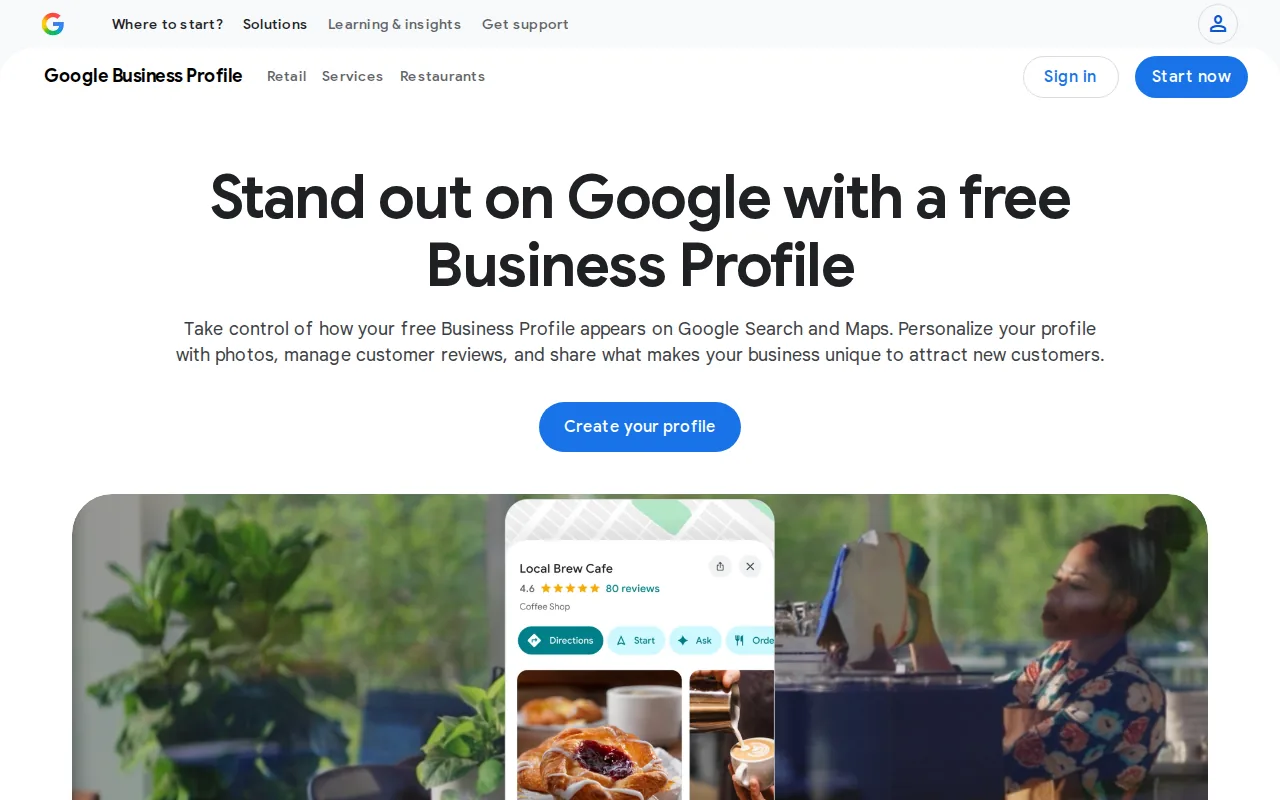
Fill in the profile with accurate clinic details. Choose the category that best fits your practice, add the services you provide, and keep hours current. Use clear photos of the clinic and the people patients may meet. If you have more than one location, make sure each profile points to the right place.
Keep the listing accurate and consistent with the real clinic. Don’t add services or locations that patients can’t access.
Think about what a new patient needs to decide. Is the clinic nearby? Does it treat the concern they’re searching for? Can they see how to book? A current profile answers those questions before they reach your site.
Pair the listing with a clear website page for each main service or location. For more help with that search work, Distribb.io’s osteopathy SEO page covers local pages and weekly Google Business Profile posts.
Keep a monthly note of profile views, website visits, and appointment inquiries. Those numbers won’t explain every booking, but they can show whether people are moving from discovery to contact.
2. Osteopathy Practice Website: Turn visits into appointment inquiries
Your website is where people can learn about your practice in your own words. It should make the next step clear, whether that’s checking appointment details or sending an inquiry.
Put the basics where visitors can find them: your location, services, practitioner background, fees if you choose to publish them, and a clear booking route. Make sure the site works well on a phone. Many people look for care while away from a desk, and a hard-to-use page can make it tough to find key details.
Give each main service a useful page rather than squeezing every detail onto one general services page. A page about a particular concern can explain what the practice offers, what a first visit involves, and how to ask about care. Keep claims measured. A page should help a reader understand your service, not promise a result for an individual.
Trust needs to be easy to check. Add practitioner names and credentials that apply in your area. Explain who reviews health information on the site, and when it was last checked. Make practitioner identity clear and keep health claims careful.
Check the booking path from a phone. Can a visitor find the right page, understand what to do next, and send an inquiry without hunting? Ask someone who doesn’t know your site to try it. Watch where they pause.
Track completed inquiries, not only visits. If traffic rises but inquiries don’t, review the page people land on and the path to booking before you spend more on ads.
3. Local Educational Content: Answer the questions nearby patients search
Educational content gives people a useful way to understand your practice before they contact you. It can be a short article, a video, or an answer to a common question on your website.
Start with questions patients ask in real conversations. For example, you might explain what to expect at a first appointment, how to prepare, or what your practice can and can’t help with. Keep each page focused on one topic. Use plain language, and have a qualified practitioner review any health information before it goes live.
Local details make the content more useful. A page for a specific clinic location can explain where it is and which services are available there. Don’t make several near-identical pages just to swap in nearby place names. Each page should answer a genuine question or explain a real difference.
Video can help a visitor get a feel for the practice. A practitioner could explain how an initial visit works or introduce the clinic space. Don’t film patients or use their stories without clear permission. You can also share a short excerpt from a page on social media, then point people to the full explanation on your site.
Keep a simple content log: topic, reviewer, publish date, and the page it supports. Review it when services change or when a health explanation needs an update. That routine helps the site stay useful instead of filling up with old pages.
Marketing for osteopaths works better when education is careful and specific. A clear answer can help a reader decide whether to contact your practice, while leaving personal care decisions to a conversation with a qualified professional.
4. Patient Reviews and Referrals: Build trust through real experiences
Reviews and personal recommendations can help a new patient feel more at ease about contacting a practice. They’re most useful when they reflect genuine experiences and the clinic handles them with care.
Make it easy for patients to leave an honest review. You can explain how to find your review page after an appointment, without asking anyone to share private health details. Don’t write reviews for patients or offer rewards in exchange for positive feedback. If you respond publicly, keep the reply brief and avoid confirming that someone is a patient.
Pay attention to what patients say about the experience, not only the star rating. They may mention clear directions, a kind welcome, or an easy booking process. Those comments can point to a change the clinic can make. If someone raises a concern, take it seriously and handle the details through an appropriate private channel.
Referrals can come from patients who choose to recommend you, or from professionals who know what your practice does. Build professional relationships through clear, respectful communication. Explain your services and who may be a good fit, then refer people back when that’s appropriate. Don’t promise referrals in return.
Community outreach can help people get to know your practice, too. A short talk or a shared educational event with a local group can answer general questions. Keep it informative, and don’t turn an event into a promise of treatment results.
Keep a light record of referral sources. Ask new patients how they found the clinic, then look for patterns over time. That gives you a better basis for deciding where to spend your effort.
5. Email and SMS Follow-Up: Encourage appropriate return visits
Email and text messages can help a clinic stay in touch after a person makes an inquiry or attends an appointment. Use them for clear, useful updates, and get the right consent before sending marketing messages.
A follow-up system might confirm an inquiry, share appointment details, or remind someone of a booking. A separate email can point to general educational material the clinic has reviewed. Keep messages relevant to the reason the person agreed to hear from you, and make it easy to stop marketing messages.
Don’t send sensitive health details through a marketing campaign. Avoid using someone’s condition or treatment history to build ad audiences. If you’re unsure whether a message or system meets the privacy rules where you work, check with a qualified privacy or legal adviser before sending it.
Practice systems such as Pabau and ClinicSense offer automated email or SMS reminders. Those are appointment and retention functions, not a reason to send more marketing messages than patients have agreed to receive.
Check whether follow-up messages lead to a useful action. You could track inquiry replies, confirmed bookings, and opt-outs. If people stop engaging, review the timing and content instead of adding more messages.
Not every patient needs another appointment or a promotional email. Send follow-up only when it fits the person’s request, the clinic’s process, and applicable consent and privacy rules.
Quick Comparison: Which Marketing Option Fits Your Practice?
The right place to start depends on where prospective patients currently get stuck. Use this table to choose a first task, then measure whether it helps people move forward.
| Option | Best first use | What to track |
|---|---|---|
| Google Business Profile | Help nearby searchers find accurate clinic details | Profile visits and website actions |
| Practice website | Explain services and make the inquiry path clear | Completed inquiries and booking actions |
| Educational content | Answer common questions before a first visit | Relevant page visits and inquiry paths |
| Reviews and referrals | Build trust through honest patient feedback | How new patients heard about the practice |
| Email and SMS follow-up | Send consent-based booking or practice updates | Replies, bookings, and opt-outs |
Paid search can bring a practice in front of people actively looking for care, but it needs a clear budget and a page that matches the ad. Organic search takes ongoing work. Start with the channel that fits your capacity, then review the results before adding another.
Distribb.io: Support the search visibility behind your marketing
Distribb.io is an AI-powered SEO platform for keyword research, content creation, publishing, backlink building, and AI-search visibility. For an osteopathy clinic, that work can support pages aimed at local questions and services. A practitioner should still review health content before it’s published.
Distribb.io’s osteopathy SEO service is the relevant page for practices exploring that workflow. Treat it as one part of the marketing plan, alongside an accurate profile, a useful website, and a clear way for patients to get in touch.
If you want to see whether the workflow fits your clinic, start with the free trial and check the setup against your website and review process.
FAQ: Marketing for Osteopaths
What is the best way for an osteopath to get new patients?
Start by making your clinic easy to find and easy to contact. Keep your Google Business Profile accurate, then make sure your website explains your services and gives visitors a clear inquiry path. Reviews and referrals can build trust, while useful content can answer questions before someone books. Track inquiries so you can see which changes help.
How can an osteopath get more local patients?
Keep your business details and location information current on Google, and make your service area clear on your website. Create pages for services you genuinely provide, with useful answers for local readers. Ask patients for honest feedback without seeking private details. Check where new patients heard about you to spot which local efforts are working.
Should osteopaths use Google Ads?
Google Ads can put a practice in front of people searching for care, but it requires a set budget and regular checks. Send each ad to a page that matches the search and explains the next step. Track inquiries and bookings, not clicks alone. If the page doesn’t help visitors act, improve it before raising the spend.
What should an osteopathy clinic post on social media?
Share general education, clinic updates, and introductions to practitioners. A short video can explain what a first visit involves or answer a common question. Have a qualified practitioner review health information, and don’t share patient stories or images without clear permission. Keep posts helpful and avoid promises about what treatment will achieve.
How often should an osteopath follow up with patients?
There isn’t one schedule that suits every patient. Follow the person’s request and the clinic’s care process, and send appointment messages only through a channel they’ve agreed to use. Get consent for marketing messages and make opt-out simple. Avoid including sensitive health details in marketing emails or texts.
Conclusion
Start with the point where patients are most likely to drop off: finding the clinic, understanding the service, or taking the next step. Fix that first, then track inquiries for a month before adding another channel. If you want support with local search content, explore Distribb.io’s osteopathy service and see whether its workflow fits your practice.