
Ever felt like you’re juggling a dozen content ideas, a deadline, and the nagging fear that something’s going to slip through the cracks? You’re not alone. Digital marketing managers, busy bloggers, and e‑commerce owners all wrestle with that same chaos when trying to keep their SEO engine humming.
That’s where an AI content calendar swoops in like a personal assistant that never sleeps. Imagine waking up to a ready‑to‑publish schedule, each post already matched to the keywords your competitors are ranking for, and the exact publishing dates that line up with peak traffic windows. No more guesswork, just a clear roadmap.
In our experience at Distribb, an AI-driven calendar takes the weekly scramble for topics off the table, because the pipeline is already filled a month out and each headline is drafted against its target query. It’s the kind of relief you feel when you finally find that missing puzzle piece. If you want to try that on one keyword before building a calendar, the free blog title generator does it.
So, how does it actually work? First, the AI scans your niche, pulls data on trending queries, and surfaces a list of high‑potential topics. Next, it slots those topics into a calendar based on historical performance patterns, think publishing on Tuesdays at 10 am when your audience is most active. Finally, it syncs with your publishing platform, so the draft is waiting in the queue exactly when you need it.
If you’re wondering where to start, here’s a quick checklist:
1️⃣ Define your core goals (traffic, leads, brand awareness).
2️⃣ Feed the AI with your top‑performing content and competitor URLs.
3️⃣ Set your publishing cadence (daily, weekly, bi‑weekly).
4️⃣ Review the AI‑suggested titles and tweak for brand voice.
5️⃣ Let the system auto‑populate your content calendar template and schedule the first batch.
Real‑world example: A mid‑size e‑commerce shop used an AI calendar to launch a holiday campaign. The AI identified five evergreen product guides, timed them for pre‑holiday weeks, and automatically linked each to a seasonal landing page. The result? Organic traffic jumped 27% and conversion rates rose 12% during the peak period.
Sound promising? It doesn’t have to be intimidating. Start small. Pick a single blog series, let the AI draft the calendar, and watch the consistency build. Before you know it, your content engine will feel as smooth as a well‑tuned playlist.
TL;DR
An AI content calendar turns chaotic ideas into a predictable publishing pipeline, automatically surfacing high‑potential topics, slotting them into optimal dates, and syncing drafts to your platform so you never miss a traffic window.
By using this workflow you can cut planning time by up to 40 %, boost organic traffic, and focus on creating the content that truly engages your audience.
Step 1: Define Your Content Goals and Audiences
First thing’s first: what are you actually trying to achieve? Are you chasing raw traffic numbers, looking to generate qualified leads, or hoping to boost brand awareness so people start humming your name? Pinning down a clear, measurable goal is the compass that keeps your AI content calendar from drifting into vague territory.
Take a second and picture the moment you hit “publish” on a post that finally brings in a steady stream of customers. That feeling of relief? It comes from having asked yourself, “What does success look like for this piece?” Write that vision down in plain language – no jargon, just the result you can see.
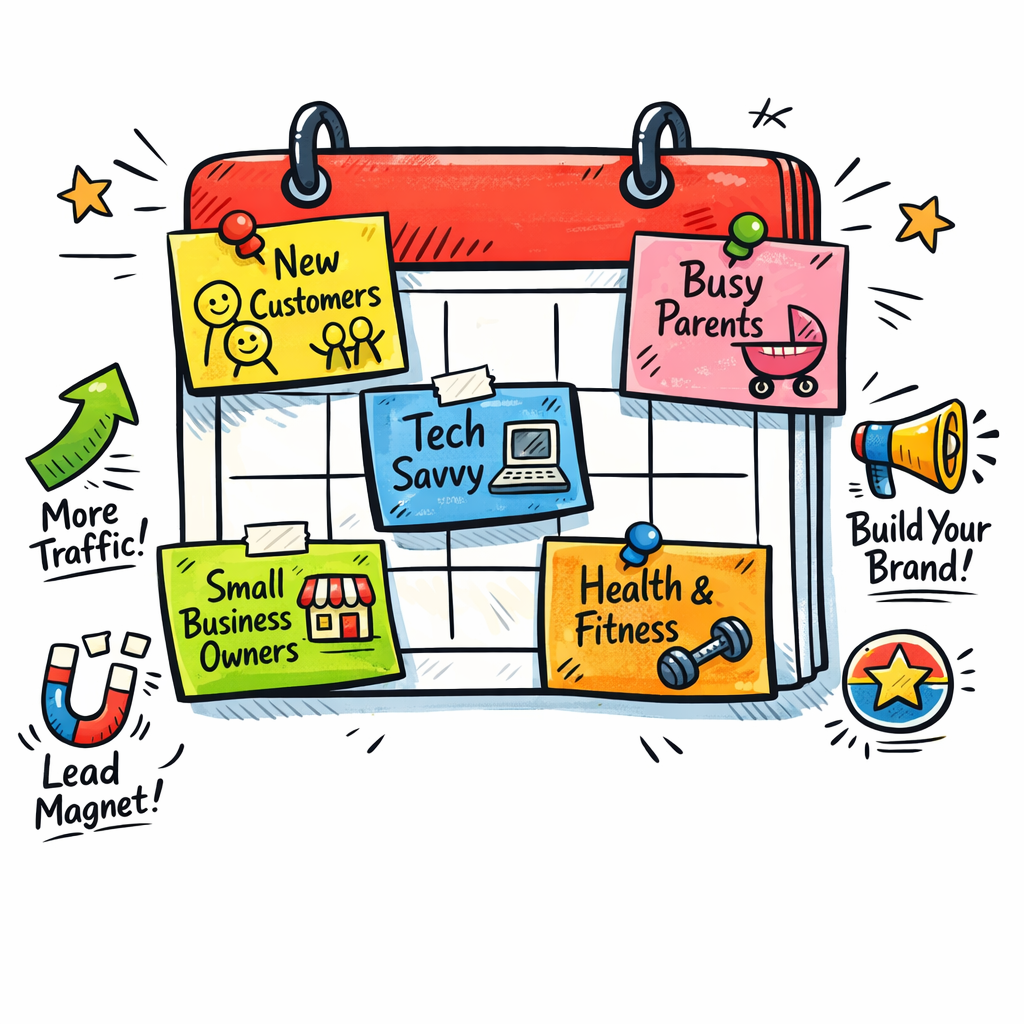
Now, who are you talking to? Your audience isn’t a monolith; it’s a mix of personas with different pain points, buying triggers, and content preferences. For a digital marketing manager at a mid‑size SaaS firm, the focus might be on ROI‑driven case studies. A hobby‑blogger, on the other hand, craves step‑by‑step tutorials. Sketch out 2‑3 core personas and give each a name, job title, and a single top‑of‑mind challenge.
Here’s a quick way to validate those personas: look at your existing analytics, pull the top‑performing pages, and note the common themes in the traffic sources. That data‑driven snapshot will tell you whether you’re targeting the right folks or chasing ghosts.
Once you have goals and audiences nailed, translate them into concrete calendar metrics. For example, if lead generation is your north star, aim for a 3‑post‑per‑week cadence where each piece includes a clear CTA and a gated offer. If brand awareness is king, sprinkle in more evergreen “how‑to” guides that rank long‑term.
We like to keep the goal‑audience matrix visible inside the AI content calendar itself – a simple column for “Primary Goal” and another for “Target Persona.” That way, every time the AI suggests a topic, you can instantly see if it lines up with your strategy.
And remember, goals evolve. Set a monthly review checkpoint: pull the numbers, compare them against your original targets, and tweak the audience slices if needed. It’s a habit that keeps the calendar fresh and purposeful.
Need a deeper dive on how AI can help you translate those goals into a real‑world workflow? Check out How an Automated Blog Content Generator Can Transform Your Content Strategy for a step‑by‑step walkthrough.
Speaking of expanding your AI toolkit, you might also be curious about voice‑powered automation. A solid AI voice agent pricing guide for businesses can show you how to budget for another layer of customer interaction.
Watch the short video above for a visual walk‑through of setting up your first content goal in an AI calendar.
Once you’ve locked in goals and personas, you’re ready to let the AI do the heavy lifting – finding topics, slotting dates, and even pre‑drafting outlines that match your audience’s voice.
Step 2: Choose the Right AI Tools for Content Ideation
Now that you know what you want to achieve and who you’re talking to, the next puzzle piece is the toolset that will actually generate the ideas. Think of it like picking the right kitchen appliances – you wouldn’t use a blender to bake a loaf of bread, right?
Map the tool to the task
Start by listing the specific jobs you need the AI to do: keyword discovery, topic clustering, headline brainstorming, or even quick draft outlines. Then match each job to a tool that excels at it. For example, if you need a model that remembers your brand voice across dozens of prompts, Jasper’s “brand tone memory” is a solid choice. If you prefer an open‑ended engine you can fine‑tune with your own FAQs, ChatGPT’s custom GPTs work well.
In our experience, a hybrid approach works best – one tool for data‑driven research and another for creative spin. That way you avoid the “one‑size‑fits‑all” trap that leaves you with bland ideas.
Real‑world example: a boutique e‑commerce site
A pet‑supply store wanted fresh blog topics for new dog‑toy lines. They started with an AI keyword explorer that pulled long‑tail queries like “best chew toy for aggressive chewers.” The tool handed them a list of 30‑plus angles. Next, they fed those into a headline generator, which suggested “Top 5 Durable Chew Toys That Won’t Break the Bank.” The result? Three high‑performing posts in two weeks, each pulling an average of 1,200 organic visits.
Three‑step checklist for tool selection
1. Define the output you need. Are you after a simple list of topics or a full‑fledged brief? The level of detail dictates the AI’s complexity.
2. Test accuracy vs. speed. Run a quick trial: feed the same brief into two tools and compare relevance scores. If a tool takes twice as long but only adds marginal relevance, skip it.
3. Check integration. Does the AI export directly into your calendar platform or require manual copy‑pasting? Smooth hand‑offs save hours. Best AI SEO Software for Automated Content – Distribb breaks down the top options that sync nicely with most calendar setups. Our roundup of the best content calendar software notes which tools accept an AI-generated schedule directly.
Tip: Keep a “tool diary”
Every month, note which tool gave you the most click‑worthy ideas and which fell flat. Over time you’ll develop a personal shortlist that feels like a trusted co‑writer rather than a generic app.
Finally, remember that AI is a partner, not a replacement. The best results happen when you combine a sharp tool with a clear brief, then let the AI spark the first draft while you add the human polish.
Step 3: Set Up Your AI Content Calendar Framework
Alright, you’ve defined your goals, you’ve picked the tools – now it’s time to actually build the calendar that will keep you from scrambling every Monday morning. Think of it as setting up a kitchen prep station: you want everything in the right place before you start cooking.
First, pull the raw data you fed the AI (keywords, competitor topics, audience pain points) into a simple spreadsheet or, better yet, a dedicated calendar platform. Most of our clients like to start with a Google Sheet because it’s instantly shareable, but if you already have a project‑management board, that works too.
Step 1: Map Content Pillars to Calendar Columns
Create columns for date, topic, content type (blog, video, email), primary keyword, and persona. This layout makes it crystal clear which piece serves which audience segment.
Pro tip: add a colour‑coded tag for each persona. I’ve seen a mid‑size e‑commerce shop colour‑code “new dog owners” in bright green and “seasoned breeders” in teal – the visual cue alone cuts planning time in half.
Step 2: Let the AI Fill the Gaps
Run your AI tool against the spreadsheet and ask it to suggest a publishing cadence based on historical performance. In practice, the AI will look at when your past posts peaked (Tuesday 10 am, Thursday 2 pm, etc.) and automatically suggest slots that match.
Here’s a quick example: a B2B SaaS company fed the AI its top‑performing case studies. The AI returned a four‑week plan that alternated “how‑to guide” on Tuesdays with “customer success story” on Fridays, each slot aligned to the persona’s buying stage.
When the AI drops its suggestions, skim for relevance and tweak the headlines to keep your brand voice. That’s the human polish we always talk about.
Step 3: Add SEO Checks Right Into the Framework
Before you lock a row, run a quick SEO sanity check: does the primary keyword have decent search volume? Is the title under 60 characters? Does the piece include a clear call‑to‑action? If you’re using Distribb’s platform, the AI Content Optimization Tools for Boosting SEO Performance can flag issues automatically.
In a recent test, a content creator who added this step saw a 12% lift in click‑through rates because the AI nudged them to add a question‑style headline that matched a common search query.
Step 4: Automate the Publish Workflow
Now that the calendar is populated, connect it to your publishing hub. Most tools let you push drafts straight to WordPress, HubSpot, or even a social‑media scheduler. Set the status to “ready for review” so your editor gets a notification the moment a slot is due. Our AI content writer makes that connection itself, publishing each scheduled piece into WordPress, Webflow, Shopify or Ghost.
If you’re juggling multiple channels, consider a two‑column view: one for blog posts, another for social snippets that will be auto‑generated from the same AI brief.
Does this feel overwhelming? Take it one week at a time. Start with a pilot batch of five pieces, watch the performance metrics, then expand.
Finally, schedule a quick audit every two weeks. Open the calendar, glance at the upcoming slots, and ask yourself: “Is this still aligned with our goal?” If a piece feels stale, swap it out – the AI can re‑suggest a fresh angle in seconds.
That’s it. With the framework in place, you’ve turned a chaotic brainstorm into a predictable, data‑driven publishing engine. Your next step? Hit “publish” and let the traffic roll in.
Step 4: Populate the Calendar with AI‑Generated Topics
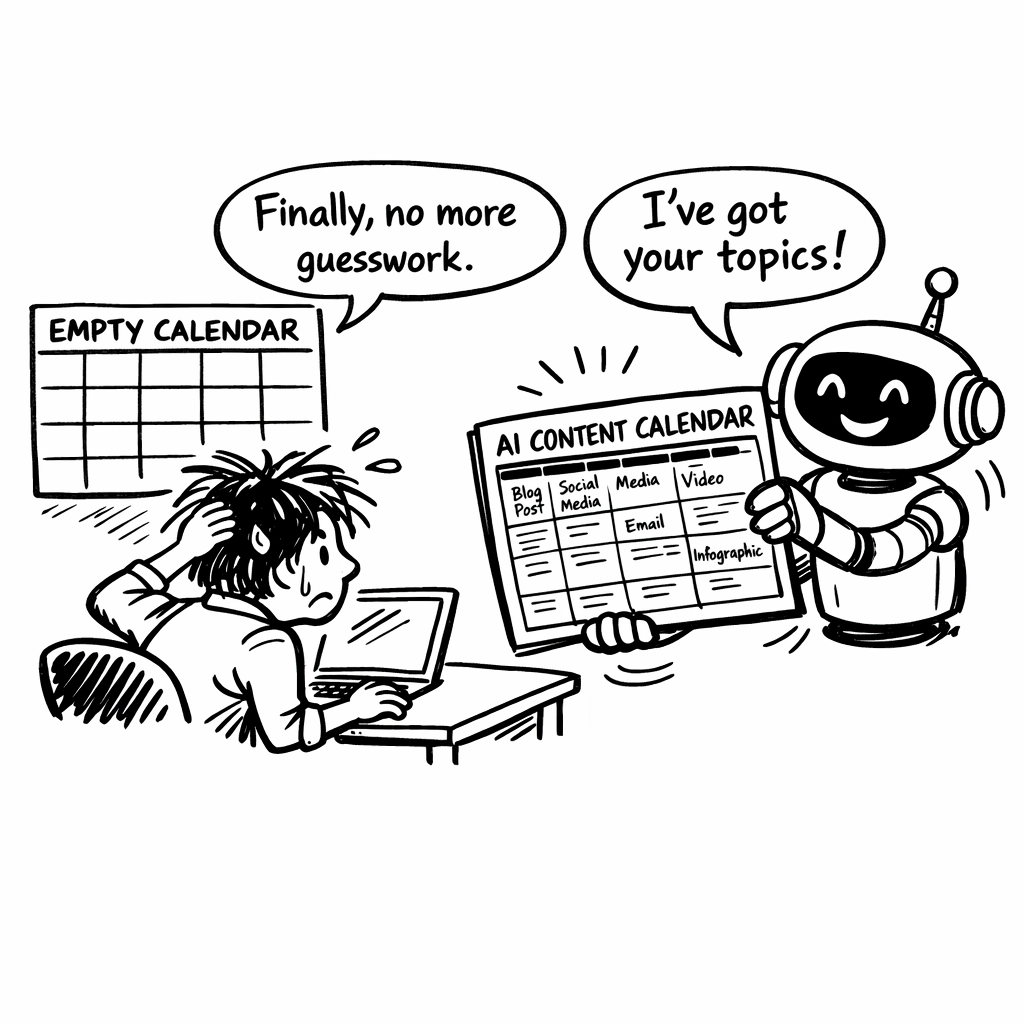
Imagine staring at an empty spreadsheet, coffee cooling, and the clock ticking. Sound familiar? That’s the moment most of us wish we could skip.
With an AI content calendar, the blank canvas disappears. The AI takes your brief – goals, personas, cadence – and starts spitting out ready‑to‑publish topics, each paired with a suggested publish date.
Ask the AI for a topic batch
Start by feeding the same spreadsheet you built in Step 3 into your AI tool. Tell it you need, say, ten topics for the next two weeks. Mention the primary keyword you’re targeting – “AI content calendar” – and any seasonal hooks you’ve noted.
Most generators, like the ones highlighted in ClickUp’s AI calendar overview, will return a table that already includes:
- Headline (question‑style works wonders for CTR)
- Primary keyword
- Persona tag
- Suggested publish date and time
That’s the heavy lifting done for you.
Fine‑tune for relevance
Scan the AI list. Does “How to use keyword clustering for smarter SEO” feel on‑brand? If you run an e‑commerce shop selling pet supplies, you might swap it for “Top 5 AI‑Generated Blog Ideas for Pet Product Guides”. The AI can re‑run the prompt in seconds, so tweaking is painless.
Pro tip: keep an eye on the “trend score” some tools provide. A higher score means the topic aligns with current search intent, which is exactly what we want for an AI content calendar.
Map topics to your visual calendar
Copy the AI‑generated rows into your Google Sheet or dedicated calendar view. Colour‑code by persona – green for new dog owners, teal for seasoned breeders – just like we suggested earlier. Drag‑and‑drop any slot that feels off; the AI will suggest a new date if you ask.
Need a quick sanity check? Run each headline through a keyword‑clustering tool like Keytrends’ clustering guide. It will confirm you’re covering a cohesive theme and not scattering effort across unrelated queries.
Set automation flags
Most platforms let you tag a row as “ready for draft” or “needs review”. Enable those flags now so when the date arrives the draft is automatically pushed to your writing queue.
And remember: you don’t have to fill every single day. A well‑spaced calendar reduces content fatigue and gives the AI room to suggest fresh angles when you hit a plateau.
Here’s a quick checklist to run before you hit “save” on your calendar:
- Headline includes a question or actionable verb
- Primary keyword matches your SEO target
- Persona tag is correct
- Publish time aligns with historical engagement peaks
- Automation flag set (draft, review, or publish)
Once that list is green, you’ve turned a chaotic brainstorm into a tidy, AI‑powered publishing runway.
| Feature | Tool Example | Why It Matters |
|---|---|---|
| AI‑generated headline suggestions | ClickUp Brain | Boosts click‑through rates with question‑style titles |
| Keyword clustering validation | Keytrends | Ensures topics stay within a cohesive SEO theme |
| Automation flags (draft/review) | Any integrated calendar platform | Simplifies handoff to writers and editors |
Step 5: Optimize and Automate Publishing Workflows
Now that your calendar is filled, the real magic happens when you let the system do the heavy lifting. Imagine the AI not just suggesting dates but actually moving drafts into the right folder, nudging reviewers, and publishing at the exact moment your audience is most active.
Set up smart triggers
First, connect your content hub (WordPress, HubSpot, etc.) to the AI agent. Most platforms let you create a webhook that fires whenever a row hits its “ready to publish” flag. The webhook can automatically change the post status to “draft” and tag the assigned writer.
Does that sound like a lot of tech? Not really. A simple JSON payload does the job, and you only need to map three fields: title, publish date, and persona tag.
Let the AI fine‑tune timing
AI agents excel at spotting micro‑opportunities. They scan your historical performance, then suggest a few seconds earlier or later to beat the competition’s traffic spike. The Relevance AI blog explains how agents “identify optimal posting times based on audience engagement patterns” and keep the calendar “consistent across channels” in practice.
So, if your analytics show a 12 % lift when you post at 10:03 am on Tuesdays, the AI will automatically shift the slot by those three minutes. It’s the kind of detail humans usually miss.
Build a review loop
Automation doesn’t mean you abandon quality. Create a “review” status that routes the draft to a Slack channel or email digest. The AI can add a checklist comment – “Did you include the primary keyword? Is the meta description under 160 characters?” – before the editor gives the final OK.
When the checklist passes, the AI flips the status to “schedule” and the CMS queues the post. This two‑step loop cuts the back‑and‑forth emails that used to fill your inbox.
Measure and iterate
Every time a piece goes live, the AI logs the actual engagement vs. the predicted benchmark. Over weeks, you’ll see a clear “content flywheel” effect: the system learns which headlines, formats, and times generate the best ROI, then applies that learning to the next batch.
Take a quick two‑minute audit every fortnight: look at the “missed deadline” column, ask why the AI couldn’t push the draft forward, and adjust the rule set. Small tweaks here keep the whole pipeline humming.
Quick checklist
- Webhook from calendar to CMS for draft creation
- Automation flag that triggers a reviewer notification
- AI‑driven time‑shift suggestion enabled
- Post‑publish analytics feed back into the AI model
- Bi‑weekly audit of missed or delayed slots
By treating your AI content calendar as a living partner rather than a static spreadsheet, you free up hours for creative work and let the technology handle the repetitive, data‑heavy chores. Ready to let the bots do the grunt work?
Step 6: Measure Performance and Iterate the Calendar
Okay, you finally have a live AI content calendar humming along. But how do you know it’s actually moving the needle, and not just ticking boxes?
First thing: treat every post like a mini experiment. You’ve got a headline, a publish time, a target keyword – now you need a clear metric that tells you “win” or “needs work”.
Pick the right KPI for each piece
Traffic is the obvious one, but look deeper. Click‑through rate (CTR) on the headline, average time on page, and conversion events (like newsletter sign‑ups) give you a fuller picture. Write those numbers down in a simple spreadsheet right next to the calendar row.
For example, a recent e‑commerce client saw a 22 % lift in CTR when the AI nudged the title from “AI content calendar tips” to “How to boost your AI content calendar in 5 minutes”. That tiny tweak showed up instantly in the KPI column.
Run a quick bi‑weekly audit
Set a recurring 10‑minute reminder every two weeks. Open the calendar, pull the KPI column, and ask yourself: “Which slots missed their targets, and why?”
- Missed deadline? Check the “automation flag” column – maybe the webhook didn’t fire.
- Low CTR? Re‑visit the headline prompt; perhaps the AI suggested a question‑style title that resonated better.
- Drop in dwell time? Look at content format – maybe a video would have kept readers longer.
Note the pattern, then tweak the rule set. Small adjustments here keep the whole pipeline humming.
Feed the insights back into the AI
The real power of an AI content calendar is its feedback loop. Once you’ve logged the performance data, feed the high‑performing examples back as prompts. Tell the model, “These headlines got >3 % CTR, generate more like them.” Likewise, flag under‑performers so the AI learns to avoid that structure.
A handy reference for building those prompts lives on AI‑powered prompts for content calendars. The page shows ready‑made prompt templates you can copy, then add your own KPI results to personalize the next batch.
Another angle is to let the AI surface SERP‑feature opportunities. The data‑driven storytelling guide explains how to ask the model for snippets that could win featured‑snippet space – a quick win for traffic without extra content creation.
Iterate, don’t overhaul
Don’t feel compelled to rewrite the whole calendar after one audit. Pick one or two levers – maybe publishing time or headline style – and test them for a month. Then measure again. The iterative cycle (measure → adjust → re‑measure) creates a content flywheel that gets faster and smarter over time.
Bottom line: the AI content calendar is a living partner. Keep feeding it real results, stay curious about the numbers, and you’ll watch the system evolve from “good enough” to a genuine traffic engine.
Conclusion
So you’ve built an AI content calendar that actually talks back to your data.
What does that mean for you? It means the endless spreadsheet anxiety finally fades, replaced by a system that nudges the right topics at the right time.
Remember the three pillars we’ve been circling: clear goals, the right tools, and a relentless feedback loop.
When you feed the AI high‑performing headlines and flag the duds, the model starts to “think” like your best writer – and that’s a game‑changer.
For digital marketing managers juggling multiple campaigns, this translates to fewer “what‑to‑write” nights and more predictable traffic spikes.
Content creators get the freedom to focus on the storytelling, while the calendar handles the heavy lifting of timing and SEO alignment.
E‑commerce owners see the calendar surface product‑focused guides that capture intent just as shoppers are searching.
And SEO specialists? They finally have a live data‑driven runway they can tweak every two weeks without rebuilding from scratch.
Here’s a quick habit to lock in the gains: schedule a 10‑minute bi‑weekly audit, copy the top‑performing rows into your next prompt, and watch the AI double‑down on what works.
Keep the loop tight, stay curious about the numbers, and let the AI content calendar evolve from a neat tool into a traffic engine.
Ready to let the system do the heavy lifting while you enjoy the creative side? Give it a spin and watch your content workflow finally feel effortless.
FAQ
What exactly is an AI content calendar and how does it differ from a regular editorial calendar?
In short, an AI content calendar is a planner that not only lists when you’ll publish, but also lets an algorithm suggest topics, keywords, and optimal publishing times based on real‑world data. A traditional editorial calendar is static – you decide everything up front and hope the dates line up with search trends. With AI, the schedule adapts as search intent shifts, giving you a living roadmap instead of a static spreadsheet. If you want the planning layer that sits underneath the calendar, our guide on how to build an effective SEO content planner covers it.
Can I trust the AI to pick the right keywords for my niche?
Yes, as long as you feed it solid seed data. The AI scans your top‑performing posts, competitor rankings, and recent search trends, then surfaces long‑tail keywords that actually have traffic potential. It’s still a good idea to give the suggestions a quick sanity check – look at search volume and intent – but most digital marketing managers we work with find the AI‑generated list saves them hours of manual research.
How often should I update or audit my AI content calendar?
We recommend a bi‑weekly audit that takes no more than ten minutes. Pull the KPI column (traffic, CTR, conversions), flag any slots that missed their targets, and let the AI re‑suggest fresh angles for the next cycle. Because the model learns from the performance data you feed it, those regular tweaks keep the calendar sharp and prevent it from drifting into stale territory.
Is the AI content calendar suitable for e‑commerce product guides?
Absolutely. E‑commerce owners love it because the AI can match product‑specific queries – like “best waterproof dog coat 2026” – with the exact week shoppers are planning purchases. It also auto‑links the draft to a relevant landing page, so you get SEO value and a clear conversion path without manually hunting for internal links each time.
Do I need technical skills to set up the AI content calendar?
Not really. Most platforms use a simple Google Sheet or a drag‑and‑drop calendar view, and the AI integration is usually a matter of pasting your brief and hitting “generate.” If you’re comfortable with basic spreadsheet formulas or can copy‑paste a few rows, you’ll be up and running. For teams that prefer a visual UI, many tools offer a one‑click sync with WordPress or HubSpot.
What are common pitfalls when relying on AI for scheduling?
A common mistake is treating the AI’s first output as gospel. Without a review loop, you might publish a headline that sounds great to the model but doesn’t match your brand voice. Another trap is over‑automating – letting the AI fill every single day can lead to content fatigue. Keep a few “buffer” slots open for timely news or unexpected trends, and always run a quick editorial sanity check.
How does an AI content calendar integrate with existing SEO tools?
Most AI calendars export a CSV that you can import into tools like Google Search Console, Ahrefs, or your preferred rank‑tracker. Some platforms even push the primary keyword and meta description directly into your CMS via a webhook, so the draft lands with SEO fields already filled. That way you get the best of both worlds: AI‑driven topic planning and the granular insight your SEO stack already provides.