
"SEO automation tool" covers four different products that share almost nothing. Some automate research, some automate on-page changes, some automate publishing, and a few automate nothing at all and simply report faster.
This splits the category properly, names 14 tools that were open in a browser in August 2026, and says which layer each one belongs to. Buying two tools from the same layer is the most common and most expensive mistake in this category.
How we tested
Every product below was loaded live, and pricing was taken from the vendor's own pricing page on the day of writing. Anything we could not open is not on the list. Three products that appear on competing lists for this query were dropped for that reason.
We also separated what each tool automates from what it reports on, because the two get marketed as the same thing. A tool that tells you 400 pages have thin titles has automated the finding, not the fixing, and those are very different purchases.
The four layers
| Layer | What it automates | Tools in this list |
|---|---|---|
| Research | Keyword discovery, clustering, competitor gaps, rank tracking | Semrush, Ahrefs, AccuRanker, Nightwatch, Search Console |
| Technical | Crawling, issue detection, monitoring, alerting | Screaming Frog, Sitebulb, seoClarity |
| On-page and content | Briefs, optimisation scoring, bulk on-page edits, internal links | Surfer, Clearscope, Frase, MarketMuse, AlliAI, Link Whisper |
| Production | Writing, publishing, internal linking and link acquisition end to end | Distribb |
| Connective | Moving events between all of the above | n8n, Make, Zapier |
Most teams need one from research, one from technical, and one from either on-page or production. Buying three research tools is how SEO budgets get spent without anything changing.
1. Distribb

Distribb is the only entry on this list sitting in the production layer, which is why it leads a page about automation rather than a page about data. Every other tool here automates knowing. This one automates the keyword to published page chain, applies internal links at publish time, and runs a backlink exchange where real businesses agree to link to each other.
That distinction decides the purchase. Searches for SEO automation usually mean I am doing too much manual work, not I need better numbers. A research suite answers the second and quietly worsens the first, because it hands you a longer list.
Publishing targets WordPress, Webflow, Shopify, Ghost, Wix, Notion, GoHighLevel, Framer or a webhook, and Search Console is watched for pages sliding into positions 11 to 20 with rewrites proposed as a diff you approve.
Pros:
- Automates producing rather than reporting, which nothing else on this list does end to end
- An approval step before anything republishes, so the automation does not run unattended
- Backlinks included rather than bought as a separate line item
- Internal links applied at publish time, so the archive compounds instead of scattering
Cons: It does not automate technical SEO. Site speed, redirect maps, hreflang and crawl budget stay a developer's job, and no tool on this list honestly changes that. If your traffic problem is a broken template rather than a thin archive, buy from the technical layer first and come back to this afterwards.
For who: Teams whose repetitive work is not getting done, with the technical side already stable.
Pricing: $97 a month with a 7-day free trial, Accelerator at $495 a month. There are two prices and no free plan.
2. Semrush

The broadest research automation on the market: scheduled site audits, position tracking, competitor monitoring and content templates in one subscription. What it genuinely automates is recurring audits, rank pulls, competitor alerts and reporting.
What it does not automate, despite how it is marketed, is any change to your site. Everything it produces is a task list for a person.
Semrush restructured its ladder recently, and the old Pro, Guru and Business names are gone. The AI search tier is now a separate rung rather than an add-on, which changes the comparison against last year's reviews.
Pros:
- The widest automation surface here, covering research, technical and reporting in one place
- Scheduled audits and competitor alerts that run without anyone remembering to
- Reporting a client will accept without reformatting
- An AI visibility tier now built into the ladder rather than bolted on
Cons: Seat and project limits are where the real cost hides. The entry plan tracks 500 keywords daily on one user, extra users start at $45 a month each, and most teams find their actual requirement is a tier or two above what they budgeted.
For who: Teams whose bottleneck is genuinely knowing rather than doing.
Pricing: Starter $139 a month, Starter with AI Search $199, Pro+ $299, and a top tier at $549, each about 15 percent cheaper billed annually, on the Semrush pricing page.
3. Ahrefs

The strongest link and keyword data set, with a crawler and an alerting system built on top. If your work depends on knowing what links exist and who is gaining them, this is the one to automate against.
The useful automation is scheduled site audits, rank tracking, and alerts for new and lost backlinks. Those alerts are the underrated feature and the one most users never switch on.
The same caveat as Semrush applies and is worth repeating on a page about automation: it automates knowing, not doing.
Pros:
- The best backlink index available, which is what the alerts are actually worth
- New and lost link alerts, the closest thing here to an early warning system
- A $29 entry tier that did not exist a year ago, plus free tools for your own verified site
- Scheduled audits and rank tracking in the same subscription
Cons: Credits govern most workflows, so heavy programmatic use gets expensive faster than the headline price suggests, and extra users cost $40 to $80 a month each depending on tier. It is a research purchase, so nothing you buy here reduces the amount of work waiting for you.
For who: SEOs whose decisions genuinely depend on link data.
Pricing: Starter $29 a month, Lite $129, Standard $249, Advanced $449, Enterprise $1,499 on an annual commitment, on the Ahrefs pricing page.
4. Screaming Frog SEO Spider

The crawler most technical SEO actually runs on. Scheduled crawls, command line operation and API integrations mean you can wire it into a pipeline instead of clicking a button once a month.
The automation people miss is scheduling plus export into a spreadsheet or database. A nightly crawl compared against yesterday catches redirect chains, new 404s and template regressions before anyone reports them.
Pros:
- Command line and scheduling, so it belongs in a pipeline rather than a calendar reminder
- Crawl comparison between runs, which is how regressions get caught early
- Free up to 500 URLs, enough to prove the workflow before paying
- The best value per pound in this category by a wide margin
Cons: It is a desktop application and memory hungry on large sites, so a serious nightly crawl needs a machine dedicated to it. Configuration takes real learning, and it fixes nothing it finds.
For who: Technical SEOs comfortable with a config file and a cron job.
Pricing: Free up to 500 URLs, then £199 per licence a year for 1 to 4 licences, falling to £169 at 20 or more. Licences are per user.
5. Sitebulb
Screaming Frog's main alternative and the better choice when you have to explain findings to someone who is not an SEO. It prioritises issues by impact and writes the explanation, which turns a crawl into something a developer will act on.
Scheduled audits with change tracking between crawls are the automation worth buying. The architecture visualisations are also the fastest way to spot an orphaned section.
Pros:
- Issues prioritised and explained, so the output survives contact with a developer
- Change tracking between audits, not just a fresh list each time
- Architecture visualisations that make orphaned sections obvious
- A cloud option for teams who do not want a desktop crawler
Cons: Slower than Screaming Frog on large sites, and there is a much smaller community to search when you get stuck on a configuration problem. Desktop plans are per user, so a team pays per crawler.
For who: Consultants and in-house SEOs who have to hand findings to other people.
Pricing: Lite $18 a month and Pro $42 a month for one user, extra users $11 a month, Sitebulb Cloud from $125 a month, with about 15 percent off yearly.
6. seoClarity
Enterprise technical automation, including the part almost nothing else here does: it can push certain fixes live through an edge layer rather than filing a ticket. That is automation of the doing rather than the finding.
The data set is large, the platform spans research, technical and content, and it is built for teams managing very large sites.
Pros:
- Fixes deployed through an edge layer, which removes the developer queue for a whole class of change
- Research, technical and content in one platform, genuinely rather than nominally
- Built for very large sites, where the other tools start to strain
- Advisory services included in the packages rather than sold separately
Cons: The entry point is $2,500 a month, which is more than most of this list combined. Under a few thousand pages the value simply is not there, and pricing is quoted per domain so a multi-brand estate costs considerably more than the published floor.
For who: Enterprise SEO teams with a developer queue they cannot get to the front of.
Pricing: Published as starting at $2,500 a month, rising to $3,200 for the technical package and $4,500 for enterprise, all on a custom quote.
7. Surfer SEO

The most widely used content optimisation tool. It reads the current top results for a query and scores your draft against them on terms, headings and length. The automation is the brief and the score.
Instead of a person reading ten competitors, the pattern is extracted in seconds, and the briefs are good enough to hand to a writer unedited.
Pros:
- Briefs generated from the live SERP, which removes the slowest part of preparing a piece
- A score writers can work against without an editor in the loop
- A $49 entry tier, the cheapest serious way into this layer
- AI search analytics now sold as its own product for teams tracking answer visibility
Cons: The failure mode is optimising toward the average of page one, which produces pages that look correct and say nothing new. The score is a floor rather than a target, and treating it as a target is how a site ends up with 200 interchangeable articles.
For who: Content teams who need consistency across several writers.
Pricing: Discovery $49 a month, Standard $99, Pro $182, Peace of Mind $299, billed yearly, with AI Search Analytics from $158 a month.
8. Clearscope
The cleaner and stricter version of the same idea, and the one most editorial teams prefer. Fewer features, better term recommendations, and an interface writers do not fight.
It integrates with Google Docs and WordPress, so optimisation happens where the writing happens rather than in a separate tab. That sounds small and decides whether writers use it at all.
Pros:
- The most disciplined term model in this layer, which is why editors trust the grade
- Optimisation inside Google Docs and WordPress, not in a tab nobody opens
- Unlimited users and projects on every tier, so cost does not track headcount
- Reports a client will read without anyone reformatting them
Cons: It does one job, so teams wanting briefs, optimisation and drafting in one purchase will find it narrow. The entry tier is metered at 50 pages and 20 drafts a month, which a team publishing weekly will feel.
For who: Editorial teams who sign work off against a score.
Pricing: Essentials $129 a month, Business $399, Enterprise on quote, with a 14-day free trial. Extra pages run $15 to $25 a month per block.
9. Frase
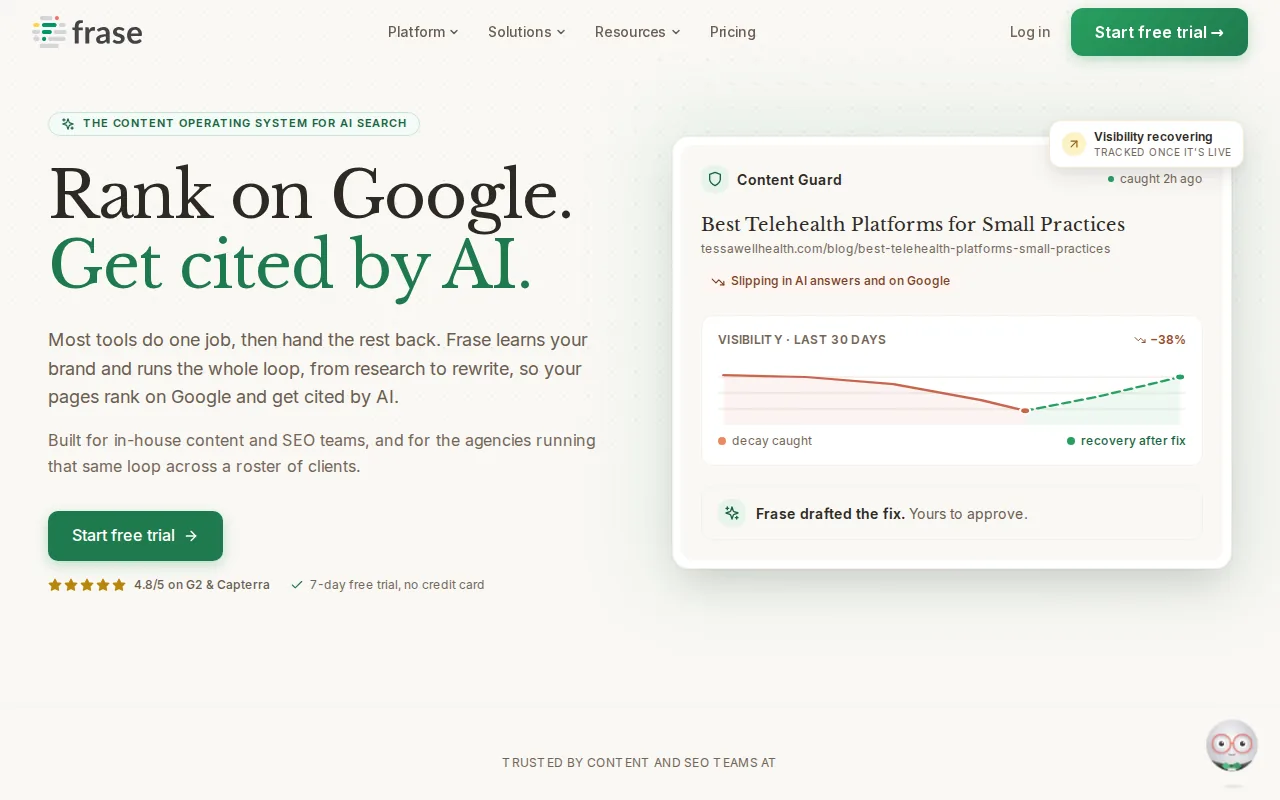
The value end of the content optimisation layer. Briefs, SERP analysis, an AI writer and optimisation scoring at a fraction of what the two entries above cost.
Its research automation is the strong part. It summarises the ranking pages and extracts the questions they answer, which is most of a brief already written.
Frase has also broadened past pure optimisation, and now ships a content calendar and internal linking suggestions on its middle tier.
Pros:
- Question extraction from the SERP, which is most of a brief done automatically
- The cheapest credible entry into this layer at $39 a month billed yearly
- A calendar and internal linking suggestions now included rather than sold separately
- A 7-day free trial with no card required
Cons: Output quality sits a step below Clearscope, and the interface carries more features than it does well. The entry tier is one seat on one site with 10 articles a month, so it is genuinely a solo plan rather than a small team plan.
For who: Solo operators and small teams who want the whole loop cheaply.
Pricing: Starter $39 a month billed yearly ($49 monthly), Professional $103 ($129 monthly), Scale $239 ($299 monthly).
10. MarketMuse
The strategy layer rather than the page layer. It models a whole site's topical coverage and shows where the gaps and the cannibalisation sit, which is a different and more useful question than whether one page is optimised.
For sites with hundreds of pages the inventory analysis is the feature worth paying for. It is also the only tool here that will tell you which of your pages should not exist.
Pros:
- Site-wide topical modelling, which no other entry here attempts
- Cannibalisation surfaced as a report, not as something you notice by accident
- It will recommend deleting pages, a recommendation almost no vendor makes
- A free tier for one user and 10 queries a month
Cons: MarketMuse publishes no prices at all. Every paid tier routes to a demo booking, which we confirmed again on the day of writing, so you cannot budget for it without a sales call. The learning curve is steep and a 30 page site gets nothing from it.
For who: Large content sites with a cannibalisation problem they can name.
Pricing: Not published. There is a free tier at 1 user and 10 queries a month, and every paid plan is quoted through a demo.
11. AlliAI
One of the few tools here that changes your site instead of describing it. It applies on-page edits, titles, meta descriptions, schema and internal links in bulk through a script, without touching the CMS.
On a large site where every title change means a developer ticket, this is the automation that genuinely removes work. Bulk rules across thousands of pages are its reason to exist.
Pros:
- Writes changes to the live site, not a report about the live site
- Works through a script rather than the CMS, so no platform migration is needed
- Bulk rules across thousands of pages, the only sane way to fix templated titles
- A 10-day free trial to test on a segment first
Cons: A tool with write access applying rules at scale can break things at scale, and rolling back a bad rule is not instant. The entry plan is $299 a month, the most expensive entry point of anything on this list outside the enterprise tier.
For who: Large sites with templated on-page problems and no developer capacity.
Pricing: Business $299 a month, Agency $599 a month, with a 10-day free trial and about 17 percent off annually.
12. Link Whisper
Internal linking automation, which is the highest impact and most neglected job in this whole category. It scans your content, suggests relevant internal links, and adds them in bulk from one screen.
The reporting is as useful as the linking. It shows which pages have no inbound internal links at all, and on most sites that number is a shock.
Pros:
- Bulk internal link insertion, the fastest structural win available on most sites
- An orphaned page report that usually changes someone's plan for the quarter
- Priced per year, not per month, and cheap either way
- Automated monthly link maintenance as the archive grows
Cons: It is WordPress first. On Webflow, Shopify or a headless setup it is not an option at all, and no amount of budget changes that.
For who: WordPress publishers with an archive big enough to have orphans.
Pricing: Starter $97 a year for one site, Growth $197 a year for three, Pro $297 a year for ten, with a 14-day money back guarantee.
13. AccuRanker and Nightwatch
Rank tracking automated properly. Both refresh on demand rather than on a fixed daily cycle, both push data out through an API into whatever you report in, and both are more accurate than the trackers bundled into the big suites.
AccuRanker is faster and preferred by agencies tracking very large keyword sets. Nightwatch covers more locations and includes unlimited seats on every plan, which matters for an agency more than the headline price does.
Pros:
- On-demand refresh, so a check does not mean waiting until tomorrow
- API-first, which is what makes them automation rather than dashboards
- More accurate than bundled suite trackers, which is the entire reason to buy one
- Unlimited seats on Nightwatch, unusual in a category that normally bills per user
Cons: Neither does anything except track, and both cost more than people expect: AccuRanker now starts at $224 a month and Nightwatch at €79. If you already pay for Semrush or Ahrefs, you probably do not need either.
For who: Agencies reporting on large keyword sets where tracker accuracy is contractual.
Pricing: AccuRanker Professional $224 a month and Expert $764. Nightwatch Starter €79 a month, Professional €159, Agency €399, all with a 14-day trial.
14. n8n, Make and Zapier
The layer that makes everything above talk to each other. A rank drop creating a task, a published page triggering an internal link pass, a weekly Search Console pull landing in a spreadsheet: that all lives here.
Pick n8n for self-hosting and full control, Make for visual multi-step workflows at low cost, Zapier for simple connections between tools you already pay for.
Pros:
- They connect tools that will never integrate directly, which is most SEO stacks
- n8n can be self-hosted, so data never leaves your infrastructure
- Make is the cheapest per operation once workflows get multi-step
- Zapier has the widest app coverage when you just need two things joined
Cons: None of them know anything about SEO. They move data, and the intelligence has to come from the tools they connect, so a badly designed workflow automates a bad process faster.
For who: Teams whose tools are fine individually and disconnected in practice.
Pricing: n8n from $20 a month billed annually, plus a free self-hosted community edition. Make free to 1,000 credits then $9 a month. Zapier free to 100 tasks a month then from $19.99.
Also worth knowing
Google Search Console is free, has an API, and is the only source of truth for your actual query data. Any automation that reports on impressions and positions should be reading from it rather than from a third-party estimate.
SE Ranking and Search Atlas both market heavily on this query. Both are real products with real users, and both compete directly with us, so take our assessment of them with the appropriate scepticism and evaluate them yourself.
WordLift and Quattr sit in an emerging layer around structured data and AI search visibility. Early, but worth watching if being cited by AI assistants matters to your business.
What none of these automate
Deciding what to write about. Every tool here will suggest topics and none of them know your business, your margins or which customer you want more of.
Checking whether a draft is true. This is now the single most important manual step in an automated content process, and it is the one teams drop first.
The human half of link building. Software finds prospects and sends sequences. The pitch that gets a reply is written by a person, and the relationship behind a good link is not a workflow.
Judging whether a page deserves to exist. Volume is easy to automate and quality is not, which is why so many automated content programmes produce a lot of pages and no traffic.
How to choose
Start from your bottleneck, not from the category. If you do not know what to fix, buy research. If you know and cannot get it done, buy production or on-page. If things keep breaking silently, buy technical monitoring.
Then buy one tool per layer. The single biggest waste in this category is two overlapping research suites bought six months apart because nobody cancelled the first.
Then wire them together before adding anything else. Most teams get more from connecting the three tools they have than from a fourth.
For the link half specifically, our breakdown of link building automation tools that actually work covers that layer in depth, and tools that do both content and links covers why so few products manage both. The wider category view is in our guide to automated SEO software.
Frequently asked questions
What is the best SEO automation tool overall? There is no single answer, because the four layers do different jobs. If you are forced to pick one, pick by bottleneck: Semrush or Ahrefs if you need to know more, Distribb if you need to produce more, Screaming Frog if things keep breaking.
Can SEO be automated end to end? The mechanical parts, yes: research, on-page, internal linking, publishing, monitoring and reporting. Topic selection, fact checking and the human half of link building are not automatable, and every tool that claims otherwise is describing something narrower than it sounds.
Are free SEO automation tools worth using? Search Console and Screaming Frog's free tier cover a surprising amount, and Ahrefs Webmaster Tools is free for your own verified site. Start there. Most small sites do not need a paid research suite in their first year.
Will automated SEO get my site penalised? Automating research, monitoring, publishing and internal linking carries no risk. Automating link placement into sites that never agreed, and publishing content nobody reviewed, are the two things that do. The risk is in those two behaviours, not in automation as a category.
How much should I budget? A small team can run competently on $100 to $250 a month across two tools. Above that you are usually buying either enterprise-scale data or production capacity, and both should be justified by a specific bottleneck rather than by the feature list.
Do I need a rank tracker if I have Search Console? Search Console gives you real average positions for queries you already rank for. A dedicated tracker gives you precise daily positions for a chosen list, including ones you do not rank for yet. Most teams need the first and can wait on the second.