
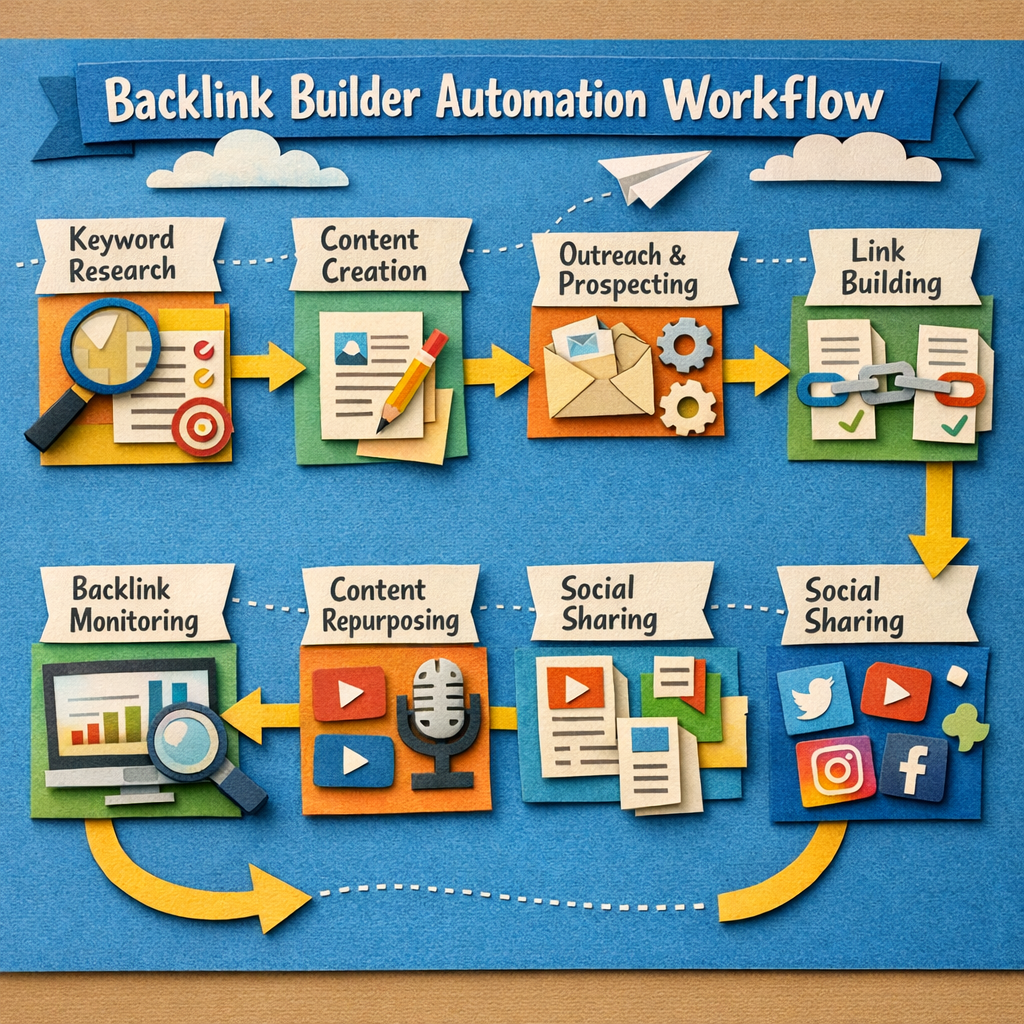
"Backlink builder software" covers two very different products sold under one phrase. One kind helps a human run outreach faster: finding prospects, finding emails, sending sequences, tracking replies. The other kind claims to build links automatically, and that category is mostly a way to acquire the exact links Google's systems were built to discount.
This list covers both, marks which is which, and is direct about the second group rather than quietly including them for the entry count.
How we checked this list
All fourteen were loaded on their live sites in August 2026 and screenshotted, so every tool here resolved and is real.
Two products that appear on other lists in this category did not survive earlier checks on this site and are not included: Postaga and NinjaOutreach both failed verification when we audited pages recommending them.
What each type actually does
| Type | What it does | Does it build links |
|---|---|---|
| Outreach platform | Finds prospects, sends and tracks campaigns | No, you do, faster |
| Email finder | Turns a domain into a contact | No |
| Link monitoring | Tells you what you have and what you lost | No |
| Placement network | Places contextual links across a network | Yes |
| Automated link blaster | Posts links across low-quality sites | Yes, and you do not want them |
Only two rows actually build links. Everything else is a tool for a person doing the building, which is the honest framing this category usually avoids.
Quick answer
- Best placement without outreach: Distribb
- Best full outreach platform: Pitchbox
- Best value outreach: Respona
- Best for relationship management: BuzzStream
- Best email finder: Hunter
- Best link monitoring: Ahrefs
- Best cheap monitoring: Linkody
- Best for managing exchanges you already have: Backlink Manager
Comparison
| Tool | Type | Free tier |
|---|---|---|
| Distribb | Placement network | 7-day trial |
| Pitchbox | Outreach platform | Demo |
| Respona | Outreach platform | Trial |
| BuzzStream | Outreach and CRM | Trial |
| Hunter | Email finder | Yes |
| Snov.io | Email finder and sequences | Yes |
| Ahrefs | Prospecting and monitoring | No |
| Semrush | Prospecting and outreach | Trial |
| Majestic | Link index | No |
| Linkody | Monitoring | Trial |
| Backlink Manager | Exchange management | Trial |
| Ranklytics | Auto-matched swaps | Trial |
| LinkAssistant | Desktop outreach | Yes |
| Automated link blasters | Bulk low-quality placement | Avoid |
1. Distribb, placement without the outreach

Most tools on this list make you faster at emailing strangers. Distribb removes that step: its backlink exchange places contextual links inside articles that other businesses in the network are publishing anyway, so there is no pitch, no thread and no negotiation.
The reason it leads a list about link building software specifically is that the bottleneck in outreach is almost never the tooling. It is that nobody has time to send and follow up on 200 emails a month, and a better sequencing tool does not fix that.
Honest limit: you do not choose the individual partner sites and cannot target one named domain. If your strategy depends on landing a link on a specific publication, an outreach platform below is the correct purchase. Accelerator is $495 per month with a 7-day free trial.
2. Pitchbox, the professional outreach platform

Pitchbox is what agencies running link building at scale use: prospecting, automated personalised sequences, follow-ups, team workflows and reporting, with integrations into the major link indexes.
If outreach is a core service you sell rather than something you do occasionally, this is the category leader and it is priced accordingly.
Honest limit: enterprise pricing after a demo, and it is heavy for anyone sending under a few hundred emails a month.
3. Respona, the accessible alternative

Respona covers prospect discovery, email finding, personalisation and sequencing in one product, at a price small teams can justify.
It bundles the email finding that Pitchbox expects you to bring, which makes the real total cost lower than the headline comparison suggests.
Honest limit: less depth on team workflow and reporting than Pitchbox at agency scale.
4. BuzzStream, built around relationships

BuzzStream treats link building as relationship management rather than campaign sending, keeping a history of every contact and conversation across projects.
For anyone doing digital PR where the same journalists recur, that history is worth more than sequencing speed.
Honest limit: the interface shows its age, and it is less automated than newer tools by design.
5. Hunter, the email finder standard

Hunter turns a domain into verified contact addresses, with a genuinely usable free tier and a straightforward campaign tool attached.
Most outreach failures are delivery failures, and verification is the cheapest fix available.
Honest limit: it finds addresses. Prospecting and persuasion are still yours.
6. Snov.io, finder plus sequences cheaply

Snov.io combines email finding, verification and drip campaigns at a lower price point than the dedicated outreach platforms.
For a small team wanting one tool covering finding and sending, it is the value option.
Honest limit: built primarily for sales outreach, so link-building-specific workflows need adapting.
7. Ahrefs, prospecting and monitoring

Not a link builder, and the tool most link building actually starts in. Competitor backlink analysis tells you which sites link to people like you, and broken link reports find the openings.
Its monitoring also tells you when a link you earned disappears, which happens more than people expect.
Honest limit: from $129 per month, and it sends nothing. It is the map, not the vehicle.
8. Semrush, the same job inside a suite

Semrush includes a Link Building Tool that combines prospecting with basic outreach sending, alongside its backlink analytics.
If you already pay for Semrush, this is worth trying before buying a dedicated outreach platform.
Honest limit: the outreach side is basic next to Pitchbox or Respona. Fine for low volume.
9. Majestic, the second opinion on link quality

Majestic's Trust Flow and Citation Flow are independent metrics, which makes them a useful cross-check when Ahrefs and Moz disagree about whether a prospect is worth pursuing.
Most valuable to people buying or vetting placements at volume.
Honest limit: a link index, not a builder. Narrow by design.
10. Linkody, cheap monitoring

Linkody watches your backlink profile and alerts you when links are added, removed or changed to nofollow, at a fraction of the cost of a full suite.
For a business that has earned links and wants to know when they vanish, this is the cheap correct tool.
Honest limit: monitoring only, and a smaller index than the majors.
11. Backlink Manager, for exchanges you already run

Backlink Manager tracks link exchange partnerships: what you promised, what they promised, what actually went live and what quietly came down.
Anyone running exchanges in a spreadsheet is losing links they paid for in effort, and this is what replaces the spreadsheet.
Honest limit: it manages exchanges rather than sourcing them.
12. Ranklytics, auto-matched swaps

Ranklytics matches members for peer link swaps automatically, reducing the negotiation overhead of finding partners manually.
Honest limit: direct reciprocal swaps are the pattern Google names most explicitly as a link scheme. Keep them relevant, contextual and few.
13. LinkAssistant, the desktop option

Part of the SEO PowerSuite family, LinkAssistant runs prospecting and outreach from your own machine with a one-off licence rather than a subscription.
For anyone who resents recurring costs, the licensing model is the reason to look.
Honest limit: desktop software means it runs when your computer does, and the interface is dated.
14. Automated link blasters, and why they are not listed by name
There is a whole category of software that will submit your URL to thousands of directories, forums, comment sections and web 2.0 properties automatically. It is cheap, it is fast, and it works exactly as advertised.
It builds precisely the link profile that Google's link spam systems were designed to identify and discount, pointed at your domain, at volume, with your name on it. We are not listing individual products because we do not want to send anyone toward them.
If you are considering one: the reason it is cheap is that the links are worthless. The reason it is fast is that no human reviews anything. Those are the same reason.
What to actually buy
If outreach is your core service: Pitchbox, or Respona if the budget does not stretch.
If you do outreach occasionally: Hunter's free tier plus whatever research tool you already pay for.
If you have earned links and want to keep them: Linkody or your existing suite's monitoring.
If the honest problem is that outreach never happens: no outreach tool fixes that, and it is worth saying plainly. Our best backlink exchange comparison covers the alternatives, and dofollow backlinks goes through the nine acquisition methods ranked by effort and risk.
The test worth applying
Ask of any tool here: does this build a link, or does it help a person build a link faster. Twelve of the fourteen are the second, and buying one of those when nobody has time to run outreach changes nothing.
If that describes your situation, Distribb places contextual links without an outreach step at a flat cost, with a 7-day free trial. You trade away control over which sites, which is the honest cost of skipping the pitch.
Three neighbouring pages take that test further. Automatic backlink software covers the tools that claim to build links unattended, backlink automation explains which stages can safely be automated at all, and the AI backlink builder guide is the practical version. Once links exist, backlink monitoring tools is how you keep them.