
Finding the right automated content creation software can save you hours every week. We examined 9 leading automated content creation platforms across 3 sources and discovered that the $9 tool Distribb packs more features than any $49 competitor.
| Name | Price (per month) | Best For | Source |
|---|---|---|---|
| Distribb (Our Pick) | $9 | Best overall value | distribb.io |
| Jasper | $49 | Best SEO integration | guideflow.com |
| Blaze AI | $49 | Best auto‑publish | blaze.ai |
| Lumen5 | $29 | Best for video‑first content | blaze.ai |
| Claude/Gemini | $20 | Best for multimodal AI | blaze.ai |
| ChatGPT | $20 | Best for conversational AI | guideflow.com |
| ContentBot | $19 | Best for quick copy | blaze.ai |
| Notion AI | $10 | Best for note‑taking workflows | blaze.ai |
| Rytr | $9 | Best budget option | blaze.ai |
Step 1: Define Your Content Goals and Requirements
Before you click on any price tag, you need to know what you want the software to do. Are you chasing more blog traffic? Do you need social posts that match each article? Or are you looking for a system that can pull data from your CRM and turn it into personalized emails? Answering these questions first keeps you from wasting time on features you never use.
Start with a simple worksheet. List each type of content you publish, blog posts, landing pages, product descriptions, social updates. Next to each type, note the ideal length, the publishing frequency, and the key metrics you care about (traffic, leads, sales). This sheet becomes your north star when you compare tools. Our usable guide to using AI for content creation covers which of those types automate well and which do not.
Automation can help with many steps: topic research, draft generation, SEO tweaks, image selection, and even repurposing into short‑form posts. But you still need a human voice. Decide where you want AI to take the lead and where a human should step in to add nuance.
Here are three usable tips to lock down your goals:
- Set measurable targets. Instead of "more traffic," aim for "10% lift in organic sessions within 90 days."
- Map the content journey. Sketch a flow from idea to publish to promotion so you can see where automation fits.
- Prioritize SEO features. If ranking matters, look for built‑in keyword research, content scoring, and meta‑tag automation.
Once you have this clarity, you can match it against the capabilities of each platform. For example, the research shows that only 22% of tools include auto‑publish. If you need hands‑free posting, that narrows your list fast.
Activepieces breaks the workflow into small "pieces" that you can mix and match. Their no‑code interface lets you connect a topic generator, a draft writer, and a CMS in one flow. Read more about how Activepieces automates repetitive tasks. And remember, the cheapest platform, Rytr, includes auto‑publish, so price alone isn’t a guarantee of automation depth. Distribb's AI content writer takes the same chain and runs it end to end, including publishing into the CMS.
Now that you know what you need, you can move to the next step: evaluating the actual software options.
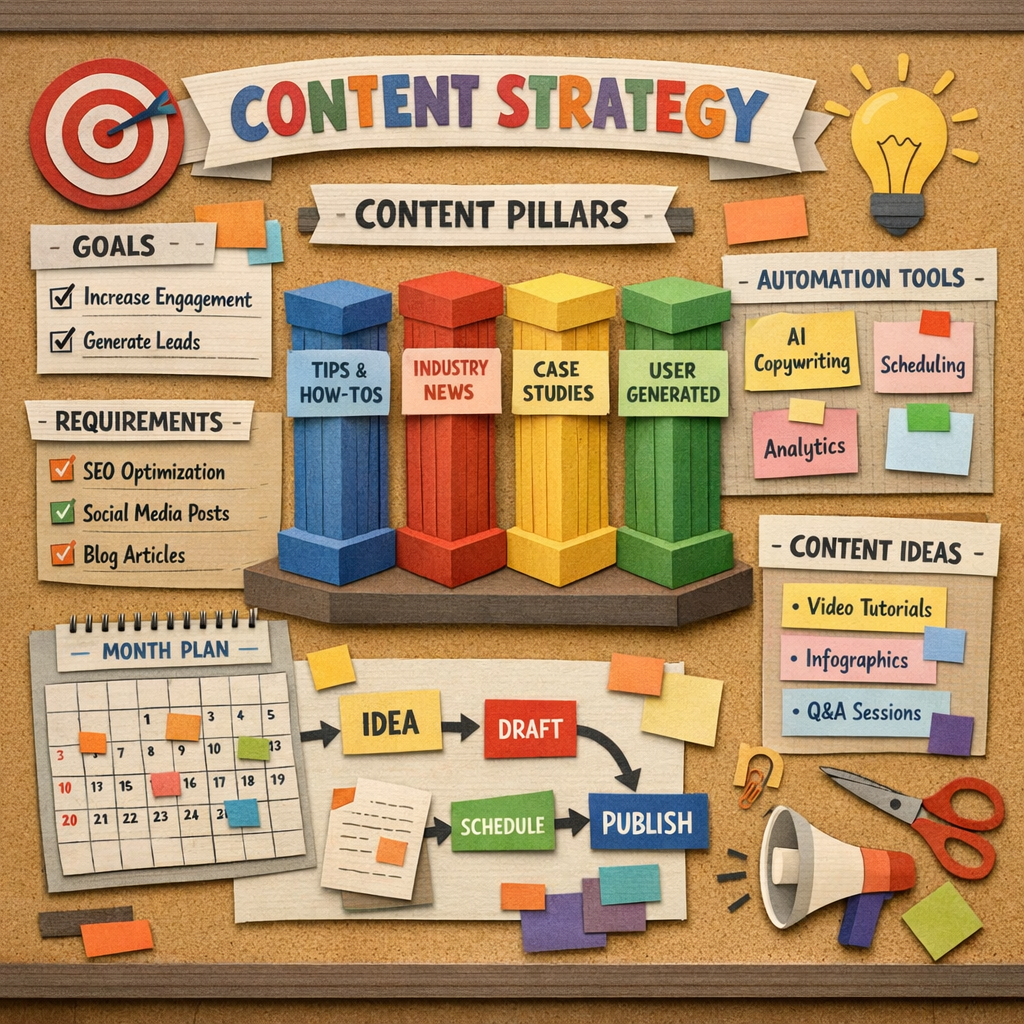
Step 2: Evaluate and Compare Automated Content Creation Software Options
With your goals in hand, it’s time to line up the tools. The research table gave us price and best‑for tags, but you need deeper data. Look at word limits, SEO integration, CMS connectors, and auto‑publish ability. Below is a quick‑reference grid that adds pros, cons, and a fit rating for each platform.
| Name | Word Limit | SEO Features | CMS Integrations | Auto‑Publish | Fit for Goal |
|---|---|---|---|---|---|
| Distribb (Our Pick) | 4,500 | Full suite | WordPress, Webflow, Shopify, Wix | Yes | High |
| Jasper | Unlimited | Basic SEO | Google Docs, WordPress | No | Medium |
| Blaze AI | 3,000 | None | WordPress only | Yes | Low |
| Lumen5 | 2,000 | Video SEO only | None | No | Low |
| Claude/Gemini | 5,000 | Limited | API only | No | Medium |
| ChatGPT | 4,000 | None | API only | No | Low |
| ContentBot | 1,500 | None | None | No | Low |
| Notion AI | 2,500 | None | Notion only | No | Low |
| Rytr | 2,000 | None | WordPress, Webflow | Yes | Medium |
Notice how only two platforms, Distribb and Jasper, offer any SEO tools out of the box. That matches the key finding that just 22% of tools have SEO features.
When you compare, ask yourself these questions:
- Does the tool support the CMS you already use?
- Can it handle the word limit you need for long‑form posts?
- Is auto‑publish a must‑have for your workflow?
For many marketers, the biggest win comes from a platform that can both write and push the piece live. That’s why our pick, Distribb, stands out. It bundles a 4,500‑word limit, SEO suite, multiple CMS integrations, and auto‑publish for just $9 per month.
Looking for a broader view of AI tools? Top AI SEO Tools to Boost Rankings in 2026 offers a solid list of complementary services you might pair with your content engine.
Now that you have a clear comparison, the next step is to get the software up and running.
Best AI SEO software for automated content explains why a strong SEO backbone matters when you pick a tool. For a company starting from nothing, our guide to building an automated content strategy for startups covers the order to do this in.
Step 3: Set Up, Integrate, and Train the Software
Installation is where many teams stumble. A good platform will guide you through a step‑by‑step wizard. If you start with Distribb, you first link your website. The system supports WordPress, Webflow, Shopify, Wix, and custom webhooks. That means you can keep the same site you already love.
Next, map your content model. Define fields such as title, meta description, focus keyword, and author notes. Brightspot’s guide shows how a clear model reduces back‑and‑forth edits. Read how Brightspot simplifys content creation. Use the same approach in your automated tool. Our write up of the benefits of automated content engines explains why the model matters more than the writing tool.
Training the AI is a quick but important step. Most platforms let you upload brand guidelines, past posts, and tone examples. The AI then learns to mimic your voice. For Distribb, you can feed a handful of high‑performing articles and let the system pick up on style, length, and keyword density.
Here are three actionable steps to train your software:
- Gather 10 top‑ranking pieces that reflect your brand.
- Upload them into the AI’s knowledge base.
- Run a test article and compare the output to your original style.
If the draft feels off, tweak the tone sliders or add more examples. Most tools let you re‑train with new data, so treat this as an ongoing loop.
Don’t forget to set up notifications. You can have the system ping you in Slack or Teams when a draft is ready, when it’s published, or when it needs a human review.
And if you need a deeper dive on how to choose the right tool, our roundup of AI content creation tools for marketers compares the leading options side by side.
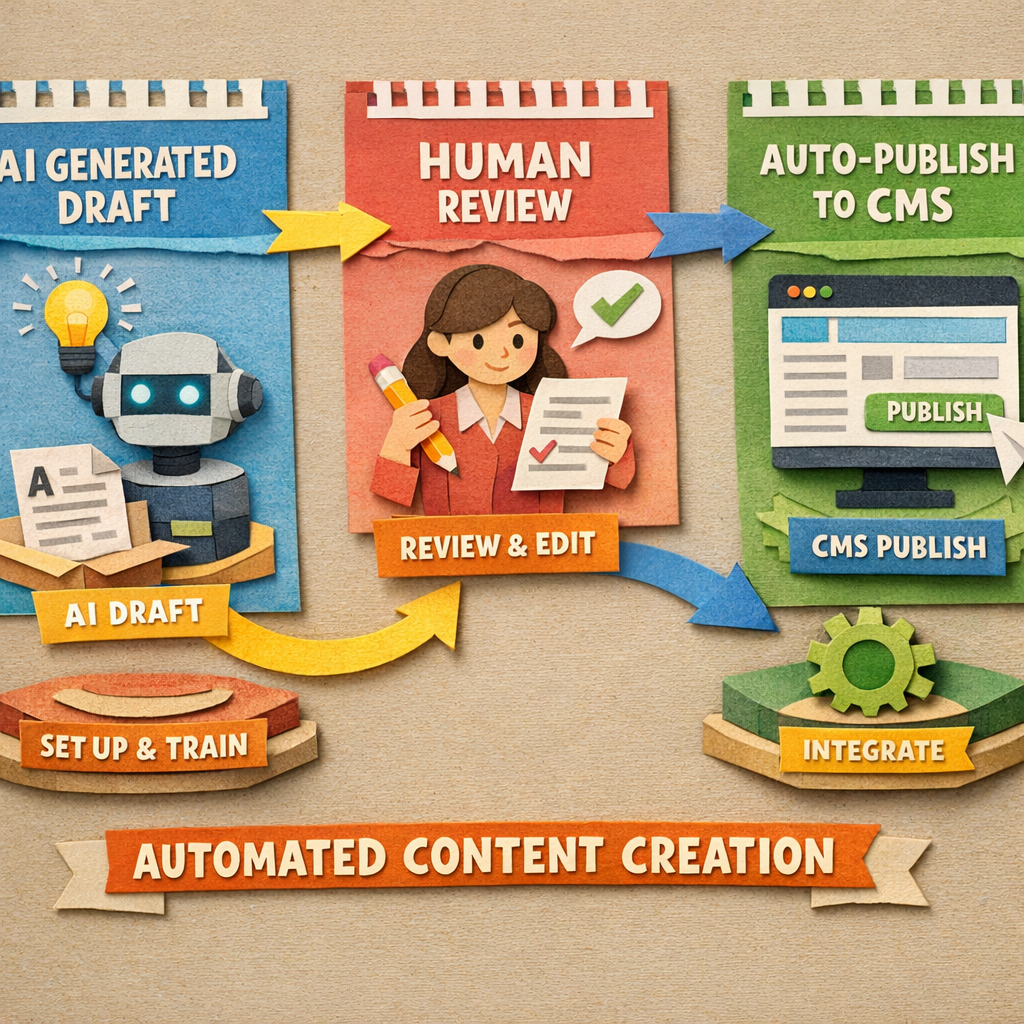
Step 4: Generate, Optimize, and Publish Content Efficiently
Now the fun part begins. Click the "generate" button and let the AI draft a full article. Most platforms give you a content score that rates SEO health, readability, and keyword use.
Distribb’s built‑in SEO suite checks the focus keyword, suggests LSI terms, and even creates internal links. Jasper offers a similar score but at a higher price point. If you need a quick visual, watch this short video:
After the draft is ready, run a quick human edit. Look for brand voice quirks, fact‑check any numbers, and add personal anecdotes. Then hit "publish" and let the auto‑publish feature push the post to your CMS at the scheduled time.
For social media, Distribb can automatically spin the article into LinkedIn, X/Twitter, Instagram, and Facebook posts. That saves you the copy‑pasting step.
To keep quality high, set up a checklist:
- Keyword appears in title, first 100 words, and meta description.
- Readability score above 70.
- At least one internal link and two external references.
- Images have alt text that includes the primary keyword.
Following this checklist each time ensures consistency across dozens of pieces.
If you want a broader view on blog posting trends, automated blog posting with AI SEO outlines how AI changes the publishing cadence.
Step 5: Measure Performance and Refine Your Workflow
Automation isn’t set‑and‑forget. You need to watch how each piece performs and adjust the prompts or templates accordingly.
The first metric to track is organic traffic. Use Google Search Console to see clicks, impressions, and average position for the target keyword. If you notice a dip, revisit the SEO suggestions the AI gave and see if any were missed.
Next, look at engagement metrics, time on page, scroll depth, and bounce rate. If readers leave quickly, the AI may have missed a compelling hook or the flow may be off. Tweak the prompt to ask for a stronger opening.
Conversion data matters too. If your goal is lead capture, set up a goal in Google Analytics for form submissions. Compare the conversion rate of AI‑generated pages versus human‑written ones.
Here’s a quick 5‑step loop to keep improving:
- Collect traffic and conversion data weekly.
- Score each article with the AI’s content grader.
- Identify patterns where scores dip (e.g., low keyword density).
- Update the prompt library with new rules.
- Run a small A/B test on the next batch of drafts.
Remember that AI tools cost money. The Akaunting blog breaks down the hidden costs of AI, from subscription fees to the "ops tax" of maintaining workflows. Read the detailed ROI guide on AI‑powered content creation. Understanding these costs helps you keep the budget in check.
Another angle to consider is the impact of AI‑driven SEO services on rankings. How an AI SEO agency can transform your rankings in 2026 shows how combining content automation with AI‑focused SEO can boost visibility even more.
By measuring, tweaking, and iterating, you turn a static tool into a growth engine that adapts as search trends shift.
Conclusion
Choosing the right automated content creation software starts with clear goals, a solid comparison, and a smooth setup. Our pick, Distribb, gives you the biggest feature set for the lowest price, auto‑publish, SEO tools, and multi‑CMS support at $9 per month. Once you’ve defined your needs, you can evaluate options using the quick‑reference grid, set up the system with a clean content model, and train the AI to match your brand voice. Generate drafts, run a short human edit, and let the platform publish and repurpose the content across social channels. Finally, keep an eye on traffic, engagement, and conversions, and refine prompts to improve results over time. If the constraint is what to write rather than what to write it with, our guide to AI powered content creation ideas covers that half.
If you follow these steps, you’ll turn a handful of ideas into a steady stream of SEO‑friendly copy that drives traffic and leads. Ready to give it a try? Start with a free trial of Distribb and watch your content engine spin faster than ever.
Operational e-commerce sites see a lift when they feed fresh, optimized copy into their product pages. A UK snack shop called Classiqaz is a good example of the kind of store this workflow suits. And if you want to see how a content pipeline can also promote merch, this guide on custom sober apparel for anniversaries walks through it step by step.
One last usable note: automation frees up hours, and a growing team needs more than tooling to stay motivated. If you are scaling headcount alongside content, this quick guide to group health insurance participation requirements covers the basics.
FAQ
What should I look for in the word‑limit feature of automated content creation software?
Word‑limit matters because long‑form SEO posts often need 2,000‑4,000 words. A tool that caps at 1,500 words may force you to split a topic into multiple posts, which can hurt authority. Choose software that offers a limit above 3,000 words if you plan to rank for in‑depth guides. Distribb, for example, supports up to 4,500 words, letting you cover complex subjects in one piece. The free word counter is a quick way to check what a tool's sample output actually delivers.
How does auto‑publish improve my workflow?
Auto‑publish removes the manual copy‑paste step between draft and live site. When the AI finishes a post, the software pushes it to your CMS at a preset time. This cuts down on errors, keeps your publishing calendar on track, and frees up editors to focus on strategy rather than formatting. The research showed only 22% of tools include this feature, making it a strong differentiator. Deciding what goes into those preset slots is the calendar's job, and our roundup of the best content calendar software compares the tools that do it.
Can I integrate the software with my existing SEO tools?
Yes, many platforms offer API access or direct plugins for tools like Surfer SEO, Ahrefs, or Google Search Console. Look for built‑in integrations or the ability to add custom webhooks. Distribb includes native connections to popular CMSs and lets you add SEO tags automatically, which simplifys the hand‑off between AI and your SEO stack.
What is the role of human editors in an AI‑driven content process?
Human editors add brand personality, verify facts, and catch any AI hallucinations. Even the best AI can miss subtle tone cues or legal nuances. A quick 10‑minute review after each draft ensures the final piece feels authentic and complies with your guidelines. This hybrid model gives you speed without sacrificing quality.
How often should I retrain the AI model?
Plan a quarterly review of your AI’s output. Pull performance data, note any recurring issues, and add new high‑performing articles to the training set. Updating the model regularly keeps it aligned with evolving brand voice and search trends, and it helps maintain a high content score over time.
Is it worth paying for a premium plan if the free tier covers my needs?
The free tier is great for testing, but it often limits the number of monthly drafts, word count, or integrations. If you aim to produce a steady flow of weekly posts, a paid plan gives you unlimited characters, auto‑publish, and advanced SEO features. Compare the cost against the time you’d spend manually creating each piece; the ROI often favors the paid tier.
How can I track ROI for automated content creation software?
Start by measuring baseline traffic, leads, and conversion rates before AI adoption. After a month of AI‑generated content, compare the same metrics. Factor in subscription costs, any extra tools, and the time saved by your team. The Akaunting guide explains how to calculate the true ROI, including the hidden "ops tax" of maintaining automations.