

There is no such thing as a category called SEO project management software, and pretending otherwise is why most of these lists are useless. What exists is general project management software that SEO teams bend to fit, and a handful of SEO tools that added a task queue. If you are earlier than that and still scoping the work, start with our guide to what SEO management covers.
Those two groups fail in opposite ways. General PM tools have no idea what a keyword is, so the SEO context lives in linked documents nobody opens. SEO tools know the context but have weak assignment, dependency and approval features, so the work still gets managed somewhere else.
This list covers both, says which group each tool belongs to, and is honest about the fact that most SEO teams end up running two systems.
How we picked and checked these
Every tool below was loaded on its live site in August 2026 and screenshotted. Anything that did not resolve, or that turned out to be a parked domain, was cut rather than listed on reputation.
We also removed tools that only manage content production and cannot represent technical SEO work, because a system that can track a blog post but not a redirect map is not managing your SEO. Tools that generate the technical work in the first place are in our list of AI SEO audit tools.
The two groups
| Group | Strength | Weakness | Best for |
|---|---|---|---|
| General PM adapted for SEO | Assignments, dependencies, approvals, client visibility | No SEO data, no rank or crawl context | Agencies and teams over five people |
| SEO tools with a task layer | Tasks carry the keyword, page and issue with them | Thin project management, weak for non-SEO work | In-house SEOs and solo operators |
| Execution platforms | The task disappears because the work is automated | Only covers what it automates | Content and link workflows |
The third row is the one most lists ignore. A recurring task that says "publish four articles" is a worse solution than four articles that publish themselves.
Quick answer
- Best if the tasks are content and links: Distribb
- Best general PM for SEO agencies: ClickUp
- Best for client-facing agency work: Teamwork.com
- Best for large marketing teams: Wrike
- Best free starting point: Trello
- Best SEO-native task queue: SE Ranking SEO Task Manager
- Best for documenting SEO processes: Notion
- Best for site architecture work: Slickplan
Comparison
| Tool | Group | Free tier |
|---|---|---|
| Distribb | Execution platform | 7-day trial |
| ClickUp | General PM | Yes |
| Asana | General PM | Yes |
| Monday.com | General PM | Limited |
| Wrike | General PM | Yes |
| Teamwork.com | General PM, agency | Yes |
| Trello | General PM | Yes |
| Notion | Docs and light PM | Yes |
| Airtable | Database and PM | Yes |
| Smartsheet | Spreadsheet PM | Trial |
| Basecamp | General PM | Trial |
| Jira | Dev-oriented PM | Yes |
| SE Ranking | SEO suite with task manager | Trial |
| Slickplan | Site architecture planning | Trial |
| SEOTesting | SEO test tracking | Trial |
1. Distribb, when the project is content and links

Distribb leads a list about SEO project management for an awkward reason: it is not project management software. It removes the cards rather than organising them. Audit any SEO board honestly and most open items are a version of write this, publish that, chase that link.
Distribb runs keyword research, drafting, publishing into WordPress, Webflow or Shopify, and internal linking as a scheduled loop. Its backlink exchange handles placement without an outreach thread existing. Stages advance because the work is happening, and Indexed is confirmed against Search Console rather than asserted by whoever moved the card.
That last stage is the one no general board can give you, because it needs to know whether Google actually took the page. Each client or site is a separate project with its own schedule and timezone.
Pros:
- Stages advance themselves, so the board cannot drift out of date the week everyone gets busy
- Indexed is verified against Search Console, not marked done by hand
- Per-project separation, which is how agencies actually need to see client work
- The cards leave the board rather than moving across it
Cons: It manages SEO content and link work and nothing else. There is no task assignment, no dependencies, no approval chain, and no way to represent a migration or a redirect map. If one board has to hold the whole team's work, you still need a real project tool and this runs the content lane inside it.
For who: Teams whose SEO board is permanently stale because the backlog is production, not coordination.
Pricing: $97 a month per project with a 7-day free trial. The Accelerator tier is $495 a month. Two prices, no free plan.
2. ClickUp, the one most SEO agencies land on

ClickUp wins SEO work on custom fields and views. You can build a task type carrying target keyword, current position, target URL and search volume, then read the same tasks as a board, a list, a calendar or a Gantt chart depending on who is asking.
Automations move a card from draft to review to scheduled without anyone dragging it, which is most of what a content pipeline needs.
Pros:
- Custom fields carry SEO data, so a task knows its keyword and its URL
- Four views over one dataset, which settles most arguments about how to see the work
- Automations for pipeline stages, reliable enough to trust
- A free tier you can genuinely evaluate on before paying for anything
Cons: It does too much, and the configuration that makes it good costs about a week you have to actually spend. Teams that skip that week end up with an expensive Trello and blame the tool.
For who: Agencies willing to invest setup time once for a structure that then holds.
Pricing: Free Forever plan, Unlimited $7 per user a month billed yearly ($10 monthly), Business $12 billed yearly ($19 monthly), Enterprise on quote, on the ClickUp pricing page.
3. Asana, the cleanest for content pipelines

Asana is the tool people stop fighting. A content calendar with a section per stage, custom fields for keyword and word count, and rules that advance tasks works on day one and needs no maintenance after.
Its dependency handling matters more in SEO than people expect. On-page changes wait on the technical fix, the technical fix waits on the developer sprint, and Asana models that chain without ceremony.
Pros:
- Usable on day one, with no configuration project in front of it
- Genuinely good dependencies, which SEO sequencing needs constantly
- Rules that advance content stages without anyone maintaining them
- A free tier for one or two people that is not a trap
Cons: Reporting is thinner than Wrike or Monday, and client-facing views are restricted on lower tiers. Agencies tend to outgrow it at the point they start needing to show clients a dashboard.
For who: In-house content teams who want the pipeline running this week.
Pricing: Personal free for up to 2 users, Starter $10.99 per user a month billed annually ($13.49 monthly), Advanced $24.99 billed annually ($30.49 monthly), Enterprise on quote, on the Asana pricing page.
4. Monday.com, the most visual
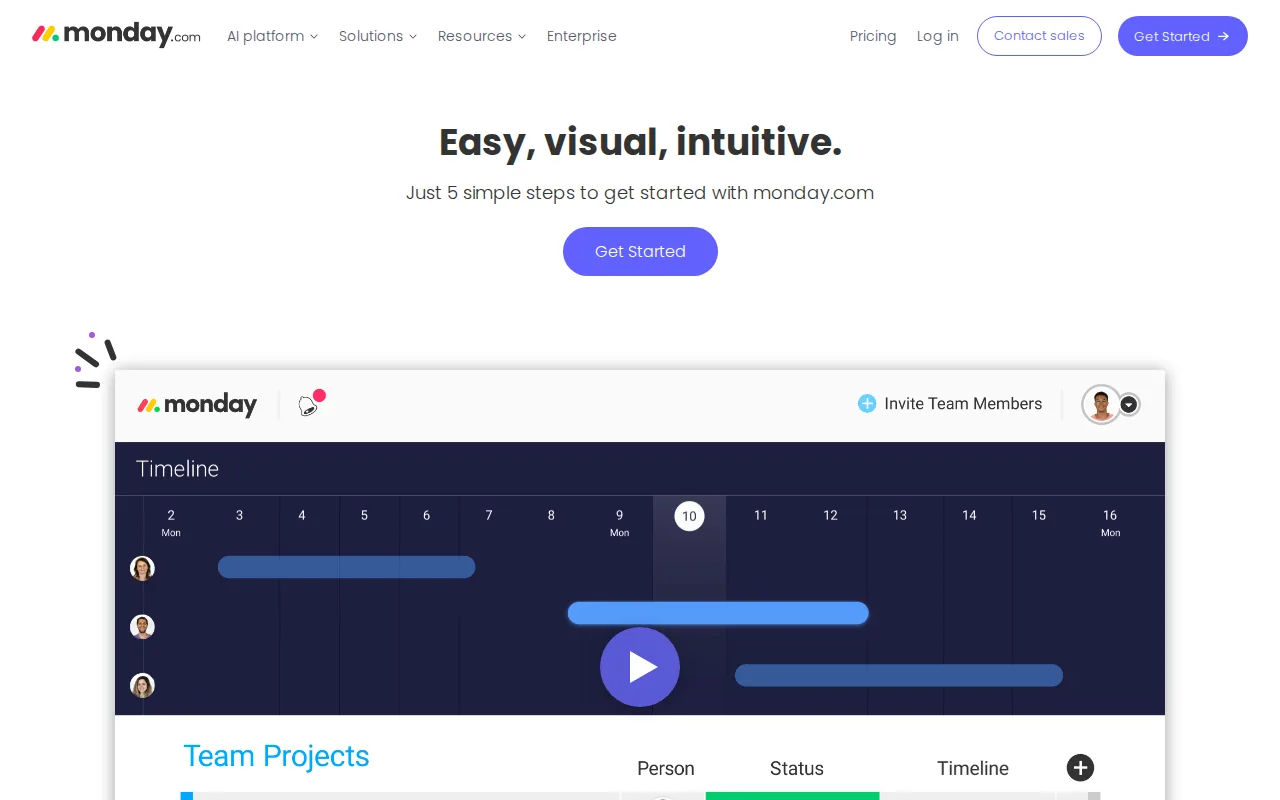
Monday is a colour coded database anyone can read without training, which is its real advantage when non-SEO stakeholders need to see progress. Automations are easy to build and status is obvious at a glance.
For SEO the pattern that works is a board per client with a shared timeline above it, which holds well under about twenty accounts.
Pros:
- Readable by stakeholders who will never be trained on a project tool
- Dashboards that make status obvious, useful for retainer reporting
- Board per client with a shared timeline, a pattern that scales to mid-sized agencies
- Automation building that does not need a specialist
Cons: Seat pricing punishes teams with many light users, since a stakeholder who only reads costs the same as an SEO who works in it all day. The free tier caps at 2 seats and 3 boards, which is too small to evaluate the thing you would actually buy.
For who: Agencies and marketing teams where visibility to non-specialists is the point.
Pricing: Free for up to 2 seats, Basic $9 per seat a month, Standard $12, Pro $19, all billed annually, Enterprise on quote. A monthly credit discount was running when we checked and is not quoted here because promotions rot.
5. Wrike, for marketing teams above ten people

Wrike is built for larger marketing departments and it shows in the parts that matter at scale. Request forms route work to the right queue, proofing and approvals cover creative assets, and resource management shows who is overloaded.
If SEO sits inside a wider marketing function and competes for the same designers and developers, Wrike handles that competition better than the lighter tools do.
Pros:
- Request forms that route correctly, so intake stops arriving by direct message
- Resource management, the honest answer to why the technical fix has not shipped
- Proofing and approvals built in rather than bolted on
- Reporting strong enough for a marketing director
Cons: Heavy for a small team and dense to look at. Under ten people it is more structure than the work needs, and the structure itself becomes the maintenance job.
For who: Marketing departments above ten people where SEO is one lane of several.
Pricing: Free plan, Team $10 per user a month, Business $25 per user a month, with Enterprise and Pinnacle on quote and a 14-day trial.
6. Teamwork.com, built around billable client work
Teamwork aims squarely at agencies, and the difference is in time tracking, retainer budgets and profitability per client. Knowing a client is eating forty hours against a twenty hour retainer is more useful than another board view.
Client users can be given limited access without being billed as full seats, which is the feature agencies ask about first.
Pros:
- Retainer and profitability reporting per client, not per project
- Free client seats, so transparency does not carry a licence cost
- Time tracking that agencies actually use rather than tolerate
- Billing built around how SEO retainers really work
Cons: As a pure task tool it is less flexible than ClickUp. You are buying the agency economics layer, and in-house teams pay for a layer that is dead weight to them.
For who: SEO agencies billing retainers who need margin visibility per account.
Pricing: Free plan, Basics $9.99 per user a month and Accelerate $24.99 per user a month billed yearly, with higher tiers on quote and a free trial.
7. Trello, still the right answer for small teams

A Trello board with lists for ideas, briefed, writing, review, published and updating is a complete content workflow, and it takes about ten minutes to build. For a solo SEO or a team of three, everything above this is overhead.
Power-Ups add calendars, custom fields and automation when the work grows into needing them.
Pros:
- A working content pipeline in ten minutes, with no setup project
- A free tier that is genuinely usable, up to 10 collaborators per Workspace
- Power-Ups add capability only when you actually need it
- Nothing to learn, which is why it survives in teams that abandon other tools
Cons: It does not scale. Past a few hundred active cards, or the first time you need real dependency logic, you will move, and moving later costs more than starting elsewhere would have.
For who: Solo SEOs and teams of three who should stop shopping for tools.
Pricing: Free for up to 10 collaborators per Workspace, Standard $5 per user a month billed annually ($6 monthly), Premium $10 ($12.50 monthly), Enterprise $17.50 per user a month billed annually.
8. Notion, the best place for the SEO process itself

Notion's strength in SEO is not the task board. It is that the documentation and the tasks live in one place: keyword research, content briefs, audit findings and the standard operating procedure for each, sitting beside the database that tracks them.
Relations let a content task connect to its brief, its target keyword and its published URL, which is closer to how SEO work thinks than a flat task list.
Pros:
- Process and tasks in the same place, so the SOP is never a separate lost document
- Relations between briefs, keywords and URLs, matching how the work is actually shaped
- Cheap to give a whole team read access
- A free tier that covers an individual's whole process
Cons: No real dependency management and no resource view, and it slows noticeably once a database gets large. It documents better than it manages, and teams that ask it to manage end up disappointed in something it never claimed.
For who: Teams whose actual problem is that nobody wrote the process down.
Pricing: Free plan, Plus $10 per member a month, Business $20 per member a month, Enterprise on quote. AI agent credits are billed separately at $10 per 1,000.
9. Airtable, when the SEO data is the project

Airtable is right when the thing you are managing is a large structured set: 800 pages in a migration, 2,000 keywords in a cluster map, 300 link prospects. It handles that volume in a way a task board does not.
Views, filters and linked tables let one dataset serve the content team, the technical team and the client report without anyone duplicating it into a second file.
Pros:
- Holds thousands of rows comfortably, where a task board becomes unusable
- One dataset, many views, so the client report is not a separate spreadsheet
- Linked tables that model keyword to page to owner properly
- Automations and an API for teams who want to wire it into something else
Cons: It is a database first, so approvals, workload and time tracking are all bolted on afterwards. Pair it with a task tool rather than expecting it to become the whole system.
For who: Technical SEOs running migrations or large keyword maps as the core project.
Pricing: Free plan, Team $20 per user a month and Business $45 per user a month when billed annually, Enterprise Scale on quote.
10. Smartsheet, for people who think in spreadsheets

Smartsheet is a spreadsheet that behaves like a project management tool, with Gantt charts, dependencies and automation layered onto familiar rows and columns. For a team migrating off a Google Sheet, the transition costs almost nothing.
It suits large technical projects, particularly site migrations where the deliverable genuinely is a very long list of URLs with owners and dates.
Pros:
- No learning curve for spreadsheet people, which is most SEO teams
- Gantt and dependencies over rows, good for migration sequencing
- Handles very long URL lists without becoming slow to work in
- Automation and approvals on top of a familiar grid
Cons: It looks and feels enterprise, and the collaboration experience is dated next to Asana or ClickUp. There is no meaningful free tier, so evaluation happens on a trial clock.
For who: Teams running migrations who already live in spreadsheets and want to stop.
Pricing: Pro $12 per member a month billed monthly or $9 billed yearly, Business $24 monthly or $19 yearly, Enterprise on quote, with a free trial.
11. Basecamp, the anti-feature option

Basecamp refuses most of what the tools above compete on. No Gantt charts, no custom fields, no dependency webs. What you get is a project with to-dos, a message board, a docs area and chat, at a flat price rather than per seat.
For a small in-house SEO function that keeps abandoning complicated tools, that constraint is the feature rather than a gap.
Pros:
- Flat pricing on the unlimited plan, so headcount stops driving cost
- Clients and contractors are free, billed only for employees
- Nothing to configure, which is why teams stop abandoning it
- Docs, chat and to-dos in one place without an integration project
Cons: You cannot model SEO data in it at all. Keywords, positions and page-level tracking live somewhere else permanently, and that is a deliberate product decision rather than a roadmap item.
For who: Small in-house teams who want coordination and nothing more.
Pricing: Pro at $15 per user a month billed monthly, or Pro Unlimited at $299 a month billed annually for unlimited users, with a free trial.
12. Jira, if your SEO work is really developer work
Technical SEO recommendations do not get implemented in your SEO tool. They get implemented in the developers' sprint. If that sprint runs in Jira, the fastest route to a fixed canonical tag is a Jira ticket written the way the developers expect to receive it.
Many in-house SEOs run content in Asana or Notion and file every technical item in Jira. That is two systems on purpose rather than by accident.
Pros:
- Your tickets land where the work happens, which is the entire argument
- Sprint and backlog modelling that matches how the fix actually gets scheduled
- Free for up to 10 users, often enough for an SEO filing into an existing instance
- Automation and workflow rules that survive a real engineering process
Cons: Unpleasant for content work and disliked by non-technical marketers. Use it for the technical half only, and do not try to move the editorial calendar into it to have one system.
For who: In-house SEOs whose technical backlog is owned by an engineering team.
Pricing: Free for up to 10 users, Standard $7.91 per user a month, Premium $14.54 per user a month, Enterprise on quote.
13. SE Ranking, the SEO suite with a task manager attached

SE Ranking is one of the few research suites shipping a real SEO task manager. Tasks are created from audit findings, so a task carries the page, the issue and the data that produced it, and closing it changes a number you can see in the same tool.
Where those findings come from is compared in our roundup of SEO audit tools, and the research side of the product appears on our paid SEO tools list.
Pros:
- Tasks generated from audit findings, so the list and the data never drift apart
- Closing a task changes a measurable number in the same product
- Research, rank tracking and tasks in one subscription
- An agency add-on for white label reporting and client seats
Cons: The project management is basic. No dependencies, no workload view, and it cannot hold anything that is not SEO, so a mixed marketing team still needs a general tool beside it.
For who: In-house SEOs and small agencies who want one subscription rather than two systems.
Pricing: Core $129 a month, Growth $279 a month, both about 20 percent cheaper billed annually, with an Agency Pack add-on at $69 a month and a 14-day trial.
14. Slickplan, for the architecture half of the job

Site structure work is a real SEO project type that task boards represent badly. Slickplan handles sitemaps, content planning and redirect mapping visually, which is how architecture decisions are actually made and argued about.
On a migration the visual sitemap plus the redirect map is the deliverable, and having both in one place beats three spreadsheets and a diagram nobody updated.
Pros:
- Visual sitemaps that clients understand without a walkthrough
- Redirect mapping beside the structure it belongs to
- Content planning against the tree, so gaps are visible rather than inferred
- Cheap next to the general project tools for the job it does
Cons: It is a planning tool, not a project management tool. There is nowhere to track who is doing what by when, so it sits alongside your board rather than replacing it.
For who: Anyone running a migration or an information architecture rebuild.
Pricing: Basic $10.79 a month, Pro $31.49, Team $62.99, Agency $103.49, all billed annually, with a 14-day trial and no card required.
15. SEOTesting, for managing SEO as experiments

SEOTesting reframes the work. Instead of tasks you run tests, and each one carries a hypothesis, a date, an affected set of pages and a measured result pulled from Search Console.
For teams who have to prove SEO worked, that structure beats a completed checklist. It answers the question a task board never can, which is whether the change you shipped did anything at all.
Pros:
- Results pulled from Search Console, not self-reported
- A hypothesis and a date on every change, which makes reporting honest
- Unlimited users on every plan, so cost does not track headcount
- Answers whether the work mattered, which no board does
Cons: It manages tests, not people or deadlines, so it is always a complement rather than a replacement. It also needs enough traffic for a result to be readable, which rules out most small sites.
For who: Teams on sites with real traffic who must justify SEO spend with evidence.
Pricing: Single Site $50 a month, Medium $125 a month, Large $375 a month, Enterprise on quote, with a free trial.
What most teams should actually do
If you are a solo SEO or a team of three: Trello or Notion, free, and stop shopping. The tool is not your constraint. The rest of a free stack is covered in our list of free AI SEO tools.
If you are an agency: ClickUp or Teamwork.com depending on whether you care more about flexibility or billing, plus whatever research suite you already pay for. Two systems, not five.
If you are in-house alongside developers: content in Asana or Notion, technical in the developers' Jira, and accept that as permanent rather than trying to unify it.
Before you buy another seat
Worth asking one question first: how many cards on your current board are content and links. If it is most of them, a better board will not clear them, and adding project management to a throughput problem just documents the backlog more neatly.
That is the case for pairing whatever you pick above with Distribb, which takes those cards off the board by doing the work. It runs alongside a lot of automated SEO software decisions, and there is a 7-day free trial if you want to see how much of the board it actually clears.