
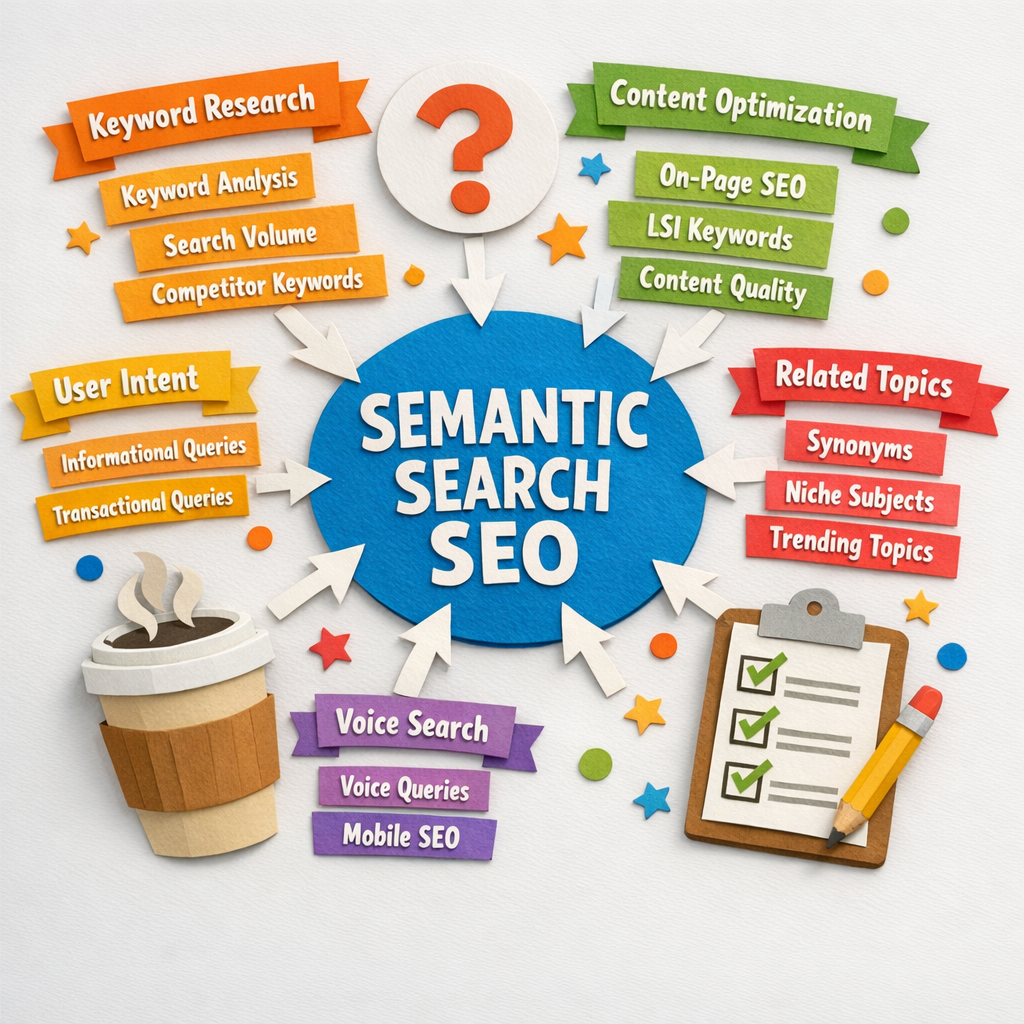
Semantic search stopped being a ranking curiosity the moment AI assistants started answering questions directly. The systems behind ChatGPT, Perplexity and Google's AI Overviews retrieve information by meaning rather than by matching strings, which is the same shift Google began in 2013 and has now finished.
The practical consequence is narrow and specific. A page that covers a subject completely and states its facts plainly gets retrieved. A page optimised around a keyword phrase does not, even when the phrase matches, because nothing in the retrieval process is looking for the phrase.
What semantic search actually does
Older search matched the words in your query against the words on a page, with some allowance for synonyms. Semantic search converts both the query and the page into a mathematical representation of meaning, then finds the closest matches in that space.
That representation is called an embedding, and it is why a page that never uses the phrase "cheap flights" can rank for it while a page repeating it forty times does not. The model is comparing meaning, and meaning does not care how many times you said the words.
Entities are the unit that matters
An entity is a specific thing the search engine knows about: a person, a company, a place, a product, a concept. Google maintains a graph of these and the relationships between them, and semantic search runs on that graph.
This is why the advice to "write about topics, not keywords" is more literal than it sounds. When you mention entities that genuinely belong together, you are placing your page in the right neighbourhood of the graph. When you list keyword variations, you are not.
| Keyword thinking | Entity thinking | |
|---|---|---|
| The target | A phrase with volume | A subject and everything attached to it |
| Success looks like | The phrase appears in the right places | The page covers what a knowledgeable person would cover |
| Missing something means | Lower keyword density | A gap the model can detect |
| Wins in 2026 | Rarely | Usually |
Why this now decides whether AI cites you
Retrieval-augmented generation, the technique behind most AI answers, works by embedding the user's question, searching a corpus for the closest passages, and giving those passages to the model to answer from. Your page is either in the retrieved set or it is invisible.
Two properties decide it. The passage has to be semantically close to the question, and it has to be a self-contained statement the model can lift without needing the rest of the page for context. That second property is one almost nobody optimises for and it is the more actionable of the two.
Nine changes that make a page semantically stronger
1. Answer the question in the first two sentences under each heading
An AI system extracting an answer takes a passage, not a page. If the answer to the heading arrives in paragraph six after a preamble, the passage that gets retrieved is the preamble.
2. Make every claim self-contained
Write "Semantic search converts queries into embeddings" rather than "It does this by converting them". A sentence that depends on the previous paragraph for its subject is useless once it is extracted on its own.
3. Cover the subject completely rather than repeatedly
List what a knowledgeable person would expect the page to address, then check the page addresses each item once. Completeness is what the model measures. Repetition is what keyword tools measure.
4. Name the entities explicitly
Use the actual names of the tools, standards, people and organisations involved rather than generic references. "A backlink tool" places you nowhere in the graph, and naming the specific products places you precisely.
5. Use headings that are real questions

People and AI systems both query in questions. AlsoAsked and AnswerThePublic show the actual question trees around a subject, and those questions make better headings than noun phrases because they match how retrieval is queried.
6. Add structured data so the entities are machine-readable

Schema markup states in machine-readable form what the page is about, who wrote it and what it references. It removes the guesswork from entity recognition rather than leaving the model to infer it from prose.
7. Check the markup actually parses

Structured data that contains an error is ignored silently, so a page can carry perfect-looking markup that does nothing. The Rich Results Test tells you in seconds, and it is free.
8. Build internal links that reflect real relationships
Internal links are the clearest signal you control about how your own pages relate to each other. Linking a subtopic to its parent and to its siblings describes a structure to the search engine that matches the structure in the graph.
9. Use a content optimiser for coverage, not for a score

Tools like Clearscope and Frase compare your draft against what currently ranks and surface the concepts you have not mentioned. That coverage list is genuinely useful for semantic completeness. How those tools sit against the research suites is covered in our Surfer SEO vs Ahrefs comparison.
The score attached to it is not a ranking factor, and writing to hit 95 produces stuffed prose that reads badly to the humans you are trying to convince.
The tools worth having

Frase and Clearscope for coverage gaps, AlsoAsked for question structure, and the Rich Results Test for markup validation cover most of the job. Search Console then tells you which queries the page actually attracted, which is the only feedback loop that reflects reality rather than a model's opinion.

Search Console is also where semantic wins show up first. A page that has become semantically stronger starts appearing for queries you never targeted, and that widening query set is the leading indicator to watch.
What has not changed
Semantic search did not abolish the fundamentals. Pages still need to be crawlable, fast enough, and linked from somewhere, and a site nobody links to still struggles regardless of how well written it is.
It also did not make keyword research obsolete. You still need to know what people search for and how often, because that is demand data. What changed is what you do with the keyword once you have it, which is to treat it as the name of a subject rather than a phrase to place.
Doing this consistently is the hard part
None of the nine changes above is difficult. Doing them on every page, and keeping internal links accurate as the library grows past a hundred articles, is where it falls apart, because the effort scales with the number of pages and attention does not. Tools built for that repetition are compared in our roundup of automated SEO software. Sizing that work before committing to it is what our enterprise SEO ROI calculator is for, and the ongoing version of the job is described in what SEO management actually is.
Distribb automates that repetition: it picks subjects from your Search Console data, writes them as complete coverage of a topic rather than around a phrase, publishes into your CMS, and maintains internal links between related articles as new ones appear. It does not generate schema markup for you, so change 6 above stays a manual job or a plugin's. There is a 7-day free trial. How much of it you need depends on how often you should blog for SEO, and agencies selling this as a service are compared in our list of the best AI SEO services.
For the neighbouring topics, see our guides to content writing for SEO, content hub examples and keyword research tools. Our guide to how AI SEO services can boost your rankings covers the outsourced version.