
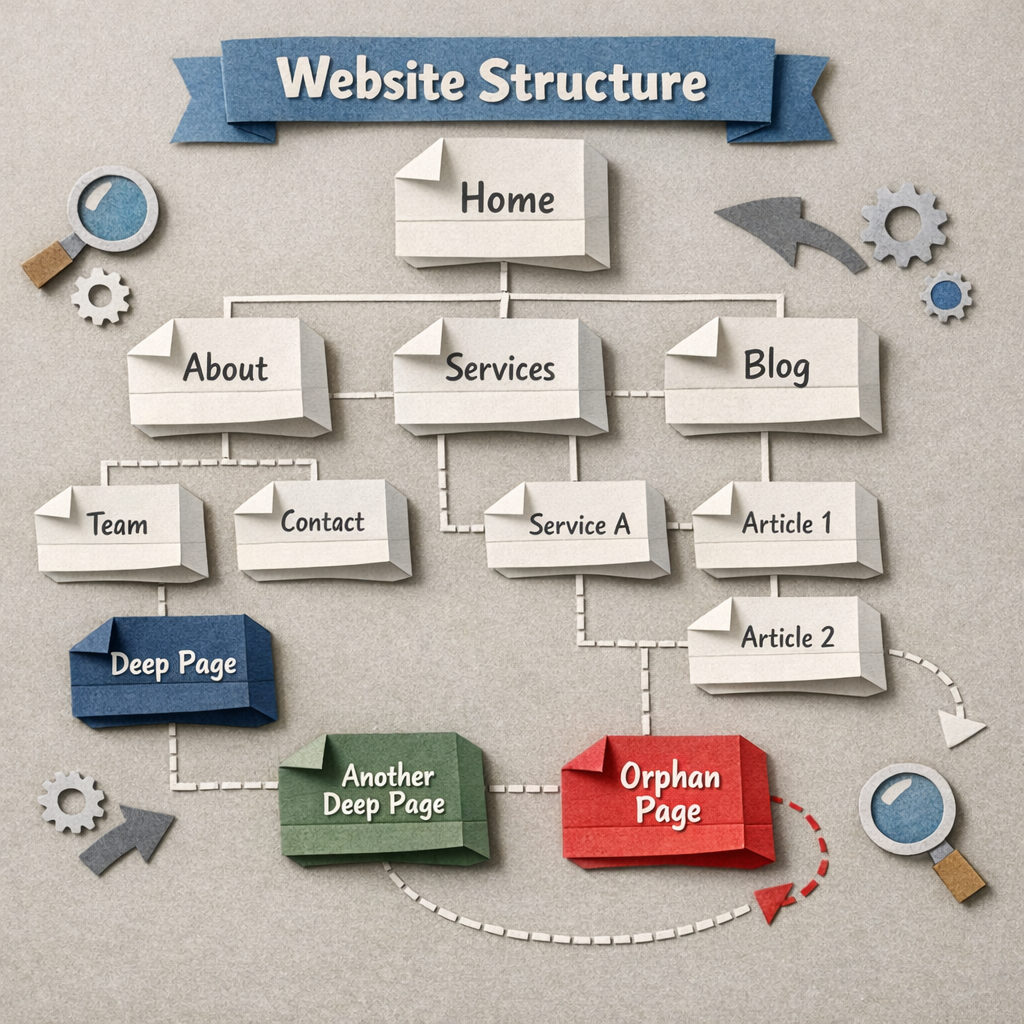
Internal linking is the highest-return SEO task nobody does, because it is the one job that gets harder every time you publish. Ten articles are easy to link by hand. Three hundred are not, and the site that most needs internal links is always the site with too many pages to link manually.
The fourteen tools below automate different amounts of that. Some only suggest links and leave you clicking accept. Some insert them. A few maintain the whole structure as new pages appear, which is the only version that stays solved.
How we checked this list
All fourteen were loaded on their live sites in August 2026 and screenshotted, so every product here resolved and is real. Anything that 404ed or turned out to be a parked domain was cut before writing.
Prices in this category range from free plugins to enterprise contracts and change often, so each entry describes the model rather than quoting a number. Where a tool is WordPress-only, that is stated, because it is the single most common reason a shortlist falls apart.
The three levels of automation
| Level | What it does | What you still do |
|---|---|---|
| Suggestion | Proposes links, you approve each one | Review every suggestion, forever |
| Insertion | Adds links in bulk on your command | Decide when to run it, fix the odd bad link |
| Maintenance | Links new pages as they publish, both directions | Nothing routine |
Most tools sold as automation are level one. Level one is genuinely useful and it is not automation, because the work still scales with the number of pages.
1. Distribb, links maintained as the library grows

We build this, so the limitation comes first in the entry rather than buried at the end. It is at the top of this list because it operates at the third level: when a new article publishes, it links out to the relevant existing articles and adds links from those articles back to the new one, without anyone running a scan.
That two-way behaviour is the part that matters. A new post with five outbound links and nothing pointing at it is still an orphan, and orphan pages are the specific problem internal linking is meant to solve. External links are the other half of the same problem, and Distribb's backlink exchange places those from real businesses in adjacent niches.
Honest limitation: it links content it publishes, inside its own workflow. It is not a plugin you install on an existing 500-page WordPress site to retrofit links across archives you wrote elsewhere. For that job, Link Whisper or LinkBoss below are the correct purchase, and they are better at it than we are.
There is a 7-day free trial, and our guide to automating internal linking for blog posts covers the process itself.
The WordPress specialists
2. Link Whisper, the category default

Scans your existing posts, suggests contextual links both outbound and inbound, and lets you add them in bulk from one screen. Its reporting on which posts have no inbound links is the fastest way to find orphans on a WordPress site.
Best for: retrofitting links across an archive you already have.
The catch: WordPress only, and the AI suggestions still need review. Accepting everything produces some genuinely odd anchors.
3. LinkBoss, built for larger sites and PBN-scale work

Handles silo structures, contextual links and bulk operations across multiple sites, with more control over link distribution than Link Whisper offers.
Best for: operators running several content sites who want structural control.
The catch: more complexity than a small site needs, and the interface assumes you know what a silo is.
4. Internal Link Juicer, the free option

A free WordPress plugin that builds links automatically from keywords you assign to each post, then inserts them wherever those keywords appear.
Best for: small WordPress sites with no budget.
The catch: keyword-based rather than contextual, so it can link on a phrase where the link makes no sense. Configure carefully.
5. Rank Math, linking inside the SEO plugin you already use

Suggests internal links as you write, in the editor, as part of a full SEO plugin that many WordPress sites already run.
Best for: getting a basic version of this for free without another subscription.
The catch: the suggestions are simpler than the specialists'. It covers the easy cases, not the archive.
6. Yoast SEO, the same idea with a bigger install base

Yoast's premium tier surfaces related posts while you write and includes an orphaned content filter, which is the report that tells you where the actual problem is.
The catch: the linking features are a small part of a large plugin, and the useful ones are behind the paid tier.
The platform-level tools
7. Search Atlas, linking inside a full SEO suite

Includes automated internal linking alongside content and technical tooling, and pushes changes to the site rather than only reporting them.
Best for: teams that want one platform rather than a plugin plus three subscriptions.
The catch: you are buying the suite. The linking module alone does not justify it.
8. Surfer SEO, insertion inside the content workflow

Surfer's internal linking tool inserts contextual links as part of the writing and optimisation flow, which puts the link decision at the moment you are already thinking about the topic.
The catch: it works best on content produced inside Surfer, and it is priced as a content optimiser.
9. SEO.AI, automated linking attached to the writer

Pairs automated internal linking with its article writer, so newly generated content arrives already connected to what exists.
The catch: most valuable if you are also writing there. As a standalone linking tool it is an expensive way to buy the feature.
10. Quattr, enterprise scale

Aimed at large sites where internal linking is a data problem across tens of thousands of URLs, with modelling of how link equity moves through the site.
The catch: enterprise pricing and enterprise onboarding. Wrong tool for anything under a few thousand pages.
The analysis tools, which do not automate anything
11. Screaming Frog, the free way to see the problem

Crawls the site and reports inlinks per URL, crawl depth and orphan pages, free to 500 URLs. It changes nothing, and it is still where this job should start.
Why it belongs here: you cannot fix a link structure you have not measured, and this measures it for nothing.
The catch: analysis only. Every fix is manual.
12. Ahrefs, internal link opportunities from real data

Its Internal Link Opportunities report finds pages mentioning a term that you already rank for elsewhere, and suggests the link. That is the highest-value version of this suggestion, because it is grounded in queries you actually rank for.
The catch: suggestion only, priced as part of the suite.
13. Semrush, linking inside the site audit

Reports internal linking problems as part of the wider crawl: orphans, broken internal links, pages buried too deep, and unbalanced link distribution.
The catch: it reports, you fix. Good as a monitor, not as a solution.
14. SEO PowerSuite, pay once instead of monthly

Desktop software with internal link analysis included and a licence model rather than a subscription, which suits anyone auditing occasionally rather than continuously.
The catch: desktop crawling is slow on large sites, and it analyses rather than inserts.
How to pick
If you have an existing WordPress archive and links were never added, buy Link Whisper and spend an afternoon on it. That single action fixes more than any other tool on this page for most sites.
If you are publishing continuously, a suggestion tool just moves the work rather than removing it, and you want something that links new posts automatically in both directions. If you only want to know how bad it is, run Screaming Frog and look at the orphan count first.
One mistake worth avoiding
Automated linking with a keyword-matching rule will happily put forty links on the same anchor text pointing at one page. That looks engineered, reads badly, and dilutes the signal you were trying to send.
Vary the anchors and cap the links per page at something a human would write. Our guides to content hub examples and content writing for SEO cover how the structure should look before you automate it.
If the real problem is volume
Internal linking only becomes painful because publishing worked. If you are publishing enough to have a linking problem, the tool that fixes it should sit where the publishing happens rather than downstream of it. The external half of the same problem, getting other sites to point at that library, is covered in our comparison of backlink exchange platforms.
Distribb writes, publishes and links in the same pass, and maintains the connections as the library grows, with a 7-day free trial. It will not retrofit links into an archive it did not publish, so pair it with Link Whisper if you are starting from a few hundred existing posts.