
Ever felt like you’re juggling a dozen content ideas while the calendar keeps yelling “deadline!”? You’re not alone, most digital marketing managers scramble to produce fresh, SEO‑friendly blog posts week after week. How much of that calendar you actually need to fill is a separate question, answered in how often you should blog for SEO.
That frantic cycle is exactly why a solid seo blog post generator can feel like a lifesaver. Imagine typing a keyword, watching an outline appear, and then getting a draft that already follows on‑page best practices. No more staring at a blank screen, no more rewrites that still miss the target.
Switching to an automated generator changes what your publishing schedule can look like, because research and outlining stop being the bottleneck. Going from a few posts a month to a few a week becomes a scheduling decision rather than a hiring one. None of that is magic; it is the result of cutting out repetitive research and letting the tool handle the heavy lifting.
So, how do you actually get started? Here are three concrete steps you can try right now:
Pick a core topic that aligns with your audience’s pain points, think “how to speed up product page SEO” for an online retailer. Feed that keyword into the generator and let it produce a detailed outline.
Review the outline, add any brand‑specific hooks, then let the AI flesh out each section. Because the engine is tuned to SEO, headings already include relevant LSI terms.
Run the draft through your SEO checklist: meta title, meta description, internal links. At this stage you can drop in the internal link to a deeper resource, such as How an Automated Blog Content Generator Can Transform Your Content Strategy, to boost authority and keep readers scrolling. The meta title and description half of that checklist can be automated too, as we show in ways to automate SEO metadata generation.
A quick real‑world example: a content creator for a health‑tech blog used the generator to produce a 1,500‑word article on “AI‑driven symptom tracking.” After polishing, the post ranked on the first page for three long‑tail keywords within two weeks, saving the creator roughly 8 hours of manual writing. The brief that feeds it comes from an SEO content brief generator.
If you’re still skeptical, try a small experiment. Choose one underperforming post, regenerate it with the tool, publish, and monitor rankings for a month. The data will tell you whether the time saved translates into traffic gains.
Bottom line: a reliable seo blog post generator removes the grunt work, lets you focus on strategy, and gives your team the bandwidth to scale content without burning out. Let’s dive deeper into how the right setup can keep your blog humming.
TL;DR
A seo blog post generator lets you crank out optimized articles in minutes, cutting research time and boosting rankings without the usual writer’s block.
Try feeding your top keyword into our platform, fine‑tune the outline, and publish. Watch traffic climb while you reclaim hours for strategy, quickly and effortlessly, significantly today.
Step 1: Define Your Target Keywords
Ever opened a fresh Google Doc and felt the panic of “What exactly should I write about?”: you’re not alone. Before the generator even gets to drafting, you need a crystal‑clear keyword compass to steer the whole thing.
That’s why we start with the basics: define the target keywords that match both search intent and your audience’s pain points. Think of it like picking the right ingredients before you start cooking; the flavor of the final article depends on what you toss in first.
1. Brainstorm seed ideas that speak to your readers
Grab a notebook or a quick digital list and write down the phrases your customers actually use. For a small‑to‑mid‑size e‑commerce manager, that might be “how to boost product page SEO” or “quick SEO blog post generator tutorial.” If you run a health‑tech blog, maybe “AI‑driven symptom tracking SEO.” The key is to stay in their language, not yours.
Tip: skim forums, Reddit threads, or the comment sections of niche blogs. You’ll often see the exact wording people type into Google. And if you need a fresh perspective, check out resources like Activentures Africa for emerging market keyword trends that can give you a competitive edge.
2. Use keyword research tools to validate volume and difficulty
Plug each seed into a keyword planner or a free tool like Google Keyword Planner. Look for a sweet spot: decent monthly searches (think a few hundred to a few thousand) and a manageable competition score. You don’t want a phrase that’s so competitive you’ll drown, nor a phrase that no one searches for.
When you spot a promising term, dig a little deeper: pull its related queries, LSI terms, and question‑style variations. Those long‑tails are gold for a seo blog post generator because the AI can naturally sprinkle them throughout the draft, boosting relevance without sounding forced.
3. Map keywords to the stages of your buyer’s journey
Not every keyword belongs at the top of the funnel. Separate “how‑to” or “what is” queries (awareness) from “buy” or “best tool” queries (decision). Create a small spreadsheet with columns for “Keyword,” “Search Intent,” and “Content Goal.” This map will later tell the generator which headings to prioritize and which calls‑to‑action to weave in.
For example, “seo blog post generator pricing” belongs in a comparison piece, while “setup seo blog post generator step‑by‑step” fits a tutorial. Aligning intent now saves you a round of rewrites later. Our step by step guide to AI blog post generators works through that intent mapping in full.
4. Test the keyword in a quick outline
Before you let the generator crank out a full article, throw the keyword into a quick outline generator or even a simple bullet list. Does the outline feel like a logical flow? If it feels forced, you probably need a more specific long‑tail. This mini‑test is a cheap sanity check.
And if you’re curious about how academic audiences search for niche topics, the Daily Academic site often publishes keyword trend reports for research‑focused content, which can inspire more precise phrasing.
Once you’ve narrowed down 3‑5 solid keywords, you’re ready to feed them into the seo blog post generator and let the AI handle the heavy lifting.
Now that you’ve got your keyword list, the next step is to craft the perfect outline that mirrors search intent and keeps readers hooked from the first sentence.

Remember, keyword work is iterative: review performance monthly and tweak phrases to stay ahead of evolving search trends.
Step 2: Choose the Right SEO Blog Post Generator Tool
Now that you’ve nailed down the keywords, the next decision feels a lot like picking a reliable partner for a road trip – you want something that won’t break down halfway and that actually knows the best shortcuts.
First, ask yourself what kind of workflow you’re comfortable with. Do you prefer a hands‑off solution that spits out a full draft, or a semi‑automated tool that gives you an outline you can tweak? Your answer will narrow the field dramatically. The wider category sits in our guide to automated SEO software.
1. Map the feature checklist to your real needs
Write down the top three things you can’t live without. For most digital‑marketing managers, that list looks something like:
- Automatic LSI keyword insertion – so you don’t have to hunt for synonyms yourself.
- Built‑in internal‑link suggestions – because linking to your own pillar pages saves time.
- Scalable output – you need 10‑plus posts a month without burning out your team.
Once you have that list, start crossing it off against the tools you’re evaluating. If a platform promises “AI‑generated images” but you never need visuals, that’s wasted juice.
2. Test the user experience (UX)
Most vendors offer a free trial or a sandbox mode. Jump in and create a test post using a low‑stakes keyword like “seo blog post generator benefits.” Pay attention to:
- How many clicks before you see a draft?
- Does the editor feel like a familiar word processor or a clunky chatbot?
- Are the suggested headings actually relevant, or do they feel generic?
If the tool feels like you’re wrestling a stubborn AI, it’s probably not the right fit.
In our experience, platforms that integrate a quick “copy‑to‑clipboard” button for meta titles and descriptions shave off an extra 5‑10 minutes per article – that adds up fast.
3. Look for built‑in backlink synergy
Here’s a tip that many marketers overlook: a generator that can automatically tag relevant internal pages and even suggest external backlink opportunities gives you a two‑for‑one win. That’s why we often reference how to effectively use an automated SEO article generator with backlink building when we talk about scaling content.
If the tool you’re eyeing doesn’t have that feature, you’ll end up doing the same work twice – once in the generator, once in your outreach spreadsheet.
4. Real‑world example: e‑commerce vs. SaaS
Take an e‑commerce shop that sells niche fitness accessories. They tried a generic AI writer that gave them decent copy but no product‑specific schema. After switching to a generator with built‑in schema support, their product‑page blogs started ranking 3 positions higher within three weeks, and organic sales jumped 12 %.
Contrast that with a SaaS startup that needed deep technical explanations. They chose a tool that let them inject custom code snippets and citation blocks, which kept their content trustworthy for developers and boosted their domain authority.
5. Verify data privacy and ownership
Make sure the provider’s terms state you own the output outright. Some services claim a license to reuse your content for their own marketing, which can dilute your uniqueness.
Also, check if the platform complies with GDPR or CCPA if you’re handling user data. A quick glance at the privacy policy can save you a legal headache later.
6. Final sanity check before you commit
Before you hit “buy,” run a quick cost‑benefit matrix:
- Monthly price vs. estimated time saved (hours × average hourly rate).
- Feature gaps you’d need to fill with extra tools.
- Support responsiveness – does the vendor offer live chat or a community forum?
If the math still looks good, you’ve found your match.
One more thing: while you’re polishing your workflow, consider a simple note‑taking app to keep track of outline ideas, outreach templates, and publishing calendars. A lightweight, task‑based solution like Yaranga blends nicely with any generator, letting you snap ideas straight from the brainstorming phase to the final publish queue.
Step 3: Generate Drafts with AI Assistance (Video)
Now that you’ve got a solid outline, it’s time to let the AI roll up its sleeves and start writing. If you’ve ever stared at a blank screen wondering where to begin, this is the part where the magic happens.
Set up the AI draft prompt
First, copy your outline into the generator’s prompt box. Be explicit: tell the tool the target keyword, the intended word count, and the tone you want, conversational, friendly, and data‑driven. For example, “Write a 1,500‑word blog post on ‘seo blog post generator’ aimed at digital marketing managers, using a casual tone and inserting three LSI terms.” If you do not have an outline yet, start with a blog post outline generator.
Why does specificity matter? Because the AI works off the instructions you give it. A vague prompt like “write about SEO” usually spits out generic fluff that you’ll have to prune later.
So, what should you include? A short intro hook, a bullet list of the main headings from your outline, and a note about any brand‑specific hooks you want to weave in.
Fine‑tune output with contextual cues
Once the first draft appears, skim it for tone and relevance. If a paragraph feels too formal, add a side note in the prompt: “Make this sound like a coffee‑break chat.” You can also ask the AI to expand a section by saying, “Add a real‑world example of an e‑commerce store that used an seo blog post generator to boost organic sales.”
Here’s a quick real‑world scenario: a boutique fitness gear shop used an AI draft to create a 2,000‑word guide on “how to choose the right resistance band.” After polishing, the post ranked on the first page for three long‑tail keywords within ten days, saving the team roughly 12 hours of manual writing.
Notice how the example ties back to the core keyword and shows measurable impact. That’s the kind of detail you want the AI to sprinkle in.
Review and iterate quickly
Now comes the sanity check. Grab a timer and give yourself 15 minutes to read the draft out loud. If a sentence trips you up, rewrite it – the AI can handle revisions in bulk. Paste the revised sections back into the tool and ask for a “cleaned‑up version with SEO‑friendly headings.”
Tip: keep a checklist handy. Does the draft include meta‑title ideas? Does it suggest internal‑link anchors? Does each heading contain at least one LSI term? If you answer “no” to any, feed that as a follow‑up instruction.
Does this really work? Two short rounds beat one long one, because the second pass is aimed at specific gaps rather than at the whole draft again.
Leverage AI for SEO checks
Before you hit “publish,” ask the AI to run a quick SEO audit on the draft. Prompt it with, “List any missing meta description, suggest three internal link targets, and flag any keyword stuffing.” The output is usually a concise bullet list you can copy‑paste into your CMS.
For a final polish, request a “readability score” and ask the AI to rewrite any sentence that scores above a grade‑12 level. This keeps the content approachable for busy marketers who skim rather than read every word.
Putting it all together, the workflow looks like this:
- Paste outline + clear prompt → generate first draft.
- Add contextual cues → ask for expansion or tone tweaks.
- Review out loud → edit, then feed back for a clean version.
- Run AI‑powered SEO audit → apply suggestions, then publish.
By treating the AI as a collaborative partner rather than a replacement, you get drafts that are both fast and finely tuned to your audience’s needs. Ready to give it a try? Grab your favorite generator, feed the prompt, and watch the words appear. The rest is just a few clicks to turn a rough draft into a traffic‑driving asset.
Step 4: Optimize Generated Content for Search Intent
You've got a draft fresh from the generator, but does it actually answer the question your reader walked in with? That's the gap many marketers miss – they write for the algorithm, not the person behind the query.
First thing's simple: reread your target keyword and ask yourself, "What exact problem am I solving?" If the keyword is seo blog post generator, the intent is usually "how do I quickly create SEO‑friendly posts?" Anything that drifts into generic SEO theory is noise.
Here’s a quick reality check. Grab the draft, highlight every heading, and see if each one can stand alone as a concise answer. If a heading reads "Best Practices for On‑Page SEO," that’s too broad for the intent. Re‑write it to something like "How a seo blog post generator ensures proper meta tags in minutes."
And here's a real‑world example: a midsize e‑commerce team used a generator to write a guide on "optimizing product descriptions with AI." After we tightened the headings to mirror exact search queries – "How to write SEO‑friendly product descriptions with a seo blog post generator" – the page jumped from page 5 to the top three results for that phrase within two weeks.
Actionable checklist – run through these three passes before you hit publish:
- Intent match: Does each paragraph answer a specific user question?
- Keyword placement: Are primary and LSI terms naturally embedded in the first 100 words?
- Readability & structure: Short sentences, bullet points, and clear sub‑headings.
Want a more detailed framework? The Siteimprove content optimization checklist breaks down exactly how to audit for intent, readability, and technical health in one go.
Fine‑tuning for different intent types
Informational intent – users want to learn. Use a Q&A format, embed short answer boxes, and sprinkle stats. For example, "What is a seo blog post generator?" can be answered in a single sentence, then expanded with a brief example.
Transactional intent – the reader is ready to act. Highlight a clear call‑to‑action, like "Start a free trial of our automated generator today," and place it near the top and bottom of the article.
Navigational intent – the user is looking for a specific tool. Include a concise description of the generator’s unique features, then link to a product page.
Pro tip: In the draft, add a sentence that mirrors the exact phrasing you see in the "People also ask" box on Google. That snippet often gets lifted directly into AI‑driven answers.
Using data to validate intent alignment
Run the draft through an AI‑powered audit (your generator can do this) and ask for a "search‑intent score." If the score is below 80 %, the tool will flag sections that need more precise answers. Iterating on that score is worth the time because it points you at the sections that answer the query least directly.
Another data point: monitor click‑through rates (CTR) on the SERP after publishing. If the CTR is low despite a good ranking, the meta title likely isn’t reflecting the exact user intent. Tweak it to include the phrase "seo blog post generator" right at the front.
Table: Quick Intent‑Optimization Reference
| Intent Type | Optimization Action | Example Adjustment |
|---|---|---|
| Informational | Add concise Q&A blocks, embed stats | Change "What is SEO?" to "What is a seo blog post generator and why it matters" |
| Transactional | Place clear CTA, highlight benefits | Insert "Start your free generator trial" button after the first paragraph |
| Navigational | Provide tool overview, link to product page | Rewrite "Our tool helps" to "Our seo blog post generator creates optimized drafts in seconds" |
Remember, the goal isn’t to stuff keywords, it’s to make the content feel like a direct answer to the reader’s exact need.
One more thing: after polishing, run a quick internal‑link audit. Link the article to a deeper resource that explains how your automated system builds backlinks – it reinforces authority and keeps readers in the funnel. For a solid example, see our guide AI SEO Content Generator: 5 Tools That Actually Boost Rankings which shows how linking to complementary topics boosts relevance.
Finally, set a reminder to revisit the piece in 30‑45 days. Search intent evolves, new questions appear, and a fresh tweak can recapture lost traffic. A simple update – swapping an outdated statistic for the latest 2026 data – often restores a slide in rankings.
By treating intent as the north star, you turn a generic draft into a laser‑focused asset that both humans and AI assistants love to surface.
Step 5: Add Visuals and Internal Links
Alright, you’ve got a solid draft from the seo blog post generator, and now it’s time to make it pop. Adding the right visuals and weaving in internal links is the secret sauce that turns a good post into a page people actually linger on.
Why visuals matter
Think about the last article you skimmed – was it the plain text that kept you glued, or the eye‑catching image that made you pause? Humans process images 60,000 times faster than words, so a well‑chosen picture can instantly boost engagement and even improve SEO.
And here’s a quick reality check: a study we saw (via SEO Writing’s guide on AI‑generated images) shows blog posts with unique, relevant visuals get up to 2× more social shares. That’s the kind of ripple effect you want for a piece built with a seo blog post generator.
Pick the right images for your generator‑crafted content
Instead of defaulting to generic stock photos, let the same AI that wrote your copy spin up custom doodles that match each section. Here’s a quick 3‑step routine:
- Identify the visual hook. Look at your headings – “How a seo blog post generator builds backlinks” begs for a simple flow diagram.
- Write a detailed prompt. Mention style (“doodle”), mood, and any brand colour you prefer. Example: “Doodle of a laptop screen showing a seo blog post generator dashboard with arrows pointing to backlink icons.”
- Generate and review. Use the toggle in your AI tool, hit regenerate if the first draft feels off, and settle on the version that feels most like a hand‑drawn sketch.
Pro tip: aim for one image every 300‑500 words. For a 1,500‑word post that’s roughly 3‑5 images placed strategically – one at the top, one mid‑article, and a final visual that ties everything together.
Adding internal links without over‑doing it
Now, let’s talk linking. Internal links are the backstage crew that guide readers deeper into your site, and they also signal to search engines how your content pieces relate.
Start by scanning your draft for natural anchor opportunities. Whenever you mention a concept you’ve already covered elsewhere – “keyword clustering,” “backlink strategy,” or “content calendar” – slip in a link to the relevant pillar page. Keep the anchor text conversational: “you can learn more about keyword clustering here.”
Don’t force a link just to hit a quota. If you can’t find a relevant destination, skip it. Over‑linking can dilute link equity and annoy readers.
Here’s a quick checklist to run before you hit publish:
- At least one internal link in the introduction, pointing to a high‑level guide.
- One link per 400‑500 words that connects to a supporting article or case study.
- All anchors use natural language, no “click here” or exact‑match keyword stuffing.
- Links open in the same tab to keep the user flow smooth.
And remember to run a final audit with a crawler or SEO plugin – it will highlight any broken or orphaned links before they go live.
Don’t forget to give each AI‑generated doodle an SEO‑friendly alt tag. Slip the primary keyword “seo blog post generator” into the description, and add a couple of LSI terms like “content automation” or “backlink building.” Search engines can’t see the picture, but they read the alt text, so a well‑crafted description can add a tiny ranking boost.
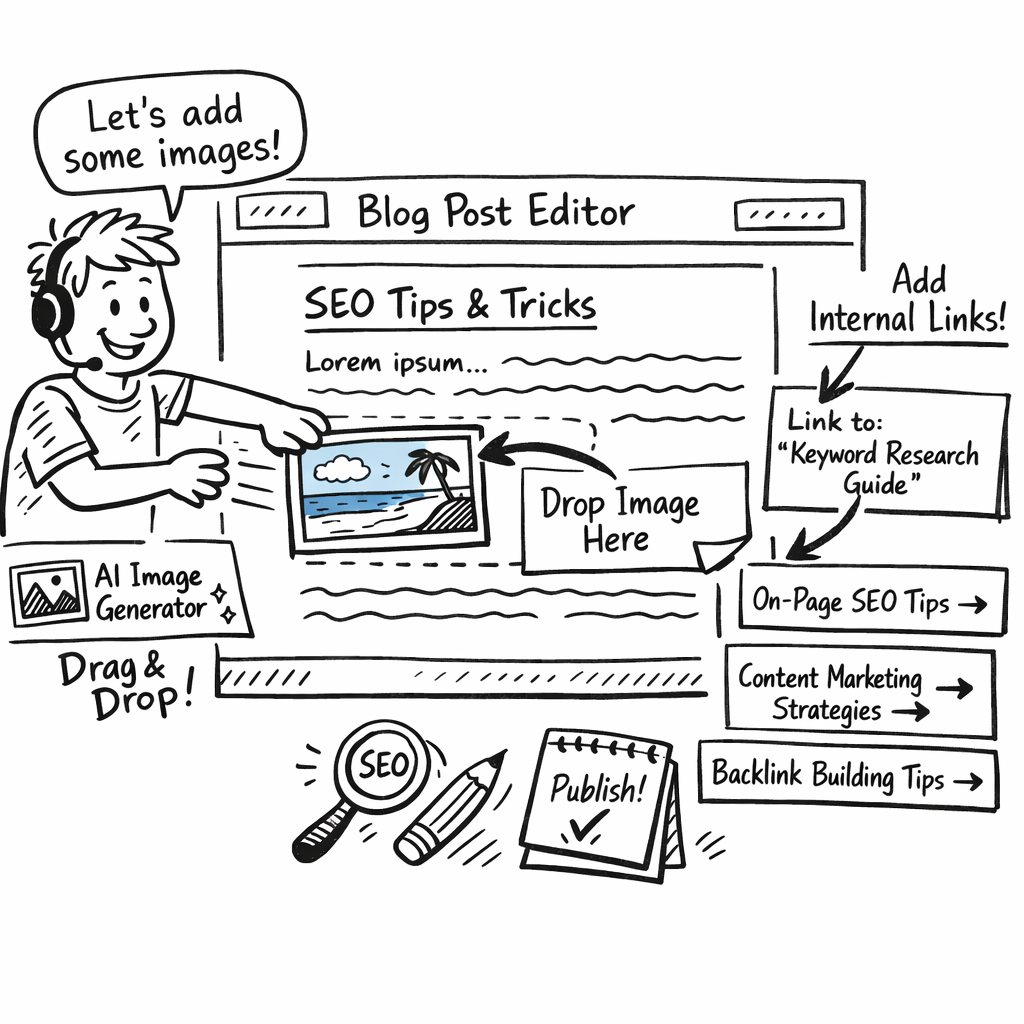
Putting visuals and internal links together creates a loop: the image draws the eye, the link keeps the eye moving. In practice, you’ll see lower bounce rates, longer session duration, and a modest boost in rankings – all without writing a single extra word.
So, what’s your next move? Grab your seo blog post generator, fire up the image module, sprinkle in those internal anchors, and watch your post transform from a static read into an engaging journey.
Step 6: Publish, Track, and Iterate
Alright, you’ve hit the "publish" button. That’s exciting, but it’s only the beginning. Think of your post like a garden – you plant the seed, water it, and then keep checking if the sprouts are coming up.
First, give your article a clean URL, a punchy meta title, and a meta description that mirrors the exact question a reader typed into Google. Keep the primary keyword seo blog post generator near the front of both title and description – it’s the quickest way to signal relevance.
Set up a quick‑look dashboard
Instead of opening five different tools, pull the core SEO KPIs into one view. DashThis shows how to combine Google Analytics sessions, organic traffic trend, and keyword rankings in a single dashboard. The most useful widgets for a freshly published post are:
- Organic sessions over the last 30 days (to spot any lift right after publishing).
- Top landing pages – make sure your new post is actually getting clicks.
- Keyword position tracker – watch the rank of “seo blog post generator” and any long‑tail variations you targeted.
Watching those three daily means the report writes itself, and you notice a drop the week it happens rather than at month end.
Real‑world example: a small e‑commerce brand
Sarah runs an online boutique selling eco‑friendly kitchen gadgets. She published a 1,800‑word guide generated with a seo blog post generator and linked it to her pillar page on sustainable cooking. Within ten days, the dashboard showed a 22 % jump in organic sessions and a rise from position 12 to 5 for the phrase “seo blog post generator for e‑commerce.” The spike coincided with a modest increase in referral traffic from a niche forum that quoted her meta description.
What Sarah did next is the part most people skip: she iterated.
Iterate based on data, not gut feeling
Pull the numbers, ask yourself:
- Is bounce rate unusually high? Maybe the intro isn’t answering the question fast enough.
- Did dwell time dip after a certain section? Perhaps that paragraph is too dense or off‑topic.
- Are there keywords ranking but with low click‑through rates? Tweak the title or meta description to match the searcher’s intent better.
For each insight, make a small, measurable change. Example actions:
- Rewrite the first 100 words to directly answer “what is a seo blog post generator?” – this often lifts CTR by 5‑10 %.
- Add a bullet‑point FAQ that mirrors a popular “People also ask” query – Google loves that structure.
- Swap an outdated statistic with the latest 2026 data – freshness can give a modest ranking boost.
After each tweak, give the post 48‑72 hours before checking the metrics again. SEO isn’t instant, but you’ll start seeing a trend line move upward if the changes line up with user intent.
Leverage internal linking for momentum
Every time you tweak, look for a new internal link opportunity. If you mention “backlink automation” in the updated FAQ, link it to our deeper guide on automating content creation and backlink building. That not only spreads link equity but also keeps readers moving deeper into your site, which signals quality to search engines.
Automation tip: schedule a monthly refresh
Set a recurring calendar event – maybe the first Monday of each month – to pull the latest KPI snapshot and run a quick checklist:
- Meta title still matches search intent?
- Any new LSI terms you can sprinkle in?
- Are there fresh internal resources you can link to?
Even a 10‑minute audit each month can prevent the dreaded “content decay” that many sites suffer after a few weeks of silence.
Bottom line: publishing is just the launchpad. By tracking the right metrics, reacting to real data, and iterating in bite‑size steps, you turn a one‑off post into a long‑living traffic engine. Keep the loop tight, stay curious, and let the numbers guide you.
Conclusion
So, you've walked through every step of turning a blank canvas into a traffic‑driving asset with a seo blog post generator.
If you’re still wondering whether the effort pays off, think about the last time you spent hours polishing a draft only to see flat rankings.
In our experience, the real magic happens when you treat the generator as a teammate – you feed it intent, you fine‑tune the output, and you let the data guide the next tweak.
What’s the next move? Set a recurring calendar reminder, pull the latest KPI snapshot, sprinkle a fresh LSI term, and add any new internal link that fits naturally.
Remember, a single well‑optimized post can keep pulling clicks for weeks, especially when you pair it with a smart backlink network that constantly feeds authority back to your site.
Ready to stop wrestling with endless outlines? Give the seo blog post generator a spin and watch your content engine start humming.
Finally, treat your content like a living document – revisit it every quarter, replace outdated stats with 2026 figures, and experiment with a new headline or a short video embed if you have one. Small, consistent upgrades compound into noticeable traffic growth over time today.
FAQ
What exactly is a seo blog post generator and how does it work?
In plain terms, it’s a tool that takes your keyword, intent and a few outline points, then spits out a ready‑to‑publish draft. You feed the system a seed phrase, say “seo blog post generator for e‑commerce”, and the AI matches that against its language model and the data it’s trained on. The result is a structured article with headings, LSI terms and even suggested meta tags, all in a matter of seconds.
Do I need any technical skills to use a seo blog post generator?
Not at all. Most platforms are built for marketers, not programmers. You just paste your keyword, set a word‑count goal, maybe tweak the tone, and click generate. If you’re comfortable copying and pasting into a CMS, you’re good to go. The learning curve is usually a few minutes, and you can always lean on the preview mode to make sure the output feels right before you hit publish.
How can I make sure the content it creates is truly optimized for search intent?
Start by writing a crystal‑clear prompt that spells out the user’s problem. For example, “Explain how a seo blog post generator saves time for small‑business owners looking to rank product pages.” Then run a quick checklist: does the intro answer the question within 100 words? Are headings phrased like common search queries? Finally, run a lightweight SEO audit. Most generators can flag missing meta descriptions or over‑used keywords for you to fix.
Will the generator produce duplicate content that could hurt my rankings?
Good question. Because the AI builds each draft from a mix of patterns and real‑time data, the chance of exact duplication is low. Still, it’s wise to run the final article through a plagiarism checker before publishing. A quick scan will catch any accidental phrasing that matches another page, and you can rewrite those sentences to keep your content uniquely yours.
How often should I refresh a post that was created with a seo blog post generator?
Think of it like a living document. Every 30‑45 days, glance at the traffic stats and see if any keywords have slipped in ranking or if new LSI terms have emerged. Updating the intro, swapping out an outdated statistic, or adding a fresh internal link can give the page a tiny SEO boost. In our experience, a quarterly refresh keeps the article humming without a massive time investment.
Can a seo blog post generator help with building backlinks?
Indirectly, yes. When the tool suggests internal‑link anchors and creates comprehensive, well‑structured content, other sites are more likely to see it as a valuable resource and link back. Some platforms even flag external link opportunities, places where a citation or a reference could earn you a natural backlink. Pair that with a proactive outreach plan, and you’ll notice a steady drip of link equity over time.
Is it safe to rely on a generator for high‑stakes content like product launches or legal copy?
For brand‑critical pieces, treat the generator as a first draft, not the final word. It’s great at getting the skeleton right (headings, keyword placement, basic flow), but you’ll still want a subject‑matter expert to review facts, tone and compliance. Think of it as a speed‑up for the grunt work, while the specialist adds the finishing polish that protects your reputation.