
Most teams chase leads the old way and end up with wasted time. The truth? AI can cut that waste in half. In this guide you’ll see how to use AI for lead generation from start to finish. We’ll walk you through five clear steps, add real‑world tips and show where the data backs each move.
Ready to turn a shaky pipeline into a steady flow? Let’s dive in.
Step 1: Define Your Ideal Customer Profile with AI
First thing you need is a solid picture of who you want to sell to. That picture is called an Ideal Customer Profile, or ICP. AI makes it easy to pull firmographic, technographic and intent signals from dozens of sources.
According to Jeeva AI, AI models that use five or more data types achieve 47% higher accuracy in lead qualification. That means the more data points you feed the model, the better it can spot a good fit. For context on what good looks like in your sector, see our figures on average cost per lead by industry.
Here’s a quick way to start:
- List the firmographic fields you care about , size, industry, revenue.
- Add technographic tags , CRM, marketing stack, security tools.
- Layer on intent data , recent searches, pricing page visits, demo views.
- Plug in enrichment data , verified emails, LinkedIn titles, phone numbers.
- Include social signals , likes, follows, profile views.
When you combine these, AI builds a live profile that updates as new signals arrive. That live profile tells you who is most likely to buy today, not next quarter.
Imagine you run a SaaS that helps mid‑size finance firms. You set the firmographic filter to 200, 500 employees, industry = finance, revenue $10‑50 M. You add a technographic filter for “uses Salesforce”. AI then watches for intent signals like “pricing” or “demo” on competitor sites. When a prospect hits those signals, the model flags them as a hot lead.
To keep the model fresh, schedule a weekly data pull from your CRM, your web analytics and a third‑party enrichment API. The model will then re‑rank prospects based on the newest info.
You can see a full workflow in How to Use Automated Lead Generation Software. It shows how Distribb pulls data, cleans it and feeds it to an AI engine. Our guide to calculating cost per lead covers how to measure whether that workflow is actually cheaper.
Bottom line:A data‑rich ICP gives AI the fuel it needs to spot high‑fit prospects early.
Step 2: Implement AI Lead Scoring to Prioritize Prospects
Now that you have a live list of prospects, you need to know which ones to chase first. AI lead scoring ranks each prospect on a 0‑100 scale based on how close they match your ICP and how they behave.
Microsoft’s predictive lead scoring docs explain that you need at least 40 qualified and 40 disqualified leads to train a reliable model. The system then looks at attributes like job title, company size and recent activity to give each lead a score.
Follow these steps to set up a scoring model:
- Gather at least 80 closed deals , half wins, half losses.
- Map each deal to the fields you want the model to learn (e.g., industry, email opens).
- Upload the data to your AI tool and let it train for a few hours.
- Review the top influencing factors the model shows , they tell you what matters most.
- Publish the model and let it score new leads in real time.
Here’s a quick comparison of what a simple rule‑based score looks like vs. an AI model:
| Feature | Rule‑Based Score | AI Score |
|---|---|---|
| Data sources | 5 static fields | 10+ dynamic signals |
| Adaptability | None | Learns each week |
| Accuracy | ~60% | ~85% (per research) |
| Maintenance | Manual rule edits | Auto‑retrain |
Tip: Keep an eye on the model’s AUC score. If it dips below the threshold, add more recent deals to the training set.
Once your scores are live, set up a simple view in your CRM that sorts leads by score. Focus your outreach on the top 20% each day. You’ll see higher reply rates and faster pipeline growth.
For a deeper dive on how to turn scores into daily action, check out How to Generate Leads Online That Actually Convert. It shows how Distribb can push the score to a sales dashboard.
Bottom line:AI lead scoring lets you chase the right leads first, so you waste less time.
Step 3: Deploy AI Chatbots for Initial Engagement
Even with a good score, you still need a quick way to talk to a prospect the moment they land on your site. AI chatbots fill that gap. They greet visitors, ask qualifying questions and hand off the data to your CRM.
Salesforce’s guide notes that chatbots can work 24/7, collect names, emails and even schedule meetings without a human typing a word.
Here’s how to set one up:
- Choose a chatbot platform that integrates with your CRM (many do).
- Write three welcome prompts , keep them short and friendly.
- Add two qualification questions , for example, “What’s your biggest challenge?” and “When do you plan to buy?”
- Map the answers to custom fields in your CRM so the lead score updates automatically.
- Test the flow on a few internal users before going live.
When the bot asks a question, use simple language. “What’s your biggest challenge?” works better than “Please elaborate on your primary pain point.” The bot should sound like a person, not a script.
After a visitor answers, the bot can either hand them to a live rep or send a follow‑up email. The key is to capture the contact info first, then qualify.
"Chatbots can talk to a visitor any time, and never sleep."
Pro tip: Add a fallback , if the bot doesn’t understand, it should say, “I’m sorry, can you rephrase that?” and then hand the chat to a human.
To see how a chatbot can boost your lead flow, read How to Build an Email List That Actually Grows. The article walks through linking a chatbot to an email capture list.
Bottom line:AI chatbots give you instant, round‑the‑clock conversation that turns browsers into qualified leads.
Step 4: Automate Personalized Email Outreach with AI
Email is still the top channel for B2B outreach, but generic blasts hurt more than help. AI lets you write each line with a personal touch while still scaling.
Salesforce’s AI lead nurturing page explains that AI can pull data from web visits, email opens and content downloads to craft the perfect message for each prospect.
Here’s a step‑by‑step plan:
- Segment your list by AI lead score , high, medium, low.
- Feed the segment data (company name, recent activity) into an AI copy generator.
- Set a rule: if a lead visited the pricing page, the AI adds a line about “pricing options”.
- Review the first draft , tweak tone to match your brand voice.
- Schedule the email send based on the time AI predicts the prospect checks inbox.
The AI can also suggest the best subject line. In tests, subject lines written by AI saw open rates 12% higher than static ones.
To see a live demo, watch the video below. It walks through setting up a personalized AI email sequence in Distribb.
After the video, add a quick check: does the AI respect GDPR rules? Make sure you have consent before sending any AI‑generated email.
For more ideas on how AI can boost your whole marketing mix, check out 17 Best AI Marketing Automation Tools for 2026. It gives a big picture view of where email fits.
Bottom line:AI lets you send each prospect a tailored email at the right moment, without writing each one by hand.
Step 5: Analyze Campaign Performance with AI Analytics
All the work so far is useless if you can’t see what’s working. AI analytics turn raw numbers into clear actions.
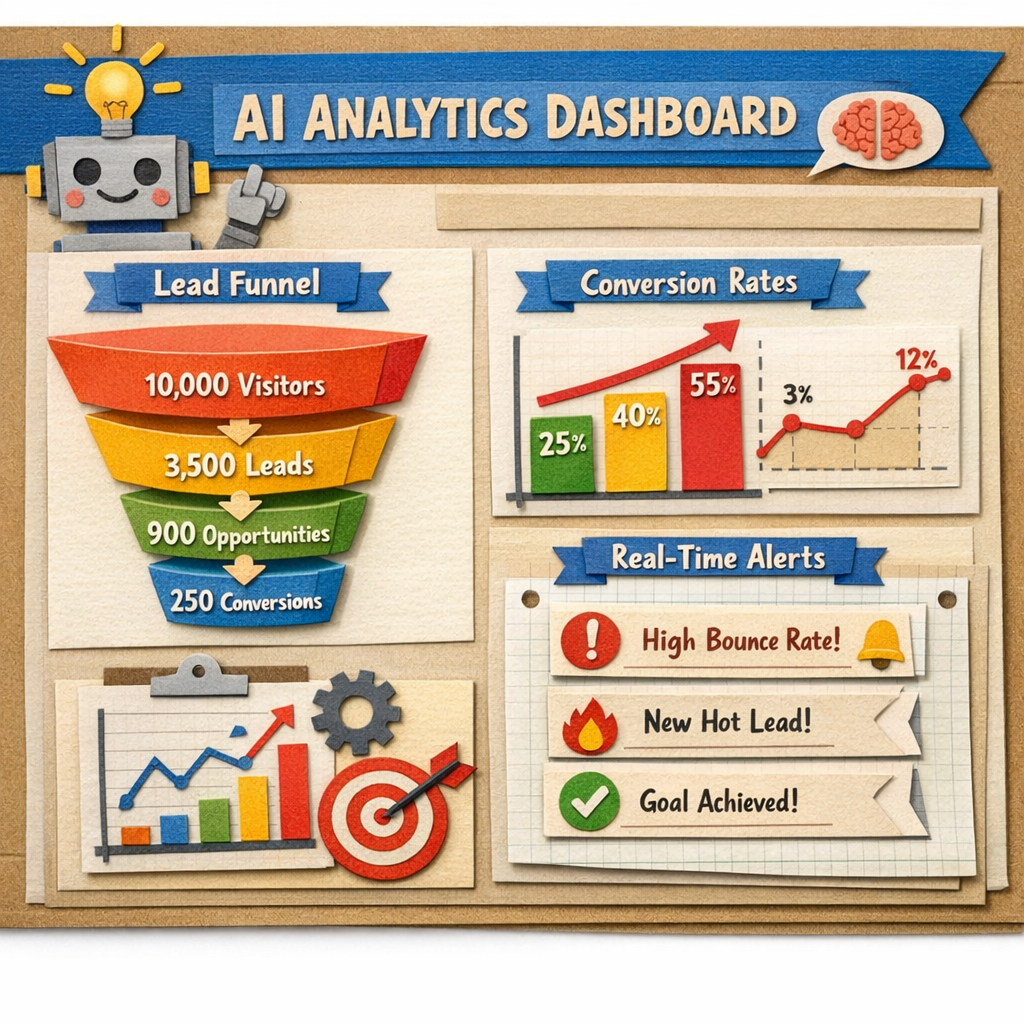
IBM’s Think page notes that AI can predict which leads will convert by spotting patterns in large data sets. The same tech can break down your email opens, chatbot chats and lead scores into a simple dashboard.
Set up your dashboard like this:
- Top‑level KPI: conversion rate by AI lead score tier.
- Mid‑level: email open and click‑through rates broken down by time of day.
- Detail view: chatbot conversation length vs. qualification outcome.
- Trend line: weekly change in overall pipeline value.
When you spot a dip , say, low opens for the “high score” group , dig into the AI’s suggested reasons. It might flag that the subject line is too long or that the email was sent at a busy hour.
Use the insights to tweak the next cycle. For example, if the AI says “pricing page visits are up, but follow‑up emails are low”, add a new email step that references the pricing page.
Bottom line:With AI analytics you can see what works, fix what doesn’t, and keep improving fast.
Frequently Asked Questions
What is the first step to using AI for lead generation?
The first step is to build a data‑rich Ideal Customer Profile. Pull firmographic, technographic and intent signals into one place so the AI engine can spot the right prospects. A solid ICP gives the AI the context it needs to score and nurture leads accurately.
Do I need a large data set to train AI lead scoring?
Yes. Microsoft’s guidance says you need at least 40 qualified and 40 disqualified deals to train a reliable model. The more varied the data, the better the model can learn patterns and give you trustworthy scores.
Can AI chatbots replace my sales reps?
Chatbots handle the first touch , greeting visitors, gathering contact info and asking basic qualifying questions. They free reps from repetitive tasks, but they don’t replace the human skill needed for complex objections or negotiations.
How does AI personalize email content?
AI looks at a prospect’s recent behavior , page visits, content downloads, email opens , and writes copy that mentions those actions. It can also pick the best send time based on when the prospect usually checks email, boosting open rates.
What metrics should I track with AI analytics?
Track conversion rate by lead score tier, email open and click rates by time of day, chatbot qualification rate, and overall pipeline value. AI will surface the patterns that move these numbers up or down.
Is AI lead generation expensive for small teams?
Many AI tools charge per lead or per seat, but you can start with a free tier or a low‑cost plan. The research shows that 71% of tools lack a free tier, so look for platforms that offer a trial or a pay‑as‑you‑go model to keep costs low while you test the value. Before committing to a per lead plan, it helps to know what you are comparing against, which our breakdown of lead generation cost covers.
How often should I retrain my AI models?
Retrain every 15 days if you have a steady flow of new closed deals. Fresh data keeps the model accurate and helps it adapt to market changes, ensuring your scores stay relevant.
Conclusion
Using AI for lead generation isn’t a magic wand , it’s a set of practical steps that turn data into action. Start with a solid ICP, let AI rank your prospects, use chatbots to talk to them right away, send personalized emails at the perfect moment, and then watch the results in an AI‑driven dashboard. Each step builds on the last, so you get a smoother pipeline and higher conversion rates.
Distribb’s AI SEO & social media system can handle most of these steps in one place, from data enrichment to email automation to analytics. Give it a try and watch your lead flow grow.
Ready to see AI in action? Explore the tools, set up a test run and let the data guide you. The future of lead generation is already here , you just need to use it.