
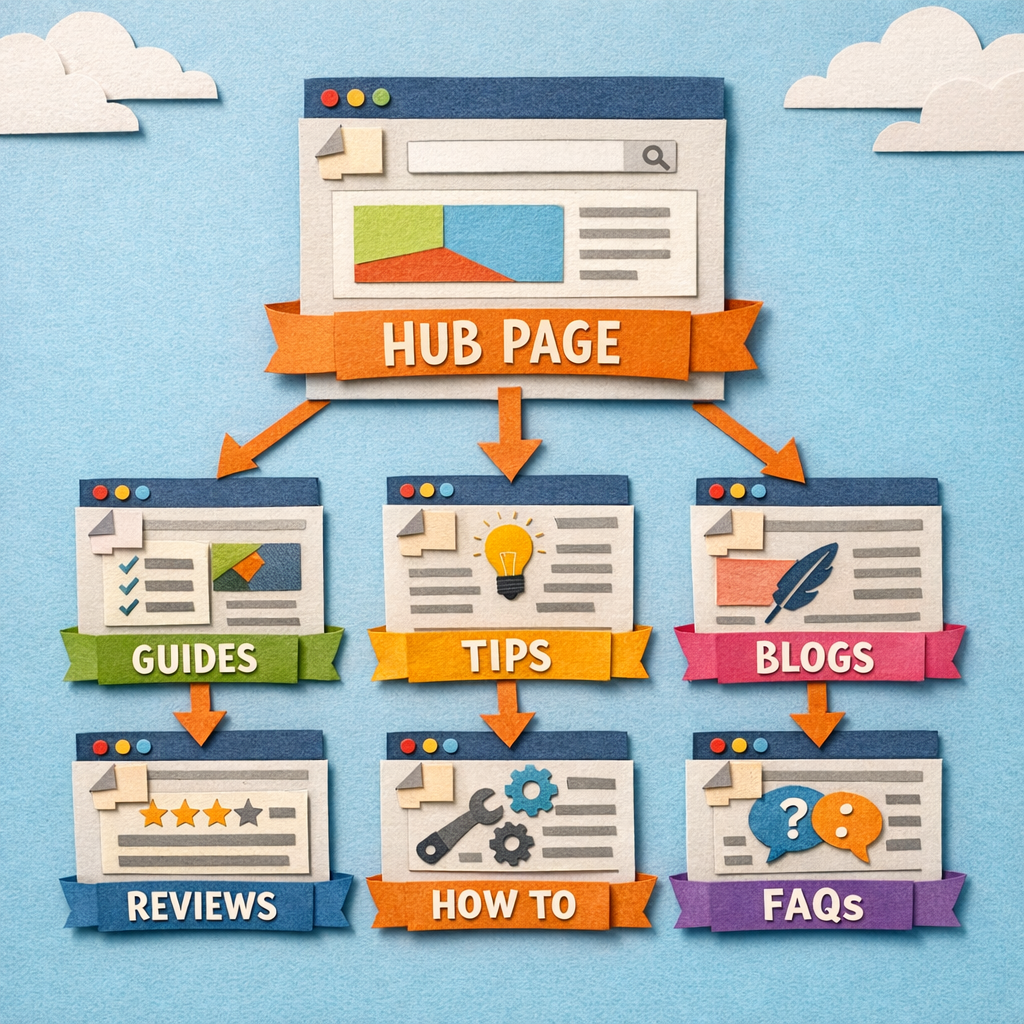
A content hub is one authoritative page on a broad topic, supported by a set of pages covering the specifics, all linked to each other deliberately.
The reason it works is not that Google rewards the word "hub". It is that a page surrounded by twenty related pages linking into it accumulates internal authority and topical relevance that a lone article never will.
The reason most hubs fail is that teams build the spokes and never finish the linking, which is the only part that turns a folder of articles into a hub.
What a hub actually is
Three things, all required.
A pillar page covering the whole topic broadly, aimed at the head term. Comprehensive rather than deep.
Cluster pages covering each subtopic properly, aimed at long-tail terms. Deep rather than broad.
Bidirectional internal links. The pillar links to every cluster page, and every cluster page links back to the pillar and to two or three siblings. Without this, you have a category, not a hub.
The three architectures
Pick one before you write anything. Retrofitting a different structure later means redoing your URLs.
| Architecture | Structure | Best for | Trade-off |
|---|---|---|---|
| Classic pillar and cluster | One pillar, 10 to 30 spokes | Most sites | Needs a genuinely broad head term |
| Nested hubs | Hub of hubs, three levels | Large sites, many categories | Complex, easy to get lost in |
| Guide series | Sequential, part 1 to part N | Processes with a real order | Weak for search, strong for readers |
What we would choose: the classic structure for almost everyone. Nested hubs only once a single hub has more than about thirty spokes and needs subdividing.
Step 1. Pick a topic you can actually own
The head term needs to be broad enough to support fifteen or more subtopics and narrow enough that you can be genuinely authoritative.
"Marketing" is too broad. "Email subject lines" is too narrow, it is one article. "Email marketing for ecommerce" is about right.
The test: can you list fifteen articles under it that a real customer would want, and could you write all fifteen better than a generalist? If not, narrow it.
Step 2. Map the subtopics from search data, not from a whiteboard

Take the head term into a keyword tool and pull everything related. Then cluster by intent, so terms wanting the same page end up together. A content gap analysis against two or three competitors is the fastest way to see which subtopics they already cover and you do not. Writing the twelve pages that come out of that clustering is the slow part, and our AI content writer is built for it.
Then check each cluster is a real page. Search the main term for each one. If the results are all pages about your head term rather than the subtopic, it is a section of the pillar, not a spoke.
The reverse check matters too. If two of your planned spokes return the same ranking pages, they are one page. Building both is how you cannibalise your own hub from the start.
Step 3. Write the pillar first, and make it a real page
The pillar covers the whole topic at a level that is useful on its own. It is not a table of contents with links, which is what most "pillar pages" are and why they do not rank. Our EEAT SEO checklist covers what useful on its own means in practice.
Length follows the SERP, not a target. Look at what ranks for the head term and match it.
Structure it by subtopic, with a section per cluster, each two or three paragraphs, each linking to the full article. That link is the whole mechanism.
Step 4. Write the spokes, deepest intent first
Not alphabetically and not in the order they occurred to you. Start with the subtopics closest to a buying decision, because they convert and because they are usually less competitive.
Each spoke must stand alone. Someone landing on it from Google has not read the pillar and should not need to. Writing every spoke against the same content brief is what keeps twenty pages consistent when several people are producing them. If you are buying the spokes rather than writing them, our guide on how to choose an effective SEO content service covers what to check before you hand the brief over.
Step 5. Do the linking properly, which is the part that gets skipped

This is where hubs succeed or fail, and it is unglamorous work.
- Pillar links to every spoke, in the relevant section, with descriptive anchor text
- Every spoke links back to the pillar, high up, with the head term as anchor
- Every spoke links to two or three sibling spokes where genuinely relevant
- No spoke is orphaned, meaning reachable only from the sitemap
The anchor text rule: describe the destination. "Read more" and "click here" pass no topical signal, and the anchor is a significant part of why internal linking works at all.
Do not link every spoke to every other spoke. Thirty pages linking to twenty-nine others each dilutes the signal to nothing and reads like a footer.
Step 6. Get external links to the pillar, not the spokes
Point your link building at the pillar. It distributes that authority to every spoke through the internal links you just built.
This is the compounding part: one good link to the pillar lifts twenty pages rather than one.
The exception: if a spoke is a genuine link magnet, such as original data or a free tool, build links to it and let it pass authority up to the pillar. Our guide to link bait examples covers the assets that earn those links.
Step 7. Maintain it, or it decays

A hub is a living structure. Every new spoke needs adding to the pillar and linking from its siblings, and this is what stops happening around month four.
Set a quarterly check: any orphaned spokes, any pillar sections now out of date, any new subtopics that have appeared in Search Console, and any two spokes that have started ranking for the same query. If the spokes were produced with any degree of automation, our audit process for automated content gives that check a running order.
The five ways hubs fail
1. The pillar is a link list. It has no substance of its own, so it does not rank, so nothing flows anywhere. The most common failure by a distance.
2. The linking never gets finished. Twenty articles get written, six get linked, and the hub is a folder.
3. The spokes cannibalise each other. Subtopics chosen from a whiteboard rather than from SERP checks overlap, and your own pages compete.
4. It stops at eight spokes. A hub with eight articles is not a hub. The effect comes from density, and density starts somewhere around fifteen.
5. It is abandoned at month four. The first two months are enthusiastic, the third is slower, and then it stops. A half-built hub performs worse than the same articles published without the structure, because the pillar targets a head term it cannot support.
How long it takes
Fifteen to twenty spokes plus a pillar is four to six months at one article a week. Expect the pillar to move on its head term somewhere between months six and nine, once enough spokes exist and are linked.
The signal that it is working is not the pillar ranking first. It is the spokes picking up long-tail impressions in Search Console within eight to twelve weeks, well before the pillar moves at all.
Making it survive month four
The failure mode is not strategic, it is operational. The plan is right and the publishing stops. Before automating your way out of it, we answer whether automated content actually works for blog SEO without the sales pitch.
Two things help. Write the full spoke list at the start so no weekly decision is required. And make the internal linking part of publishing rather than a job for later, because "later" is when hubs die.

Distribb automates that operational half: it plans the cluster from your keyword and Search Console data, publishes the spokes on a schedule, and adds the internal links as each one goes live rather than leaving them for a cleanup pass.
Honest limitation: it will not retrofit the structure onto a large existing archive. If you already have two hundred unstructured posts, that first mapping and linking pass is manual work, and a tool like Link Whisper is better suited to it.
What to do next
Pick the topic and run the test in step one. If you cannot list fifteen articles a customer would want, the topic is wrong and everything after it will be wasted.
Then look at content hub examples and pillar page examples that are still live and ranking, to see what the finished structure looks like before you build yours. Our guide to internal linking automation covers step five in detail, because it is the step that decides whether any of this works.