
Content teams face a harsh reality: producing quality content at scale while maintaining consistency and meeting deadlines feels impossible without the right systems. We examined 18 leading content automation tools from 4 sources and uncovered that a handful of ultra-expensive platforms are inflating the average price, while integration coverage varies wildly, from a few dozen to thousands of apps.
| Name | Monthly Price (USD) | Supported Integrations | Source |
|---|---|---|---|
| Zapier | 19.99 | 6000 | weweb.io |
| HubSpot | 45 | 1000 | indiemedia.club |
| Hootsuite | n/a | 150 | eclincher.com |
| Templafy | n/a | 5 | indiemedia.club |
| DivvyHQ | 39 | 4 | indiemedia.club |
| Pixlee | n/a | 4 | indiemedia.club |
| Brightspot | n/a | 4 | indiemedia.club |
| UpContent | 15 | 3 | indiemedia.club |
| Seismic | n/a | 3 | indiemedia.club |
| MarketMuse | 600 | n/a | medium.com |
| SharpSpring | 449 | n/a | indiemedia.club |
| Vellum.ai | 250 | n/a | weweb.io |
| Sprout Social | 249 | n/a | eclincher.com |
| Clearscope | 170 | n/a | medium.com |
| Surfer | 69 | n/a | medium.com |
| Agorapulse | 69 | n/a | eclincher.com |
| Jasper | 39 | n/a | medium.com |
| Zoho Social | 15 | n/a | eclincher.com |
This guide walks you through six critical steps to find and implement the content automation tool that fits your workflow, budget, and quality standards. You'll learn how to audit your current processes, define requirements, test tools effectively, and roll out automation without disrupting your team's productivity. If you already know the workflow and just want the shortlist, see our AI content creation tool picks for 2026.
Step 1: Assess Your Current Content Workflow and Pain Points
Before you can fix your content process, you need to understand exactly where it breaks down. Most teams jump straight to tool shopping without mapping their current workflow, which leads to buying solutions that don't address their real problems.
Start by documenting every step in your content creation process. Write down who does what, when they do it, and what tools they use. Track a typical piece of content from initial idea to publication. You'll likely discover bottlenecks you didn't know existed.
Common workflow stages include ideation, research, writing, editing, design, approval, scheduling, and distribution. But your process might have unique steps like legal review, technical accuracy checks, or multi-language translation. Map everything.
Identify Time-Consuming Manual Tasks
Look for tasks that eat up hours but don't require human creativity or judgment. These are prime automation candidates. Manual tasks often include:
- Keyword research and topic discovery: Manually searching for trending topics and keyword opportunities
- Content formatting: Adjusting text for different platforms and channels
- Social media posting: Manually publishing the same content across multiple platforms
- Performance tracking: Copying metrics from different tools into spreadsheets
- Content repurposing: Converting blog posts into social media snippets or email content
- SEO optimization: Manually checking keyword density and meta descriptions
Time each task over a week. You might discover that your team spends 10 hours weekly on tasks that a content automation tool could handle in minutes.
Document Quality Control Issues
Quality problems often stem from inconsistent processes rather than lack of skill. Common issues include:
- Inconsistent brand voice across different writers
- Missing SEO elements like meta descriptions or alt text
- Broken internal links or outdated information
- Content published without proper review
- Formatting inconsistencies across platforms
Track these issues for two weeks. Note which problems happen most frequently and cost the most time to fix. This data helps you prioritize which automation features matter most.
Measure Current Content Output and Performance
Establish baseline metrics before implementing any content automation tool. Key measurements include:
- Content volume: How many pieces your team publishes weekly
- Time to publish: Average days from assignment to publication
- Resource allocation: Hours spent on creation versus distribution
- Quality scores: Error rates, revision rounds, and approval delays
- Performance metrics: Traffic, engagement, and conversion rates
This baseline helps you measure automation success later. You'll want to show that your new content automation tool increased output by X% while maintaining or improving quality.
Survey your team about their biggest frustrations. Often, the problems that cause the most stress aren't the ones that take the most time. A writer might spend 20 minutes formatting each post but find the task so tedious that it affects their motivation for hours.
Consider external factors that impact your workflow. Do you have seasonal content spikes? Regulatory requirements? Multiple approval layers? These constraints will influence which content automation tool features you need most.
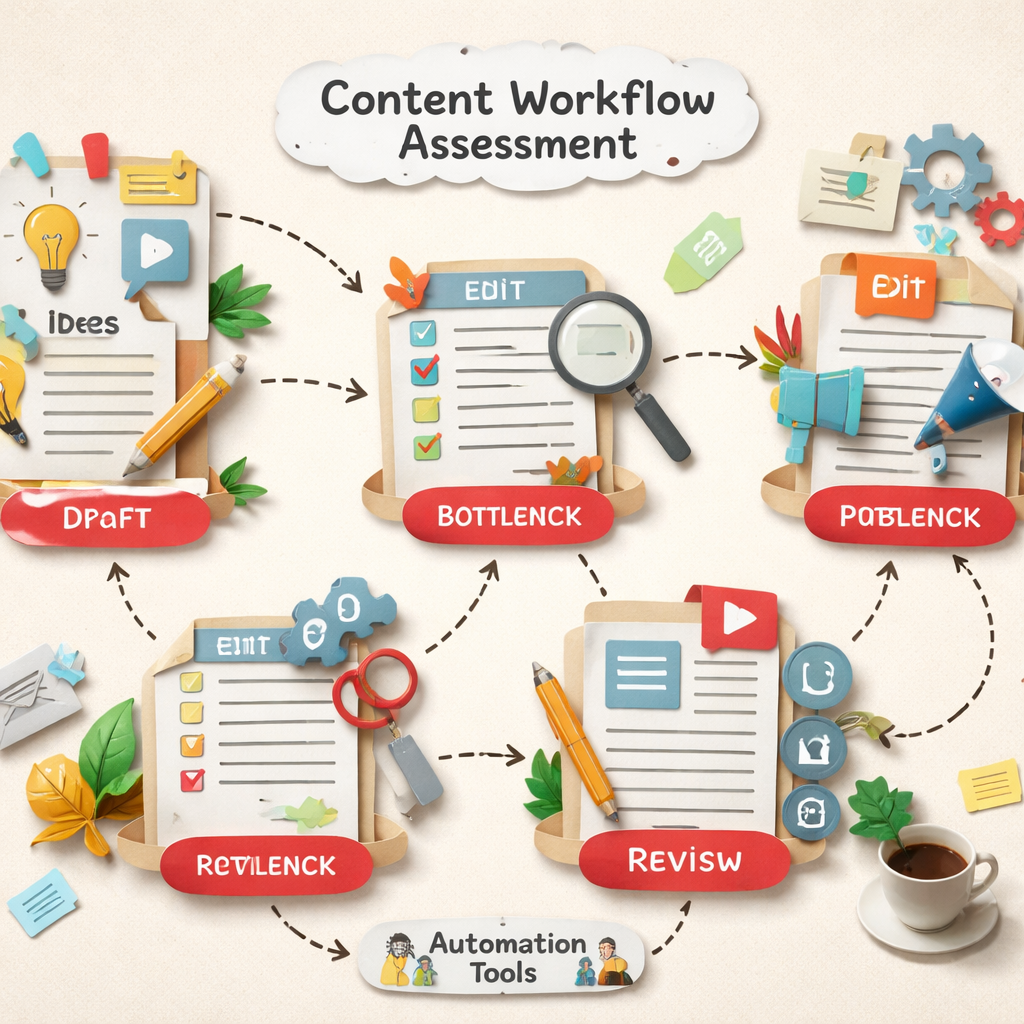
Document your current tool stack and integration points. List every platform your content touches: CMS, social media schedulers, email platforms, analytics tools, and design software. Your ideal content automation tool should integrate with these existing systems rather than forcing you to replace them.
< >
>
Finally, calculate the true cost of your current process. Include salaries, tool subscriptions, and opportunity costs. When you know that manual content creation costs $X per piece, you can evaluate whether a content automation tool's pricing makes financial sense.
Step 2: Define Your Content Automation Requirements
Your workflow audit revealed problems, but not all problems need automation solutions. The key is distinguishing between must-have features that solve critical business needs and nice-to-have features that might distract from your core goals.
Start by categorizing your requirements into three tiers: essential, important, and optional. Essential requirements are deal-breakers. If a content automation tool doesn't have these features, it can't work for your team. Important requirements significantly improve your workflow but aren't mandatory. Optional requirements are bonuses that might influence your final choice between similar tools.
Content Creation Requirements
Consider what types of content your team produces most frequently. Different content automation tools excel at different formats:
- Long-form content: Blog posts, white papers, and guides requiring research and structure
- Social media content: Platform-specific posts with character limits and visual requirements
- Email marketing: Subject lines, newsletters, and automated sequences
- Product descriptions: E-commerce copy that needs to be consistent yet unique
- Ad copy: Headlines, descriptions, and variations for A/B testing
According to research on content marketing automation workflows, teams publishing 20 pieces per week across multiple channels face coordination challenges that automation can solve by connecting the entire content lifecycle.
Determine whether you need AI writing assistance, content templates, or full automation. Some teams want AI to generate first drafts, while others prefer tools that automate distribution of human-written content. Your choice depends on your team's writing capabilities and quality standards.
Integration and Workflow Requirements
Your content automation tool must work with your existing systems. Create a list of required integrations:
- Content management systems: WordPress, Webflow, Shopify, or custom platforms
- Social media platforms: LinkedIn, Twitter, Facebook, Instagram, TikTok
- Email marketing tools: Mailchimp, ConvertKit, or HubSpot
- Analytics platforms: Google Analytics, social media insights, or custom dashboards
- Design tools: Canva, Adobe Creative Suite, or Figma
- Project management: Asana, Trello, or Monday.com
The research data shows integration coverage varies dramatically across tools, from just 3 integrations to over 6,000. Zapier leads with 6,000 integrations, while most specialized content tools offer far fewer direct connections.
Team Collaboration and Approval Requirements
Consider your team structure and approval processes. Requirements might include:
- Role-based permissions: Different access levels for writers, editors, and managers
- Review workflows: Automated routing for approvals and feedback
- Version control: Tracking changes and maintaining content history
- Comment systems: In-line feedback and collaborative editing
- Brand guidelines enforcement: Automated checks for voice and style consistency
Large teams need robust collaboration features, while solo marketers might prioritize automation over approval workflows. Match the tool's collaboration complexity to your team's actual needs.
Scalability and Performance Requirements
Think beyond your current needs. Consider:
- Content volume: Can the tool handle your projected growth?
- User limits: How many team members need access?
- API limits: Do rate limits restrict your automation plans?
- Storage capacity: Can the platform store your content library?
- Performance speed: How quickly does the tool generate or process content?
According to marketing automation requirements research, companies using automation see lead volume increases of at least 27%, conversion improvements of 30%, and ROI boosts exceeding 25%. Your content automation tool should support similar growth.
Budget considerations extend beyond monthly subscription costs. Factor in implementation time, training requirements, and potential productivity dips during the transition period. A more expensive tool that integrates seamlessly might cost less than a cheap tool that requires extensive setup and custom development.
Document your requirements in a spreadsheet with columns for feature categories, importance levels, and specific needs. This becomes your evaluation criteria for comparing different content automation tools. Understanding the full landscape of available tools helps you set realistic expectations for what features are standard versus premium.
Step 3: Research and Compare Content Automation Tools
With clear requirements defined, you can now evaluate content automation tools systematically rather than getting overwhelmed by marketing claims. The key is comparing tools based on your specific needs rather than trying to find the "best" tool overall.
Start by creating a comparison framework that matches your requirements document. Build a spreadsheet with your must-have features as columns and potential tools as rows. This structured approach prevents feature creep and keeps you focused on what actually matters for your workflow.
Content Generation Capabilities
Different content automation tools take vastly different approaches to content creation. Some focus purely on AI writing, while others emphasize workflow automation around human-created content.
AI-powered writing tools like Jasper and Copy.ai excel at generating marketing copy, social media posts, and blog post outlines. These tools use advanced language models to create content from prompts, but they require human oversight for quality and accuracy.
SEO-focused tools like Surfer and Frase combine content generation with optimization features. They analyze top-ranking pages to suggest content structure, keywords, and topics that improve search performance. This approach works well for teams prioritizing organic traffic growth.
Workflow automation platforms like Monday.com focus less on content generation and more on streamlining the production process. They automate task assignment, approval routing, and publishing schedules without necessarily creating the content itself. Our comparison of content automation platforms covers where that line between production and generation sits.
Integration Ecosystem Analysis
The integration capabilities vary dramatically across tools. According to our research data, integration support ranges from just 3 connections to over 6,000, with most tools falling somewhere in between.
Zapier leads the integration race with 6,000 supported apps, making it a powerful middleware solution for connecting different tools in your content stack. However, Zapier isn't a content creation platform itself: it's a connector that bridges other tools.
Specialized content platforms typically offer 100-1,000 integrations, focusing on the most common marketing and publishing tools. HubSpot, for example, provides 1,000 integrations with strong CRM and marketing automation connections.
Evaluate integration quality, not just quantity. A tool with 50 well-built integrations might serve you better than one with 500 basic connections. Look for native integrations with your core tools rather than third-party connectors that might break or have limited functionality.
Pricing Structure Comparison
Our research reveals significant pricing disparities in the content automation tool market. The average monthly price is $156.08, but the median is only $69.00, indicating that expensive enterprise tools skew the average upward.
Budget-friendly options include tools like UpContent ($15/month) and Zoho Social ($15/month) that offer basic automation features. Mid-range tools like Surfer ($69/month) and Agorapulse ($69/month) provide more comprehensive feature sets for growing teams.
Enterprise solutions like MarketMuse ($600/month) and SharpSpring ($449/month) target large organizations with complex needs and bigger budgets. These tools often include advanced analytics, custom integrations, and dedicated support.
Consider total cost of ownership beyond the subscription price. Factor in implementation time, training costs, and potential productivity losses during the transition. A more expensive tool that integrates seamlessly might cost less than a cheap tool requiring extensive customization.
User Experience and Learning Curve
The best content automation tool is the one your team will actually use consistently. Evaluate the user interface, learning curve, and ongoing usability for your specific team composition.
Tools designed for enterprise users often have powerful features but complex interfaces that overwhelm small teams. Conversely, simple tools might lack the advanced features that larger organizations need.
Look for tools that offer progressive disclosure, simple interfaces for basic tasks with advanced features available when needed. This approach lets new users get started quickly while providing growth room for power users.
Consider your team's technical sophistication. Non-technical marketers might struggle with tools requiring API configuration or custom scripting, while technical teams might find overly simplified tools limiting.
Quality and Reliability Assessment
Content quality varies significantly across different automation approaches. AI writing tools have improved dramatically but still require human oversight for accuracy, brand voice, and strategic thinking.
Research each tool's approach to quality control. Some platforms include built-in plagiarism checking, fact verification, and brand voice training. Others focus purely on generation speed and leave quality control to human reviewers.
Look for tools that provide transparency about their AI models, training data, and quality safeguards. Tools that can't explain their quality processes might not be suitable for professional content creation.
Test output quality during your evaluation period. Generate similar content with different tools and compare the results for accuracy, readability, and brand alignment. What works for one company's voice and audience might not work for yours.
Consider scalability implications. A tool that produces good quality for 10 pieces per month might degrade when you scale to 100 pieces. Look for platforms that maintain consistency at your target volume levels.
Document your findings in a comparison matrix that weights features according to your priorities. This systematic approach helps you make objective decisions rather than getting swayed by impressive demos or marketing promises. Understanding the broader content marketing automation landscape provides context for how different tools fit into various workflow strategies.
Step 4: Test Your Shortlisted Tools with Free Trials
Free trials reveal the gap between marketing promises and actual performance. But most teams waste their trial periods by testing randomly instead of systematically evaluating the features that matter most to their workflow.
Plan your testing approach before starting any trials. Create a standardized test plan that you'll apply to each content automation tool. This ensures fair comparisons and prevents you from forgetting to test critical features.
Design Realistic Test Scenarios
Use your actual content needs as test cases, not the generic examples that tools provide in their demos. If you regularly create product descriptions, test each tool's ability to generate descriptions for your actual products. If you publish weekly blog posts, test the complete workflow from topic research to publication.
Create test scenarios that match your typical content volume and complexity:
- High-volume scenario: Generate 20 social media posts for the week ahead
- Complex content scenario: Create a 2,000-word blog post with SEO optimization
- Multi-format scenario: Turn one blog post into social snippets, email content, and ad copy
- Collaboration scenario: Route content through your actual approval process
- Integration scenario: Connect the tool to your existing platforms and test data flow
Document the time required for each scenario. A tool might technically support your workflow but take so long that it doesn't provide meaningful efficiency gains.
Test Content Quality and Brand Alignment
Content quality is subjective, but you can evaluate it systematically. Create quality criteria based on your brand guidelines and content standards:
- Brand voice consistency: Does the generated content match your established tone?
- Factual accuracy: Are claims and statistics correct and properly sourced?
- Readability: Is the content clear and engaging for your target audience?
- SEO optimization: Does the tool properly implement keywords and meta elements?
- Originality: Is the content unique and free from plagiarism?
Test each tool's ability to learn your brand voice. Upload samples of your best content and see how well the AI adapts to your style. Some tools excel at mimicking formal business writing but struggle with conversational or technical content.
Generate the same piece of content multiple times to test consistency. AI tools can produce dramatically different outputs from identical prompts, which might be problematic if you need predictable results.
Evaluate Integration Performance
Integration testing reveals whether tools work smoothly with your existing workflow or create new bottlenecks. Test each integration that's critical to your process:
- CMS publishing: Can the tool publish directly to your website without formatting issues?
- Social media scheduling: Do posts appear correctly across different platforms?
- Analytics tracking: Does performance data flow back to your reporting dashboard?
- Team notifications: Do approval requests and status updates reach the right people?
Pay attention to integration reliability during your trial period. A connection that works during setup might fail under regular use or when handling larger content volumes.
< >
>
Assess User Experience and Team Adoption
The most powerful content automation tool is useless if your team won't use it consistently. During trials, involve the people who will use the tool daily, not just decision-makers.
Have different team members test the same features and compare their experiences. A tool that seems intuitive to a technical manager might confuse content creators who aren't comfortable with complex software.
Track common user errors and confusion points during the trial. If multiple team members struggle with the same features, that indicates a user experience problem that won't improve after purchase.
Test customer support responsiveness during your trial period. Submit questions through their help system and see how quickly and effectively they respond. Support quality becomes crucial when you're relying on the tool for daily operations.
Measure Performance Against Baseline
Compare trial results to your current workflow metrics. A good content automation tool should show clear improvements in key areas:
- Time savings: How much faster is content creation with automation?
- Quality consistency: Does automated content meet your quality standards?
- Error reduction: Are there fewer mistakes in formatting, SEO, or brand compliance?
- Output volume: Can you produce more content without increasing team size?
Document specific examples of time savings or quality improvements. These concrete results help justify the investment to stakeholders and provide benchmarks for measuring long-term success.
Some benefits only become apparent during extended use. A tool might have a steep learning curve that pays off after the trial period, or integration benefits might compound as you automate more processes. Consider extending trials when possible or negotiating pilot programs for critical tools.
Keep detailed notes throughout each trial, including screenshots of interfaces, examples of generated content, and team feedback. This documentation becomes invaluable when making final decisions, especially if you're comparing several similar tools.
Step 5: Plan Your Content Automation Implementation Strategy
Successful content automation tool implementation requires a phased approach that minimizes disruption while maximizing adoption. Many teams make the mistake of trying to automate everything at once, which overwhelms users and increases the risk of failure.
Start by identifying your highest-impact, lowest-risk automation opportunities. These are typically repetitive tasks that don't require complex decision-making or creative input. Social media posting, email newsletter formatting, and basic SEO optimization often fall into this category.
Phase 1: Foundation Setup and Basic Automation
Begin with core integrations and simple automation workflows. This phase focuses on getting the content automation tool connected to your existing systems and handling basic tasks reliably.
Set up essential integrations first:
- Content management system: Connect your website or blog platform
- Social media accounts: Link primary social platforms for distribution
- Analytics tools: Ensure performance tracking continues seamlessly
- Team communication: Connect Slack or email for notifications
Start with one content type that your team produces frequently and consistently. Blog post distribution or social media scheduling are good starting points because they have predictable formats and clear success metrics.
According to content automation best practices research, defining clear objectives is essential for success. Determine specific goals like reducing campaign launch time by 20% or ensuring brand guideline compliance across all content.
Phase 2: Workflow Integration and Team Training
Once basic automation is working reliably, expand to more complex workflows that involve multiple team members or approval processes. This phase requires more training and change management.
Map your existing approval workflows into the new system. If content currently goes from writer to editor to manager before publication, replicate this process within your content automation tool. Maintain familiar patterns while adding automation benefits. Distribb's AI content writer keeps a review step in the same way, so nothing publishes without a person seeing it first.
Train team members on their specific roles within the automated system:
- Content creators: How to use AI assistance and templates effectively
- Editors: How to review and approve automated content
- Managers: How to monitor performance and adjust automation rules
- Social media managers: How to customize automated posts for different platforms
Implement feedback loops that let team members report issues or suggest improvements. Early adopters often identify workflow problems that weren't apparent during testing.
Phase 3: Advanced Automation and Optimization
With basic workflows running smoothly, you can tackle more sophisticated automation scenarios. This might include AI-powered content generation, dynamic personalization, or complex multi-channel campaigns.
Advanced features often require more setup time and ongoing maintenance. Implement them gradually to avoid overwhelming your team or compromising content quality.
Consider automating:
- Content repurposing: Automatically creating social snippets from blog posts
- SEO optimization: Dynamic keyword insertion and meta tag generation
- Performance-based scheduling: Posting times optimized for engagement
- A/B testing: Automated headline or image variations
Monitor quality closely during this phase. Advanced automation can produce impressive efficiency gains, but it also has more potential for errors or off-brand content.
Change Management and Team Buy-In
Resistance to automation often stems from fear of job displacement or loss of creative control. Address these concerns proactively through communication and training.
Emphasize that content automation tools augment human capabilities rather than replacing them. Show how automation handles repetitive tasks so team members can focus on strategy, creativity, and relationship building.
Celebrate early wins and share success stories. When a team member saves two hours per week through automation, highlight that achievement and show how they're using the extra time for higher-value work.
Provide ongoing support and training resources. Content workflow optimization research shows that 51% of organizations using AI-powered tools report fewer tedious tasks, while 45% see more efficient workflows.
Quality Control and Governance
Establish quality standards and monitoring processes before fully automating content production. Automated content can scale quickly, which means errors can also scale quickly if not caught early.
Create quality checkpoints at key stages:
- Pre-publication review: Human oversight for AI-generated content
- Brand compliance checking: Automated scans for prohibited terms or off-brand messaging
- Performance monitoring: Regular analysis of automated content performance
- Feedback collection: Audience response tracking and team input
Document your automation rules and update them based on performance data. What works for your audience might change over time, and your content automation tool should evolve with your needs.
Plan for contingencies. What happens if your primary content automation tool goes down? Have backup processes for critical content like time-sensitive announcements or customer communications.
Consider the broader implications of automation for your content strategy. Understanding how automation transforms content strategy helps ensure your implementation aligns with long-term business goals rather than just solving immediate efficiency problems.
Step 6: Train Your Team and Establish Quality Controls
The success of your content automation tool depends entirely on how well your team adopts it and maintains quality standards. Even the most sophisticated automation platform fails if team members don't understand how to use it effectively or if quality controls don't catch problems before they reach your audience.
Training needs vary significantly based on team roles and technical comfort levels. Content creators need different skills than editors or managers. A one-size-fits-all training approach often leaves some team members confused while boring others with information they don't need.
Role-Based Training Programs
Design training programs that focus on what each team member actually needs to know for their daily work. This targeted approach reduces training time while ensuring everyone gets relevant, actionable information.
Content Creators Training:
- How to write effective prompts for AI content generation
- Using templates and brand voice guidelines within the tool
- Editing and refining AI-generated content for quality and accuracy
- Integrating SEO requirements into automated workflows
- Troubleshooting common content generation issues
Editors and Reviewers Training:
- Quality assessment criteria for automated content
- Using review and approval workflows efficiently
- Identifying and correcting common AI content issues
- Managing version control and change tracking
- Escalation procedures for quality problems
Managers and Strategists Training:
- Performance monitoring and analytics interpretation
- Adjusting automation rules based on results
- Team workflow optimization and bottleneck identification
- Budget and ROI tracking for automation initiatives
- Strategic planning with automation capabilities in mind
Provide hands-on practice with real content projects rather than abstract examples. Team members learn faster when they're working with familiar content types and actual business objectives.
Quality Assurance Framework
Automated content requires different quality controls than manually created content. Traditional editing focuses on grammar and style, but automated content needs checks for accuracy, brand alignment, and AI-specific issues like repetitive phrasing or factual inconsistencies.
According to content quality assurance automation research, automated QA systems can maintain rigorous standards while content output scales exponentially, bridging the gap between ambitious content calendars and brand integrity.
Establish multi-layered quality controls:
- Automated pre-checks: Grammar, SEO compliance, and brand guideline adherence
- Human review checkpoints: Accuracy verification and strategic alignment assessment
- Post-publication monitoring: Performance tracking and audience feedback analysis
- Regular quality audits: Systematic review of automated content performance
Create quality checklists specific to different content types. Blog posts need different quality criteria than social media updates or email newsletters. Standardize these checklists so all reviewers apply consistent standards.
Brand Voice and Consistency Training
Content automation tools can maintain brand consistency better than human writers, but only if they're properly configured with your brand guidelines. Many teams underestimate the effort required to train AI systems on their specific voice and style.
Document your brand voice with specific examples rather than vague descriptions. Instead of saying your brand is "friendly and professional," provide examples of sentences that exemplify this tone and contrast them with sentences that don't fit your brand.
Train team members to recognize and correct brand voice inconsistencies in automated content:
- Tone variations: When automated content sounds too formal or casual for your brand
- Terminology issues: Incorrect industry terms or company-specific language
- Style inconsistencies: Formatting, capitalization, or punctuation that doesn't match guidelines
- Cultural sensitivity: Content that might be inappropriate for your audience or market
Regularly update your brand voice training data based on new content and evolving brand guidelines. AI systems learn from examples, so keeping training data current ensures better results over time.
Error Detection and Correction Protocols
Establish clear procedures for identifying, reporting, and correcting errors in automated content. Quick response to quality issues prevents minor problems from becoming major brand reputation risks.
Common automated content errors include:
- Factual inaccuracies: Incorrect statistics, dates, or claims
- Broken links or references: Internal links that don't work or outdated information
- Formatting problems: Incorrect headings, missing images, or platform-specific issues
- Duplicate content: Similar content published across multiple channels inappropriately
Create escalation procedures for different types of errors. Minor formatting issues might be fixed immediately by any team member, while factual errors might require content recall and formal correction processes.
Document common error patterns and adjust your content automation tool settings to prevent them. If the AI consistently makes certain types of mistakes, you can often fix the root cause rather than correcting individual instances.
Ongoing Training and Skill Development
Content automation technology evolves rapidly, and your team's skills need to keep pace. Plan for ongoing training that covers new features, changing best practices, and emerging automation opportunities.
Schedule regular training sessions that cover:
- New tool features: Updates and capabilities added since initial training
- Performance optimization: Techniques for improving automated content quality and efficiency
- Industry trends: How automation practices are evolving in your sector
- Advanced techniques: More sophisticated automation strategies as team skills develop
Encourage team members to share discoveries and best practices. Often, individual users find creative ways to use automation features that benefit the entire team.
Consider certification programs or advanced training from your content automation tool provider. These programs often provide deeper insights into optimization techniques and advanced features that aren't covered in basic training.
Track training effectiveness through performance metrics and team feedback. If automated content quality isn't improving after training, you might need different approaches or more focused instruction on specific problem areas.
The goal is creating a team that can leverage automation effectively while maintaining the human judgment and creativity that makes content truly valuable to your audience. Our guide to creating evergreen blog content at scale covers where that human judgement pays off most.
Frequently Asked Questions
How much time can a content automation tool realistically save my team?
Time savings vary significantly based on your current workflow and the automation features you implement. Most teams see 20-40% time savings on repetitive tasks like social media posting, content formatting, and basic SEO optimization. For content creation specifically, AI writing assistance can reduce first-draft time by 50-70%, though human editing and refinement are still essential. Teams producing high volumes of similar content types, like product descriptions or social media posts, often see the most dramatic time savings. However, complex, strategic content still requires significant human input regardless of automation level.
What's the difference between content automation and AI writing tools?
Content automation encompasses the entire content lifecycle, including planning, creation, distribution, and analysis, while AI writing tools focus specifically on text generation. A comprehensive content automation tool might include AI writing capabilities alongside workflow management, social media scheduling, SEO optimization, and performance tracking. AI writing tools like ChatGPT or Jasper excel at generating text but don't handle the operational aspects of content marketing. For most businesses, a platform that combines both automation and AI writing provides better workflow integration than using separate tools for each function. Deciding what to produce in the first place is a separate job, which our roundup of content gap analysis tools covers.
How do I ensure automated content maintains my brand voice and quality standards?
Maintaining brand consistency requires upfront investment in training your content automation tool with high-quality examples of your brand voice, style guidelines, and approved terminology. Most professional platforms allow you to upload brand documents, create custom style rules, and set quality checkpoints that flag content deviating from your standards. Implement a review process where human editors check automated content before publication, especially during the initial implementation phase. Regular quality audits help identify drift in brand voice over time, allowing you to retrain the system with fresh examples and updated guidelines.
What integrations should I prioritize when choosing a content automation tool?
Prioritize integrations with tools you use daily for content creation and distribution. Essential integrations typically include your content management system (WordPress, Webflow, Shopify), primary social media platforms, email marketing tools, and analytics platforms like Google Analytics. Secondary integrations might include design tools (Canva, Adobe), project management platforms (Asana, Trello), and team communication tools (Slack, Microsoft Teams). Rather than choosing based on total integration count, focus on the quality and reliability of connections to your core tools. Native integrations typically work better than third-party connectors that might break or have limited functionality.
How much should I expect to spend on a content automation tool?
Pricing varies dramatically based on features and team size. Basic tools start around $15-30 per month for individual users, while comprehensive platforms for small teams typically range from $50-150 monthly. Enterprise solutions can cost $300-600+ per month but include advanced features like custom integrations, dedicated support, and unlimited usage. Consider total cost of ownership including implementation time, training, and potential productivity dips during transition. A more expensive tool that integrates seamlessly with your existing workflow often provides better ROI than a cheap tool requiring extensive customization or manual workarounds.
Can content automation tools help with SEO and search rankings?
Yes, many content automation tools include SEO optimization features that can improve search performance. These typically include keyword research and integration, meta tag generation, internal linking suggestions, and content structure optimization based on top-ranking pages. Tools like Surfer and Frase specialize in SEO-focused content creation, analyzing search results to recommend topics, keywords, and content structure that align with ranking factors. However, automated SEO content still requires human oversight for strategic keyword targeting, content quality, and user experience optimization. The best results come from combining automation efficiency with human SEO expertise and strategic thinking.
What happens if the content automation tool I choose doesn't work out?
Most reputable content automation tools offer data export features that let you download your content, templates, and workflow configurations before canceling. Plan for this possibility by maintaining backups of important content and documenting your automation workflows so they can be recreated in different tools if necessary. Many platforms offer migration assistance or extended trial periods for switching users. To minimize risk, start with shorter-term commitments when possible and avoid tools that lock your content in proprietary formats. Keep detailed records of your automation rules and processes so you can quickly implement them in alternative tools if needed.
How do I measure the success of my content automation implementation?
Track both efficiency and effectiveness metrics to get a complete picture of automation success. Efficiency metrics include time saved per content piece, total content output volume, and reduction in manual tasks. Effectiveness metrics focus on content performance: engagement rates, search rankings, conversion rates, and audience feedback quality. Compare these metrics to your baseline measurements from before automation implementation. Many teams also track team satisfaction and stress levels, as successful automation should make work more enjoyable by eliminating tedious tasks. Set up regular reporting that combines quantitative performance data with qualitative feedback from team members and audience responses.
Conclusion
Choosing and implementing the right content automation tool transforms your content operations from a constant struggle against deadlines and resource constraints into a scalable system that grows with your business. The six-step process outlined in this guide ensures you make informed decisions based on your specific needs rather than getting overwhelmed by marketing promises or feature lists.
Success depends on thorough preparation and systematic evaluation. Teams that skip the workflow audit or rush through requirements definition often end up with tools that don't solve their actual problems. Those who invest time in proper testing and phased implementation see dramatic improvements in both efficiency and content quality.
Remember that content automation tool technology continues evolving rapidly. What seems impossible today might be standard next year, while current limitations might persist longer than expected. Focus on tools that demonstrate consistent improvement and have roadmaps aligned with your long-term content strategy.
The goal isn't to eliminate human creativity from content creation but to amplify it by removing repetitive tasks and workflow bottlenecks. When your team spends less time on formatting, scheduling, and manual coordination, they can focus on strategy, storytelling, and building genuine connections with your audience.
Start small, measure results, and scale gradually. The content automation tool that serves you best is the one your team actually uses consistently to create better content faster. With proper planning and implementation, automation becomes the foundation for sustainable content growth that maintains quality while meeting ambitious publishing goals.