Best Automated SEO Monitoring Tools


SEO problems rarely arrive with a clear warning. A rewrite can cut rankings, a 301 can break a key page, or a lost backlink can sit unnoticed for weeks. These are the best automated SEO monitoring tools for watching search performance, site health, links, and AI visibility without checking dashboards all day.
Monitoring is one layer of a bigger machine. If you want the full picture of what can run on autopilot, start with our pillar guide to automated SEO software. Monitoring comes after measurement, so if you are still doing that manually, start with our guide to how to check keyword rankings.
1. Distribb.io: End-to-End SEO Monitoring
Distribb.io is an AI-powered SEO platform for agencies, SaaS founders, e-commerce brands, and SEO teams that want monitoring tied to action. It watches Google Search Console performance, AI-search visibility, backlink status, content performance, and article status in one workflow.
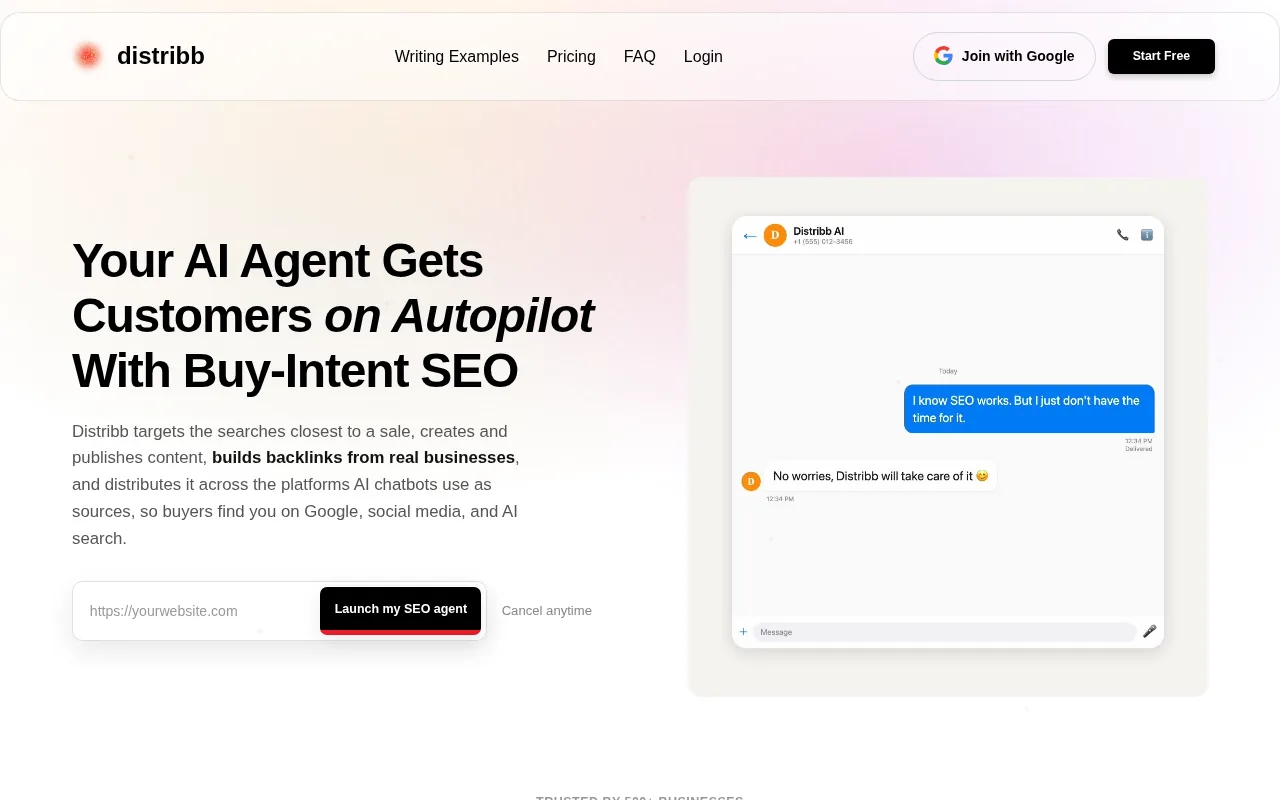
That wider scope is the reason it takes the first spot. Many SEO tools report one layer well. Distribb.io connects the signal to the next task. A page that loses clicks can move into a rewrite workflow. A backlink change can enter the link-building process. A shift in AI visibility can guide new content work.
The platform combines keyword research with content creation, publishing, backlink building, and AI-search visibility. Its monitoring side covers Search Console metrics, AI visibility share of voice, backlink status, content suggestions, and article-status alerts.
That matters to a small team. Imagine a founder who sees a high-value page lose impressions. The useful question is not only, “What changed?” It is also, “Which page needs work, and what should we do next?” Distribb.io is built around that second question.
Its integration list includes WordPress, Webflow, Shopify, Ghost, Wix, Notion, Framer, Google Search Console, custom webhooks, and DataForSEO or Ahrefs API access. That gives agencies more ways to fit monitoring into their current work instead of forcing every client into the same setup.
Distribb.io also has a Free Agentic plan. Keyword research on that plan uses your own DataForSEO or Ahrefs keys. That can lower the risk of testing a workflow before moving a whole client portfolio into it.
For a closer look at the product scope and current plan options, review Distribb pricing. The platform is a strong fit when you want SEO monitoring to lead directly to content and link work.
There is one important limit. Distribb.io is not an uptime monitor or a deep technical crawler. Pair it with a dedicated crawler or site-health monitor if you need constant checks for server errors, JavaScript rendering, or page-speed failures.
2. Ryze AI, Automated Issue Detection and Continuous SEO Improvements
Ryze AI takes an agent-based approach to automated SEO monitoring. It connects with Google Search Console and a website, then looks for technical issues, content gaps, and ranking opportunities.
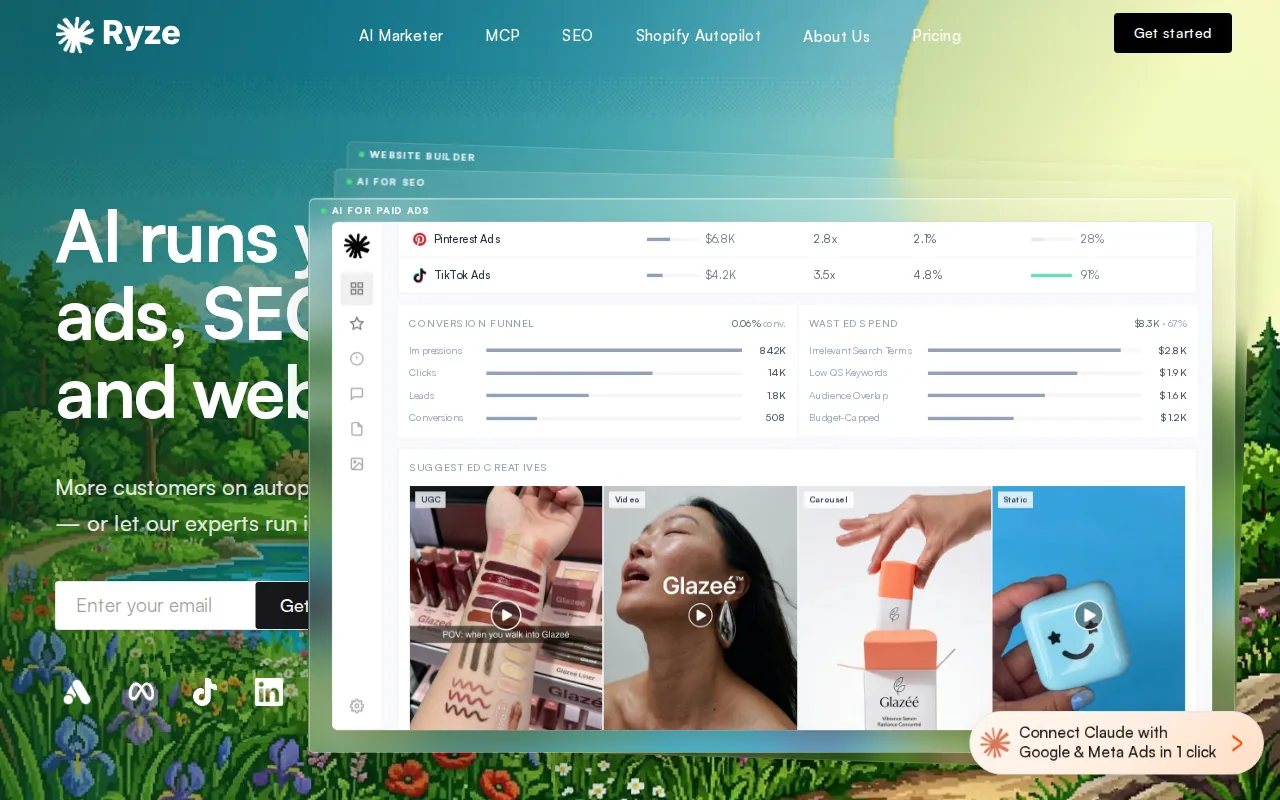
The useful part is its question-led workflow. You can ask which pages lost impressions in a recent period, which keywords sit close to page one, or which pages have missing metadata. It then groups findings by areas such as technical SEO, on-page work, and content.
Ryze AI can also suggest fixes for broken internal links, missing schema, long title tags, and missing meta descriptions. Its audit flow includes a review stage, so a team can inspect a proposed change before applying it. If an audit flags missing descriptions and you would rather fill them by hand, the free meta description generator writes three per URL.
That review step matters when several people touch a site. A marketer may spot a ranking decline, a writer may change the page, and a developer may update the template. A change log gives the team a way to connect the action with the later result.
Ryze AI is best for teams that want continuous checks plus suggested fixes. It can work well when the team has more SEO tasks than time, but still wants people to review higher-risk changes.
The caveat is scope. An agent can spot a technical pattern or a ranking decline, but it cannot know every business reason behind a page change. A seasonal campaign, product pause, or legal edit may look like a problem in the data. Keep human approval for changes that affect brand claims or commercial pages.
Ryze AI is a sensible choice when the main need is an always-running SEO agent. It is less suited to a team that only wants a simple rank chart and occasional email report.
Google Search Console should still sit beneath it as the first-party data source. Google describes Search Console as a way to monitor search performance and site issues through reports tied to a verified property, which makes it a useful baseline for any automated SEO monitoring setup.
3. ContentKing, Real-Time Technical SEO Monitoring for Large Sites
ContentKing focuses on real-time technical SEO monitoring. It watches site changes and alerts teams when important page elements change.
That model fits large sites where a small template error can affect thousands of URLs. A noindex tag added to a section, a broken redirect, or a deleted page can cause damage before the next scheduled crawl. Real-time monitoring shortens that gap.
The tool is best for enterprise teams, large publishers, and agencies that manage frequent site changes. It can help when developers deploy often and SEO staff need to know what changed without comparing page versions by hand.
Its monitoring focus includes immediate alerts when technical issues appear. The platform also integrates with Conductor, which may suit teams that already use that broader SEO environment.
Think of a retailer with many category pages. One template edit could remove canonical tags from every category URL. A scheduled crawler may catch the issue later. A change monitor can flag the shift soon after deployment, while the release is still fresh in the team’s memory.
ContentKing is not the best fit for every SEO job. It does not replace a content system, a full backlink workflow, or an AI visibility tracker. You may still need separate tools for rank data, content changes, and link status.
The cost of real-time coverage is also operational complexity. Teams need clear alert rules and ownership. If every small edit reaches the same inbox, people will stop reading the alerts. Route page changes to the person who can act on them.
Pick ContentKing when change speed is the main risk. For a smaller site with rare updates, a scheduled audit may give enough coverage at a lower level of effort.
4. SE Ranking, Rank Tracking and Backlink Alerts for Agencies
SE Ranking is a broad SEO suite with rank tracking, backlink monitoring, website audits, reporting, and AI visibility features. Its agency focus makes it useful when one team manages several client projects.
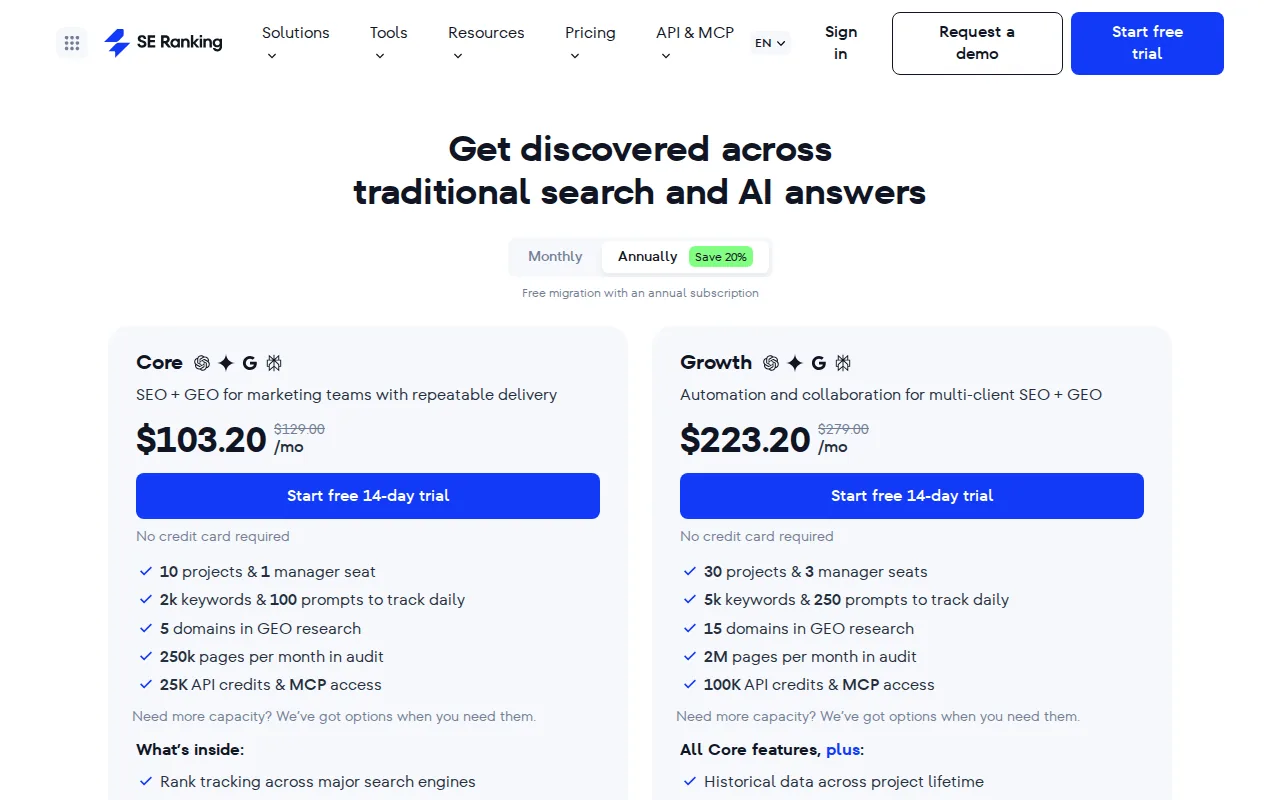
The rank tracker can follow keyword positions by location, search engine, and device. That detail matters for local campaigns or clients whose mobile and desktop results differ. A single average rank can hide that split.
Its backlink monitor sends email notifications when a link status changes. Teams can watch new links, lost links, and changes in link attributes. That gives an agency a clear event to investigate rather than a vague monthly drop in authority.
SE Ranking also supports scheduled website audits. A recurring crawl can flag technical issues and let teams compare audit results over time. That comparison helps answer a basic management question: did the last round of fixes reduce the issue count?
The agency features include white-label reports, client seats, access controls, and guest links. Those features matter in a client meeting. An account manager can show the client a selected view while keeping internal notes and other accounts private.
AI visibility is another part of the suite. Agency teams can check mentions across ChatGPT, Perplexity, Gemini, AI Mode, and Google AI Overviews, then bring those findings into client reporting.
SE Ranking is strongest when an agency wants one reporting home for many SEO signals. Its breadth can also be a drawback. Teams that only need rank tracking may find the wider suite more than they need.
Use it when client reporting, rank checks, backlink alerts, and audits need to live close together. Use a more focused tool when one technical or link problem deserves deeper specialist coverage.
5. Semrush AI Visibility Toolkit, Broad Prompt Tracking Across AI Search
Semrush AI Visibility Toolkit focuses on prompt tracking across ChatGPT, Google AI Overviews, Perplexity, and Gemini. It is a good fit for teams that want to see how often a brand appears in AI-generated search answers.
Traditional rank tracking asks where a page appears for a query. AI visibility tracking asks a different question: does the brand appear in the answer at all, and which sources does the system cite?
That difference changes the work. A page may rank well for a phrase but never appear in an AI answer. Another page may earn citations even when its classic search rank is less impressive. Prompt tracking gives teams a way to watch that second pattern over time.
The toolkit supports prompt tracking across more than 220 countries. That geographic reach may help global brands compare visibility by market instead of treating every AI answer as the same.
It is best for teams that already think in campaigns and reporting sets. An agency can group prompts by client, market, or topic. A brand team can watch whether key product questions lead to its site or to a competitor’s sources.
There is a clear limitation. AI visibility data does not replace Search Console data, technical checks, or standard rank tracking. It shows how systems answer sampled prompts. It does not prove that every user sees the same answer.
Use this toolkit when AI search is a major reporting line. Pair it with a site monitor when a broken page or indexing mistake could hurt traffic before an AI prompt report shows a change.
6. Promptwatch Growth, Daily Monitoring for Google and Generative Search
Promptwatch Growth is built around daily tracking across ChatGPT, Perplexity, Google AI Overviews, and Google AI Mode. It suits teams that want a steady view of how generative search mentions change.
Daily checks can help a brand spot shifts in prompt results without running the same questions by hand. That is useful when a marketing team tracks a fixed set of product questions, category terms, or comparison prompts.
The daily schedule also gives teams a simple review habit. A marketer can check new mentions, compare the result with the prior period, and send a focused task to the content team. The workflow is easier to manage when the prompt set stays stable.
Promptwatch Growth is best for AI-search monitoring rather than full technical SEO coverage. It does not remove the need for a crawl, Search Console review, backlink check, or page-speed test.
Keep the prompt list tied to business goals. A list packed with broad questions may produce interesting data but little action. Start with queries that influence product choice, category discovery, or brand trust.
Another caution is that AI answers can vary. A daily result is a signal, not a permanent rank. Look for a pattern across several checks before changing a page based on one unusual response.
Choose Promptwatch Growth when your main blind spot is generative search. If your first concern is a lost 301 or indexing error, start with a technical monitor instead.
Automated SEO Monitoring Tools Compared
The right automated SEO monitoring stack depends on the failure you cannot afford to miss. A small content team may need Search Console plus Distribb.io. A large site may need real-time change detection. An agency may care most about client views, rank history, and backlink alerts.
We evaluated the tools by four questions: what data they watch, how fast they surface a change, whether they help with the next action, and where another tool is still needed. Alerting matters because monitoring without notification still leaves someone responsible for checking the screen.
| Tool | Best monitoring use | Alert or action strength | Main gap |
|---|---|---|---|
| Distribb.io | Search Console, AI visibility, backlinks, article status | Connects findings to content and link workflows | Needs a separate uptime or deep crawler tool |
| Ryze AI | Technical findings and ranking opportunities | Suggests fixes and supports review before changes | Agent output still needs business review |
| ContentKing | Live page and technical changes | Fast alerts for important site changes | Does not cover the full content and link workflow |
| SE Ranking | Ranks, audits, backlinks, and agency reporting | Backlink email alerts and scheduled reports | Broad suite may be more than a small team needs |
| Semrush AI Visibility Toolkit | Prompt visibility across AI search systems | Broad market and prompt tracking | AI sampling does not replace technical monitoring |
| Promptwatch Growth | Daily generative search checks | Simple recurring prompt review | Limited as a full SEO health system |
Google Search Console remains the free baseline because it reports data from your own verified property. Its value is highest when you use it for clicks, impressions, indexing signals, and query trends, then send the data into a wider workflow.
For teams building their own alert rules, performance data can feed a dashboard or script.
Set alerts around business impact rather than every movement. A one-position change for a low-value query may need no action. A sharp click loss on a page that drives leads deserves a review.
- Check ranking and click declines on important pages each day or week.
- Review indexing and coverage issues as soon as they appear.
- Watch major template changes soon after a deployment.
- Check backlink losses at least weekly for high-value pages.
- Review AI visibility on a fixed prompt set, not random questions.
Thresholds should match your site. A small local business may alert on a sustained drop in clicks. An e-commerce team may alert when a product group loses index coverage. The goal is a short list of alerts that someone can act on.
The best choice is often a pair, not one oversized platform. Distribb.io can cover the performance and action loop, while a specialist crawler or uptime monitor handles the technical layer it does not claim to replace.
Two related guides go deeper on individual layers: our roundup of backlink monitoring tools and our comparison of automated SEO reports. For the audit side, see the best SEO audit tools.
FAQ: Automated SEO Monitoring Tools
What is automated SEO monitoring?
Automated SEO monitoring is the use of software to watch search and site signals without manual checks. It can track rankings, clicks, indexing, page changes, backlinks, and AI-search mentions. The useful systems also send alerts or suggest a next action when a change crosses a set threshold.
What should SEO monitoring tools track?
SEO monitoring tools should track the signals tied to your business risk. Start with clicks and impressions in Search Console, important keyword positions, index coverage, technical page changes, lost backlinks, and AI-search mentions. Add Core Web Vitals or uptime checks if site speed and availability affect your conversions. If you want those positions in your own dashboard, a keyword rank API can feed them in on a schedule.
How often should you monitor SEO?
You should monitor high-value pages and major technical changes daily or near real time. Weekly checks work for backlinks and wider rank trends. Monthly reviews can cover less important pages and reporting. The right schedule depends on how often your site changes and how much traffic a single error can affect.
Are free SEO monitoring tools enough?
Free SEO monitoring tools can cover the baseline, but they rarely cover every layer. Google Search Console can show search performance and indexing data for your site. You may still need a crawler for technical changes, a backlink monitor for link loss, or an AI visibility tool for generative search results.
Can automated SEO monitoring fix problems?
Some platforms can suggest or apply fixes, but automation should match the risk. A broken internal link may be safe to repair after review. A change to a product page, redirect map, or brand claim needs human approval. Monitoring finds the event; your team still sets the business rule for the response.
Conclusion
Choose Distribb.io if you want SEO monitoring tied to content, backlinks, and AI-search work. Start with your top pages and connect Search Console, then add a dedicated technical monitor if you need uptime or deep crawl coverage. When the workflow is clear, review Distribb’s backlink exchange as one way to act on link-building needs that your alerts uncover.