Ever feel like you're juggling a dozen social accounts and still can't keep up? You're not alone. I've tested the biggest schedulers, from native platform tools to AI-powered platforms, and uncovered the sweet spot that lets you post everywhere without losing your mind. Stick around and I'll show you exactly how to turn chaos into a clean, automated calendar. Whether you're a solo creator or a busy agency, the right tool can save hours each week. Let's get into it.
1. Simple Scheduling for Individuals and Small Teams
This tool has been a go-to for over a decade, and for good reason. It's dead simple. You connect your accounts, write your posts, and they go out on autopilot. No clutter, no steep learning curve. If you're flying solo or part of a tiny team, it feels like it was built just for you.

This tool's biggest strength is its polish. The interface is clean and modern. You can schedule to all major social networks including short video, photo, message, and business listing platforms. That's a huge list for a tool that starts at just $5 per month. And there's a free plan that covers up to three channels. For small businesses, that's a steal.
The AI Assistant helps with caption generation and ideas. It's not the fanciest AI out there, but it gets the job done. You can brainstorm, rewrite, and craft platform-specific posts without switching tabs. And if you need to manage a team, this tool has approval workflows, shared calendars, and role permissions. It's not as deep as enterprise tools, but for a two-person marketing department, it's plenty.
One thing I love: the analytics are straightforward. You get answers, not just numbers. It tells you what's working and how to improve. The free tools like the best time to post calculator and social media glossary are icing on the cake. This tool also has a transparent culture—they share salaries and finances openly. That builds trust.
But here's the catch: it doesn't offer advanced analytics for video, and the short-form video integration has some limitations with thumbnails and captions. If you're heavy on video, you might need to do some manual tweaking. Also, the free plan limits you to 3 channels and basic features. Overall, this tool is perfect for creators, consultants, and small businesses that want simplicity without missing key features.
2. Enterprise-Grade Scheduling with Deep Analytics
This enterprise-level platform has been around for 18 years. It is one of the most popular social media management platforms, with over 25 million users. And it shows. It is packed with features: scheduling, engagement, monitoring, analytics, and social listening. It is a powerhouse for large teams and enterprises.
The scheduling itself is strong. You get a visual calendar, bulk scheduling, and the ability to post to multiple networks at once. Some platforms also include an AI tool that can generate copy and ideas. But honestly, most people still prefer a dedicated AI writing assistant for that. What sets this platform apart is its analytics. You can track hundreds of metrics, build custom reports, and benchmark against competitors. The social listening feature monitors 30+ networks, 300+ review sites, and 150+ million websites. That's enterprise-grade intelligence.
It also offers a unified inbox for DMs, comments, and mentions. You can reply from one dashboard, assign messages to team members, and use saved replies. Some platforms include an employee advocacy tool that lets you share pre-approved content with your team's networks. Nice for scaling reach.
But such platforms often have a steep learning curve. The interface feels clunky in places, some parts are modern, others look like they haven't been updated since 2010. And pricing is high: the standard plan starts at $99 per month (or around $199 for the full version). There's no free plan, only a 30-day trial. For small teams, that's a lot. Also, the 10-account limit on the standard plan means you'll hit a ceiling fast if you manage multiple brands.
If you're a large team with complex needs, this platform is a solid choice. But if you're a solopreneur, look elsewhere.
3. Visual Content Planning Tool with Focus on Visual Platforms
This tool started as a scheduler for a visual platform, and it still excels there. The drag-and-drop calendar lets you see your grid exactly as it will appear. That's huge for brands that care about aesthetics. But the platform has grown up. Now it supports several major social media platforms. You can schedule posts, stories, and other content formats from one place.
The interface is gorgeous, very visual. You can drag media from your library, preview posts by platform, and see optimal posting times based on your audience data. The tool's AI features generate caption ideas and content ideas. The free plan covers one set of profiles (one of each platform) with limited posts per month. Paid plans start at $18.75/month for Starter, which includes 1 social set (8 profiles) and basic analytics.
This tool also includes a built-in link-in-bio feature, especially useful for driving traffic from visual platforms. You can create a landing page with unlimited buttons, product carousels, and even collect emails. That's a value-add if you're driving traffic from visual platforms.
However, this tool has limitations. Video quality can degrade when uploaded through the platform, and the story layout tools aren't the best. Collaboration features are lighter compared to some other tools. If you're managing a large team or multiple clients, it might feel cramped. Also, the inbox only covers a subset of platforms, not all. For creators focused on visual platforms and brands that prioritize aesthetics, this tool is ideal. For everyone else, it's a solid option with a visual twist.
One more thing: Its pricing is reasonable, but the Scale plan at $110/month supports 6 social sets (48 profiles). That's good for agencies on a budget.
4. Enterprise All-in-One Platform for Agencies
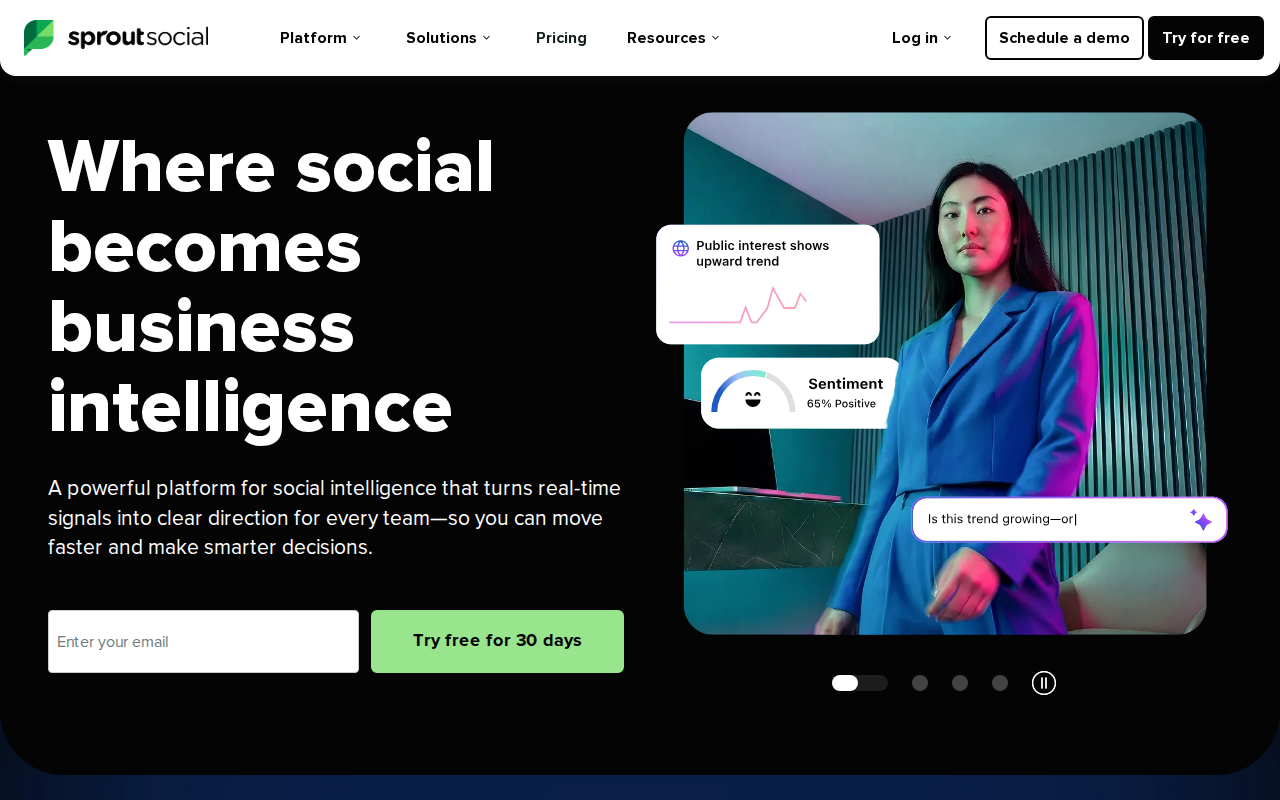
This platform is the gold standard for enterprise social media management. It combines scheduling, analytics, social listening, and engagement into a polished platform. The AI features are advanced: ViralPost optimizes posting times, and the Smart Inbox centralizes all messages. It also has an AI agent called Trellis that turns conversations into insights.
The scheduling calendar is collaborative. You can see what everyone is working on, get approvals, and promote content to employees. Reporting is top-tier, with custom reports, benchmarking, and ROI tracking. Its listening tool monitors millions of conversations and provides sentiment analysis and trend detection. That’s powerful for brands that need to stay ahead of conversations.
But price is a barrier. Standard plan starts at $199 per seat per month, and there’s no free plan, only a 30-day trial. For agencies managing multiple clients, costs add up fast. Also, the platform can be overwhelming for small teams. It’s built for scale.
If you need deep analytics and strong social listening, this enterprise platform is worth every penny. But if you’re on a tight budget, other tools like budget-friendly scheduling options offer solid scheduling at a fraction of the cost.
5. Affordable Visual Planning for Social Media Platforms
This visual planner was originally built for visual-first social platforms. It's intuitive and affordable, making it a great choice for small businesses and solo creators. The drag-and-drop grid preview lets you arrange posts for a cohesive feed. You can schedule posts, Stories, and even carousels. It also has an auto-magic caption tool that saves time.
The free plan is generous for a single platform: it includes up to 30 posts per month and 3 connected accounts. Paid plans start at around $10/month for one user and one social account. For influencers and small brands, that's a bargain.
But this tool is limited. It doesn't support short-form video platform scheduling (only several major social platforms). Analytics are basic. And there's no social inbox for engagement. If your strategy relies on visual-focused social platforms, this tool works. But if you need cross-platform scheduling and deep analytics, look for a more complete tool.
6. All-in-One Marketing Calendar with Content Repurposing

This platform is more than a social scheduler, it's a full marketing calendar. You can plan blog posts, social media, events, and campaigns all in one place. The social publishing tools let you create, schedule, and measure posts across networks. An AI assistant helps generate content and repurpose it for different platforms.
Its strength is coordination. You can ensure posts are promoted across social channels, set up workflows, and track progress. The calendar integrates with popular tools like CMS platforms, analytics suites, and CRM systems. Reporting is solid, with custom dashboards and performance metrics.
Pricing starts at $19 per month for the social scheduler (limited features), but the full platform is $65/month per user. There's a free trial, but no permanent free plan. For marketing teams that need to align content and social, this platform is excellent. But for pure social scheduling, it might be overkill.
7. White-Label Scheduling for Agencies
One popular white-label scheduling service is built for agencies. Its white-label dashboard lets you customize the platform with your own branding. That means you can offer social media management under your agency's name without building software from scratch. It's a huge time-saver for growing agencies.
Features include scheduling to all major social platforms, bulk upload, approval workflows, and client-specific dashboards. You can create automated reports to showcase results. The content library and RSS feed integrations make it easy to curate content. It also has an inbox for managing comments and messages.
Pricing starts at $29/month for one user and 6 profiles (Basic plan). The Pro plan ($99/month) adds team collaboration and approval workflows. Agency plan ($199/month) includes custom reports and account manager. White-label branding is available on higher tiers. For agencies, this is a cost-effective way to deliver professional services.
But its interface isn't as polished as some other tools. The learning curve is moderate. Also, some users report occasional bugs with auto-posting on certain platforms. Overall, if you're an agency looking for a white-label solution, it's a top pick. For a more comprehensive system that also automates content creation and SEO, consider Distribb.io.
8. Social Inbox and Engagement Built In, a Top-Rated Scheduler
This tool stands out for its powerful social inbox and engagement features. You can manage comments, DMs, and mentions from major social platforms in one place. The Inbox Assistant automates sorting and assigning messages. You can also moderate ad comments, a feature not all tools offer.
Scheduling is solid, with a calendar view, bulk upload, and post approval workflows. It also has reporting with customizable dashboards and the ability to export reports for clients. The listening tool monitors brand mentions and sentiment.
Pricing starts at $49/month for 2 users and 10 profiles (Standard plan). There's a free plan with limited features and a 30-day free trial. This tool is a great choice for small to mid-sized teams that prioritize engagement alongside scheduling. The inbox features can cut response times significantly.
One downside: This tool doesn't support all emerging platforms like some newer social networks. Also, the analytics aren't as deep as those offered by some competitors. But for the price, it's a strong all-rounder.
9. Category‑Based Scheduling for Evergreen Content
A unique category‑based approach lets you create groups like “Tips,” “Promos,” “Curated,” and “Testimonials.” You assign posts to those categories and set how often each category should be posted. The tool automatically fills your calendar, ensuring a balanced mix. This is perfect for evergreen content and content repurposing.
This tool supports scheduling to popular social networks. It has AI caption generation, a content library, and bulk upload. The free trial is 14 days, and paid plans start at $24/month for one user and 5 profiles. The Pro plan ($39/month) adds team collaboration and more profiles.
The main drawback is the interface – it’s functional but not as modern as some competing tools. Also, collaboration features are limited compared to enterprise solutions. If you have a lot of evergreen content to recycle, this system is a time‑saver. For a seamless solution that also includes AI‑driven content repurposing and automated scheduling, consider Distribb.io. It’s great for solo marketers and small businesses that want a “set it and forget it” system.
10. Intuitive Calendar with Post Ideas and Preview
This platform is known for its intuitive calendar and built-in post ideas. The AI assistant analyzes your brand and audience to suggest content topics and optimal posting times. You can create posts, schedule them, and preview how they'll look on each platform. This tool also has a social inbox for engagement on various social media networks.
Collaboration features include approval workflows, role assignments, and notes. The reporting dashboard shows performance across channels. It integrates with many platforms and has a free 7-day trial. Paid plans start at $36/month for 2 users and 10 accounts. The Base plan ($62/month) adds more users and features.
This tool's strength is the AI-powered content ideas, it can generate months of content in minutes. The calendar view is clean and easy to handle. However, the free trial is short, and pricing jumps quickly for advanced features. For teams that need inspiration filling the calendar, this tool is a strong contender.
11. Free Native Scheduler, Scheduling for Two Major Social Networks
If you're on a tight budget and only need two major social platforms, their native free scheduler is a solid option. It's the platform's own tool, so integration is smooth. You can schedule regular posts, short-form videos, and temporary stories directly from the dashboard. You also get access to insights and an inbox for messages.
But this native tool has limitations. It doesn't support other social networks. The interface can be clunky and slow. And you're at the mercy of the platform's updates; features can change without warning. For businesses that are focused on just those two networks, it's a decent starting point, but as you grow, you'll likely outgrow it quickly.
12. Visual Bookmarking and Photo App Scheduling with Automatic Resharing
This tool started as a scheduler for visual bookmarking platforms and still excels there. Its automatic resharing feature automatically reshares your best content and posts, keeping your content circulating without manual work. It also supports scheduling for photo-sharing platforms, including short videos and carousels. It offers AI-powered hashtag suggestions and optimal posting times.
Pricing starts at $12.99/month for visual bookmarking only, $19.99/month for both visual bookmarking and photo-sharing platforms. There's a free trial. This tool is a must for businesses that rely heavily on visual bookmarking. However, it's limited to those two platforms. If you need other major social platforms, look elsewhere.
How to Choose the Right Social Media Scheduling Tool
With so many social media scheduling tools, picking the right one can feel overwhelming. Start by mapping your needs. Ask yourself:
- How many platforms do you need? If it's just Instagram and Pinterest, niche tools designed for visual platforms work. But for full cross-platform coverage, all-in-one schedulers are better bets.
- How many profiles are you managing? A solo creator might manage 3-5 accounts; an agency could handle 50+. Check the per-plan limits.
- Do you need team collaboration? Approval workflows, role permissions, and shared calendars become important when more than one person posts.
- What's your budget? Free plans exist from some providers but cap posts or profiles. Premium tools for large teams can cost hundreds per month.
- Do you require analytics and reporting? Some tools offer deep insights and custom reports; others give you basic engagement stats.
- How about engagement and inbox features? If you want to manage all comments and DMs in one place, some platforms that specialize in engagement shine.
Also consider integrations with other tools like design platforms, cloud storage, or your CRM. The more smooth your workflow, the less time you waste switching tabs.
One thing I've learned: sometimes the best tool isn't one of the big names. For example, if you're looking to automate your entire content workflow, from keyword research to social posting, a platform like Distribb combines AI-powered content creation with social scheduling. It's a unique option for busy marketers who want a unified system. But for most teams, one of the tools mentioned will do the job.
Comparison Table: Social Media Scheduling Tools at a Glance
| Tool | Best For | Starting Price | Free Plan | Key Platforms | AI Features | Team Collaboration |
|---|---|---|---|---|---|---|
| Budget-Friendly Scheduling for Individuals | Individuals & small teams | $5/mo | Yes (3 channels) | All major platforms + emerging microblogging networks | AI writing assistant | Basic approvals |
| Enterprise Social Media Management | Enterprises & large teams | $99/mo | No (trial only) | All major platforms with social listening | AI content generator | Advanced |
| Visual-First Content Planner | Visual planners, platform-first | $18.75/mo | Yes (limited posts) | Visual platforms (Instagram, Pinterest, TikTok) and others | AI caption generator | Limited |
| Agency-Grade Social Analytics & Management | Agencies & enterprises | $199/seat/mo | No (trial only) | All major platforms with social listening | AI scheduling optimizer and content analytics | Full |
| Instagram & Pinterest Creator Tool | Visual platform creators | $10/mo | Yes (30 posts/mo) | Visual platforms and microblogging network, major social network | AI auto-caption feature | No |
| Marketing Calendar & Blog Integration | Marketing teams with content calendar | $19/mo | No (trial only) | All major platforms with blog CMS integration | AI content assistant | Yes |
| Agency White-Label Solution | Agencies (white-label) | $29/mo | No (trial only) | All major platforms plus local business profiles and emerging networks | AI caption generator | Full |
| Engagement-Focused Social Inbox | Teams prioritizing engagement | $49/2 users/mo | Yes (limited) | Major social networks | AI inbox management | Full |
| Evergreen Content Scheduling | Evergreen content curators | $24/mo | No (trial only) | All major platforms | AI caption generator | Basic |
| Content Idea & Calendar Platform | Teams needing content ideas | $36/mo | No (trial only) | All major platforms | AI content idea generator | Yes |
Frequently Asked Questions
What are social media scheduling tools?
Social media scheduling tools are apps that let you plan, create, and automatically publish posts across multiple platforms from one dashboard. Instead of logging into each network individually, you can batch your content, set a calendar, and let the tool handle posting. Many also include analytics, engagement features, and AI assistance to optimize timing and content.
Can I schedule posts to all social platforms with one tool?
Most major schedulers support all the leading platforms. Some also cover newer platforms. However, not all tools support every platform; for example, one scheduling app focuses only on a specific niche of platforms. Always check the integration list before committing.
Is there a free social media scheduling tool?
Yes, several tools offer free plans. Some tools provide up to 3 channels for free. Others offer a free plan with limited posts per month. Several brands also have free tiers with restrictions. A completely free option exists but only works for two platforms. Free plans are great for testing, but you'll likely need a paid plan as you scale.
How do I choose the best scheduler for my business?
Start by listing your must-have platforms, the number of accounts you manage, your team size, and your budget. Then match those needs to a tool's features. For example, agencies might prioritize a provider with a white-label option, while visual-platform-focused creators might prefer a scheduler with a strong visual calendar. Most tools offer free trials, so test a few before deciding.
Can AI help with scheduling?
Absolutely. Many modern schedulers include AI features like caption generation, content ideas, and optimal posting time recommendations. Examples include automated caption writing and AI-driven posting optimization. AI can save hours of manual work, but always review and personalize AI-generated content to maintain your brand voice.
What about scheduling for short‑video platforms?
Most major schedulers now support short‑video business accounts. However, limitations remain: you may not be able to choose a thumbnail or edit captions perfectly. Many tools support these platforms with some restrictions. Always test a free trial to see if the tool meets your needs.
Are there any hidden costs in social media scheduling tools?
Some tools charge per user or per profile, which can add up. For example, certain plans only include a limited number of accounts, and others are priced per seat. Additionally, advanced features like white-label or enterprise analytics often require higher-tier plans. Check the pricing page carefully to avoid surprises.
Can I manage engagement within the scheduler?
Yes, many schedulers include a social inbox for DMs and comments. Some tools excel here with their inbox assistant. Others also offer centralized engagement. A few tools have more limited inbox features. If engagement is key, prioritize tools with strong inbox capabilities.
Conclusion
We've covered a lot of ground. From simple scheduling tools' ease of use to comprehensive platforms' deep analytics, the best social media scheduling tools share one goal: helping you maintain a consistent presence without being chained to your computer. The right tool depends on your platform mix, team size, and budget. For most solo creators, affordable schedulers or visual planners offer the best balance of features and cost. For agencies scaling their services, white-label options from some providers are a major change. Large enterprises will appreciate the advanced analytics and listening features of top-tier platforms.
Remember, the best tool is the one you'll actually use. Start with a free trial, test with real content, and pay attention to how it fits your workflow. And if you're looking for a way to boost your overall content strategy, not just scheduling, consider an all-in-one platform like Distribb that combines SEO content creation with social automation. It's a powerful way to turn your blog posts into a steady stream of social updates.
No matter which path you choose, the goal is the same: save time, stay consistent, and grow your brand. Go ahead and pick your tool, set up your first batch of posts, and see how much easier social media can be.